🛒 Best Price Today on Amazon
Prime members get fast, free shipping on everything above, plus member-only deals. New members get a 30-day free trial — cancel anytime.
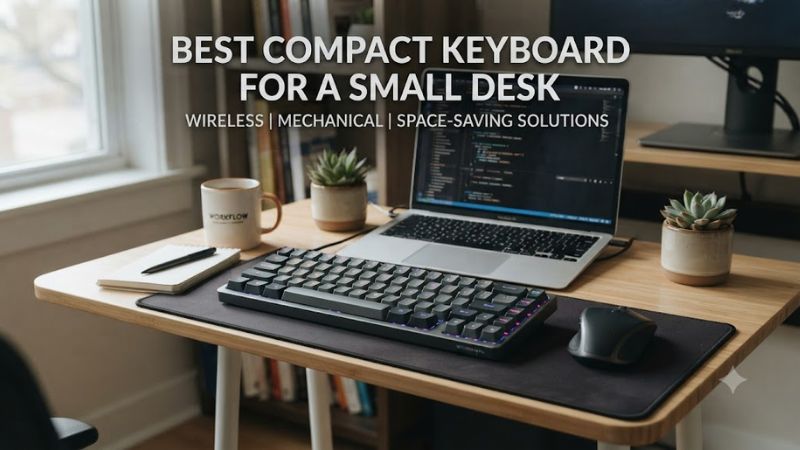
A best compact keyboard for a small desk should reduce footprint without removing keys you actually use. For PC gaming, 65% and 75% layouts balance mouse room with arrow keys and navigation, while low-profile boards can reduce visual and physical bulk further.
How to Choose a Compact Keyboard
Desk space comes down to four factors: footprint, layout, connection, and compatibility. A 65% board keeps arrow keys while dropping the function row, while 75% retains a function row in a compact arrangement. Measure available depth and width first, then match the keyboard to Windows, macOS, or both.
Choose the layout before the switch
The best compact keyboard for a small desk is often a 65% model when mouse clearance matters but arrow keys remain important. A 60% board saves more space, but it moves arrows and function commands behind Fn layers. A 75% layout adds dedicated function keys while remaining substantially smaller than full-size.
For gaming, 65% can be a practical middle ground because the missing numpad and function row leave more room beside the mouse. The Razer Reclusa X Mini 65% measures 311 × 102 mm, while the NuPhy Air75 V3 measures 318.9 × 128.9 mm, showing how layout and chassis design both affect desk usage.
Check width and depth, not only percentages
A percentage label does not specify an exact physical footprint. The best compact keyboard for a small desk therefore needs its actual dimensions checked against the desk, monitor stand, mousepad, and cable route. The Logitech G316 X 75 measures 327 × 140 mm, making its depth notably greater than some 65% alternatives.
Low-profile construction can also matter when a desk has limited vertical clearance or when the keyboard sits close to a laptop. The NuPhy Air75 V3 is 13.2 mm thick, whereas the ROG Falchion RX Low Profile measures 306 × 110 × 26.5 mm, so compactness is not simply a matter of key count.
Match switches to gaming and typing
Switch choice changes how the best compact keyboard for a small desk feels during both games and everyday work. Linear switches provide a smooth press, tactile switches add a bump, and magnetic switches can offer adjustable actuation. The Keychron K2 HE uses Gateron Double-Rail Magnetic switches with adjustable actuation from 0.2 to 3.8 mm.
Hot-swap support is useful if switch feel matters more than having a fixed factory configuration. The Razer Reclusa X Mini 65% accepts most standard 3-pin and 5-pin mechanical switches, while the Logitech G316 X 75 also supports hot-swappable switches. That gives buyers more flexibility without replacing the entire keyboard.
Verify operating-system compatibility
Compatibility should be checked before buying because software features can depend on the operating system as well as the physical USB connection. The Keychron K2 HE supports Windows, macOS, and Linux, while the NuPhy Air75 V3 supports macOS, Windows, Android, and iOS.
The ROG Falchion RX Low Profile officially lists Windows 11 and macOS 10.11 or later, with USB, Bluetooth 5.1, and 2.4GHz connectivity. For a Windows gaming PC, these connections cover wired and wireless use, but software-specific functions should still be checked before purchase.
Top Picks for Small-Desk Gaming
The best compact keyboard for a small desk depends on how much space you need and which keys you refuse to lose. These four models cover 65%, 75%, low-profile, wireless, and magnetic-switch designs, with specifications taken from manufacturer documentation and current product pages rather than assuming all compact keyboards have the same dimensions.
| Product | Best For | Key Spec | Compatibility | Watch Out For |
| Keychron K2 HE | Best Overall | 75%, magnetic switches, 0.2–3.8mm actuation | Windows, macOS, Linux | Larger than 65% boards |
| Logitech G316 X 75 | Best Value | 75%, 8kHz, hot-swap | Windows 10+, macOS 12+ | Wired only |
| Razer Reclusa X Mini 65% | Best For Smallest Footprint | 311 × 102mm, hot-swap | Windows with Synapse | No wrist rest or onboard memory |
| NuPhy Air75 V3 | Best For Low Profile | 318.9 × 128.9 × 13.2mm | Windows, macOS, Android, iOS | Wider than many 65% boards |
Keychron K2 HE: Best Overall
The Keychron K2 HE suits buyers who want a compact board without giving up the function row. Its 75% ANSI layout measures 316.4 × 126.7 mm, uses a 4000mAh battery, and supports 2.4GHz, Bluetooth for up to three devices, and wired USB connectivity.
Buy it if adjustable magnetic actuation, wireless connectivity, and QMK-based customization matter. Its real weakness for a very cramped desk is physical depth compared with 65% models, and its magnetic sockets only support compatible double-rail magnetic switches. Buyers wanting a simple fixed-switch keyboard should look elsewhere.
Logitech G316 X 75: Best Value
The Logitech G316 X 75 is aimed at buyers who want a compact 75% gaming layout and direct controls without moving to a wireless design. It measures 327 × 140 × 40 mm, uses hot-swappable mechanical switches, and supports an 8kHz report rate through its wired USB connection.
Buy it if a wired setup, dial, display, and compact function-row layout fit your desk. Its main weakness is the 140mm depth, which is greater than the Razer’s 102mm width/depth figure and can matter on shallow desks. It is not the choice for users who specifically require wireless operation.
Razer Reclusa X Mini 65%: Best For Smallest Footprint
The Razer Reclusa X Mini 65% is a strong fit when mouse clearance and a short keyboard footprint are the priority. It measures approximately 311 × 102 × 37 mm and retains arrow and navigation keys while removing the function row and numpad. Its Gen-3 tactile switches are hot-swappable.
Buy it if you want a compact wired gaming board with tactile switches and extensive key programming. Its real weakness is the lack of onboard memory and wrist rest, while connectivity is limited to the detachable USB-C cable. Buyers who need Bluetooth or 2.4GHz wireless should choose another model.
NuPhy Air75 V3: Best For Low Profile
The NuPhy Air75 V3 targets users who want a thin keyboard with a 75% layout. Its chassis measures 318.9 × 128.9 × 13.2 mm, weighs 724g, and uses low-profile switches with hot-swap support. It also offers 2.4GHz, wired USB-C, and Bluetooth 5.0 connectivity.
Buy it if low height, wireless flexibility, and a Mac-and-Windows-friendly layout matter. Its weakness is that the 128.9mm depth still occupies more desk area than the Razer 65%, despite its thin profile. Buyers who need the narrowest possible footprint should consider a 65% design instead.
FAQ: Compact Keyboards for Small Desks
The best compact keyboard for a small desk is usually a 65% or 75% model because both remove the numpad while preserving more gaming and productivity keys than 60% boards. A 65% layout saves more space, while 75% keeps a dedicated function row.
Is 65% or 75% better for a small desk?
A 65% keyboard generally uses less desk space than a 75% keyboard because it removes the function row as well as the numpad. The trade-off is that function commands require Fn combinations, whereas 75% layouts keep dedicated F-row keys in a compact arrangement.
The Razer Reclusa X Mini 65% illustrates the smaller approach at about 311 × 102 mm, while the Keychron K2 HE is 316.4 × 126.7 mm. If desk depth is the main constraint, the physical dimensions matter more than the percentage label alone.
Is a compact keyboard good for PC gaming?
A compact keyboard can be good for PC gaming because removing the numpad and other keys creates more room for mouse movement. RTINGS notes that 60% boards are popular with gamers partly because their smaller footprint leaves additional desk space, while 65% and 75% retain more commonly used keys.
The right layout depends on the games you play. Competitive players who rarely use F-row commands may prefer 65% or 60%, while games with frequent function-key inputs can make 75% more convenient. Neither layout changes game performance by itself; the primary benefit is desk arrangement and key access.
Does wireless make a compact keyboard better?
Wireless does not automatically make a compact keyboard better, but it can reduce cable clutter on a crowded desk. The Keychron K2 HE supports 2.4GHz, Bluetooth, and wired modes, while the NuPhy Air75 V3 supports 2.4GHz, Bluetooth 5.0, and wired USB-C connections.
A wired model can still be preferable when simplicity matters. The Logitech G316 X 75 uses USB-C on the keyboard with a USB-A cable and requires a computer with USB-A, while the Razer Reclusa X Mini 65% uses a detachable USB-C cable. Wireless is therefore a convenience choice rather than a requirement for compact gaming.
Will a compact keyboard work with Windows?
Most modern compact keyboards work with Windows, but software compatibility should be checked separately from basic key input. The Keychron K2 HE supports Windows, macOS, and Linux, while Logitech lists Windows 10 or later for the G316 X 75 and NuPhy lists Windows compatibility for the Air75 V3.
For a Windows gaming PC, also check the connection your desk setup can accommodate. The G316 X 75 requires USB-A, whereas the Keychron and NuPhy models add wireless options. This distinction matters when the PC is mounted under a desk, ports are limited, or cable routing is already crowded.
Final Thoughts
The best compact keyboard for a small desk should match the available surface rather than simply chase the smallest percentage. Choose 65% for maximum mouse room with arrow keys, 75% for more dedicated controls, low profile for reduced height, or magnetic switches when adjustable actuation is a priority.