🛒 Best Price Today on Amazon
Prime members get fast, free shipping on everything above, plus member-only deals. New members get a 30-day free trial — cancel anytime.
For a best gaming keyboard under 50 search, the key differences are layout, switch behavior, software, and connection rather than flashy extras. Current sub-$50 options range from compact Hall effect boards to traditional TKL models, so compatibility and the keys you need should guide the purchase.
How to Choose a Budget Gaming Keyboard
At this price, start with the layout because it determines whether you keep arrow keys, function keys, or a number pad. A compact 65% board saves desk space, while TKL keeps the function row and arrows. The right layout depends on your games and whether the keyboard also serves as your everyday typing device.
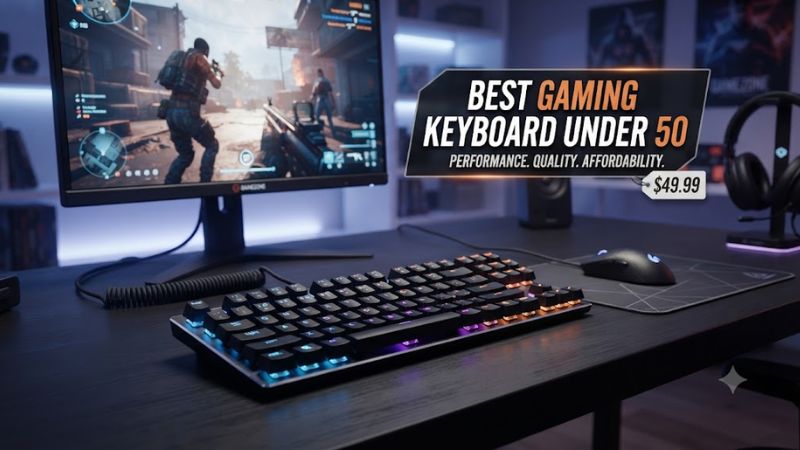
Check the Layout Before the Switches
A 65% keyboard usually removes the function row and navigation cluster while retaining dedicated arrow keys, making it a compact option for mouse-heavy games. TKL models retain the function row and arrows but remove the number pad. Full-size boards remain useful for spreadsheets and frequent numeric entry.
The best gaming keyboard under 50 should fit the available desk space without forcing commonly used commands onto layers. G.SKILL’s KM250 RGB uses a 65% 67-key layout, while the Lemokey X1 uses an 80% TKL layout, giving buyers two distinctly different approaches to the same budget.
Match Switch Type to Your Games
Linear switches provide a smooth keypress without a tactile bump, while tactile switches add physical feedback before the key reaches its actuation point. Hall effect switches use magnetic sensing and can provide adjustable actuation, which is particularly relevant to players who want configurable input behavior.
The Gamakay x NaughShark NS68 uses Outemu Peach magnetic switches and offers adjustable actuation from 0.01 to 3.7 mm according to the manufacturer. The Razer Reclusa X Mini instead uses Gen-3 Orange tactile mechanical switches, so these boards target different preferences despite similar pricing.
Check Software and Key Programming
Software matters when you want remapping, macros, lighting control, or configurable gaming functions. A keyboard without companion software can still work normally, but customization may be limited to hardware shortcuts. QMK and VIA support can also matter for users who want deeper key remapping.
The Lemokey X1 supports QMK, VIA, and Lemokey Launcher, with programmable keys and a 1,000 Hz polling rate. The Redragon K552 has a simpler approach: independent review data notes that it lacks companion software for macros and key remapping, making its feature set more basic.
Verify Windows and Connection Support
For a Windows gaming PC, wired USB keyboards are generally straightforward because they do not depend on Bluetooth pairing or a wireless receiver. Still, compatibility should be checked before purchase, especially when software features are part of the reason for choosing a particular model.
The Razer Reclusa X Mini connects through a detachable USB Type-C cable and supports Razer Synapse 4, while the G.SKILL KM250 RGB requires a USB port and lists Windows 7 through Windows 11 and macOS as supported systems. Neither requires a specific CPU, GPU, RAM capacity, motherboard chipset, or PCIe generation.
Top Picks
The current sub-$50 field includes conventional mechanical keyboards and newer Hall effect designs. Prices change frequently, so the figures below are reference prices observed in current sources rather than permanent MSRP claims. Independent latency information cited here comes from keyboard-specific review testing; game resolution and graphics settings do not apply to those input-latency measurements.
| Product | Best For | Key Spec | Compatibility | Watch Out For |
| Razer Reclusa X Mini 65% | Best Overall | 65%, tactile Gen-3 Orange, 1,000 Hz | Windows via USB-C | No wrist rest or onboard memory |
| G.SKILL KM250 RGB | Best Value | 65%, Kailh Red, hot-swap | Windows 7–11, macOS | No software-based programming |
| Gamakay x NaughShark NS68 | Best For Hall Effect | 65%, magnetic, 8,000 Hz wired | Windows/macOS | Lightweight plastic and clunky software |
| Redragon K552 Kumara | Best For TKL | TKL, mechanical switches, RGB variants | Windows/Linux; macOS with limitations | Mediocre latency and limited software |
Razer Reclusa X Mini 65% — Best Overall
The Razer Reclusa X Mini 65% is a strong fit for buyers who want a compact mechanical layout without moving to a 60% design. Razer lists hot-swappable 3-pin and 5-pin switch support, Gen-3 Orange tactile switches, doubleshot ABS keycaps, Chroma RGB, and a 1,000 Hz polling rate. Its current US price is $49.99.
Its main limitation is feature selection rather than basic hardware. The keyboard has no wrist rest and no onboard memory, while its 1,000 Hz polling rate is below the 8,000 Hz offered by some newer budget boards. Buyers wanting adjustable Hall effect actuation or wireless connectivity should choose a different design.
G.SKILL KM250 RGB — Best Value
The G.SKILL KM250 RGB suits buyers who want a small mechanical keyboard with practical customization hardware. Its 65% layout has 67 keys, Kailh Red switches, PBT dual-injection pudding keycaps, a detachable USB Type-C cable, NKRO, RGB lighting, and a volume knob. G.SKILL also confirms support for both 3-pin and 5-pin replacement switches.
The important compromise is software. PCWorld’s review information lists a lack of programming options, even though the hardware provides hot-swappable switches and a useful compact layout. Its reviewed price was $39.99, with a cited retailer price of $44.99, keeping the model within the target tier when available at those prices.
Gamakay x NaughShark NS68 — Best For Hall Effect
The NS68 is aimed at competitive players who specifically want magnetic-switch features below $50. Gamakay lists a 65% ANSI layout, Outemu Peach magnetic switches, 8,000 Hz wired polling, 1,000 Hz wireless polling, adjustable actuation, Rapid Trigger functions, and tri-mode connectivity through USB-C, Bluetooth 5.1, and 2.4 GHz.
Its drawbacks are documented by independent review coverage. PC Gamer described the board’s lightweight plastic construction and somewhat clunky software as weaknesses, while the current Gamakay page shows the keyboard as sold out there and directs buyers toward Amazon availability. Buyers who prioritize simpler software or a more conventional typing feel should consider another pick.
Redragon K552 Kumara — Best For TKL
The Redragon K552 Kumara is for buyers who want a conventional TKL layout with the function row and arrow keys while staying well below the $50 ceiling. Current price tracking shows examples around $36.99, while independent coverage identifies its TKL format, mechanical switches, and metal top plate as core characteristics. Exact switch and lighting variants should be checked before ordering.
The main weakness is its older feature set. RTINGS reports mediocre latency, no companion software for macros or key remapping, and loud clicky Outemu Blue switches on the reviewed RGB variant. It is therefore less suitable for buyers seeking quiet operation, modern software controls, or the lowest possible input latency.
Budget Keyboard Details That Matter
Once the basic layout and switch choice are settled, the remaining differences are mostly about customization, physical design, and input behavior. These details can change whether a keyboard fits your particular setup, but they should not be confused with graphics-card or CPU performance because a keyboard does not affect game rendering performance.
Polling Rate Is Not the Whole Story
Polling rate describes how frequently a keyboard reports its state to the computer, but a higher figure does not automatically translate into a visible advantage in every game. The Razer Reclusa X Mini runs at 1,000 Hz, while the NS68 supports 8,000 Hz in wired mode, creating a substantial specification difference without making other keyboard characteristics irrelevant.
Independent keyboard measurements also show why latency should be considered as a complete system rather than reduced to one polling-rate number. RTINGS reports strong latency performance for some budget boards while noting that differences between 1,000 Hz and 8,000 Hz can be difficult to notice during ordinary gaming. Keyboard latency is measured separately from FPS benchmarks.
Hot-Swap Support Changes Long-Term Flexibility
Hot-swappable sockets let users replace compatible switches without soldering, which can be useful when preferences change. The G.SKILL KM250 RGB supports both 3-pin and 5-pin switches, while the Razer Reclusa X Mini also supports 3-pin and 5-pin mechanical switches according to its manufacturer documentation.
The NS68 takes a different approach because its hot-swap system is designed around N-pole magnetic switches rather than ordinary MX-style mechanical switches. That distinction matters: conventional mechanical replacements are not automatically interchangeable with Hall effect switches, so buyers should verify switch compatibility before purchasing replacements.
Keycap Material Affects the Daily Feel
Keycap material is another meaningful distinction below $50. The KM250 RGB uses PBT dual-injection pudding keycaps, while the Reclusa X Mini uses doubleshot ABS keycaps. These constructions affect texture, shine resistance, legends, and how the keyboard looks under backlighting rather than changing CPU or GPU performance.
For buyers who type frequently, keycap feel can matter as much as switch technology. ABS can develop a shinier surface with use, while PBT is commonly chosen for a more textured finish. The choice is personal, but the specification is worth checking because two similarly priced mechanical keyboards can feel noticeably different under the fingers.
Desk Space and Connectivity Still Matter
Compact boards can leave more room for mouse movement, which is useful for players who use low mouse sensitivity. A 65% board such as the KM250 RGB or NS68 removes more keys than a TKL model such as the K552, so the space savings come with a greater dependence on function layers and shortcuts.
Connectivity should be considered alongside desk placement. The Reclusa X Mini and KM250 RGB use detachable wired USB connections, while the NS68 adds Bluetooth and 2.4 GHz wireless modes. Buyers who need a cable-free setup therefore have a concrete reason to consider the NS68, while desktop users may prefer the simplicity of a wired board.
FAQ
Is a mechanical keyboard better for gaming under $50?
A mechanical keyboard is not automatically better for every gamer, but sub-$50 mechanical models provide options for linear, tactile, and Hall effect switches that membrane boards do not. The choice depends on noise, feel, layout, and desired customization rather than the word “mechanical” alone.
What is the best gaming keyboard under 50 for FPS games?
The best gaming keyboard under 50 for an FPS player depends on whether compact size, conventional switches, or adjustable magnetic input matters most. The NS68 offers Hall effect controls and 8,000 Hz wired polling, while the Reclusa X Mini emphasizes tactile switches and a compact 65% layout.
Do budget gaming keyboards work with Windows 11?
Yes, the current models covered here support Windows, although software requirements vary by manufacturer. G.SKILL lists Windows 7, 8, 8.1, 10, and 11 for the KM250 RGB, while Razer documents Synapse 4 support for the Reclusa X Mini.
Does an 8,000 Hz keyboard increase FPS?
No, an 8,000 Hz keyboard does not increase rendered FPS because polling rate concerns keyboard input reporting rather than GPU rendering. The NS68’s 8,000 Hz mode can affect input-report timing, but game FPS remains dependent on the PC’s CPU, GPU, memory, game settings, and display configuration.
Final Thoughts
Choosing the best gaming keyboard under 50 comes down to layout, switch behavior, compatibility, and the features you will actually use. The Reclusa X Mini, KM250 RGB, NS68, and K552 represent different approaches to the same budget, so checking their trade-offs is more useful than chasing one specification.