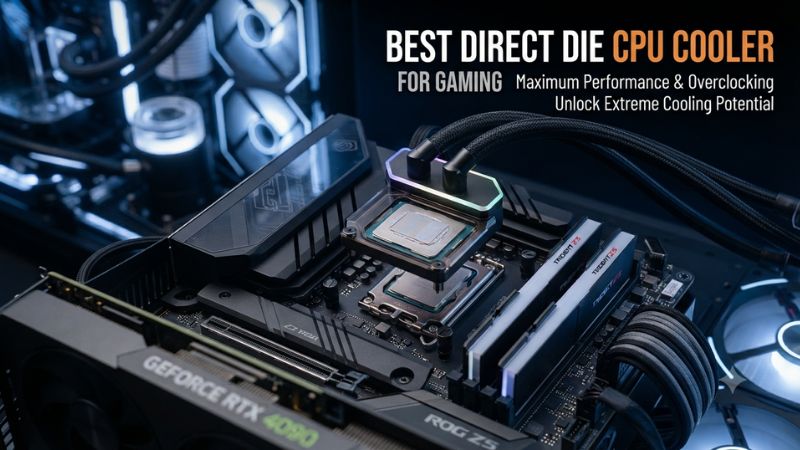
Best direct die CPU cooler for gaming depends on your processor, socket, and willingness to remove the integrated heat spreader (IHS). Unlike conventional CPU cooling, direct-die cooling places the cooling surface against exposed silicon. This guide compares specialist options, compatibility, installation requirements, and the risks involved.
How to Choose a Direct Die CPU Cooler
Direct-die cooling is an enthusiast-level modification rather than a straightforward cooler replacement. Removing the CPU’s IHS changes the required mounting height, contact pressure, and thermal interface. The right choice must therefore match the exact processor generation and bare-die mounting arrangement, not simply the motherboard socket.
1. Check CPU Socket and Processor Compatibility
Socket compatibility is the first requirement when choosing a direct-die solution. An Intel LGA1700 block, for example, should not be assumed compatible with LGA1851, even if the processors have similar dimensions. Manufacturers design mounting hardware and cooling surfaces for particular CPU packages.
AMD AM5 direct-die products also require special attention because Ryzen 7000 processors use a chiplet-based layout beneath the IHS. A block intended for a delidded Ryzen 7000 processor is not automatically suitable for Ryzen 9000. Confirm the manufacturer’s supported CPU list before purchasing.
2. Choose Between a Dedicated Block and a Modified Cooler
A dedicated direct-die water block is designed to contact exposed silicon without the original heat spreader. It generally includes specialized mounting hardware, appropriate contact geometry, and a cooling surface intended for the modified processor.
An alternative is to adapt a compatible conventional cooler using a direct-die frame and height-adjustment hardware. Noctua’s NM-DD1 approach illustrates this method. It allows supported Noctua coolers to be adapted for AM5 direct-die configurations, but it is not a universal mounting kit for every cooler.
3. Understand the Cooling System Requirements
Most dedicated direct-die water blocks require a custom liquid-cooling loop rather than an ordinary air-cooling installation. The loop needs a compatible pump, radiator, reservoir or suitable integrated arrangement, tubing, fittings, and coolant.
A direct-die block cannot compensate for inadequate radiator capacity or excessive CPU voltage. Gaming temperatures also depend on workload, ambient temperature, processor power limits, and cooling-loop temperature. Consider the entire cooling system rather than judging a block by its cold-plate design alone.
4. Account for Installation Risk and Maintenance
Direct-die installation involves removing the factory heat spreader, cleaning the exposed processor package, applying an appropriate thermal interface, and installing protective mounting hardware. Mistakes can damage the silicon, surface components, socket, or motherboard.
Liquid metal is commonly used in direct-die configurations because of its thermal properties, but it requires careful handling. It is electrically conductive and can react with aluminum. Check the cold-plate material and follow the manufacturer’s application instructions. Delidding can also invalidate the processor warranty.
Top Direct Die CPU Cooling Picks
The available options fall into three groups: dedicated bare-die water blocks, conventional water blocks with bare-die mounting support, and adapted air coolers. These products are not interchangeable. The following selections prioritize documented compatibility and practical installation requirements rather than unsupported gaming-performance rankings.
1. Thermal Grizzly AM5 Mycro Direct-Die – Best Overall for AM5
Dedicated direct-die water block
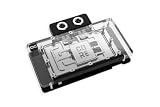
The Thermal Grizzly AM5 Mycro Direct-Die is a purpose-built option for enthusiasts using delidded AMD AM5 processors. Its nickel-plated copper cooling surface and dedicated mounting arrangement are designed for bare-die operation rather than conventional IHS contact.
Its documented compatibility includes Ryzen 9000 processors, including X3D variants, with specific exclusions for the Ryzen 5 7400F and Ryzen 8000G APUs. It uses standard G1/4-inch female fittings, making it suitable for appropriately configured custom liquid-cooling loops.
The limitation is that it requires delidding and a custom loop. It is not a conventional AIO replacement, and buyers should verify the latest processor compatibility list before ordering. It is the strongest starting point for an AM5-specific direct-die build.
2. Thermal Grizzly Mycro Direct-Die Pro RGB – Best Intel Option
Dedicated Intel direct-die water block
Thermal Grizzly’s Intel Mycro Direct-Die Pro RGB targets delidded Intel processors. Its dedicated mounting arrangement is intended for direct contact with the exposed CPU package, making it a more appropriate choice than modifying an ordinary LGA1700 cooler without validated hardware.
The important purchasing detail is processor compatibility. Thermal Grizzly publishes separate compatibility information for different product versions and CPU generations. Its documented Intel 12th-, 13th-, and 14th-generation compatibility list should not be interpreted as approval for Core Ultra 200S processors or other sockets.
Its main disadvantage is its narrow compatibility and the additional work required for delidding. Buyers should match the exact Mycro version and processor against the current manufacturer compatibility document before purchasing.
3. Optimus Signature V3 Pro AMD – Best Premium Custom-Loop Alternative
IHS and bare-die-capable water block
The Optimus Signature V3 Pro AMD is an interesting alternative because it supports both standard IHS and bare-die mounting configurations. Its manufacturer specifies a copper cold plate, a two-piece jet insert, and included 4 mm spacers for compensating for the removed heat spreader.
Unlike a dedicated bare-die-only solution, this block can also serve a conventional AM5 custom-loop system. However, the manufacturer requires a third-party die protection frame for bare-die installation. Its recommendation is to retain the standard IHS for normal users.
The main drawback is its premium positioning and the additional parts needed for delidding. It makes more sense for an enthusiast already building a high-end custom loop than for someone seeking an inexpensive gaming temperature improvement.
4. Noctua NM-DD1 – Best Air-Cooling Adaptation
Direct-die mounting kit for compatible Noctua coolers
The Noctua NM-DD1 takes a different approach. Instead of replacing the CPU cooler, it supplies precision spacers and longer mounting screws that allow compatible Noctua heatsinks to sit at the correct height above a delidded AMD AM5 processor.
It supports Ryzen 7000 AM5 processors and a wide range of Noctua coolers, including the NH-D15, NH-D15S, NH-U14S, and NH-U12A. The compatibility list also distinguishes between 78 mm and 83 mm mounting arrangements, so checking the exact cooler model is essential.
The limitation is its restricted platform support. It is not an Intel direct-die solution and does not include the delidding tool, protective frame, or liquid metal. It is particularly attractive when an owner already has a compatible Noctua cooler.
Direct Die Cooler Comparison
| Product | Best For | Key Spec | Compatibility | Watch Out For |
| Thermal Grizzly AM5 Mycro Direct-Die | Best overall AM5 | Nickel-plated copper; G1/4 fittings | Supported AM5 Ryzen CPUs | Custom loop and delidding |
| Thermal Grizzly Mycro Direct-Die Pro RGB | Intel builds | Dedicated bare-die water block | Specific validated Intel CPUs | Check exact product revision |
| Optimus Signature V3 Pro AMD | Premium flexibility | Copper cold plate; 4 mm spacers | AMD AM5, IHS or bare die | Third-party die frame required |
| Noctua NM-DD1 | Air-cooling adaptation | Precision spacers and screws | Ryzen 7000 AM5; listed Noctua coolers | Separate delidding equipment required |
5. Thermal Grizzly Intel 1851 Mycro Direct-Die Pro RGB – Best for LGA1851
Dedicated direct-die water block for Intel Core Ultra
For newer Intel systems, Thermal Grizzly offers a separate LGA1851 Mycro Direct-Die Pro RGB V1. This is important because the standard LGA1700 version should not be assumed compatible with Intel’s newer desktop platform. The LGA1851 model has its own mounting arrangement and processor compatibility documentation.
Its nickel-plated copper base, G1/4-inch fittings, and integrated mounting mechanism are designed for delidded LGA1851 processors. The manufacturer also specifies insulation around the contact area and warns that incorrect thermal-interface material thickness can create excessive mounting pressure or memory-detection problems.
The disadvantage is the narrow platform requirement and the need for a complete custom loop. It is the more appropriate Thermal Grizzly option for a compatible LGA1851 bare-die build, rather than adapting an older Intel block.
Updated Comparison of the Main Options
| Product | Best For | Key Spec | Compatibility | Watch Out For |
| AMD Mycro Direct-Die Pro RGB V1 | AM5 direct-die | Nickel-plated copper; G1/4 | Validated AM5 processors | Delidding and custom loop |
| Intel Mycro Direct-Die Pro RGB V1 | LGA1700 | 43% more microfins than standard V1 | Validated Intel 12th–14th Gen CPUs | Not an LGA1851 substitute |
| Intel 1851 Mycro Direct-Die Pro RGB V1 | LGA1851 | Nickel-plated copper; G1/4 | Validated LGA1851 processors | Separate platform-specific model |
| Optimus Signature V3 Pro AMD | Premium AM5 flexibility | Copper cold plate; 4 mm spacers | AMD AM5 | Third-party die frame |
| Noctua NM-DD1 | Existing Noctua air coolers | Precision spacers and screws | Ryzen 7000 and listed coolers | Not a standalone cooler |
Direct Die Cooling: Performance, Compatibility, and Buying Advice
Choosing a direct-die solution requires more than comparing cooling surfaces. The processor generation, bare-die geometry, mounting pressure, thermal interface, and cooling loop all affect the result. These considerations matter particularly for gaming systems, where maintaining stable boost behavior and avoiding hardware damage are more important than chasing an isolated temperature figure.
1. Does Direct Die Cooling Improve Gaming Performance?
Direct-die cooling can reduce thermal resistance by removing the IHS from the heat-transfer path. This may provide additional thermal headroom for processors that approach their temperature limits during demanding workloads. Noctua states that its NM-DD1 approach can typically reduce CPU temperatures by 10–15°C, although this is manufacturer guidance rather than a universal gaming benchmark.
Lower temperatures do not automatically translate into higher gaming frame rates. A CPU that already maintains its normal boost clocks may show little practical improvement. The benefit depends on whether thermal constraints actually limit the processor during the games and settings being used.
2. Why Mounting Pressure Matters
A conventional CPU cooler is designed around the height and mechanical protection provided by the IHS. Removing that component changes the contact geometry considerably. A mounting arrangement that applies excessive or uneven pressure can crack exposed silicon or interfere with surrounding components.
Dedicated direct-die blocks and protective frames are designed to address these requirements. Avoid improvising with ordinary mounting screws or assuming that a cooler’s existing contact plate will work safely. Follow the specific mounting sequence and torque instructions supplied by the manufacturer.
3. Liquid Metal Versus Conventional Thermal Paste
Liquid metal is commonly selected for direct-die cooling because it provides a highly conductive interface between the silicon and compatible metal cold plates. Nickel-plated copper is used in several dedicated products to provide a suitable contact surface for gallium-based liquid-metal compounds.
However, liquid metal is electrically conductive and must not spill onto exposed electronic components. It is also unsuitable for aluminum contact surfaces because gallium can damage aluminum. Some manufacturers support alternative thermal interfaces, but their thickness and compression characteristics must be considered before installation.
4. Is Direct Die Worth It for a Gaming PC?
For most gaming PC owners, conventional air cooling or a high-quality AIO remains the more sensible choice. These options avoid delidding, preserve the factory processor configuration, and offer a much simpler installation and maintenance process.
Direct-die cooling makes more sense for experienced enthusiasts who already have custom liquid cooling and a specific thermal limitation to address. If your processor is not thermal-throttling and already maintains its expected gaming clocks, spending money on delidding equipment and a specialist block may provide limited practical value.
Important product-generation distinction: Thermal Grizzly’s original AM5 Mycro Direct-Die is discontinued. The current successor to consider is the AMD Mycro Direct-Die Pro RGB V1. The original model should not be purchased as though it were the current-generation recommendation. The same distinction applies to the original Intel Mycro Direct-Die and its Pro successor.
FAQ
1. Is direct-die cooling better than an AIO for gaming?
Direct-die cooling can provide better thermal transfer than conventional IHS-based cooling, but it is not automatically better for every gaming PC. A quality AIO is generally more practical because it does not require delidding or specialized bare-die mounting.
2. Can I use a direct-die CPU cooler without removing the IHS?
No, a dedicated direct-die cooler requires the processor’s heat spreader to be removed. Some products, such as the Optimus Signature V3 Pro, also support conventional IHS installation, but that configuration is not direct-die cooling.
3. Does Noctua NM-DD1 work with Intel processors?
No, the NM-DD1 is specifically designed for delidded AMD Ryzen 7000 AM5 processors. Noctua does not provide Intel spacers for this kit because its standard cooler mounting arrangement can damage components surrounding delidded Intel processors.
4. Does delidding void the CPU warranty?
Yes, delidding can invalidate the manufacturer’s CPU warranty. It also introduces a risk of permanent damage to the processor, motherboard, or socket. Check the warranty terms and consider professional delidding before attempting the modification.
Final Thoughts
The best direct die CPU cooler for gaming depends on your exact processor and cooling setup. Thermal Grizzly offers dedicated AMD and Intel solutions, Optimus provides an alternative for AM5 custom loops, and Noctua supports compatible air coolers. Verify compatibility first, and consider whether the thermal benefits justify delidding risks before upgrading.