Choosing the best high wattage psu for dual gpu workstation builds requires more than adding two graphics cards’ power ratings together. You also need sufficient 12V capacity, independent GPU power connections, suitable CPU connectors, and electrical compatibility. This guide compares four 1600W options and explains when a higher-capacity supply makes sense.
How to Choose a High-Wattage PSU for a Dual GPU Workstation
A dual-GPU workstation can place substantially different demands on a power supply depending on the graphics cards, processor, and workload. AI inference, rendering, simulation, and GPU compute may keep both cards under sustained load. Start with the actual component power requirements, then compare connector availability, electrical specifications, efficiency, and physical clearance.
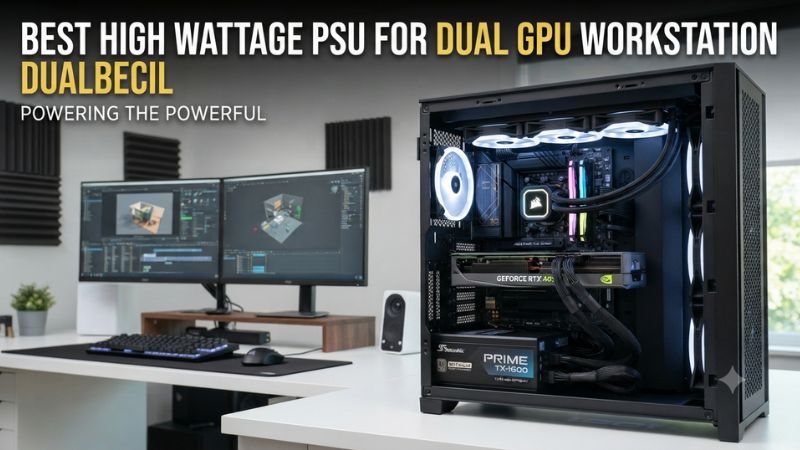
1. Calculate Total System Power Before Choosing Wattage
The combined power consumption of both GPUs is the starting point, not the final PSU requirement. Include the CPU, motherboard, memory, storage, cooling equipment, expansion cards, and connected peripherals. A workstation with two high-power GPUs and a flagship processor can require considerably more capacity than a conventional gaming desktop.
Use the graphics card manufacturers’ recommended PSU guidance where available, then estimate the complete system’s sustained DC demand. Leave appropriate operating headroom rather than selecting a unit that must operate continuously near its rated maximum. A 1600W model is a useful starting category, but it is not automatically sufficient for every dual-GPU configuration.
2. Check Native GPU Power Connectors
Connector availability is particularly important when selecting a high wattage PSU for dual GPU workstation applications. Modern graphics cards may use 12V-2×6 connections, while other models require traditional PCIe 8-pin connectors. Some workstation configurations also combine different connector types across their two graphics cards.
Look beyond the number of sockets on the PSU. Confirm how many independent cables are supplied, their connector arrangements, and their compatibility with the specific GPU models. Native cables simplify installation and avoid unnecessary adapter connections. Never assume that two connectors on one cable provide the same arrangement as two separate PSU cables.
3. Understand Efficiency and Power Delivery
80 PLUS Platinum and Titanium certifications help compare power-conversion efficiency under specified testing conditions. Titanium generally represents a higher efficiency tier than Platinum, although actual efficiency depends on operating load and input voltage.
For a workstation that renders or processes data for extended periods, efficiency can influence electricity consumption and the amount of heat generated inside the PSU. However, certification alone does not establish superior voltage regulation, acoustics, or long-term reliability. Consider independent electrical testing when available, alongside the manufacturer’s specifications and warranty.
4. Check Case Clearance and Electrical Requirements
High-capacity ATX power supplies can be longer than ordinary desktop models. For example, the Seasonic PRIME TX-1600 measures 210mm long, while the ASRock PG-1600G measures 180mm. Check the PSU compartment, cable-routing space, and clearance around storage cages before purchasing.
Electrical input requirements deserve equal attention. A 1600W rating does not mean every PSU can deliver its full rated output from every household circuit. Check the manufacturer’s input-voltage specifications, the AC power cord, and the available circuit capacity. This is especially important when considering workstation supplies rated for 200–240V operation.
Top High-Wattage PSU Picks for Dual GPU Workstations
The following models offer substantial capacity and useful GPU connectivity for demanding desktop configurations. They differ in efficiency certification, cable arrangements, physical dimensions, and additional features. The recommendations are based on published manufacturer specifications rather than PC Gaming Universe laboratory testing.
1. MSI MEG Ai1600T PCIE5 – Best Overall
The MSI MEG Ai1600T PCIE5 is a strong all-around choice for a high-end dual-GPU workstation. It provides 1600W of rated output, 80 PLUS Titanium certification, and two native 12V-2×6 connectors. Its nine PCIe 6+2-pin connectors also provide flexibility for graphics cards using traditional PCIe power inputs.
Additional specifications include a fully modular design, two EPS 4+4-pin CPU connectors, and a 135mm double-ball-bearing fan. MSI lists multiple protection features, including OCP, OTP, OPP, SCP, OVP, and UVP. Its ATX 3.1 and PCIe 5.1 compatibility makes it suitable for modern high-power GPU configurations.
us.msi.com+1
Who should buy it: Workstation builders who need two native 12V-2×6 connections, substantial traditional PCIe connectivity, and Titanium efficiency.
Limitation: Its 190mm depth requires adequate case clearance. The 1600W capacity also needs to be checked against the combined demand of both GPUs and the processor.
Consider a higher-capacity alternative if your workload requires more than 1600W of continuous system power.
2. ASRock Phantom Gaming PG-1600G – Best Value-Oriented Choice
The ASRock Phantom Gaming PG-1600G offers a useful combination of high wattage, modern connectivity, and a comparatively compact physical design. It provides 1600W of capacity and carries 80 PLUS Gold certification, alongside Cybenetics Platinum efficiency and Lambda A noise certifications listed by ASRock.
Its connectivity includes two native 12V-2×6 connectors, eight PCIe 6+2-pin connectors, and two EPS 4+4-pin CPU connectors. The 180mm chassis depth can also make installation easier in cases with limited PSU clearance. ASRock specifies a 135mm fluid dynamic bearing fan and a 10-year warranty.
PG-1600G+1
Who should buy it: Builders looking for a high-capacity workstation PSU with extensive GPU connectivity without prioritizing Titanium certification.
Limitation: Its Gold 80 PLUS rating is below the Titanium certification of the MSI and Seasonic TX models. Regional availability should also be checked because ASRock notes that this model may not be sold worldwide.
Consider the MSI MEG Ai1600T if higher 80 PLUS efficiency certification is a priority.
3. Seasonic PRIME TX-1600 ATX 3.1 – Best Titanium Efficiency
The Seasonic PRIME TX-1600 is another premium option for demanding workstation configurations. It combines a 1600W rating with 80 PLUS Titanium certification and native 12V-2×6 connectivity. Seasonic also specifies ATX 3.1 and PCIe 5.1 compatibility, making it relevant to current high-power graphics cards.
Its fully modular cable arrangement, digital fan control, and Japanese 105°C-rated electrolytic capacitors are notable specifications. Seasonic lists a 12-year warranty and dimensions of 210 × 150 × 86mm. The manufacturer also specifies a 135mm fluid dynamic bearing fan.
Premium Power Supplies+1
Who should buy it: Workstation owners who prioritize Titanium efficiency, a long manufacturer warranty, and modern GPU power connections.
Limitation: The 210mm chassis depth can restrict installation in smaller cases. Its premium positioning may also make the ASRock Gold-certified alternative more attractive to budget-conscious builders.
Consider the PRIME PX-1600 if you prefer Platinum efficiency over Titanium and want to compare pricing within Seasonic’s PRIME range.
4. be quiet! Dark Power Pro 13 1600W – Best for Quiet-Focused Builds
The be quiet! Dark Power Pro 13 1600W targets high-end systems where acoustic considerations matter alongside power capacity. It offers 80 PLUS Titanium certification, ATX 3.1 compliance, and two native 12V-2×6 connectors. Six additional PCIe 6+2-pin connectors provide flexibility for graphics cards using conventional PCIe power inputs.
The manufacturer specifies a frameless Silent Wings fan, fully digital control, and a switching feature that changes between six 12V rails and one high-capacity 12V rail. Its aluminum housing and individually sleeved modular cables are additional design features. The PSU measures 200 × 150 × 86mm and carries a 10-year warranty.
be quiet!+3
Who should buy it: Builders prioritizing a premium Titanium-certified PSU with fan design and operating-noise considerations.
Limitation: It has six traditional PCIe 6+2-pin connectors, fewer than the MSI and ASRock alternatives. Its 1600W capacity may also be insufficient for particularly demanding dual-GPU configurations.
Consider the MSI MEG Ai1600T if your graphics cards require more traditional PCIe connections.
Quick Comparison: Which PSU Fits Your Workstation?
| Product | Best For | Key Spec | Compatibility | Watch Out For |
| MSI MEG Ai1600T PCIE5 | Best overall | 1600W, Titanium, 2 × 12V-2×6 | ATX 3.1, PCIe 5.1 | 190mm depth |
| ASRock PG-1600G | Value-oriented builds | 1600W, Gold, 2 × 12V-2×6 | ATX 3.1, PCIe 5.1 | Regional availability |
| Seasonic PRIME TX-1600 | Efficiency | 1600W, Titanium, 2 × 12V-2×6 | ATX 3.1, PCIe 5.1 | 210mm depth |
| be quiet! Dark Power Pro 13 | Quiet-focused builds | 1600W, Titanium, 2 × 12V-2×6 | ATX 3.1, PCIe 5.1 | Six PCIe 6+2 connectors |
All four models offer two native 12V-2×6 connections. Actual GPU compatibility still depends on the graphics cards’ power requirements and supplied PSU cables.
FAQ
Is 1600W Enough for a Dual GPU Workstation?
A 1600W PSU can support many dual-GPU workstations, but the answer depends on the combined power demand of the complete system. Two moderately powered GPUs may fit comfortably within this capacity, while two flagship cards and a high-power CPU can exceed the available budget.
Calculate the expected maximum system demand using the actual component specifications. Account for sustained workloads and transient power requirements before deciding. If the configuration approaches the PSU’s rated output, consider a larger compatible unit.
Do Two GPUs Need Separate PSU Power Cables?
Separate power cables are generally preferable when connecting two high-power graphics cards. Use the native cables supplied with the PSU whenever possible, following the GPU and PSU manufacturers’ instructions.
For 12V-2×6 connections, ensure that both ends are fully inserted and locked. Avoid sharp bends or sideways pressure close to the connector. Never reuse modular cables from another PSU unless the manufacturer explicitly confirms compatibility.
Is an 80 PLUS Titanium PSU Better Than Platinum for Workstations?
An 80 PLUS Titanium PSU generally offers a higher certified efficiency level than a Platinum model. This can be useful when a workstation operates under substantial loads for extended periods.
However, efficiency certification does not independently establish build quality, electrical performance, or noise levels. Compare warranty coverage, protection features, connector availability, and independent reviews before making a final purchase.
Can a 2200W PSU Run a Dual GPU Workstation?
Yes, a 2200W PSU can provide additional capacity for exceptionally demanding dual-GPU configurations, but its electrical input requirements must be checked carefully. For example, the Seasonic PRIME PX-2200 is rated for 200–240V AC input only and uses a 15A C19 power connection.
That makes it unsuitable for an ordinary 120V US household outlet. Check the available electrical circuit and consult a qualified electrician before installing equipment that requires a dedicated higher-voltage supply.
Final Thoughts
The best high wattage psu for dual gpu workstation builds depends on total system demand, GPU connectors, electrical input, and case clearance. The MSI MEG Ai1600T is a strong overall choice, while Seasonic and be quiet! offer premium alternatives. Calculate your configuration’s power requirements before purchasing.