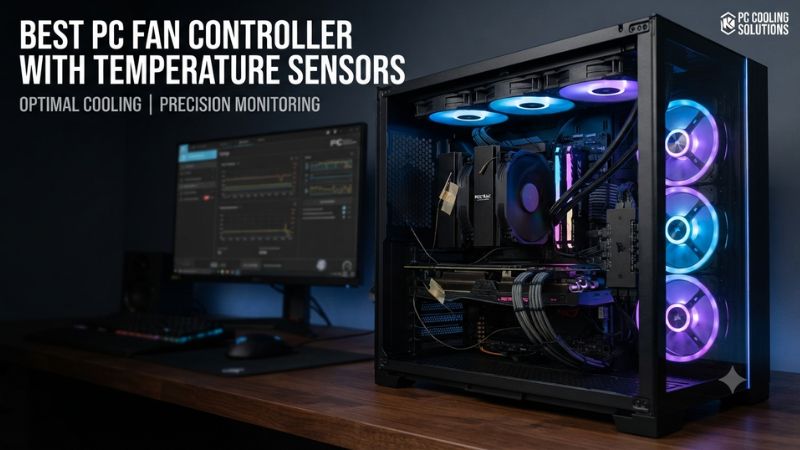
Choosing the best pc fan controller with temperature sensors means finding more than enough fan ports. The right controller should support your fan connectors, provide useful temperature inputs, and let you create cooling curves that match your hardware. These picks cover standard PWM fans, Corsair systems, and advanced custom-cooling setups.
How to Choose a PC Fan Controller With Temperature Sensors
A dedicated fan controller makes the most sense when motherboard headers cannot provide the independent control or sensor monitoring your build needs. Before buying, identify your fan connectors, the number of separate cooling zones, available internal connections, and which temperatures should influence fan speed.
1. Check PWM Fan Compatibility
Most modern PC case fans use either a 4-pin PWM connector or a 3-pin DC connector. A PWM controller adjusts fan speed through a control signal, while DC control changes the voltage supplied to a compatible fan. These methods are not interchangeable in every controller.
Check the controller’s documentation before connecting mixed fan types. Some products accept standard 4-pin PWM fans but do not provide proper voltage regulation for 3-pin models. Also check each channel’s current rating and the combined electrical load.
2. Count Independent Fan Channels
The number of physical fan sockets does not necessarily indicate the number of independently controlled groups. A powered PWM hub can distribute one motherboard signal across several fans, making it useful for matching intake fans but unsuitable for separate intake and exhaust curves.
A multi-channel controller offers more flexibility. For example, a build might use separate curves for front intake, radiator fans, and rear exhaust. Consider how many genuinely different temperature responses you need rather than purchasing the controller with the largest advertised port count.
3. Understand Temperature Sensor Support
External temperature probes can measure air temperature in different case locations, near a radiator, or at another suitable monitoring point. Their usefulness depends on where they are installed and whether the controller’s software allows them to drive fan curves.
A controller with four sensor inputs is not automatically better than one with two. Consider whether you need multiple monitoring zones, coolant-related measurements, or simply one additional case-temperature reference. Sensor placement and software support matter as much as the number of inputs.
4. Check Power, USB, and Software Requirements
Many advanced controllers require SATA power and an internal USB 2.0 motherboard connection. SATA power supplies the connected devices, while USB allows Windows software to communicate with the controller. Check available connections before ordering.
Software is another important consideration. Corsair iCUE, Aqua Computer aquasuite, and other manufacturer utilities offer different approaches to monitoring and automation. If you prefer BIOS-controlled fan curves or want to minimize background software, a simpler powered hub may be more appropriate.
Top PC Fan Controllers With Temperature Sensors
These recommendations prioritize actual sensor inputs, fan-control flexibility, and documented hardware compatibility. The Aqua Computer OCTO is the strongest choice for advanced standard-PWM builds, while the QUADRO offers similar sensor functionality with fewer fan channels. Corsair’s newer Commander Duo and established Commander Core XT suit different iCUE configurations.
1. Aqua Computer OCTO — Best Overall
Best Overall
The Aqua Computer OCTO is the strongest all-around option for enthusiasts who want independent fan control and multiple temperature-monitoring points. It provides eight 4-pin PWM outputs and four temperature-sensor inputs, making it suitable for complex air-cooled and custom-loop systems.
Its main advantage is the ability to configure individual fan channels with different control curves. Aqua Computer’s aquasuite software supports temperature-based regulation, sensor visualization, and additional monitoring functions. The controller also includes a flow-sensor input and RGBpx functionality.
The manufacturer specifies up to 25 W per fan output, with a maximum combined output of 100 W. One temperature sensor and an internal USB cable are included. The controller requires SATA power and an internal USB 2.0 connection, with Windows 10 or newer listed as a software requirement.
Who should buy it: Builders with multiple radiators, separate intake and exhaust zones, or custom liquid-cooling systems who want extensive monitoring.
Limitations: Eight independent channels may be unnecessary for ordinary gaming PCs. The software also has more configuration options than casual users need. Consider the QUADRO if four channels are sufficient.
2. Aqua Computer QUADRO — Best Value for Sensor Control
Best Value
The Aqua Computer QUADRO offers much of the OCTO’s sensor-driven approach in a smaller four-channel configuration. It provides four independently configurable PWM outputs and four temperature-sensor inputs, making it particularly useful for gaming PCs with several cooling zones.
Each output supports temperature-based fan regulation, speed monitoring, and configurable control curves. Aqua Computer specifies up to 25 W per channel. The device also includes a flow-sensor input, an RGBpx output supporting up to 90 individually addressable LEDs, and an internal USB interface.
One temperature sensor and the USB connection cable are included. The aquasuite software allows users to assign different sensor readings to individual fan channels, which is useful when radiator fans and case fans need different responses.
Who should buy it: Gamers who want independent control over up to four fan groups without paying for eight outputs they may never use.
Limitations: Four channels provide less expansion room than the OCTO. The controller is also designed around 4-pin PWM fans, so it is not the right choice for someone seeking universal DC fan control.
3. Corsair COMMANDER DUO — Best for Modern Corsair Builds
The Corsair COMMANDER DUO is a compelling option for users who want fan-speed management, temperature monitoring, and lighting control in one device. Its two 4-pin PWM fan headers support up to six daisy-chained PWM fans per channel, giving it a maximum advertised capacity of 12 fans.
Two temperature-sensor connections let users monitor separate areas inside the PC. It also provides two standard 3-pin ARGB headers, each supporting up to 50 LEDs. This combination makes it useful for builds containing standard PWM fans and compatible ARGB lighting.
The controller supports two operating configurations. In its standard ARGB mode, it connects through USB and SATA power and uses Corsair iCUE. In iCUE LINK mode, it connects to a separately sold iCUE LINK System Hub. Corsair specifies iCUE 5 or newer and Windows 11 or newer for the documented configuration.
Who should buy it: Builders who want a relatively compact controller for multiple PWM fans, temperature monitoring, and ARGB lighting within Corsair’s software environment.
Limitations: It has only two physical PWM outputs, despite supporting multiple daisy-chained fans. It is not equivalent to 12 independent fan channels. The LINK System Hub is an additional purchase when using LINK mode.
4. Corsair iCUE Commander CORE XT — Best for Existing iCUE Setups
The Corsair iCUE Commander CORE XT remains worth considering for users who already own compatible Corsair RGB fans or want a dedicated six-fan controller. It provides six fan connections, two temperature sensors, and integrated RGB management through iCUE.
Unlike a basic PWM splitter, the Commander CORE XT offers software-based fan-speed management alongside compatible Corsair lighting control. Its included temperature probes can be repositioned to monitor different areas inside the case, allowing users to configure cooling responses around their selected sensor readings.
The unit receives power through a SATA connection and communicates with the motherboard through an internal USB 2.0 header. Corsair also provides a USB pass-through connection, which can help accommodate another internal USB device.
Who should buy it: Existing Corsair users who need six PWM fan connections, two temperature probes, and centralized RGB management without moving to a newer controller architecture.
Limitations: Its RGB connections are designed around compatible Corsair lighting hardware rather than universal 5V ARGB devices. The six-fan capacity is also lower than the COMMANDER DUO’s advertised daisy-chain capacity. Consider the newer DUO for a new build.
Comparison Table: Which Controller Fits Your Build?
| Product | Best For | Key Spec | Compatibility | Watch Out For |
| Aqua Computer OCTO | Advanced cooling | 8 PWM outputs, 4 sensor inputs | 4-pin PWM, USB 2.0, SATA | More configuration |
| Aqua Computer QUADRO | Value sensor control | 4 PWM outputs, 4 sensor inputs | 4-pin PWM, USB 2.0, SATA | Limited expansion |
| Corsair COMMANDER DUO | Modern Corsair builds | 2 PWM channels, 2 sensors | PWM, 5V ARGB, iCUE | LINK Hub sold separately |
| Corsair Commander CORE XT | Existing iCUE systems | 6 fan connections, 2 sensors | PWM, Corsair RGB, iCUE | Proprietary RGB connections |
The most important distinction is independent control versus shared fan groups. OCTO and QUADRO offer four and eight separately configurable PWM channels, respectively. The Corsair DUO provides two PWM channels, while the CORE XT provides six fan connections. These figures describe different control arrangements and should not be treated as equivalent channel counts.
FAQ: Buying a PC Fan Controller With Temperature Sensors
1. Do temperature-sensor fan controllers work with any motherboard?
No, compatibility depends on the controller’s physical connections and software requirements. Most advanced controllers need an available internal USB 2.0 header and SATA power. Check your motherboard manual for available connections before purchasing.
Also verify that the controller supports your fans’ connector type. A 4-pin PWM controller should not automatically be assumed to provide full control over 3-pin DC fans.
2. Where should I place PC fan temperature sensors?
Place temperature probes where their readings provide useful information about the cooling zones you want to monitor. Suitable locations include near an intake area, close to a radiator, or in another representative airflow location.
Avoid placing a probe where it can contact fan blades, obstruct airflow, or interfere with electrical components. Secure the sensor cable so it cannot move into rotating fans.
3. Can a fan controller automatically adjust speeds based on CPU temperature?
Yes, some controllers can use software-provided CPU temperature readings to adjust fan speeds. Aqua Computer’s aquasuite supports additional software sensor values, while Corsair iCUE provides software-based cooling configuration.
However, an external temperature probe does not directly measure CPU temperature. If CPU-responsive cooling is your goal, verify that the controller software supports the required hardware monitoring source.
4. Is a dedicated fan controller better than motherboard fan headers?
A dedicated controller is better when you need additional independent channels, external temperature probes, or centralized control. Motherboard headers are generally sufficient for simpler builds with only a few fans and straightforward cooling requirements.
A powered PWM hub can also expand the number of connected fans, but multiple fans on a shared hub generally follow the same control signal. Choose a dedicated controller when separate temperature-based cooling curves are important.
Final Thoughts
The best pc fan controller with temperature sensors depends on how much cooling control your gaming PC requires. Choose the Aqua Computer OCTO for advanced builds, the QUADRO for four-channel sensor control, or Corsair’s COMMANDER DUO for modern PWM and ARGB systems. Check fan compatibility and motherboard connections before buying.