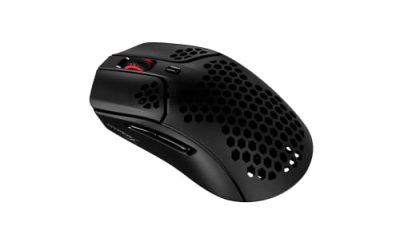
Our Short List of 3

- Sensor: Razer 5G 18K DPI optical sensor
- Weight: Under 60 grams
- Connectivity: Razer HyperSpeed Wireless and Bluetooth
- Battery: Up to 950 hours in Bluetooth mode

- Sensor: HERO 12K optical sensor, up to 12,000 DPI
- Weight: 99 grams
- Connectivity: LIGHTSPEED Wireless with USB receiver
- Battery: Up to 250 hours on one AA battery

- Sensor: Focus Pro 30K optical sensor
- Weight: 77 grams
- Connectivity: HyperSpeed Wireless, Bluetooth, and USB-C wired
- Battery: Up to 170 hours
All 4 Picks at a Glance
| Product | Specs | Action |
|---|---|---|
| 1. Razer Orochi V2 |
| Check price on Amazon |
| 2. Logitech G305 LIGHTSPEED |
| Check price on Amazon |
| 4. Razer Cobra Pro |
| Check price on Amazon |
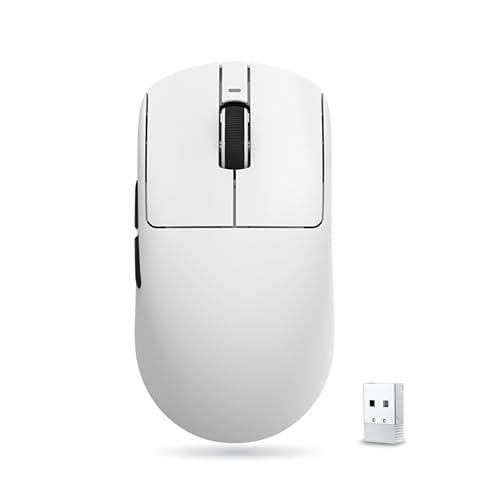 5. ATK VXE Dragonfly R1 SE+ |
| Check price on Amazon |
Introduction
A laptop is built to move, and the mouse you pair with it should be ready to move too. The trackpad built into a laptop works for everyday browsing, but it falls short the moment a game asks for fast aim, precise clicks, and long sessions without hand strain. A dedicated gaming mouse brings a better sensor, a faster connection, and a shape that fits your hand for hours of play, whether you are at a desk, on a couch, or in a hotel room.
The best gaming mouse for laptop use is not simply the fastest mouse on the market. It needs to travel well, connect without fuss, and keep running for a long time between charges or battery swaps. A mouse that needs a wired connection, a bulky receiver setup, or constant recharging will fight against the freedom a laptop is meant to provide. The picks in this guide were chosen with laptop play in mind first: compact shells, wireless connections that work with limited USB ports, and battery life measured in hundreds of hours.
Every mouse below is a real wireless gaming mouse sold on Amazon US, with its own Amazon product link. We cover compact travel mice, all-round wireless workhorses, and feature-rich models for players who dock their laptop at a desk and want the full desktop experience. Read the guide, compare the table, and pick the mouse that matches how and where you play.
What to Look For in a Gaming Mouse for Laptop
Size and portability. A laptop mouse should fit in a bag pocket next to the laptop itself. Compact and mid-size shells travel best, while very large ergonomic mice can feel awkward on a small desk or a tray table. Look for a mouse that is easy to pack and quick to set up, with a receiver that stores inside the body so it cannot get lost in transit.
Connectivity. Two wireless options matter most for laptop gaming. Bluetooth connects directly to the laptop with no receiver, which is ideal when USB ports are scarce. A 2.4 GHz wireless receiver gives a faster, more stable link for competitive play, and many gaming mice include both. Dual-mode mice let you switch between Bluetooth for work and the 2.4 GHz link for games. A wired mode over USB-C is a useful backup when the battery runs low.
Battery life. Laptop gaming often happens away from a charger, so battery life matters more here than on a desktop. Some mice run for hundreds of hours on a single AA battery, while rechargeable models can last for weeks of regular use. Check whether the mouse uses a replaceable battery or a built-in rechargeable cell, and how long it lasts in each wireless mode, since Bluetooth mode usually lasts far longer than the 2.4 GHz mode.
Sensor and polling. A modern optical sensor with a high maximum DPI gives you plenty of headroom for sensitivity settings, and a 1000 Hz polling rate keeps cursor movement smooth. Most players use a fraction of the maximum DPI, so treat the headline number as a sign of sensor quality rather than a setting you will actually use.
Weight and grip. Lighter mice reduce wrist fatigue during long sessions and make fast flicks easier, while a comfortable shape matters even more on a laptop, where your arm position is often less than ideal. Palm, claw, and fingertip grips all suit different hand sizes, so match the shell to your grip style and hand size before anything else.
Buttons and software. Six or more programmable buttons cover most games, and on-board memory lets the mouse keep your settings when you move between computers. Companion software is useful for remapping buttons and adjusting DPI steps, but the mouse should still work well without it.
Our Top Picks
1. Razer Orochi V2
- Sensor: Razer 5G 18K DPI optical sensor
- Weight: Under 60 grams
- Connectivity: Razer HyperSpeed Wireless and Bluetooth
- Battery: Up to 950 hours in Bluetooth mode
The Razer Orochi V2 is one of the most travel-friendly gaming mice you can buy, and it earns the top spot in this guide for laptop players who want real gaming performance in a genuinely portable package. It weighs under 60 grams and measures 108 mm long, so it slips into a laptop sleeve or a jacket pocket without adding noticeable bulk. Despite the small shell, it carries a Razer 5G 18K DPI optical sensor, second-generation mechanical switches, and six programmable buttons.
Connectivity is where the Orochi V2 really suits laptop use. It connects over Razer HyperSpeed Wireless for low-latency gaming and over Bluetooth for everyday use, and you can switch between the two modes with a button on the underside. Battery life is exceptional: Razer rates it at up to 950 hours in Bluetooth mode, so a single AA or AAA battery can last for months of regular use. The mouse accepts either battery size, which is handy when you are travelling and can only find one type in a shop.
The compact shape suits claw and fingertip grips best, and players with very large hands may find it small for long palm-grip sessions. For most laptop gamers, though, the combination of tiny footprint, dual wireless modes, and enormous battery life is hard to beat. If your laptop is your main gaming machine and you play wherever you happen to be, the Orochi V2 is the natural first choice.
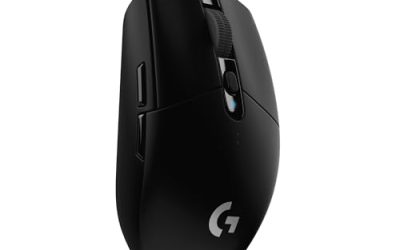
2. Logitech G305 LIGHTSPEED
- Sensor: HERO 12K optical sensor, up to 12,000 DPI
- Weight: 99 grams
- Connectivity: LIGHTSPEED Wireless with USB receiver
- Battery: Up to 250 hours on one AA battery
The Logitech G305 LIGHTSPEED has been a favourite among laptop gamers for years, and it remains one of the most dependable wireless mice you can pack in a bag. It weighs 99 grams, uses the HERO 12K sensor with up to 12,000 DPI, and runs for up to 250 hours on a single AA battery. The LIGHTSPEED wireless link delivers a 1 ms report rate, so the connection feels as responsive as a wired mouse in fast games.
What makes the G305 especially good for laptop use is how self-contained it is. The USB receiver stores inside the mouse body, so you never have to worry about losing it in a bag, and the compact symmetrical shell works for left and right-handed players alike. Six programmable buttons and on-board memory let you store your DPI settings and button assignments on the mouse itself, so it behaves the same way on any computer you plug it into.
The G305 connects over LIGHTSPEED wireless only, with no Bluetooth mode, so it always uses one USB port for its receiver. That is a fair trade for the connection quality and battery life on display here. If you want a proven, no-fuss wireless mouse that simply works every time you open your laptop, the G305 is a safe and sensible pick.
3. SteelSeries Rival 3 Wireless
The SteelSeries Rival 3 Wireless is the battery-life champion of this list, and it is built for players who hate thinking about charging. SteelSeries rates it at more than 400 hours of battery life, and it connects over both 2.4 GHz wireless and Bluetooth 5.0, so you can pair it directly with a laptop over Bluetooth and save a USB port, then switch to the 2.4 GHz link when you want the fastest response for a game.
The TrueMove Air optical sensor reaches 18,000 CPI and tracks accurately on most surfaces, while the switches are rated for 60 million clicks. The shell is a comfortable right-handed ergonomic shape that suits palm and claw grips, and it works on PC and Mac alike. Two AAA batteries power the mouse, and the long battery life means you may go months between swaps.
At 106 grams, the Rival 3 Wireless is heavier than the ultralight mice in this guide, but the weight brings a solid, planted feel that many players prefer for steady aim. If your priority is a mouse you can pair over Bluetooth, forget about for months, and still trust in a fast game, this is the one to choose.
- Sensor: TrueMove Air optical sensor, up to 18,000 CPI
- Weight: 106 grams
- Connectivity: 2.4 GHz wireless and Bluetooth 5.0
- Battery: More than 400 hours
- Buttons: 6 programmable buttons
- Extras: 60 million click switch rating
4. Razer Cobra Pro
- Sensor: Focus Pro 30K optical sensor
- Weight: 77 grams
- Connectivity: HyperSpeed Wireless, Bluetooth, and USB-C wired
- Battery: Up to 170 hours
The Razer Cobra Pro is the feature-rich pick for laptop gamers who dock their machine at a desk and want a mouse that does everything. It carries the Focus Pro 30K optical sensor, Gen-3 optical switches, and ten customizable controls, with 11-zone Chroma RGB lighting and underglow that can be tuned through Razer software. It connects over HyperSpeed Wireless, Bluetooth, and USB-C wired, so it adapts to any setup.
Battery life reaches up to 170 hours, and the mouse supports wireless charging, which makes it a natural partner for a charging dock on a desk. At 77 grams, it is light enough for fast movement while still providing a full-size shell with a comfortable right-handed shape. The ten controls give you plenty of room for macros and shortcuts in complex games, and five on-board profiles let you keep different setups for different games.
The Cobra Pro is the most advanced mouse in this guide, and it suits players who want one mouse for both laptop travel and serious desktop sessions. If you play a wide range of games and like to customise every button, this is the most flexible option here.
5. ATK VXE Dragonfly R1 SE+
- Sensor: PAW3395 SE optical sensor, up to 18,000 DPI
- Weight: 55 grams
- Connectivity: 2.4 GHz wireless, Bluetooth, and wired USB
- Battery: Up to 70 hours
The ATK VXE Dragonfly R1 SE+ is a lightweight tri-mode mouse that punches well above its size. It weighs just 55 grams and uses a PAW3395 SE sensor with up to 18,000 DPI, plus a 1000 Hz polling rate for smooth tracking. It connects over 2.4 GHz wireless, Bluetooth, and wired USB, so you can use whichever link suits the moment, and the battery lasts up to 70 hours on a charge.
For laptop play, the appeal is simple: very little weight, a compact shell, and three ways to connect. The light weight makes fast flicks and long sessions easier on the wrist, and the tri-mode connection means you are never stuck without a working link. The sensor is a proven performer in its class, and the mouse is a strong fit for claw and fingertip grips.
The Dragonfly R1 SE+ is the lightest mouse in this guide and a good choice for players who want ultralight performance in a travel-friendly package. If low weight and flexible connectivity are your top priorities, it deserves a close look.
Comparison Table
| Product | Key Feature | Best For |
|---|---|---|
| Razer Orochi V2 | Under 60 g, dual wireless, up to 950 hr battery | Travel and portable laptop gaming |
| Logitech G305 LIGHTSPEED | 250 hr battery, built-in receiver storage | Dependable everyday laptop gaming |
| SteelSeries Rival 3 Wireless | More than 400 hr battery, Bluetooth 5.0 | Long battery life and Bluetooth pairing |
| Razer Cobra Pro | Focus Pro 30K sensor, 10 controls, 3 modes | Feature-rich docked and travel play |
| ATK VXE Dragonfly R1 SE+ | 55 g, tri-mode, 18,000 DPI sensor | Ultralight play on the go |
Buying Guide: Things to Consider
Match the mouse to your grip. Before you compare sensors and battery figures, think about how you hold a mouse. Palm-grip players need a longer shell that supports the whole hand, claw-grip players need a mid-size shell with a defined hump, and fingertip players can use the smallest shells. A mouse that fights your grip will cause fatigue no matter how good its sensor is.
Think about where you actually play. If you mostly play at a desk with your laptop docked, a full-size mouse with more buttons and a charging dock makes sense. If you play on the move, prioritise a compact shell, a receiver that stores inside the mouse, and a battery that lasts for weeks. The right mouse depends on your real routine, not on a spec sheet.
Choose your connection strategy. Bluetooth is the most convenient option on a laptop because it uses no USB port, but a 2.4 GHz link is faster and more stable for competitive games. A dual-mode mouse gives you both, and a wired USB-C mode is a useful fallback. If your laptop has few USB ports, Bluetooth support should be high on your list.
Plan for power. Replaceable AA or AAA batteries are easy to swap anywhere, while rechargeable mice need a cable or a dock. Check the battery life in the mode you will actually use, since Bluetooth mode usually lasts much longer than the 2.4 GHz mode. A mouse that lasts for months between battery changes is one less thing to think about.
Check the surface. Most modern optical sensors track well on a desk, a table, or a mousepad, but a glossy or glass surface can cause problems. A small portable mousepad is a cheap addition that makes any laptop setup more consistent, and it protects the mouse feet as well.
Do not overbuy on DPI. Almost every modern gaming sensor is more than accurate enough for laptop play. Spend your attention on shape, weight, battery, and connectivity instead, because those are the things you will notice every single day.
Frequently Asked Questions
Is a wireless mouse good enough for gaming on a laptop?
Yes. Modern 2.4 GHz wireless links have a 1 ms report rate, which feels the same as a wired connection in practice, and Bluetooth is fine for casual and single-player games. For fast competitive play, use the 2.4 GHz receiver mode rather than Bluetooth.
Should I choose Bluetooth or a 2.4 GHz receiver for laptop gaming?
Use Bluetooth when you want to save a USB port and play casually, and use the 2.4 GHz receiver when you want the lowest latency for competitive games. A dual-mode mouse lets you switch between the two in seconds, which is the most flexible setup for a laptop.
How much battery life do I need in a laptop gaming mouse?
For a laptop, aim for at least 100 hours of battery life in the mode you use most, and more is better. Mice with replaceable batteries can run for hundreds of hours, while rechargeable models usually last for weeks between charges. Long battery life matters most when you play away from a charger.
What size mouse is best for laptop gaming?
A compact or mid-size mouse travels best and suits most laptop setups, especially with a claw or fingertip grip. Players with large hands who mostly play at a desk may prefer a full-size ergonomic mouse, but a smaller shell is easier to pack and use on a small surface.
Conclusion
The best gaming mouse for laptop play is the one that fits your hand, your bag, and your way of playing. The Razer Orochi V2 leads this guide for its tiny footprint, dual wireless modes, and enormous battery life, while the Logitech G305 LIGHTSPEED remains the most dependable all-rounder. The SteelSeries Rival 3 Wireless is the pick for players who want to forget about charging, the Razer Cobra Pro suits those who want maximum features, and the ATK VXE Dragonfly R1 SE+ is the lightest option here.
Whichever mouse you choose, prioritise shape and connectivity over headline specs. A mouse that feels right in your hand and connects the way you need it to will serve you far better than a heavier or more complicated model with a bigger number on the box. Pick your grip, pick your connection, and enjoy gaming wherever your laptop goes.
Disclosure: As an Amazon Associate, we earn from qualifying purchases.