🛒 Best Price Today on Amazon
Prime members get fast, free shipping on everything above, plus member-only deals. New members get a 30-day free trial — cancel anytime.
- What 4K OLED monitors offer
- QD-OLED versus WOLED
- At a glance
- ASUS ROG Swift PG32UCDM
- MSI MPG 321URX QD-OLED
- Alienware AW3225QF
- LG UltraGear 32GS95UE
- Samsung Odyssey OLED G8 and Gigabyte AORUS FO32U2P
- Burn-in, brightness and care
- Compatibility and fit notes
- Pick X if…
- Budget tiers
- Alternatives
- Frequently Asked Questions
The 4K OLED gaming monitors most often recommended in 2026 are the 32-inch QD-OLED models, led by the ASUS ROG Swift PG32UCDM, the MSI MPG 321URX and the Alienware AW3225QF, with the LG UltraGear 32GS95UE as the pick for buyers who want a dual-mode WOLED that can drop to a much higher refresh rate at lower resolution. They share the same core appeal of near-instant pixel response and deep blacks at 4K 240 Hz, so the choice comes down to panel type, screen shape, ports and how much you want to spend.
What 4K OLED monitors offer
Gaming OLED panels respond far faster than LCD panels, which gives very clean motion at high refresh rates. Each pixel lights up on its own, so black areas are truly black and contrast in dark scenes is strong. Most current 32-inch 4K models run at 240 Hz and support variable refresh rate through FreeSync, G-Sync compatibility or both. The usual trade-offs are lower full-screen brightness than a good mini-LED display, a risk of image retention or burn-in with static content, and a higher cost than LCD alternatives.

LG 32GX850A-B 32" UltraGear 4K UHD (3840 x 2160) Glossy OLED Gaming Monitor, Dual-Mode 165Hz/330Hz, 0.03ms, G-SYNC, FreeSync Premium Pro, TrueBlack 400, HDMI, DP, Tilt/Height/Swivel/Pivot Stand, Black
Included for 'Best 4K OLED Gaming Monitors: Top Picks Compared' because the listing specifies Dual-Mode 165Hz/330Hz and 0.03ms, details this guide uses to compare options.
View on Amazon
Samsung 27" Odyssey OLED G6 (G61SH) QD-OLED, QHD (1440P) Gaming Monitor | 240Hz, 0.03ms, Glare-Free, Pantone Validated, HDR10, Height-adjustable stand, OLED Safeguard, 3 Yr Warranty (LS27HG612SNXZA)
Included for 'Best 4K OLED Gaming Monitors: Top Picks Compared' because the listing specifies QHD (1440P) Gaming Monitor and 240Hz, details this guide uses to compare options.
View on Amazon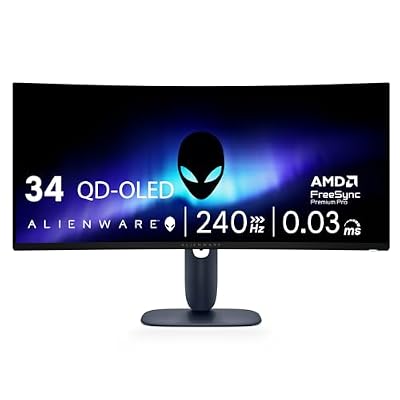
Alienware 34 240Hz QD-OLED Curved Gaming Monitor - AW3425DW - 34.2-inch WQHD (3440 x 1440) 0.03ms Display, 1800R Curve, AMD FreeSync Premium Pro, VESA AdaptiveSync, DisplayHDR TrueBlack 400
Included for 'Best 4K OLED Gaming Monitors: Top Picks Compared' because the listing specifies AW3425DW and 34.2-inch WQHD (3440 x 1440) 0.03ms Display, details this guide uses to compare options.
View on Amazon
New! Sceptre Curved 34-inch Prime Gaming Monitor 3440 x 1440 up to 240Hz 1500R 1ms 100% sRGB DisplayPort x2 HDMI x2 Build-in Speakers, Machine Black 2027 (C345B-QU240T Series)
Included for 'Best 4K OLED Gaming Monitors: Top Picks Compared' because the listing specifies Machine Black 2027 (C345B-QU240T Series), details this guide uses to compare options.
View on AmazonLG 32GX850A-B 32" UltraGear 4K UHD (3840 x 2160) Glossy OLED Gaming Monitor, Dual-Mode 165Hz/330Hz, 0.03ms, G-SYNC, FreeSync Premium Pro, TrueBlack 400, HDMI, DP, Tilt/Height/Swivel/Pivot Stand, Black
Included for 'Best 4K OLED Gaming Monitors: Top Picks Compared' because the listing specifies Dual-Mode 165Hz/330Hz and 0.03ms, details this guide uses to compare options.
View on AmazonSamsung 27" Odyssey OLED G6 (G61SH) QD-OLED, QHD (1440P) Gaming Monitor | 240Hz, 0.03ms, Glare-Free, Pantone Validated, HDR10, Height-adjustable stand, OLED Safeguard, 3 Yr Warranty (LS27HG612SNXZA)
Included for 'Best 4K OLED Gaming Monitors: Top Picks Compared' because the listing specifies QHD (1440P) Gaming Monitor and 240Hz, details this guide uses to compare options.
View on AmazonAlienware 34 240Hz QD-OLED Curved Gaming Monitor - AW3425DW - 34.2-inch WQHD (3440 x 1440) 0.03ms Display, 1800R Curve, AMD FreeSync Premium Pro, VESA AdaptiveSync, DisplayHDR TrueBlack 400
Included for 'Best 4K OLED Gaming Monitors: Top Picks Compared' because the listing specifies AW3425DW and 34.2-inch WQHD (3440 x 1440) 0.03ms Display, details this guide uses to compare options.
View on AmazonNew! Sceptre Curved 34-inch Prime Gaming Monitor 3440 x 1440 up to 240Hz 1500R 1ms 100% sRGB DisplayPort x2 HDMI x2 Build-in Speakers, Machine Black 2027 (C345B-QU240T Series)
Included for 'Best 4K OLED Gaming Monitors: Top Picks Compared' because the listing specifies Machine Black 2027 (C345B-QU240T Series), details this guide uses to compare options.
View on AmazonA 4K 240 Hz screen also needs a powerful graphics card. Running games at 4K at high frame rates demands a top-tier GPU, and many owners rely on upscaling or run at lower refresh rates in demanding titles.
QD-OLED versus WOLED
- QD-OLED: used in Samsung, MSI, ASUS and Alienware models. Makers promote wide colour gamut and strong colour volume in dark rooms. Reviewers have pointed out raised black levels in bright ambient light on some models, which depends on the screen coating and the room.
- WOLED: used in LG’s panels. These typically have a different subpixel layout, strong peak brightness for HDR highlights and, on some models, a dual-mode feature that switches between 4K and a higher refresh at 1080p.
- Coating: glossy screens look sharper and keep contrast, but reflect lights. Matte coatings reduce reflections but can lower perceived contrast. Check the maker’s listing for each model.
At a glance
| Monitor | Panel | Best for | Maker-listed highlights | Limits |
|---|---|---|---|---|
| ASUS ROG Swift PG32UCDM | 32 in QD-OLED, flat | All-round premium choice | 4K at 240 Hz, VRR support, ROG software features | Premium tier; panel care needed for static content |
| MSI MPG 321URX QD-OLED | 32 in QD-OLED, flat | Fast refresh with extra connectivity | 4K at 240 Hz; DisplayPort and HDMI 2.1 inputs | Check the revision for ports and warranty terms |
| Alienware AW3225QF | 32 in QD-OLED, curved | Immersive curved display | 4K at 240 Hz, curved screen, VRR support | Curve may not suit everyone; some prefer flat for desktop work |
| LG UltraGear 32GS95UE | 32 in WOLED, flat | Dual-mode switching between 4K and 1080p high refresh | Maker lists 4K at 240 Hz and a faster 1080p mode | Glossy or reflective behaviour in bright rooms depends on the model |
| Samsung Odyssey OLED G8 (G80SD) | 32 in QD-OLED, flat | Smart features and slim design | 4K at 240 Hz, Samsung smart platform | Different software and ports than gaming-only models |
| Gigabyte AORUS FO32U2P | 32 in QD-OLED, flat | Newer connection standards | 4K at 240 Hz with DisplayPort 2.1 support | Fewer extras than higher-tier brands |
ASUS ROG Swift PG32UCDM
ASUS lists a 32-inch 4K QD-OLED panel with a 240 Hz refresh rate and VRR support, and reviewers have frequently included it on lists of top picks. It is a flat panel with a gaming-oriented menu system and features aimed at limiting image retention, such as pixel shifting and panel maintenance routines. Reviewers pointed to its colour accuracy and HDR as strong points. Treat it as the benchmark for the QD-OLED group and compare other models against it.
MSI MPG 321URX QD-OLED
MSI uses a 32-inch QD-OLED panel with 4K at 240 Hz and HDMI 2.1 and DisplayPort inputs. It is often compared directly with the ASUS model, and tends to be a good candidate when you want similar capabilities in a different feature and price mix. Check the exact variant, because MSI sells several revisions of its OLED lineup.
Alienware AW3225QF
Dell’s Alienware 32-inch QD-OLED is curved, which reviewers describe as natural for gaming at a desk but less so for productivity or shared screens. It supports 4K at 240 Hz with variable refresh. If you like a curved screen and want a long warranty and burn-in coverage from the maker, it is worth a look. Check the warranty terms in the maker’s documentation because they differ from other brands.
LG UltraGear 32GS95UE
LG’s WOLED model is the one to look at if you play competitive games at very high frame rates and want to drop to a lower resolution and a much higher refresh rate in those titles, then switch back to 4K for single-player games. It carries a 32-inch 4K panel with a 240 Hz refresh rate in the maker’s specification. Reviewers have commented that WOLED panels deliver strong HDR peaks while QD-OLED often looks better in dim rooms.
Samsung Odyssey OLED G8 and Gigabyte AORUS FO32U2P
The Samsung Odyssey OLED G8 (G80SD) is a flat 32-inch QD-OLED with a smart-TV style interface and 240 Hz refresh. It suits a user who wants streaming apps on the monitor itself. The Gigabyte AORUS FO32U2P offers DisplayPort 2.1 support, which gives more headroom for high refresh rates at 4K without compression, and tends to appear in value-driven recommendations. Neither is a clear step above the others, so compare ports, stand adjustability and warranty.
Burn-in, brightness and care
All OLED panels are subject to some risk of image retention and long-term burn-in with static content such as taskbars and HUD elements. Makers include pixel shifting, auto-dimming and refresh cycles to reduce the risk, and several offer warranty cover for burn-in. To protect the panel, hide the taskbar, use dark mode, set a short screen-off timer and let the monitor run its maintenance cycle when idle. Peak brightness on a small area is strong, but full-screen brightness drops, so large bright scenes appear dimmer than on a good mini-LED panel.
Compatibility and fit notes
- Graphics card: a card with HDMI 2.1 or DisplayPort 1.4 with DSC can reach 4K 240 Hz. DisplayPort 2.1 models are only needed to use that port’s full bandwidth.
- Consoles: PS5 and Xbox Series X support 4K 120 Hz over HDMI 2.1. They do not use 240 Hz.
- Desk space: 32-inch monitors are large. Measure the depth and height with the stand attached, or use a VESA arm if the monitor supports it.
- Text clarity: some OLED subpixel layouts show fringing on small text. This is a known trade-off and varies by panel type and font settings.
- Cable: use the cable supplied or one certified for the bandwidth.
Pick X if…
| Your priority | Pick |
|---|---|
| Best all-round premium choice | ASUS ROG Swift PG32UCDM |
| Similar performance with different ports and features | MSI MPG 321URX QD-OLED |
| Immersive curved display and a long warranty | Alienware AW3225QF |
| Competitive play with lower-resolution high refresh | LG UltraGear 32GS95UE |
| Smart apps built into the monitor | Samsung Odyssey OLED G8 |
| DisplayPort 2.1 support | Gigabyte AORUS FO32U2P |
Budget tiers
4K OLED gaming monitors sit in the premium tier compared with LCD alternatives. Upper-mid: Gigabyte and MSI models, which often undercut the major brands. Premium: ASUS, Alienware, Samsung and LG flagships. If you want to spend less, a 27-inch 1440p OLED or a high-quality 4K mini-LED monitor delivers many of the same gaming benefits for less.
Alternatives
If burn-in worries you, a 4K mini-LED gaming monitor offers higher full-screen brightness at the cost of less perfect blacks. If your graphics card cannot drive 4K at high frame rates, a 27-inch 1440p OLED gives the same fast response at a more manageable resolution. A large 4K OLED TV is another route for console players, though it is bigger and lacks some desktop features.
Frequently Asked Questions
Is burn-in a real risk on a 4K OLED gaming monitor?
It is a risk with long periods of static content, which is why makers include pixel shifting and maintenance cycles. Normal gaming and mixed use is the usual scenario they are designed for. Look for a warranty that covers burn-in and follow the manual’s care advice.
Do I need a top graphics card for 4K 240 Hz?
To reach 240 frames per second at 4K in modern games, yes. A mid-range GPU can still drive the monitor at lower frame rates with variable refresh, and many owners lean on upscaling.
QD-OLED or WOLED for gaming?
QD-OLED is often chosen for colour in dim rooms, while WOLED can offer stronger HDR highlights and dual-mode options. Room lighting, coating and budget usually decide.
Is a curved or flat monitor better?
Curved screens feel immersive for games at a desk, while flat screens are easier for design work and shared viewing. At 32 inches, either can work. Try to see both if you can.
Can consoles use these monitors?
Yes, if the monitor has an HDMI 2.1 input. PS5 and Xbox Series X output up to 4K at 120 Hz, which these monitors support, though some do not support all console features such as Dolby Vision.
Are OLED monitors good for office work?
They work, but small text can show slight colour fringing on some panels and static interfaces carry burn-in risk. If you spend long hours on spreadsheets or documents, consider a separate LCD monitor.