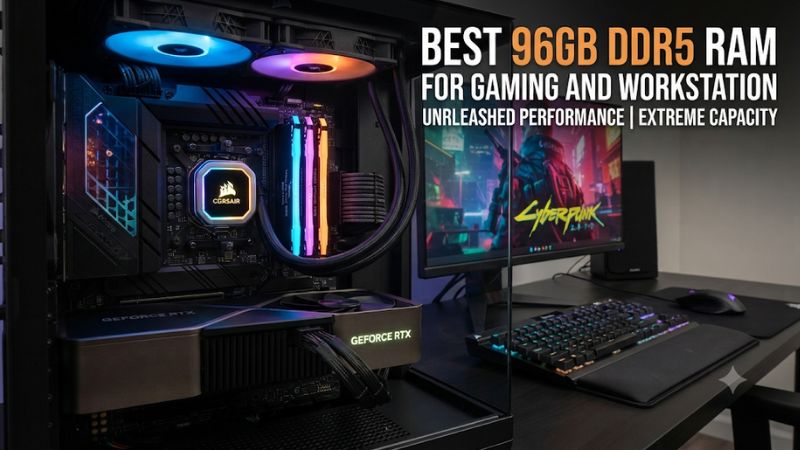
A 96GB memory kit makes sense when a gaming PC also handles video editing, software development, virtual machines, or demanding creative applications. The best 96GB DDR5 RAM for gaming and workstation use should balance capacity, memory speed, latency, and CPU compatibility rather than simply advertise the highest MT/s rating.
How to Choose 96GB DDR5 RAM
Choosing a 96GB kit requires more than comparing advertised memory speeds. The right configuration depends on your processor, motherboard, workload, and cooling setup. For a hybrid gaming and workstation PC, prioritize a matched 2x48GB kit, reliable memory profiles, and specifications your platform can actually support.
1. Memory Speed and Latency
DDR5 speed is measured in MT/s, while CAS latency (CL) describes the number of memory clock cycles between a read request and the first available data. Both specifications matter, but neither tells the entire performance story. A DDR5-6000 CL30 kit is a sensible starting point for a high-capacity enthusiast build.
For gaming, memory performance can influence CPU-limited frame rates and frame-time consistency, particularly in games sensitive to memory latency. Workstation applications can benefit from additional bandwidth, although the actual improvement depends on software and workload. Avoid paying substantially more for DDR5-7200 or faster without confirming that your CPU and motherboard can operate at those speeds reliably.
2. AMD EXPO and Intel XMP Compatibility
Memory profiles determine how easily a system can apply the manufacturer’s advertised performance settings. AMD EXPO is designed for compatible AMD platforms, while Intel XMP 3.0 provides predefined settings for compatible Intel systems. Some kits support both, making them more flexible when planning a future platform upgrade.
Check the exact memory part number rather than relying on the product family’s name. For example, G.SKILL Flare X5 96GB DDR5-6000 supports both XMP 3.0 and EXPO, while its Trident Z5 RGB DDR5-6400 counterpart is specified for Intel XMP. Neither profile guarantees the advertised speed on every CPU and motherboard combination.
3. Two 48GB Modules Versus Four Memory Sticks
A 96GB configuration typically uses two 48GB modules, allowing a compatible dual-channel motherboard to operate with one module per memory channel. This leaves two slots available on many four-slot motherboards and avoids the additional electrical loading associated with populating all four slots.
Buying one matched 2x48GB kit is preferable to combining separate memory packages. Four-module configurations can require lower operating frequencies or additional memory-controller tuning, depending on the platform. Before purchasing, check the motherboard’s supported memory capacities, BIOS version, and qualified vendor list (QVL).
4. Cooling, Physical Clearance, and Workstation Reliability
Memory heat spreaders can interfere with large air coolers, especially when the front fan overlaps the DIMM area. Compare the module height with your CPU cooler’s clearance specifications. G.SKILL Flare X5, for example, has a relatively compact 33mm module height, making it attractive for builds with limited space.
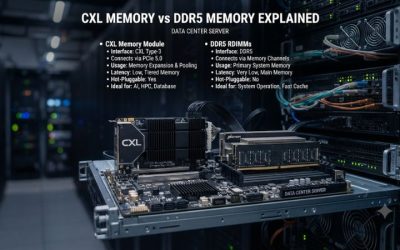
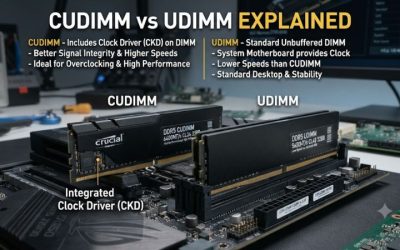
For workstation use, stability matters more than a headline frequency. Check whether the kit is non-ECC or ECC, buffered or unbuffered, and whether it matches your motherboard’s memory requirements. Most consumer gaming kits in this roundup are non-ECC UDIMMs. On-die ECC, which DDR5 includes internally, does not provide the same system-level error correction as supported ECC memory.
Best 96GB DDR5 RAM: Top Picks and Reviews
The following four options cover different buying priorities, including balanced performance, cross-platform profile support, higher rated frequencies, and premium RGB aesthetics. These are specification-based recommendations rather than a claim that PC Gaming Universe independently benchmarked every kit. Always check the exact SKU against your motherboard before purchasing.
| Product | Best For | Key Spec | Compatibility | Watch Out For |
| G.SKILL Flare X5 96GB | Best Overall | 6000MT/s CL30 | AMD EXPO / Intel XMP | Requires profile tuning |
| Corsair Vengeance 96GB | Best Value Alternative | 6000MT/s CL30 | AMD EXPO / Intel XMP | 1.40V profile voltage |
| Kingston FURY Renegade 96GB | Best for Higher Speed | 6400MT/s CL32 | Intel XMP | Higher platform demands |
| G.SKILL Trident Z5 RGB 96GB | Best RGB for Intel | 6400MT/s CL32 | Intel XMP | No native EXPO profile |
1. G.SKILL Flare X5 96GB DDR5-6000 CL30 – Best Overall
Best Overall
The G.SKILL Flare X5 96GB kit (F5-6000J3036F48GX2-FX5) is a strong starting point for a gaming workstation that needs substantial memory capacity without prioritizing extreme frequencies. Its 2x48GB configuration combines DDR5-6000 operation with 30-36-36-96 timings at 1.35V.
One important advantage is its support for both Intel XMP 3.0 and AMD EXPO. The modules also have a 33mm profile, which helps when building systems around large CPU air coolers. G.SKILL specifies a default SPD speed of 5600MT/s, so reaching the advertised 6000MT/s requires the appropriate BIOS profile and compatible hardware.
Who should buy it: Users building an AMD AM5 workstation or a compatible Intel desktop who want a balanced 96GB kit. It is particularly appealing for gaming alongside software development, content creation, and multitasking.
Limitation: It is a non-ECC kit, and its advertised speed is not guaranteed on every platform. If you specifically want RGB lighting or a more decorative build, consider the Trident Z5 RGB instead.
2. Corsair Vengeance 96GB DDR5-6000 CL30 – Best Value Alternative
The Corsair Vengeance 96GB kit (CMK96GX5M2B6000Z30) offers a straightforward alternative with 2x48GB modules, DDR5-6000 speed, and CL30 latency. Corsair specifies a tested voltage of 1.40V, with both AMD EXPO and Intel XMP profiles available.
Its aluminum heat spreader provides a simple, understated appearance without RGB lighting. Corsair also lists compatibility across AMD 600 and 800 series and Intel 700 and 800 series motherboard families. This is useful when comparing potential builds, although exact CPU, BIOS, and motherboard support still needs checking.
Who should buy it: Buyers who want a relatively understated memory kit for a mixed gaming and productivity system. Dual-profile support also makes it a practical choice for people who may change CPU platforms later.
Limitation: The 1.40V performance profile is worth considering when evaluating memory-controller tuning and stability. It is not automatically better than a lower-voltage kit. If your build prioritizes lower profile voltage and cooler clearance, compare the Flare X5 before deciding.
3. Kingston FURY Renegade 96GB DDR5-6400 CL32 – Best for Higher Speed
The Kingston FURY Renegade 96GB kit (KF564C32RSK2-96) targets buyers who want a higher advertised memory frequency. Its two 48GB modules are specified for DDR5-6400 with 32-39-39 timings at 1.40V, using Intel XMP 3.0.
An especially useful feature is its secondary DDR5-6000 profile with 32-38-38 timings at 1.35V. Kingston also specifies a DDR5-4800 default configuration. These alternatives provide additional flexibility if the fastest profile does not operate reliably on a particular system.
Who should buy it: Intel desktop builders with a compatible motherboard and processor who want 96GB while retaining the option of a higher-frequency memory profile.
Limitation: DDR5-6400 is not guaranteed simply because the memory carries that rating. The memory controller, motherboard topology, BIOS, and installed modules all affect achievable speed. AMD users should consider an EXPO-oriented alternative rather than assuming Intel XMP support provides equivalent platform optimization.
4. G.SKILL Trident Z5 RGB 96GB DDR5-6400 CL32 – Best RGB for Intel
The G.SKILL Trident Z5 RGB 96GB kit (F5-6400J3239F48GX2-TZ5RW) combines a premium RGB appearance with a DDR5-6400 specification. Its two 48GB modules feature 32-39-39-102 timings and a rated voltage of 1.35V.
The kit supports Intel XMP 3.0 and has a default SPD speed of 5600MT/s. G.SKILL also offers different heat spreader finishes, including metallic silver, matte black, and matte white, depending on the exact version. Its appearance makes it suitable for gaming systems where memory lighting is part of the overall build design.
Who should buy it: Intel users who want a high-capacity gaming and workstation configuration with RGB lighting and a higher rated memory frequency.
Limitation: It does not list native AMD EXPO support. Its DDR5-6400 profile also requires compatible hardware and BIOS configuration. For an AMD AM5 system, the Flare X5 or an EXPO-equipped Trident Z5 Neo model is a more appropriate starting point.
FAQ: Buying 96GB DDR5 RAM for Gaming and Workstations
1. Is 96GB DDR5 RAM Worth It for Gaming?
96GB DDR5 RAM is generally unnecessary for gaming alone, but it can be valuable when gaming is combined with memory-intensive workstation tasks. Most gaming-focused builds can operate comfortably with less capacity, depending on the games and background applications.
However, users running virtual machines, large development environments, demanding creative applications, or local AI workloads may benefit from 96GB. The additional capacity helps prevent memory exhaustion, although it does not automatically increase gaming FPS.
2. Is 96GB DDR5 Compatible With AMD Ryzen and Intel CPUs?
Yes, 96GB DDR5 can work with compatible AMD and Intel desktop platforms, provided the processor and motherboard support the module configuration. The important distinction is that DDR5 compatibility does not automatically mean every 96GB kit can operate at its advertised speed.
Check the motherboard QVL, supported DIMM capacities, processor memory specifications, and BIOS version. For example, G.SKILL Flare X5 offers both XMP and EXPO profiles, whereas the Kingston FURY Renegade 6400 model listed above uses Intel XMP.
3. Is DDR5-6400 Better Than DDR5-6000 for Gaming and Workstations?
DDR5-6400 offers a higher theoretical data rate, but it does not necessarily deliver better real-world performance than DDR5-6000. Actual results depend on memory timings, CPU architecture, memory-controller behavior, and application requirements.
For an AMD AM5 gaming workstation, DDR5-6000 CL30 is a sensible starting point. Intel users can consider DDR5-6400 when their processor and motherboard support the configuration reliably. Compare stable operating performance rather than choosing solely by advertised MT/s.
4. Can Windows 11 Use 96GB of DDR5 RAM?
Yes, both Windows 11 Home and Windows 11 Pro support 96GB of physical memory. Microsoft’s published limits specify 128GB for Windows 11 Home and 2TB for Windows 11 Pro on supported x64 configurations.
After installation, check the detected capacity in Task Manager under Performance > Memory. If the system recognizes less memory than expected, inspect BIOS detection, module installation, and motherboard compatibility before changing memory settings.
Final Thoughts
The best 96GB DDR5 RAM for gaming and workstation workloads depends on your platform and applications. G.SKILL Flare X5 is the balanced starting point, Corsair Vengeance offers dual-profile flexibility, and Kingston FURY Renegade suits compatible Intel systems seeking higher frequencies. Check your motherboard QVL before buying.