Choosing the best pcie 5.0 nvme ssd for gaming means balancing sequential speed, real-world game loading, capacity, and heat management. The latest Gen 5 drives offer exceptional transfer rates, but not every gaming PC can use them at full speed. Here are the leading options and what makes each worth considering.
How to Choose a PCIe 5.0 NVMe SSD for Gaming
A good Gen 5 SSD should match your motherboard, storage workload, and cooling setup rather than simply advertise the highest read speed. For gaming, prioritize sustained performance, random access, and sufficient capacity. Sequential throughput matters more when transferring large files or working with demanding content-creation applications.
1. Check PCIe 5.0 and M.2 Compatibility
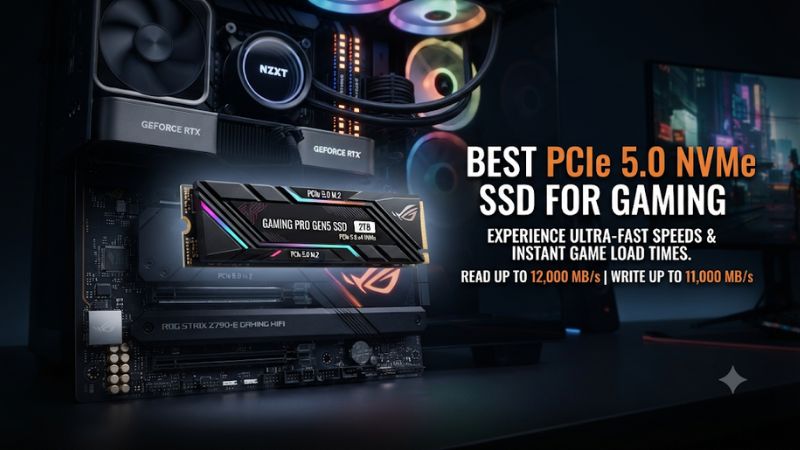
Start with your motherboard’s specifications. A PCIe 5.0 NVMe SSD generally uses an M.2 2280 form factor and a PCIe 5.0 x4 interface. Your motherboard must provide an M.2 slot wired for PCIe 5.0 x4 to deliver its full advertised interface performance.
A Gen 5 SSD can generally operate in a compatible PCIe 4.0 or PCIe 3.0 M.2 slot, but its maximum throughput will be restricted by the older interface. Check your motherboard manual because different M.2 slots can connect to different CPU or chipset lanes, and some share bandwidth with other devices.
2. Compare Real-World Performance, Not Just Sequential Speeds
Sequential read and write specifications describe how quickly a drive transfers large, continuous blocks of data. Flagship Gen 5 models can approach 15,000 MB/s under suitable conditions, making them attractive for large file transfers, video production, and other storage-intensive workloads.
Gaming performance is more complicated. Game loading depends on random access, CPU processing, decompression, and the game’s storage implementation. A PCIe 5.0 drive does not automatically deliver noticeably shorter loading screens than a quality PCIe 4.0 SSD, so avoid paying a premium based exclusively on headline bandwidth.
3. Consider NAND, DRAM, and Sustained Writes
SSD architecture affects performance beyond the advertised maximum transfer rate. TLC NAND is a common choice in premium consumer drives, while DRAM-equipped designs can provide additional mapping-cache resources. Some newer controllers use more power-efficient designs without dedicated DRAM to reduce cost and heat.
Sustained write performance also deserves attention if you frequently install large games, move video projects, or transfer substantial files. Short benchmark bursts may rely on an SLC cache, and write speeds can decrease after that cache fills. Check independent reviews for sustained-write behavior rather than assuming peak specifications remain constant.
4. Plan for Cooling and Storage Capacity
PCIe 5.0 SSD controllers can generate substantial heat during demanding workloads. A motherboard M.2 heatsink can help, but it must make proper contact with the drive. Check whether the SSD includes its own heatsink and whether it can fit beneath your motherboard’s M.2 cover without interference.
For a gaming desktop, 2TB is a sensible starting capacity, while 4TB suits players with extensive libraries or additional creative workloads. Compare the cost per terabyte, warranty, and endurance rating before deciding. A larger drive can be more useful than spending the same budget on marginally higher sequential speeds.
Top PCIe 5.0 NVMe SSD Picks for Gaming
These four drives cover different priorities, from maximum throughput to more affordable Gen 5 storage. The recommendations consider manufacturer specifications, independent storage reviews, cooling requirements, and available capacities. Importantly, a faster sequential specification does not necessarily translate into a proportional improvement in game loading.
1. Corsair MP700 PRO XT – Best Overall
Best for flagship gaming PCs and demanding workloads
The Corsair MP700 PRO XT is a strong overall choice for buyers who want high-end PCIe 5.0 performance. Its Phison E28 controller, TLC NAND, and LPDDR4X DRAM support an impressive specification sheet. The 2TB version reaches up to 14,900 MB/s sequential read and 14,500 MB/s sequential write.
Its rated random performance reaches 2.7 million read IOPS and 3.3 million write IOPS. Tom’s Hardware’s December 2025 review also reported strong sustained performance and a maximum temperature of 59°C under its testing conditions. That makes this drive particularly interesting for demanding desktop configurations.
The main limitation is that the MP700 PRO XT does not include a heatsink in its standard package. Corsair specifies a five-year warranty and 1,400 TBW endurance for the 2TB model. Choose it if you have appropriate M.2 cooling and want a high-performance drive for gaming and substantial file transfers. Consider the SN8100 if you prefer an established alternative with multiple heatsink configurations.
2. WD_BLACK SN8100 – Best Balanced Flagship
Best for premium gaming and general desktop workloads
The WD_BLACK SN8100 combines high sequential throughput with strong random performance. Its 2TB version uses a PCIe 5.0 x4 interface, a Silicon Motion SM2508 controller, TLC NAND, and dedicated DRAM. SanDisk specifies sequential speeds of up to 14,900 MB/s read and 14,000 MB/s write.
It also offers up to 2.3 million random read IOPS and 2.4 million random write IOPS at 2TB. The manufacturer rates this capacity at 1,200 TBW and provides a five-year limited warranty. Its single-sided M.2 2280 construction is useful when considering physical clearance in compatible systems.
Independent reviews from Tom’s Hardware and PC Gamer highlight its strong overall storage performance. PC Gamer’s review also reported an average 6.575-second result across five Final Fantasy XIV: Shadowbringers loading scenes on its Ryzen 9 9900X and RTX 4080 Super test system. That result belongs to its specific test setup, not every gaming PC. The main drawback is that intensive workloads still require attention to cooling. Choose the SN8100 if you want a balanced flagship rather than buying exclusively for peak sequential numbers.
3. Samsung 9100 PRO – Best for Large Storage Capacities
Best for gaming libraries and demanding productivity workloads
The Samsung 9100 PRO is a premium PCIe 5.0 SSD with capacities extending beyond the typical 1TB and 2TB gaming options. The 2TB version uses Samsung V-NAND TLC, an in-house controller, and 2GB of LPDDR4X cache memory. Its rated sequential read and write speeds reach 14,700 MB/s and 13,400 MB/s, respectively.
Samsung also specifies up to 2.2 million random read IOPS and 2.6 million random write IOPS for the 2TB model. Its endurance rating is 1,200 TBW, backed by a five-year limited warranty. The series includes an 8TB capacity, making it particularly attractive for users who need substantial internal storage.
One consideration is that its headline performance does not automatically make it the fastest option for every gaming workload. Tom’s Hardware’s independent 3DMark Storage results show that the 9100 PRO performs strongly, but it does not lead every competing drive in gaming-oriented storage tests. It is a sensible choice if capacity, Samsung’s storage ecosystem, and broad workload flexibility matter more than chasing the highest sequential write specification.
4. Crucial P510 – Best Value-Oriented PCIe 5.0 SSD
Best for buyers entering the Gen 5 storage market
The Crucial P510 offers a different approach to PCIe 5.0 storage. Instead of competing directly with the highest-end flagship specifications, it uses the Phison E31T controller and Micron TLC NAND to provide lower-power Gen 5 storage. The 2TB model is rated for up to 10,000 MB/s sequential reads and 8,700 MB/s sequential writes.
Unlike the SN8100 and 9100 PRO, the P510 does not include dedicated DRAM. It uses Host Memory Buffer technology instead. Its 2TB capacity carries a 1,200 TBW endurance rating and a five-year limited warranty. The drive is single-sided, which can also help with physical compatibility in compact systems.
Tom’s Hardware’s June 2025 review found that the P510 delivered good sustained performance and reasonable power efficiency, although its gaming-oriented benchmark results were not exceptional. Its random performance is also below that of the flagship alternatives. Choose it when its current retail price makes sense and you want Gen 5 connectivity without paying for maximum throughput. If the price difference is small, compare it against the SN8100 before purchasing.
PCIe 5.0 SSD Comparison Table
The following comparison uses the manufacturers’ published specifications for the 2TB versions. Sequential figures are maximum rated speeds, not guaranteed results in every PC.
| Product | Best For | Key Spec | Compatibility | Watch Out For |
| Corsair MP700 PRO XT | Best overall | 14,900/14,500 MB/s read/write | M.2 2280, PCIe 5.0 x4 | No included heatsink |
| WD_BLACK SN8100 | Balanced flagship | 14,900/14,000 MB/s | M.2 2280, PCIe 5.0 x4 | Requires adequate cooling |
| Samsung 9100 PRO | Large capacities | 14,700/13,400 MB/s | M.2 2280, PCIe 5.0 x4 | Premium positioning |
| Crucial P510 | Value-oriented Gen 5 | 10,000/8,700 MB/s | M.2 2280, PCIe 5.0 x4 | No dedicated DRAM |
Compatibility note: All four drives can operate at reduced interface speeds in compatible older PCIe M.2 slots. Actual performance depends on the motherboard, CPU lane allocation, firmware, operating system, and cooling.
FAQ
1. Is a PCIe 5.0 NVMe SSD worth it for gaming?
A PCIe 5.0 NVMe SSD is worthwhile if you also need high-speed file transfers, demanding productivity performance, or additional storage bandwidth. However, most games do not benefit proportionally from Gen 5’s higher sequential throughput.
A quality PCIe 4.0 SSD can already provide excellent game-loading performance. For players upgrading primarily to improve FPS, a Gen 5 SSD is generally a lower priority than a suitable GPU or CPU upgrade.
2. Can I install a PCIe 5.0 SSD in a PCIe 4.0 motherboard?
Yes, a PCIe 5.0 SSD can generally operate in a compatible PCIe 4.0 M.2 slot, but it will run at the slower interface’s supported speed. You will not receive its full advertised Gen 5 throughput.
Check your motherboard manual for the exact M.2 slot specifications, supported drive lengths, and lane configuration. A motherboard with a Gen 5 graphics slot does not necessarily provide a Gen 5 M.2 storage slot.
3. Do PCIe 5.0 SSDs need a heatsink?
A heatsink is strongly recommended for many high-performance PCIe 5.0 SSDs, especially during sustained transfers. Some newer controllers are more power-efficient, but adequate cooling remains important for maintaining consistent performance.
You can use a motherboard’s integrated M.2 heatsink if it is compatible with the SSD. Before installation, check whether the drive already has an attached heatsink and avoid stacking two cooling assemblies.
4. Should I buy a 2TB or 4TB PCIe 5.0 SSD for gaming?
A 2TB SSD is a practical starting point for most gaming PCs, while 4TB is better for extensive game libraries and additional creative workloads. The right choice depends on your installed games, available M.2 slots, and budget.
Compare the cost per terabyte, endurance rating, and warranty before purchasing. If you regularly install large games or work with substantial media files, additional capacity can provide more everyday value than a modest increase in sequential speed.
Final Thoughts
The best pcie 5.0 nvme ssd for gaming depends on your budget, motherboard, and workload. The Corsair MP700 PRO XT is an excellent flagship candidate, while the WD_BLACK SN8100 offers balanced performance and the Crucial P510 targets value-conscious buyers. Check M.2 compatibility and cooling before upgrading.