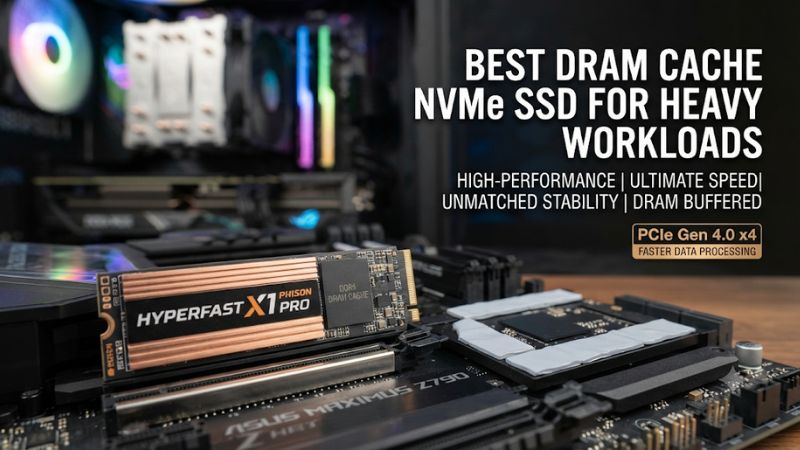
Choosing the best dram cache nvme ssd for heavy workloads means looking beyond advertised sequential speeds. Large file transfers, game recording, virtual machines, and content creation demand sustained performance, sufficient endurance, and effective thermal management. This guide compares suitable drives by workload, capacity, and platform compatibility.
How to Choose a DRAM NVMe SSD
A dedicated DRAM cache can help an SSD manage its flash translation layer and maintain responsive random-access behavior, particularly during demanding mixed workloads. However, DRAM alone does not determine sustained write speed or endurance. NAND type, controller design, SLC cache behavior, cooling, and rated TBW matter just as much when selecting a drive.
1. Check DRAM Capacity and Controller Design
Dedicated DRAM stores mapping information that helps the SSD locate data across its NAND flash. This is particularly useful for workloads involving frequent small-file operations, databases, virtual machines, and simultaneous reads and writes. A DRAM-equipped drive can be a sensible choice when storage responsiveness matters throughout a demanding work session.
However, a larger DRAM cache does not automatically make one SSD faster than another. Controller architecture, firmware, NAND characteristics, and workload patterns all influence actual performance. Check the manufacturer’s specifications rather than assuming that every premium NVMe model includes dedicated DRAM.
2. Prioritize TLC NAND and Sustained Writes
TLC NAND is generally a better starting point than QLC for write-intensive desktop workloads. Many consumer SSDs use a portion of their NAND in faster pseudo-SLC mode, but that cache has finite capacity. Once it fills, write performance can fall substantially depending on the drive and remaining free space.
For repeated recording, video exports, and large project transfers, investigate post-cache write behavior rather than relying exclusively on peak sequential specifications. A high advertised write speed describes favorable operating conditions, not necessarily the speed maintained throughout a multi-hundred-gigabyte transfer.
3. Compare TBW Ratings and Warranty
TBW (Terabytes Written) indicates how much data a manufacturer rates an SSD to withstand writing over its warranty period. It is an important specification for continuous recording, scratch disks, database activity, and workstation storage. Compare the rating at the exact capacity you intend to purchase because endurance usually increases with drive capacity.
Warranty duration also matters. Many premium consumer SSDs offer five-year limited warranties, but the TBW limit can end coverage earlier. If your workload generates substantial daily writes, estimate your annual data production and compare it against the manufacturer’s endurance rating before purchasing.
4. Consider PCIe Compatibility and Cooling
A PCIe 5.0 SSD can operate in a compatible PCIe 4.0 or PCIe 3.0 M.2 slot at the lower interface’s supported speed. However, the motherboard must provide an appropriate M.2 NVMe connection, and available lane allocation can vary by platform. Check the motherboard manual before choosing a drive.
Cooling is equally important during sustained transfers. High-performance SSD controllers generate heat, and thermal throttling can reduce performance when temperatures become excessive. Prefer a motherboard M.2 heatsink or a manufacturer-approved heatsink configuration, while checking physical clearance in compact cases and laptops.
Top DRAM Cache NVMe SSD Picks for Heavy Workloads
These four drives address different storage priorities rather than competing on peak sequential speed alone. The Samsung models suit demanding desktop workloads, Kingston offers a high-endurance PCIe 4.0 alternative, and WD’s NAS-oriented option emphasizes write endurance. Capacity, cooling, and workload behavior should determine the final purchase.
1. Samsung 9100 PRO – Best Overall
PCIe 5.0 | TLC NAND | M.2 2280
The Samsung 9100 PRO is the strongest overall choice for a high-performance workstation with PCIe 5.0 support. It combines Samsung V-NAND TLC, an in-house controller, and dedicated LPDDR4X cache. Available capacities extend to 8TB, making it attractive for large creative projects, demanding applications, and extensive game-recording libraries.
The 4TB version offers 4GB of DRAM, sequential read speeds up to 14,800 MB/s, sequential writes up to 13,400 MB/s, and a 2,400TBW rating. The 8TB model increases DRAM to 8GB and endurance to 4,800TBW. Its five-year limited warranty is subject to the applicable TBW limit.
Watch out: PCIe 5.0 performance requires a compatible motherboard and M.2 connection. The drive can operate at lower PCIe generations, but it cannot deliver its maximum interface performance there. Its higher power consumption also makes adequate cooling important.
2. Samsung 990 PRO – Best Value for PCIe 4.0
PCIe 4.0 | TLC NAND | M.2 2280
The Samsung 990 PRO is a sensible alternative when your motherboard supports PCIe 4.0 but you do not need a newer Gen 5 drive. Its dedicated LPDDR4 DRAM, Samsung TLC NAND, and established consumer SSD platform make it suitable for gaming, editing, application storage, and demanding multitasking.
The 4TB model provides 4GB of DRAM, sequential read speeds up to 7,450 MB/s, sequential writes up to 6,900 MB/s, and 2,400TBW endurance. Samsung specifies a five-year limited warranty. Its 1TB, 2TB, and 4TB capacities allow buyers to match storage size to their projects.
download.semiconductor.samsung.com+1
Watch out: Its PCIe 4.0 interface has a lower theoretical bandwidth ceiling than the 9100 PRO. Buyers who regularly move extremely large datasets on a Gen 5 workstation should consider the newer model instead. Also compare actual retail pricing before assuming the older generation is cheaper.
3. WD Red SN700 – Best for High Write Endurance
PCIe 3.0 | TLC NAND | M.2 2280
The WD Red SN700 is an interesting option for NAS-related storage, active application pools, and write-intensive workloads where endurance matters more than headline transfer speeds. Its PCIe 3.0 interface is older, but the drive combines dedicated DDR4 DRAM with TLC NAND and offers capacities up to 4TB.
The 4TB version carries a manufacturer-rated endurance of 5,100TBW, while the 2TB model is rated at 2,500TBW. Published sequential read and write specifications for the 4TB version reach 3,400 MB/s and 3,100 MB/s, respectively. This makes it particularly interesting when high write endurance is a priority.
documents.westerndigital.com+1
Watch out: Its PCIe 3.0 interface makes it substantially less attractive when maximum transfer bandwidth is the main objective. It is also an older product generation, so check current stock, warranty eligibility, and pricing before purchasing.
4. Kingston KC3000 – Best High-Endurance PCIe 4.0 Alternative
PCIe 4.0 | TLC NAND | M.2 2280
The Kingston KC3000 is a strong alternative for users who want dedicated DRAM, TLC flash, and substantial write endurance without moving to PCIe 5.0. It uses a Phison E18 controller and supports capacities from 512GB through 4TB. Its specifications make it relevant for large project files, development environments, and workstation storage.
The 4TB model offers sequential read and write speeds up to 7,000 MB/s, random read and write performance up to 1,000,000 IOPS, and a 3,200TBW endurance rating. Kingston specifies a five-year limited warranty. The 2TB version is rated at 1,600TBW.
Kingston Technology+1
Watch out: The KC3000’s peak specifications do not establish how quickly it writes after its pseudo-SLC cache is exhausted. Its 4TB version also has a thicker physical profile than the smaller capacities, so check heatsink clearance and motherboard compatibility before installation.
Product Comparison
| Product | Best For | Key Spec | Compatibility | Watch Out For |
| Samsung 9100 PRO | Best Overall | 4TB, 4GB DRAM, 2,400TBW | PCIe 5.0 x4, backward compatible | Higher cooling requirements |
| Samsung 990 PRO | Best Value | 4TB, 4GB DRAM, 2,400TBW | PCIe 4.0 x4 | Older interface |
| WD Red SN700 | High Write Endurance | 4TB, DDR4 DRAM, 5,100TBW | PCIe 3.0 x4 | Lower transfer bandwidth |
| Kingston KC3000 | PCIe 4.0 Workstation | 4TB, DRAM, 3,200TBW | PCIe 4.0 x4 | Sustained writes depend on cache behavior |
Specifications are manufacturer-rated maximums or warranty endurance figures for the stated capacities, not independent benchmark results.
Which SSD Should You Buy?
The best dram cache nvme ssd depends on the type of work your computer performs:
- Video editing and large project transfers: Choose the Samsung 9100 PRO if your motherboard supports PCIe 5.0 and you need high sequential bandwidth.
- Gaming, recording, and general workstation use: The Samsung 990 PRO offers a strong combination of capacity, DRAM, and PCIe 4.0 compatibility.
- NAS and endurance-focused storage: Consider the WD Red SN700 4TB when its higher rated TBW matters more than PCIe bandwidth.
- Development, multitasking, and workstation storage: The Kingston KC3000 4TB is an attractive PCIe 4.0 alternative with a substantial endurance rating.
One important distinction is that a consumer SSD is not automatically suitable for every enterprise workload. Database servers, write-heavy virtualization hosts, and systems requiring protection against sudden power loss may benefit more from enterprise NVMe drives with workload-specific endurance ratings and power-loss protection.
FAQ
1. Is DRAM cache important for heavy NVMe SSD workloads?
Yes, dedicated DRAM can improve SSD responsiveness during demanding random-access and mixed workloads. It helps maintain flash translation layer mapping information without relying exclusively on host memory. This is particularly useful for databases, virtual machines, and frequent small-file operations. However, DRAM does not independently determine sustained sequential write performance.
2. Is a PCIe 5.0 SSD better than a PCIe 4.0 SSD for workstation use?
Not necessarily. PCIe 5.0 provides greater potential bandwidth, which benefits workloads involving large sequential transfers. However, many editing, gaming, and application workloads do not consistently use that bandwidth. A quality PCIe 4.0 drive such as the 990 PRO or KC3000 can offer better value if your motherboard lacks Gen 5 support.
3. How much TBW should I look for in a heavy-workload SSD?
Your required TBW depends on how much data you write daily and how long you intend to keep the drive. For example, writing 200GB daily produces approximately 73TB of writes annually. A 2,400TBW rating provides considerably more rated write capacity than this example requires, although actual workload patterns, warranty conditions, and drive health also matter.
Calculate your approximate requirement using:
AnnualTBW=DailyWrites(GB)3651000
Leave additional endurance headroom rather than buying a drive that barely meets your estimated requirement.
4. Does a larger DRAM cache improve sustained write performance?
No, not by itself. DRAM primarily supports mapping and data-management operations, whereas sustained write performance also depends on NAND characteristics, controller behavior, available SLC cache, and thermal conditions. A larger DRAM specification should not be interpreted as a guarantee of faster long-duration transfers.
For continuous recording or large project exports, prioritize independent sustained-write measurements alongside manufacturer endurance ratings. Also maintain sufficient free space and monitor SSD temperatures to avoid unnecessary performance limitations.
Final Thoughts
The best dram cache nvme ssd for heavy workloads should balance dedicated memory, TLC NAND, sustained performance, and endurance rather than simply offering the highest advertised speed. The Samsung 9100 PRO is the premium choice, while the 990 PRO and KC3000 suit PCIe 4.0 systems. Compare capacity and TBW before upgrading.