🛒 Best Price Today on Amazon
Prime members get fast, free shipping on everything above, plus member-only deals. New members get a 30-day free trial — cancel anytime.
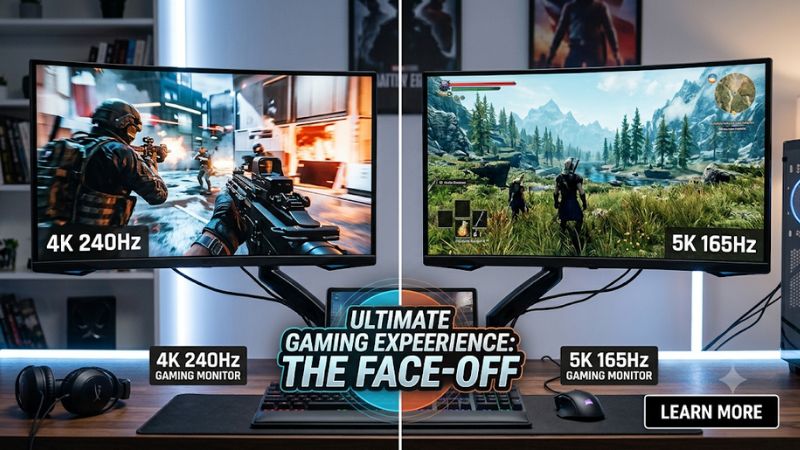
Choosing between a 4k 240hz vs 5k 165hz gaming monitor comes down to whether you prioritize faster motion or finer image detail. Both offer premium gaming experiences, but their pixel counts, GPU demands, and refresh-rate ceilings differ. Here’s how to choose based on your games, hardware, and viewing preferences.
How to Choose Between 4K 240Hz and 5K 165Hz
The most important distinction is that resolution and refresh rate solve different problems. A 5K display renders more detail, while a 240Hz 4K display can update its image more frequently. Your GPU, preferred game genres, screen size, and typical frame rates determine which advantage matters more.
1. Resolution and Image Sharpness
Standard 4K UHD uses 3840 × 2160 pixels, while standard 16:9 5K uses 5120 × 2880. That gives 5K approximately 78% more pixels, which can produce finer text, cleaner edges, and more detailed game environments when the content is rendered natively.
However, pixel count alone does not determine perceived sharpness. Screen size and viewing distance matter too. A 27-inch 5K display has approximately 218 pixels per inch, compared with approximately 163 PPI on a 27-inch 4K display. This makes 5K particularly attractive for people who combine gaming with detailed desktop work.
2. Refresh Rate and Motion Clarity
A 240Hz monitor can refresh approximately 240 times per second, compared with 165 times for a 165Hz display. The theoretical frame intervals are approximately 4.17ms and 6.06ms, respectively. That difference can matter in competitive shooters where rapid camera movement and quick reactions are important.
Nevertheless, a higher refresh-rate specification does not automatically mean better motion clarity in every situation. Pixel response time, overdrive behavior, frame pacing, and the game’s actual FPS also influence the result. A 240Hz display offers its full advantage only when your system can produce sufficiently high frame rates.
3. GPU Performance and Rendering Demands
The GPU workload is an important consideration when comparing these display classes. Native 5K renders approximately 14.75 million pixels per frame, whereas 4K renders approximately 8.29 million. At an identical frame rate and comparable settings, 5K therefore requires substantially more pixel processing.
This does not mean every game will run 78% slower at 5K. Performance depends on the graphics engine, CPU limitations, memory bandwidth, ray tracing, and upscaling. However, demanding AAA games generally make native 5K at high frame rates a considerably more challenging target.
4. Panel Technology and Everyday Use
Resolution and refresh rate should not overshadow panel quality. OLED, IPS, and Mini LED displays have different strengths involving contrast, black levels, brightness, response characteristics, and potential image-retention concerns. These differences can influence the experience more than the specification gap alone.
For example, LG’s 27G850A-B is a 27-inch 4K 240Hz Nano IPS Black monitor, while its 27GM950B is a 27-inch 5K 165Hz Mini LED gaming monitor. Comparing their actual panel characteristics is important because you are choosing more than just two numbers on a specification sheet.
4K 240Hz vs 5K 165Hz: Monitor Comparison
The practical difference becomes clearer when comparing actual monitor specifications. LG provides useful examples in both categories: the UltraGear 27G850A-B represents 4K 240Hz, while the 27GM950B represents native 5K 165Hz. Both target gaming, but their display technologies and intended strengths differ.
LG USA+1
| Product | Best For | Key Spec | Compatibility | Watch Out For |
| LG UltraGear 27G850A-B | Competitive gaming | 27-inch, 4K, 240Hz, Nano IPS Black | DisplayPort 2.1, HDMI 2.1 | Requires powerful GPU for high FPS |
| LG UltraGear 27GM950B | Detail-focused gaming | 27-inch, 5K, 165Hz, Mini LED, 2,304 dimming zones | DisplayPort 2.1, HDMI 2.1, USB-C | Higher native rendering workload |
1. 4K 240Hz: Better for Competitive Gaming
The LG 27G850A-B combines 3840 × 2160 resolution with a 240Hz refresh rate and a 1ms GtG response-time specification. Its dual-mode functionality also supports Full HD at 480Hz, giving competitive players another option when refresh rate matters more than resolution.
LG Việt Nam
Its main advantage is flexibility for games such as Counter-Strike 2, Valorant, and fast-paced multiplayer shooters. However, the monitor’s 240Hz ceiling does not mean every game will reach 240 FPS at native 4K. GPU performance and graphics settings remain important limitations.
2. 5K 165Hz: Better for Visual Detail
The LG 27GM950B combines a native 5120 × 2880 resolution with a Mini LED backlight and 2,304 local dimming zones. LG also lists a dual-mode configuration supporting QHD at 330Hz, making this an interesting option for players who want both detailed visuals and a faster lower-resolution mode.
LG USA
The additional pixels are particularly useful for detailed environments, small interface elements, and desktop productivity. However, rendering native 5K requires considerably more GPU processing than 4K. Players with midrange graphics cards may need to reduce settings or use supported upscaling technologies to maintain comfortable frame rates.
3. Connectivity and Graphics Card Requirements
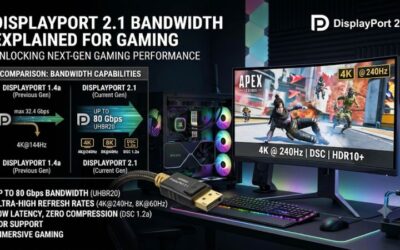
Both monitor categories require a suitable graphics output and cable to reach their advertised maximum refresh rates. DisplayPort 2.1 and HDMI 2.1 support different bandwidth capabilities, so checking the exact monitor input specifications and graphics card output is more useful than choosing a cable based on its name alone.
The LG examples list DisplayPort 2.1 and HDMI 2.1 connectivity. The graphics card must also support the required resolution, refresh rate, color depth, and timing combination. Check the manufacturer’s supported display modes before purchasing, particularly if you plan to use HDR or high-refresh-rate output simultaneously.
4. Price, Longevity, and Overall Value
A higher-resolution display can be a worthwhile long-term investment if you regularly use demanding creative applications alongside games. The 5K pixel density offers additional desktop workspace and sharper text, while its gaming advantage depends heavily on whether your GPU can render at the native resolution.
The 4K 240Hz option is generally easier to justify for players who prioritize competitive performance and broad game compatibility. However, actual value depends on retail pricing, warranty coverage, panel quality, and available features. Compare those factors rather than assuming that 5K automatically deserves a higher price.
FAQ
1. Is 5K 165Hz better than 4K 240Hz for gaming?
No, 5K 165Hz is not automatically better because the two displays prioritize different strengths. 5K offers finer image detail, while 4K 240Hz provides a higher refresh-rate ceiling. Competitive players generally benefit more from the latter, whereas visual-detail enthusiasts may prefer 5K.
2. Can an RTX 5080 handle 5K 165Hz gaming?
An RTX 5080 can drive a 5K display, but reaching 165 FPS in demanding games at native resolution is not guaranteed. Results depend on the game, graphics settings, ray tracing, CPU, and upscaling. Competitive titles are generally easier to run at high frame rates than demanding AAA games.
3. Is 240Hz noticeably better than 165Hz?
Yes, the difference can be noticeable, particularly when your PC consistently produces frame rates above 165 FPS. However, the improvement depends on the game, pixel response behavior, and individual sensitivity. If your games usually run below 165 FPS, the additional refresh-rate headroom may provide limited practical value.
4. Should I choose 5K 165Hz for a 27-inch monitor?
Yes, 5K 165Hz is worth considering at 27 inches if sharpness and desktop clarity are priorities. Its higher pixel density makes fine details and text look cleaner. However, make sure your GPU can handle native 5K gaming and that your preferred games support the resolution properly.
Final Thoughts
The 4k 240hz vs 5k 165hz gaming monitor decision ultimately depends on your priorities. Choose 4K 240Hz for competitive gaming, smoother motion, and broader GPU flexibility. Choose 5K 165Hz for exceptional sharpness and detailed visuals. Before buying, compare your GPU’s performance in your favorite games and check the monitor’s connectivity.