🛒 Best Price Today on Amazon
Prime members get fast, free shipping on everything above, plus member-only deals. New members get a 30-day free trial — cancel anytime.

LG 27GS93QE 27-inch Ultragear OLED Gaming Monitor QHD 1440p 240Hz 0.03ms DisplayHDR True Black 400 AMD FreeSync Premium Pro NVIDIA G-Sync HDMI 2.1 DisplayPort Tilt/Height/Pivot Stand Black
Included for 'OLED Monitor Burn-In Warranty Comparison: Smart Buyer Guide' as a relevant option in this category; details come from the product listing.
View on Amazon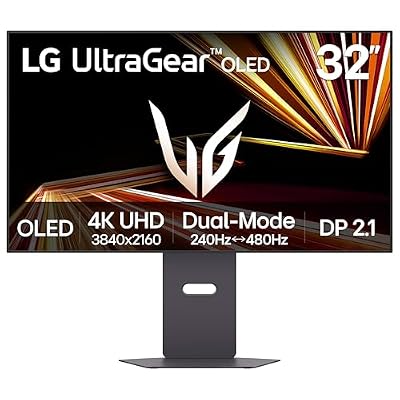
LG 32GX870A-B 32-inch Ultragear 4K UHD (3840 x 2160) OLED Gaming Monitor, Dual-Mode, 240Hz, 0.03ms, NVIDIA, AMD FreeSync Premium Pro, VESA DisplayHDR True Black 400, USB Type-C, DP2.1
Included for 'OLED Monitor Burn-In Warranty Comparison: Smart Buyer Guide' because the listing specifies Dual-Mode and 240Hz, details this guide uses to compare options.
View on AmazonBuying an OLED gaming display means weighing image quality against long-term panel wear. This oled monitor burn in warranty comparison examines coverage periods, manufacturer restrictions, and claim requirements across major brands. Learn which warranties offer meaningful protection, what can invalidate a claim, and how to choose a monitor for gaming and everyday desktop use.
How to Choose an OLED Monitor Warranty
A longer warranty is useful only when it covers the type of damage you are concerned about. Some manufacturers explicitly include OLED burn-in, while others limit protection to manufacturing defects or particular models. Compare the written policy for your exact monitor, purchase region, and intended use rather than relying on a brand’s general warranty statement.
1. Confirm that permanent burn-in is explicitly covered
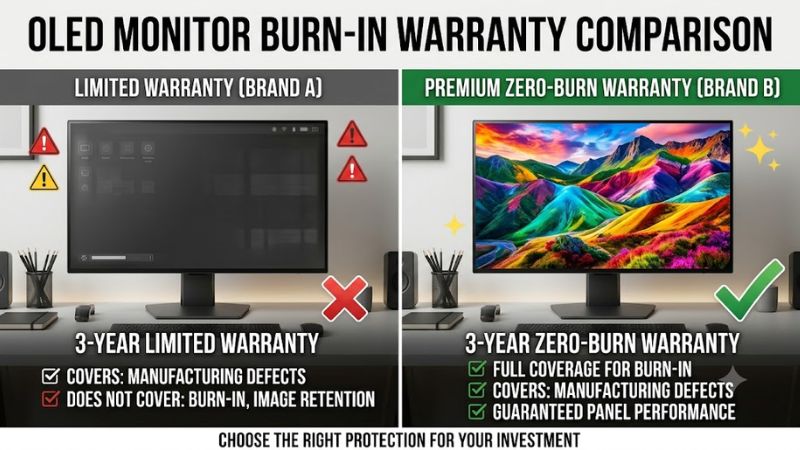
Burn-in occurs when repeated or prolonged use of static image elements leaves persistent uneven wear across an OLED panel. It differs from temporary image retention, which may disappear after content changes or a panel maintenance cycle. A warranty that covers general panel defects does not necessarily cover permanent image retention.
Look for wording such as “including panel burn-in” or an explicit statement that burn-in damage is covered. In this oled monitor burn in warranty comparison, that distinction matters more than the advertised warranty duration alone. If the product page is unclear, request written confirmation from the manufacturer’s regional support team before purchasing.
2. Check the exact coverage period
Many gaming OLED monitors offer two or three years of manufacturer coverage, while certain newer Gigabyte AORUS models advertise an additional year specifically for panel burn-in. However, coverage varies by model and region, so a company’s longest warranty should not automatically be applied to its entire lineup.
Check when the warranty begins, whether the stated term covers the entire monitor or only the panel, and whether registration is required. Also distinguish the manufacturer’s standard warranty from an optional retailer protection plan. An extended plan may have different exclusions, deductibles, replacement rules, or claim procedures.
3. Read the usage and maintenance restrictions
OLED care features can reduce the likelihood of uneven panel wear. Depending on the monitor, these may include pixel shifting, automatic panel refresh, static-element dimming, or reminders to run a maintenance cycle. Manufacturers may require certain care functions to remain operational for warranty eligibility.
For example, MSI has published three-year OLED-panel coverage that includes burn-in, while Corsair’s coverage has been associated with conditions involving its panel-care functions. Keep automatic maintenance enabled and follow the manual rather than disabling protective features to avoid interruptions.
4. Verify regional eligibility and proof of purchase
A policy published for US buyers may not apply to a monitor purchased in Vietnam or another market. Local warranty duration, authorized service centers, import status, and replacement procedures can differ even when the product name is identical. A global brand name is not proof of identical warranty rights worldwide.
Before paying, save the invoice, serial number, model number, and the warranty terms applicable to your country. Ask whether burn-in is covered for personal gaming and productivity use, whether cross-border purchases qualify, and whether the manufacturer repairs the panel or replaces the unit. These details can matter more than an extra year on paper.
OLED Monitor Burn-In Warranty Comparison: Top Brand Policies
The following comparison focuses on published warranty terms rather than display performance or image quality. It uses identifiable manufacturer policies and recent reporting available as of October 27, 2026. Because warranty terms differ by country and model, treat these entries as a shortlist for verification, not a promise that every monitor from a listed brand receives identical coverage.
| Product or brand | Best for | Key warranty detail | Compatibility or eligibility | Watch out for |
| Gigabyte AORUS FO27Q28G | Longest advertised coverage | Four years, including an additional year dedicated to panel burn-in | Confirm regional eligibility and exact model | Do not assume other AORUS monitors receive four years |
| ASUS ROG Swift OLED PG32UCDM | Three-year coverage from ASUS | 36 months, including panel burn-in | Verify the exact model and local warranty | Several older ASUS OLED models have 24-month coverage |
| MSI OLED monitors | Buyers seeking three-year coverage | Three-year OLED-panel warranty including burn-in on qualifying models | Check model-specific terms and OLED Care requirements | Care-feature restrictions may affect claims |
| Alienware AW3226Q | Buyers who want a defined support program | Three-year limited warranty including OLED burn-in | Check the purchase region and applicable service terms | Advanced Exchange and replacement eligibility have conditions |
| LG UltraGear OLED | Buyers considering LG’s OLED displays | Two-year burn-in coverage has been reported for qualifying US models | Confirm the precise model and country | Do not assume the US policy applies internationally |
Sources for these comparisons include Gigabyte coverage reported by FlatpanelsHD, ASUS’s official OLED warranty FAQ, and Dell’s official monitor support documentation. MSI’s terms should also be checked against the specific product page.
1. Gigabyte AORUS FO27Q28G: Best for maximum coverage
The AORUS FO27Q28G stands out for its advertised four-year burn-in warranty. Gigabyte’s published arrangement consists of a three-year standard warranty plus an additional year dedicated to panel burn-in. FlatpanelsHD reported this policy in June 2026, identifying the FO27Q28G as the first monitor with this four-year arrangement.
The important limitation is model specificity. Gigabyte has offered three-year coverage on other OLED monitors, so the additional year should not be treated as a brand-wide benefit. Confirm the written terms in your market and ask whether the additional year covers the same usage conditions as the standard warranty. A longer term is valuable only if you can actually claim against it.
2. ASUS ROG Swift OLED PG32UCDM: Best for clearly documented terms
ASUS explicitly lists 36 months of warranty coverage, including panel burn-in, for the ROG Swift OLED PG32UCDM. Its official FAQ also clarifies that this model remains covered for three years even if the packaging or included warranty card displays a two-year period. That makes the model’s published policy particularly useful for buyers comparing written coverage.
However, older ASUS OLED models named in the same FAQ, including the PG27AQDM and PG34WCDM, receive 24 months under that policy. Do not extrapolate the PG32UCDM’s coverage to every ROG or ProArt display. Confirm the product’s exact warranty listing and regional support terms before making a purchase.
3. MSI OLED: Best for buyers who will maintain the panel
MSI has announced three-year OLED-panel coverage that includes burn-in for qualifying gaming monitors. The brand’s OLED Care features are relevant because panel maintenance and static-image protection help manage wear over time. Buyers who regularly play games with fixed interface elements should keep the manufacturer’s recommended care functions enabled.
The limitation is that warranty conditions matter alongside the advertised term. Published policy summaries indicate that MSI’s burn-in coverage can depend on OLED Care remaining functional. Check the official terms for your exact model, including what happens if a maintenance feature is disabled, delayed, or fails. Do not assume every MSI monitor or regional warranty has identical exclusions.
4. Alienware AW3226Q: Best for a defined support program
Dell’s US product page for the Alienware AW3226Q lists a three-year limited warranty and three-year Advanced Exchange service, including OLED burn-in coverage. The model is a 32-inch-class 4K OLED display with a 165 Hz refresh rate, so it may suit buyers seeking a high-resolution gaming screen as well as a documented support arrangement.
Dell’s service terms still require attention. Replacement dispatch depends on remote or phone diagnosis, service availability can vary, and fees may apply if a replacement unit is not returned as required. Dell Vietnam also states that QD-OLED technology is subject to a maximum three-year warranty term including burn-in. Check the local service entitlement rather than assuming the US purchase package transfers unchanged.
What about LG and Samsung?
LG’s US burn-in coverage has been reported as two years for qualifying UltraGear OLED monitors under normal residential use. That is shorter than the three-year policies offered by several competitors, but it should not be generalized to every LG model or country. Obtain the applicable warranty statement for the display you intend to buy.
Samsung requires similar model-level checking. Some Odyssey OLED models have been advertised with three-year coverage that includes burn-in, but coverage is not safely inferred from the Odyssey name alone. Check the warranty duration and whether normal-use burn-in is expressly included in the local product documentation. If the terms are ambiguous, request written clarification before ordering.
FAQ
Does an OLED monitor warranty usually cover burn-in?
Many current gaming OLED monitors have policies that explicitly include burn-in, often for two or three years, with select models offering longer coverage. The exact model, purchase region, and warranty conditions determine eligibility. Read the written terms rather than relying on a general statement about the manufacturer’s OLED lineup.
Which OLED monitor has the longest burn-in warranty?
The Gigabyte AORUS FO27Q28G has a documented four-year arrangement consisting of a three-year standard warranty and an additional year dedicated to panel burn-in. This applies to the named model, not automatically to every Gigabyte OLED display. Confirm the terms for your country before buying.
Can a manufacturer reject a burn-in claim?
Yes, a claim may be rejected if the damage or use falls outside the applicable warranty conditions. Eligibility can depend on the product’s intended use, proof of purchase, regional restrictions, and required panel-care functions. Keep your receipt, retain the original model and serial information, and ask support for the relevant exclusion clauses before submitting a claim.
Is a three-year OLED warranty worth paying more for?
It can be worthwhile if you plan to keep the monitor for several years and use it for long gaming or desktop sessions. Compare the price difference with the actual coverage period, exclusions, service process, and local repair options. A shorter but clearly applicable warranty may be more useful than a longer policy that does not cover your purchase or usage circumstances.
Final Thoughts
The most useful oled monitor burn in warranty comparison prioritizes explicit coverage, eligibility, and claim conditions over headline duration alone. Gigabyte’s AORUS FO27Q28G stands out for four-year coverage, while qualifying ASUS, MSI, and Alienware models offer three-year options. Before choosing, verify the exact model’s written warranty and local service terms.