🛒 Best Price Today on Amazon
Prime members get fast, free shipping on everything above, plus member-only deals. New members get a 30-day free trial — cancel anytime.
The best wired keyboard mouse combo depends on whether you prioritize gaming controls, everyday comfort, or a low purchase price. A USB set can simplify your desktop setup without batteries or wireless pairing, but keyboard rollover, mouse sensitivity, ergonomics, and cable layout matter when choosing equipment for PC gaming.
How to Choose a Wired Keyboard and Mouse Combo
The right combo balances keyboard layout, mouse control, comfort, and compatibility with your computer. Gaming-focused bundles may include backlighting, shortcut keys, and adjustable mouse sensitivity, while office-oriented sets prioritize straightforward typing and everyday navigation. Decide which features affect your actual use before paying extra for decorative lighting or specifications you may never use.
1. Choose a keyboard that suits your games
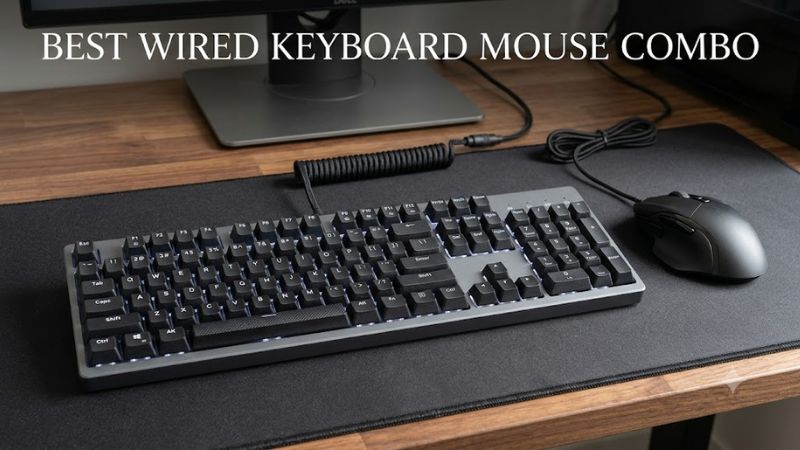
A full-size keyboard includes a number pad, arrow keys, and a familiar layout for gaming and productivity. It works well for players who also use spreadsheets, editing software, or keyboard shortcuts. However, its wider footprint leaves less room for broad mouse movements, particularly in competitive first-person shooters.
A gaming-oriented membrane keyboard can be a practical entry point when you want lighting and extra controls without buying separate peripherals. Look for rollover information, clearly labeled keys, and accessible media shortcuts. Remember that RGB lighting does not establish better responsiveness, and a membrane keyboard will feel different from a mechanical model.
2. Match mouse sensitivity to your play style
Mouse sensitivity is usually expressed as DPI, or dots per inch. A higher DPI setting moves the cursor farther for a given physical movement, but it does not automatically make aiming more accurate. Your preferred sensitivity, mouse shape, desk space, and ability to control small movements matter more than the largest advertised number.
For a general-purpose desktop, a basic optical mouse is often sufficient. Competitive players may prefer a gaming mouse with adjustable DPI and additional programmable buttons. Check whether the included software supports your operating system and whether the mouse can retain its settings without running a background application.
3. Check connectivity and physical comfort
Most wired keyboard and mouse combos connect through USB-A. This is convenient for desktops and many laptops, but a laptop with only USB-C ports may require a compatible adapter or dock. Check whether the keyboard and mouse have separate plugs, and leave enough accessible ports for your headset, controller, and other peripherals.
Comfort matters during long gaming sessions. Consider key height, keyboard tilt, mouse width, grip style, and cable placement. A compact mouse may suit smaller hands, while a larger contoured model may feel more natural to other users. If possible, check the return policy so you can change the set if its shape or typing feel proves uncomfortable.
4. Set a realistic budget
A basic wired combo can cover everyday gaming without the expense of a specialized keyboard and mouse. Gaming bundles become more attractive when you want coordinated lighting, extra buttons, or sensitivity controls in one purchase. Before spending more, identify which features are actually included rather than assuming every product marketed for gaming offers advanced controls.
Also consider the cost of replacing the entire bundle if one component fails. A combo is convenient, but it ties two peripherals to one purchase decision. If you already own a good gaming mouse, buying a separate keyboard may provide better value than replacing both devices.
Top Wired Keyboard Mouse Combo Picks
These four options serve different needs, from entry-level gaming to everyday desktop use. The selection is based on manufacturer-published specifications and intended use, not a shared performance benchmark. Because a bundle’s gaming label does not establish its responsiveness, prioritize the features that match your games and verify the exact model before purchasing.
| Product | Best For | Key Spec | Compatibility | Watch Out For |
| Redragon S101-3 | Budget gaming | RGB lighting, 25-key rollover, mouse up to 3,200 DPI | Verify OS support for the exact revision | Older listed OS compatibility |
| Logitech MK120 | Everyday value | Full-size 105-key layout, 1,000-DPI mouse | USB; Windows 7, 8, 10 or later per datasheet | No backlighting |
| Lenovo Essential Wired Combo AI | Gaming and productivity | 2.5-zone keyboard, 1,600-DPI mouse | USB-A; Windows compatibility varies by setup | Copilot key may be unnecessary |
| Belkin Connect Wired Combo | General-purpose desktop use | Full-size keyboard, 1,200-CPI mouse | USB-A; Windows and other compatible USB-A devices | Not a dedicated gaming bundle |
1. Redragon S101-3 — Best for Budget Gaming
The Redragon S101-3 is the gaming-focused choice in this group. Manufacturer documentation lists RGB backlighting, 10 shortcut keys, 12 multimedia function-key combinations, and 25-key rollover on the keyboard. The bundled optical mouse offers up to 3,200 DPI and five programmable buttons, giving players more configurable controls than a basic office set.
Its main attraction is convenience: one purchase provides a keyboard and mouse with gaming-oriented features. It is worth considering for casual gaming, schoolwork, and a first desktop setup. However, the published compatibility information includes older Windows versions, so confirm support for your current operating system and exact package before buying.
The bundle is less suitable for players who specifically want mechanical switches, a compact tournament-style layout, or independently selected peripherals. Mouse DPI alone does not establish sensor quality or competitive performance, and the manufacturer’s listed features should not be treated as evidence of superior in-game results.
2. Logitech MK120 — Best Value for Everyday Use
The Logitech MK120 is a straightforward corded combo with a full-size keyboard and a three-button, ambidextrous optical mouse. Its manufacturer datasheet specifies a 1,000-DPI mouse, 105-key layout, adjustable keyboard tilt, and a spill-resistant keyboard design intended to handle limited accidental liquid exposure. Logitech lists a three-year hardware limited warranty.
This set suits players who mainly enjoy strategy games, simulation titles, older PC games, or casual sessions and also need a keyboard for everyday computing. Its standard layout makes it easy to switch between gaming, browsing, and office tasks without learning a specialized arrangement.
The compromise is its basic feature set. The keyboard has no backlighting, and the mouse lacks the programmable controls found in gaming-focused bundles. Players who need customizable sensitivity or additional mouse buttons should consider a dedicated gaming option instead. Logitech’s US store listed it at $19.99 when the product page was checked for this article; prices and availability can change.
3. Lenovo Essential Wired Combo AI — Best for Mixed Use
The Lenovo Essential Wired Keyboard and Mouse Combo AI combines a 2.5-zone keyboard with a dedicated numeric keypad, adjustable tilt legs, and a full-size ambidextrous mouse. Lenovo lists a 1,600-DPI optical sensor and spill-resistant keyboard design. Its dedicated Copilot key can open the assistant when available or launch Windows Search when Copilot is unavailable or disabled.
This combination makes sense for someone who games on the same PC used for school, office work, or everyday tasks. The full-size layout is familiar, while the mouse sensitivity specification provides a straightforward reference point for cursor control. Both devices connect through wired USB, avoiding battery replacement and wireless pairing.
The Copilot key is a productivity feature rather than a gaming advantage. If you mainly play fast-paced competitive games, the bundled mouse may lack the specialized shape or controls you want. Check the exact part number and regional layout, particularly if you prefer a keyboard without an AI shortcut key.
4. Belkin Connect Wired Combo — Best for a Simple Desktop
The Belkin Connect Wired Keyboard and Mouse Combo includes a full-size keyboard with a number pad, multimedia function keys, adjustable height, and a compact, contoured mouse. Its published specifications list a 1,200-CPI optical sensor, three mouse buttons, USB-A connectivity, and a two-year warranty. Belkin describes the keyboard as spill-resistant under specified conditions.
It is a sensible choice for players who want a conventional desktop keyboard with useful media controls and a mouse for general navigation. Its compact mouse may also appeal to users who prefer a smaller device than a traditional full-size office mouse. The wired USB-A connection keeps setup simple on compatible computers.
The limitation is its general-purpose design. Belkin does not position this bundle as a specialized competitive gaming set, so do not assume it offers programmable gaming buttons, advanced sensitivity profiles, or mechanical switches. If your priority is ranked shooters or extensive customization, a gaming-specific combo is a better starting point.
FAQ
Is a wired keyboard and mouse combo good for PC gaming?
Yes, a wired combo can work well for PC gaming, especially for casual play and budget builds. The important factors are comfortable controls, sufficient keyboard rollover, reliable mouse tracking, and a layout suited to your games. A bundle does not automatically provide the features of dedicated gaming peripherals.
Does a wired combo need drivers?
Most basic USB keyboard and mouse combos work through standard operating-system support without separate downloads. Advanced functions, programmable buttons, or custom lighting may require manufacturer software. Check the product documentation before installing utilities, particularly if you use Linux or a nonstandard operating system.
Is a higher DPI mouse better for gaming?
No, higher DPI alone does not make a mouse better for gaming. DPI determines how far the cursor moves relative to physical mouse movement, while sensor behavior, shape, control, and your chosen sensitivity affect practical usability. Select a mouse that supports a comfortable sensitivity range rather than choosing solely by its maximum number.
Should I buy a combo or separate gaming peripherals?
Buy a combo if you want a convenient, lower-cost setup and both included devices meet your needs. Choose separate peripherals if you want a mechanical keyboard, a specific mouse shape, a compact layout, or more advanced controls. Replacing only the component you need can also be more economical over time.
Final Thoughts
The best wired keyboard mouse combo depends on how you divide your time between gaming and everyday computing. The Redragon S101-3 offers gaming-focused features, while the Logitech MK120, Lenovo Essential Wired Combo AI, and Belkin Connect suit simpler desktop needs. Compare the exact model specifications and warranty before choosing your setup.