🛒 Best Price Today on Amazon
Prime members get fast, free shipping on everything above, plus member-only deals. New members get a 30-day free trial — cancel anytime.
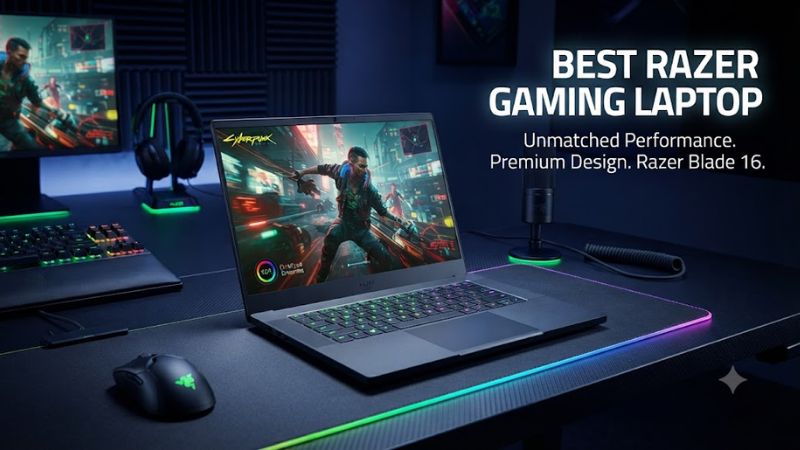
Choosing the best razer gaming laptop means balancing graphics performance, portability, display quality, and price. Razer’s Blade lineup targets premium gaming, with configurations ranging from GeForce RTX 5060 graphics to RTX 5090. The right model depends on the games you play, your preferred resolution, and how much you want to spend.
How to Choose a Razer Gaming Laptop
Start with the GPU, then compare the processor, display, memory, storage, and chassis. The Blade 16 is the central choice for most buyers because it combines a high-refresh-rate OLED screen with modern NVIDIA graphics. However, a more expensive configuration is not automatically better value if your games do not need its additional graphics power.
Choose Graphics for Your Games
For competitive games such as Counter-Strike 2 and Valorant, an RTX 5060 or RTX 5070 configuration can be a sensible starting point, depending on your resolution and target frame rate. Demanding single-player games with ray tracing can benefit from stronger GPUs, particularly at higher resolutions. Laptop GPU performance also depends on power limits and cooling, so the GPU name alone does not predict every game’s frame rate.
For buyers considering the best razer gaming laptop for demanding games, the Blade 16 offers configurations up to the RTX 5090 in the 2026 lineup. NVIDIA DLSS support can improve performance in compatible titles, although image quality and frame generation results vary by game and setting. Check the exact configuration before ordering because the same laptop family can include substantially different graphics hardware.
Match the Display to Your Playing Style
A high refresh rate is useful for competitive gaming, while resolution and contrast matter for visually rich games. The Blade 14 has a QHD+ OLED panel with a 120 Hz refresh rate, while the Blade 16 offers QHD+ OLED at 240 Hz in listed configurations. The Blade 18’s dual-mode panel switches between UHD+ at 240 Hz and FHD+ at 440 Hz, catering to different priorities.
OLED panels provide deep blacks and strong contrast, but buyers should consider their usage habits and the manufacturer’s display-care guidance. Compare brightness, resolution, refresh rate, and warranty coverage instead of relying on panel technology alone. For the best razer gaming laptop for esports, a fast refresh rate may matter more than extra pixels, particularly if your GPU can maintain high frame rates.
Check Memory, Storage, and Upgrade Options
Memory and storage affect daily usability as well as gaming. A 1 TB SSD is a practical starting point for a library of modern PC games, although large installations can consume space quickly. Choose additional storage if you regularly keep several demanding titles installed alongside recordings, creative projects, or large media files.
Razer’s Blade 14 and Blade 16 use onboard LPDDR5X memory in their listed configurations, so buyers should choose sufficient capacity at purchase rather than assume a future RAM upgrade is possible. The Blade 18 uses slotted DDR5 memory, making its upgrade options different. Confirm the exact model’s service documentation before planning any memory or SSD replacement.
Consider Portability, Cooling, and Compatibility
The Blade 14 is the most portable option in the current family, while the Blade 16 balances screen size and performance. The Blade 18 is considerably heavier and better suited to a desk-oriented setup. Remember that powerful components still need adequate cooling, and thin chassis designs can make fan noise and surface temperatures more noticeable during extended gaming sessions.
All three families run Windows 11 in the listed US configurations, so they support compatible Windows PC games and mainstream gaming peripherals. Check regional keyboard layouts, available ports, power adapters, wireless connectivity, and warranty terms before buying. The best razer gaming laptop for travel may differ from the strongest model for a permanent gaming station.
Top Picks: Best Razer Gaming Laptops
Razer’s current Blade range offers distinct choices rather than one universal winner. The Blade 16 is the balanced premium pick, the Blade 14 prioritizes portability, and the Blade 18 targets buyers who want a larger display and high-end graphics. The table compares representative configurations; prices and availability can change by region and retailer.
| Product | Best For | Key Spec | Compatibility | Watch Out For |
| Razer Blade 16 (2026) | Best Overall | Up to RTX 5090; 16-inch QHD+ 240 Hz OLED | Windows 11; LPDDR5X onboard | Premium pricing |
| Razer Blade 16 (RTX 5060) | Best Value | RTX 5060 8 GB; 16 GB RAM; 1 TB SSD | Windows 11; onboard memory | Entry configuration has less memory |
| Razer Blade 14 | Best for Travel | RTX 5060 configuration; 14-inch QHD+ 120 Hz OLED | Windows 11; LPDDR5X onboard | Smaller screen and lower refresh rate |
| Razer Blade 18 | Best for Large-Screen Gaming | Up to RTX 5090; dual-mode 18-inch display | Windows 11; slotted DDR5 | Large chassis and high cost |
Best Overall: Razer Blade 16 (2026)
The 2026 Blade 16 is the strongest all-round recommendation for buyers who want a relatively slim gaming laptop without stepping down to a smaller screen. Razer lists an Intel Core Ultra 9 386H processor, up to an RTX 5090 Laptop GPU, and LPDDR5X memory reaching 9600 MHz. Its 16-inch QHD+ OLED panel runs at 240 Hz in the listed configurations.
This configuration suits players who want premium visuals, strong graphics capability, and a laptop that remains easier to carry than an 18-inch model. The drawback is price: high-tier versions cost thousands of dollars, and the fixed memory limits later upgrades. Buyers who mainly play lighter competitive games should compare the lower GPU tiers before paying for flagship graphics.
Best Value: Razer Blade 16 with RTX 5060
The RTX 5060 Blade 16 is a more accessible entry into Razer’s premium lineup. Razer’s US product listing shows a configuration with an AMD Ryzen AI 9 365 processor, 16 GB of LPDDR5X memory, a 1 TB SSD, and a QHD+ 240 Hz OLED display. The listed price at the time of research was US$2,399.99, although stock and promotional pricing can change.
This is a sensible choice for buyers who want the Blade chassis and high-refresh-rate screen without paying for the highest graphics tier. The limitation is the GPU’s 8 GB of VRAM, which can constrain demanding games at high settings, especially when using ray tracing or high-resolution textures. Buyers planning intensive creative workloads or more demanding future games should compare the RTX 5070 Ti and higher configurations.
Best for Travel: Razer Blade 14
The Blade 14 prioritizes portability while retaining discrete NVIDIA graphics. Razer lists a configuration with the AMD Ryzen AI 9 365 processor, GeForce RTX 5060 Laptop GPU, 16 GB of LPDDR5X memory, a 1 TB SSD, and a QHD+ 120 Hz OLED display. Its compact format is appealing for students, frequent travelers, and gamers who regularly move between home and other workspaces.
The trade-off is the smaller display and lower refresh rate compared with the Blade 16. Its onboard memory also limits future capacity upgrades, so choose carefully if you use demanding creative applications alongside games. Buyers who mostly play at a desk may prefer the larger Blade 16, while travelers who value a smaller footprint should give this model serious consideration.
Best for Large-Screen Gaming: Razer Blade 18
The Blade 18 is designed for buyers who want a large gaming display and high-end hardware. Current configurations include Intel Core Ultra 9 processors and graphics options up to the RTX 5090 Laptop GPU. Its dual-mode display supports UHD+ at 240 Hz or FHD+ at 440 Hz, allowing users to prioritize visual detail or extremely high refresh rates according to the game.
This model is better suited to a desk than a daily commute. Its larger chassis provides room for more substantial cooling hardware, but the laptop is heavier and expensive configurations can exceed US$5,000. The slotted DDR5 memory is a useful distinction from the Blade 14 and Blade 16, although buyers should still verify supported capacities and service requirements for their specific model.
FAQ
Is the Razer Blade 16 worth buying in 2026?
Yes, the Razer Blade 16 is worth considering if you want a premium gaming laptop with modern NVIDIA graphics and a high-refresh-rate OLED screen. Its main drawback is cost, so compare GPU configurations and independent game benchmarks before deciding whether the performance difference justifies the price.
Which Razer gaming laptop is best for travel?
The Razer Blade 14 is the best fit for buyers who prioritize portability. Its smaller chassis and 14-inch OLED display make it easier to carry than the Blade 16 or Blade 18, although its screen is less spacious and its memory is onboard.
Can you upgrade RAM in a Razer Blade gaming laptop?
Upgrade options depend on the model: the listed Blade 14 and Blade 16 configurations use onboard LPDDR5X memory, while the Blade 18 uses slotted DDR5 memory. Check the exact model’s official specifications and service documentation before buying, especially if you expect to increase memory capacity later.
How much should you spend on a Razer gaming laptop?
Budget according to your games and performance targets rather than choosing the most expensive configuration by default. The Blade 16 RTX 5060 listing started at US$2,399.99 at the time of research, while flagship Blade 18 configurations can cost considerably more. Confirm current regional pricing before purchasing.
Final Thoughts
The best razer gaming laptop depends on where you play and which features matter most. Choose the Blade 16 for a balance of premium graphics and portability, the Blade 14 for travel, or the Blade 18 for a large display and flagship performance. Compare exact configurations, memory upgrade options, and current prices before committing to the premium.