🛒 Best Price Today on Amazon
Prime members get fast, free shipping on everything above, plus member-only deals. New members get a 30-day free trial — cancel anytime.
The best HP Pavilion gaming laptop depends on whether you want an affordable older machine or a newer laptop for demanding games. Pavilion Gaming is a legacy product line, so buyers should compare used Pavilion models with current HP Victus alternatives, paying close attention to graphics performance, display quality, battery condition, and the price of each configuration.
How to Choose an HP Gaming Laptop
The right purchase depends on whether you prioritize a low upfront cost, modern graphics features, or a machine that will remain useful for several years. Pavilion Gaming models are primarily secondhand options, while Victus is the more relevant HP family for new gaming hardware. Compare the exact configuration rather than relying on a product-family name.
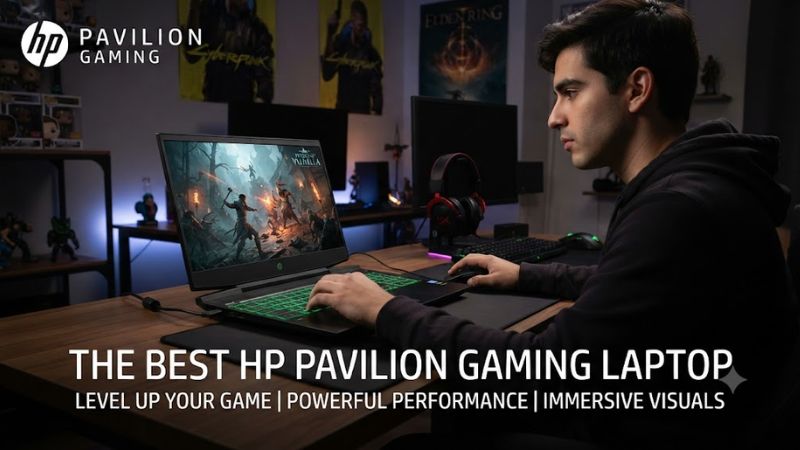
Graphics performance for your games
The graphics processor matters more than the Pavilion badge when choosing a gaming laptop. Older Pavilion Gaming 15 configurations include the NVIDIA GeForce GTX 1650, with 4GB of dedicated GDDR6 memory in documented models. That hardware suits lighter games and older releases better than demanding new titles at high settings.
For newer games, look for an HP Victus configuration with a discrete RTX GPU, such as the RTX 4050 Laptop GPU. It supports newer NVIDIA graphics features, including DLSS, although performance depends on the laptop’s power limits and cooling. Buyers seeking a best hp pavilion gaming laptop should compare these newer alternatives before committing to aging hardware.
Processor and memory capacity
A documented Pavilion Gaming 15 configuration, the 15-ec2105nd, pairs an AMD Ryzen 5 5600H with 8GB of DDR4-3200 memory. Its six-core, twelve-thread processor remains capable of general computing and many games, but 8GB can constrain modern multitasking. Check whether the specific used machine supports a practical memory upgrade.
For a new gaming laptop, 16GB of RAM is a more sensible starting point. Some current HP Victus configurations use DDR5, while older Pavilion models use DDR4, so the memory modules are not interchangeable across those platforms. Check the exact model’s service documentation before buying additional memory, and avoid paying extra for capacity the laptop cannot support.
Display quality and refresh rate
Many Pavilion Gaming 15 configurations use a 15.6-inch Full HD IPS display, but specifications vary by product number. HP documents a 250-nit panel with 45% NTSC coverage for the 15-ec2105nd. This is serviceable for everyday gaming, though its limited brightness and color coverage are less appealing for bright rooms or color-sensitive creative work.
Some Victus 15 configurations offer Full HD resolution at 144Hz and 300 nits, giving fast-moving games a higher refresh ceiling. A high refresh rate does not mean every game will reach that frame rate, particularly on an older GPU. Verify the panel specification on the exact listing rather than assuming every laptop in a series has the same screen.
Compatibility, condition, and upgrade options
Laptop components cannot be upgraded as freely as desktop PC parts. The CPU and GPU are generally integrated into the motherboard, while memory and SSD upgrade options depend on the exact chassis and configuration. For a used Pavilion, check the battery, fan noise, charging adapter, hinge condition, keyboard, and SSD health before paying.
For new purchases, HP’s official specification pages are useful for confirming memory type, ports, storage, operating system, and graphics hardware. Windows 11 compatibility and driver support also deserve attention on older machines. A low price is less attractive if the laptop needs a replacement battery, has thermal problems, or cannot run the games you intend to play.
Top Picks: Pavilion Gaming and HP Alternatives
These recommendations distinguish legacy Pavilion machines from newer alternatives. The table is based on manufacturer specifications and product positioning, not first-hand testing. Used prices vary by region, condition, and seller, so no unsupported price estimates or FPS figures are included.
| Product | Best For | Key Spec | Compatibility | Watch Out For |
| HP Victus 15 with RTX 4050 | Best Overall | RTX 4050 6GB; Full HD 144Hz on documented configurations | Windows 11; DDR5 or DDR4 depends on model | Verify the exact generation and memory type |
| HP Pavilion Gaming 15-ec2105nd | Best Value Used | Ryzen 5 5600H; GTX 1650 4GB | DDR4-3200; model-specific M.2 SSD | Older GPU and modest display |
| HP Pavilion Gaming 15 with GTX 1650 | Best for Budget Gaming | Dedicated GTX 1650 graphics; Full HD display on documented models | Exact CPU, RAM, and storage vary | Check battery health and upgrade limits |
| HP Victus 15 with RTX 5050 | Best for Newer Games | RTX 5050 Laptop GPU; 8GB GDDR7 on a listed configuration | Windows 11; check exact memory configuration | Entry-level listings may need a RAM upgrade |
Best Overall: HP Victus 15 with RTX 4050
An RTX 4050-equipped Victus 15 is a sensible starting point for buyers who want a new or relatively recent HP gaming laptop rather than an older Pavilion. HP’s US product listing for the Victus 15-fa2047nr documents an Intel Core i5-13420H, RTX 4050 Laptop GPU with 6GB GDDR6, 16GB DDR5 memory, and a 1TB SSD.
That particular listing also specifies a 15.6-inch Full HD IPS display with a 144Hz refresh rate. These components provide a more modern foundation for gaming than the GTX 1650 found in older Pavilion configurations. The trade-off is that this exact product has been marked discontinued on HP’s website, so buyers should verify availability and compare newer replacements before purchasing.
Best Value Used: HP Pavilion Gaming 15-ec2105nd
The Pavilion Gaming 15-ec2105nd is worth considering when the price is substantially lower than a comparable Victus. HP’s support documentation identifies an AMD Ryzen 5 5600H, GTX 1650 with 4GB GDDR6, 8GB DDR4-3200 RAM, and a 512GB PCIe NVMe SSD. These are specific documented specifications, not assumptions about every Pavilion Gaming 15.
Its principal weakness is the older graphics processor, along with the limited memory in the listed configuration. It is better suited to budget-conscious players who mainly enjoy esports, independent games, and older releases than buyers seeking demanding modern games at high settings. Confirm the seller’s exact product number because regional variants may have different components.
Best for Budget Gaming: Other Pavilion Gaming 15 Configurations
Other Pavilion Gaming 15 laptops can be reasonable used purchases if their prices reflect their age. The GTX 1650 is a useful baseline for comparing listings, but processor, display, RAM, and storage can differ between configurations. A machine with more memory or a better-supported CPU may offer a more convenient daily experience than a cheaper unit with a weaker overall specification.
The weakness is uncertainty: a listing that says only “Pavilion Gaming 15” does not identify the actual hardware. Ask for the full product number and verify it through HP Support. Skip machines with damaged hinges, unstable charging, persistent overheating, or no clear return policy. This category is not a good choice if you expect modern high-end graphics performance.
Best for Newer Games: HP Victus 15 with RTX 5050
HP’s US store lists a Victus 15t-fa200 configuration with an Intel Core 5 210H processor, NVIDIA GeForce RTX 5050 Laptop GPU with 8GB GDDR7, and a 15.6-inch Full HD 144Hz display. This newer graphics option makes it worth comparing against legacy Pavilion laptops when shopping for a current-generation system.
The listed configuration includes 8GB of DDR5-5200 memory and a 512GB PCIe NVMe SSD, so check whether the seller offers a larger memory configuration or whether an upgrade is supported. Eight gigabytes is a limitation for a modern gaming system, and the precise upgrade procedure depends on the laptop variant. Buyers should compare the final cost, warranty, and complete specification rather than choosing by GPU name alone.
FAQ
Is the HP Pavilion Gaming laptop still worth buying?
Yes, an HP Pavilion Gaming laptop can be worth buying if its used price is low enough to justify its older hardware. Check the exact GPU, processor, memory, battery condition, and display before making a decision. A Pavilion with a GTX 1650 can suit lighter gaming, but a newer Victus may offer better long-term value if the price difference is small.
Which HP Pavilion Gaming laptop is best for gaming?
The best choice depends on the configuration, but a Pavilion Gaming 15 with a dedicated NVIDIA GPU is preferable to a model relying only on integrated graphics. The documented 15-ec2105nd pairs a Ryzen 5 5600H with a GTX 1650. Buyers who need newer graphics features should compare an RTX-equipped Victus rather than assuming an older Pavilion is the best option.
Can an HP Pavilion Gaming laptop run modern games?
Yes, some HP Pavilion Gaming laptops can run modern games, but performance depends on the specific GPU, game requirements, and graphics settings. A GTX 1650 model is more appropriate for lighter titles or reduced settings than for demanding releases. Check current system requirements for each game, and do not treat specifications alone as a guarantee of a particular frame rate.
Should I buy a Pavilion Gaming laptop or an HP Victus?
Choose a Pavilion Gaming laptop if you find a well-maintained used model at a compelling price, and choose a Victus if you prefer newer graphics hardware and a current product family. Compare warranty coverage, memory, storage, display, and total cost. An older Pavilion is not automatically a bargain if it needs repairs or cannot meet your gaming requirements.
Final Thoughts
The best hp pavilion gaming laptop is usually a carefully chosen used Pavilion with verified specifications and a fair price, rather than an expensive older machine sold under a familiar name. For buyers prioritizing newer games, compare HP Victus models with discrete RTX graphics. Check the exact product number, warranty, memory configuration, and battery condition before committing to a purchase.