🛒 Best Price Today on Amazon
Prime members get fast, free shipping on everything above, plus member-only deals. New members get a 30-day free trial — cancel anytime.
For a gaming laptop, start with the GPU tier and its power limit, then match it to the panel resolution. RTX 5060 systems make the most sense around 1080p or 1200p, while RTX 5070 Ti and higher models suit 1600p play more comfortably. This avoids paying for GPU power that your screen cannot use.
How to Choose an Acer Gaming Laptop
The best acer gaming laptop depends less on the logo than on the GPU power, screen target, memory layout, and chassis size. For 2026, Acer’s current lineup spans RTX 5060 Nitro systems through RTX 5090 Predator models, so the right choice is the one whose hardware matches your games, display, and budget.
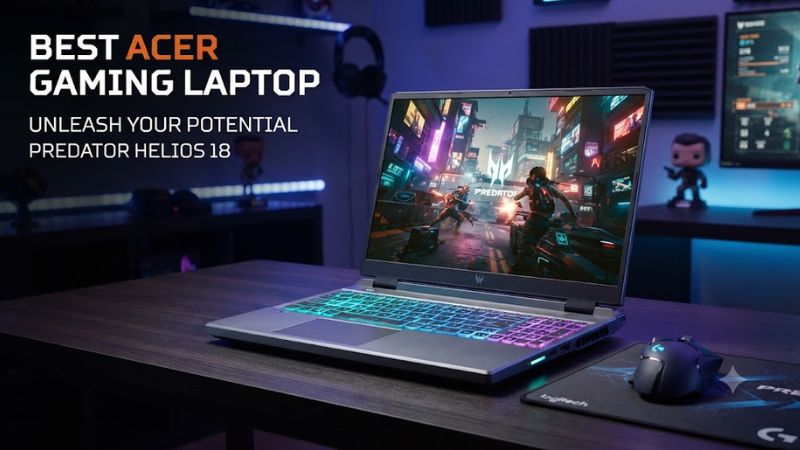
Match GPU Power to Resolution
The best acer gaming laptop starts with graphics power, because the same RTX name can perform differently across chassis. Nitro V 16S AI uses an RTX 5060 capped at 85W, while Helios Neo 16 AI can pair an RTX 5070 Ti with a 2560×1600 panel. Choose according to your games and preferred display target resolution.
An RTX 5060 gaming laptop suits 1080p or 1200p gaming, especially with a 165Hz or 180Hz screen. If you plan to drive 2560×1600 at high settings, the Helios Neo 16 AI’s higher-tier RTX 5070 Ti configuration gives substantially more graphics headroom for demanding games. Consider power limits alongside the GPU subsystem.
Check Memory and Storage
Memory is a platform compatibility decision because Acer gaming laptops do not share the same upgrade path. The Helios Neo 16 AI configuration uses DDR5 and two memory slots, while the Triton 14 AI uses 32GB LPDDR5X and lists 32GB as its maximum. Choose soldered memory only after deciding your workload.
Storage capacity matters as modern game installs grow, but SSD generation matters less to frame rates than GPU performance. The Nitro V 16S AI has a 1TB PCIe 4.0 SSD in Acer’s listed configuration, while the Triton 14 AI has 2TB. A larger factory SSD helps if you keep many large games installed locally.
Match the Display to Your Games
A 16:10 panel adds vertical workspace, while a 16-inch 2560×1600 screen is a practical middle ground for gaming and everyday work. The Helios Neo 16 AI reaches 240Hz on some configurations, whereas the Triton 14 AI combines 2880×1800 OLED with 120Hz. Match display refresh rate to your typical in-game FPS.
Display technology affects more than sharpness. OLED can provide stronger contrast and deep blacks, but the Triton 14 AI uses a glossy touchscreen that can show reflections in bright rooms. IPS panels on Nitro and Helios models are less reflective overall in many configurations, making them easier to place near windows.
Consider Size and Portability
Portability is the final filter. Acer lists the Triton 14 AI at about 3.53 pounds and 0.68 inches thick, compared with roughly 7.72 pounds for the Helios 18 AI. The smaller Predator is easier to carry, while the 18-inch flagship uses higher-power hardware and a larger cooling system for stationary desk use.
A compact gaming laptop can still be powerful, but it has less room for cooling and ports than a large chassis. If you travel regularly, the Triton 14 AI’s smaller footprint matters; if the machine remains on a desk, the Helios family’s larger chassis is easier to justify for sustained gaming sessions.
Top Picks
The four picks cover the buying paths without pretending one Acer chassis fits everyone. Nitro V 16S AI targets value, Helios Neo 16 AI balances high-end 1600p gaming, Triton 14 AI prioritizes portability, and Helios 18 AI pushes flagship graphics power. Check the table against your budget and upgrades.
| Product | Best For | Key Spec | Compatibility | Watch Out For |
| Predator Helios Neo 16 AI | Best Overall | RTX 5070 Ti, 2560×1600 | Windows 11, DDR5, 2 slots | Heat and fan noise |
| Nitro V 16S AI | Best Value | RTX 5060 85W, 1920×1200 180Hz | Windows 11, DDR5 | Lower GPU power |
| Predator Triton 14 AI | Best Compact | RTX 5070, 2880×1800 OLED | Windows 11, 32GB LPDDR5X | 8GB VRAM, glossy screen |
| Predator Helios 18 AI | Best Performance | RTX 5090 24GB, Mini LED | Windows 11, DDR5 | Weight, noise, price |
Best Overall: Predator Helios Neo 16 AI
The best acer gaming laptop for most demanding 16-inch buyers is the Predator Helios Neo 16 AI with RTX 5070 Ti. Acer lists a Core Ultra 9 290HX Plus, 16GB DDR5 in the selected US configuration, a 2560×1600 panel, and a 512GB PCIe 4.0 SSD. Two memory slots make future capacity changes more practical.
Independent gaming results support its 1600p focus. Technopat recorded 44 FPS in Cyberpunk 2077 at 2560×1600, Ray Tracing Ultra, DLSS Auto and Frame Generation off in Balanced mode; Turbo raised that to 58 FPS. The weakness is heat and noise under demanding loads, so it suits plugged-in desk gaming better.
Best Value: Nitro V 16S AI
The best acer gaming laptop value-oriented pick is the Nitro V 16S AI with AMD Ryzen 7 260 and RTX 5060. Acer’s configuration uses 16GB DDR5, a 1TB PCIe 4.0 SSD and a 16-inch 1920×1200 180Hz IPS display, while its 85W GPU targets mainstream 1080p-class play. It operates Windows 11 Home natively today.
Tom’s Hardware measured 98 FPS in Shadow of the Tomb Raider at 1080p Highest and 32 FPS in Cyberpunk 2077 at 1080p Medium on its RTX 5060 configuration. The weakness is the lower GPU power ceiling versus competing RTX 5060 laptops, so buyers focused on maximum FPS per dollar should compare higher-TGP alternatives.
Best Compact: Predator Triton 14 AI
For compact gaming, the Predator Triton 14 AI is the distinctive Acer choice. The US configuration pairs a Core Ultra 9 288V with an RTX 5070, 32GB LPDDR5X, a 2TB PCIe 4.0 SSD, and a 14.5-inch 2880×1800 120Hz OLED touchscreen. It weighs about 3.53 pounds and lacks wired Ethernet connectivity.
Stuff measured 78 FPS in Gears Tactics at the laptop’s native resolution at maximum details, 79 FPS in Shadow of the Tomb Raider with ray-traced shadows disabled, and 41.4 FPS in Cyberpunk 2077 at Ultra without ray tracing. The weakness is its 8GB RTX 5070 and glossy screen, which limit its fit for sustained RT workloads.
Best Performance: Predator Helios 18 AI
For maximum portable performance, the Predator Helios 18 AI is Acer’s flagship option. A current US configuration combines Core Ultra 9 290HX Plus, RTX 5090 with 24GB GDDR7, 32GB DDR5, a 3840×2400 120Hz Mini LED panel, and a 1TB PCIe 5.0 SSD. It weighs about 7.72 pounds and uses a 400W adapter daily.
Stuff recorded 91.72 FPS in Cyberpunk 2077 at 2560×1600 Ultra with ray tracing off on its Helios 18 AI RTX 5090 configuration; RT Overdrive at the same resolution averaged 22.8 FPS. The weakness is size, weight, fan noise and price, so it suits buyers who prioritize raw performance over portability.
FAQ
The FAQ comes down to matching GPU power, memory and chassis size to the games you play. Acer’s range is broad enough that a lower-cost Nitro can suit 1080p, while Predator models make more sense for high-refresh 1600p or flagship graphics workloads. The right pick is the one you can use effectively.
Which Acer Gaming Laptop Is Best for 1600p?
The best acer gaming laptop for most 1600p players is the Predator Helios Neo 16 AI, because its RTX 5070 Ti configuration offers more graphics headroom than Acer’s RTX 5060 Nitro models. The exact choice still depends on display resolution, budget, and whether portability matters more than sustained performance.
For 1080p or 1200p gaming, the Nitro V 16S AI is easier to justify because its RTX 5060 and 180Hz screen fit that workload well. For a compact system, the Triton 14 AI moves to RTX 5070 graphics and a 2880×1800 OLED panel, while the Helios 18 AI targets buyers who want much higher GPU power at home.
Is 16GB RAM Enough for Gaming?
The short answer is that 16GB is workable for gaming, but 32GB is the better target if you also stream, create content, or keep many applications open. For the best acer gaming laptop, memory should match the workload, and the Helios Neo 16 AI has two DDR5 memory slots in Acer’s listed configuration.
The Triton 14 AI lists 32GB LPDDR5X with 32GB maximum system memory, so buyers should select their desired capacity at purchase. The Nitro V 16S AI configuration reviewed by Tom’s Hardware used 32GB as two 16GB DDR5 modules, while Acer lists 16GB and 32GB configurations for the current family and model.
Is the Nitro V 16S AI Good for AAA Games?
The short answer is no: the Nitro V 16S AI is better viewed as a value gaming laptop than a universal high-end choice. For the best acer gaming laptop at a lower tier, its RTX 5060 can handle 1080p and 1200p gaming well, but its 85W graphics limit can trail higher-power RTX 5060 laptop alternatives.
The platform remains attractive when the price and screen fit your needs. Tom’s Hardware recorded 98 FPS in Shadow of the Tomb Raider at 1080p Highest and 32 FPS in Cyberpunk 2077 at 1080p Medium, showing why the Nitro makes more sense as a mainstream gaming machine than a 1600p flagship replacement.
Is the Helios 18 AI Worth Its Size?
The short answer is yes if you want maximum laptop graphics performance and accept the size, weight, noise and cost. The best acer gaming laptop for extreme performance can pair an RTX 5090 with 24GB GDDR7, a 99Wh battery and a large Mini LED display, but that hardware is excessive for lighter esports titles.
At 2560×1600, Stuff recorded 91.72 FPS in Cyberpunk 2077 at Ultra with ray tracing disabled and 22.8 FPS with RT Overdrive. DLSS can change demanding results substantially, but the laptop remains a large desktop-style machine. Its 400W adapter and roughly 7.72-pound chassis reinforce that role.
Final Thoughts
The best acer gaming laptop in 2026 is not one fixed model: Nitro V 16S AI fits value-focused 1080p gaming, Helios Neo 16 AI suits 1600p performance, Triton 14 AI favors mobility, and Helios 18 AI targets maximum graphics power. Compare the GPU power, memory path, panel and chassis before buying today.