🛒 Best Price Today on Amazon
Prime members get fast, free shipping on everything above, plus member-only deals. New members get a 30-day free trial — cancel anytime.
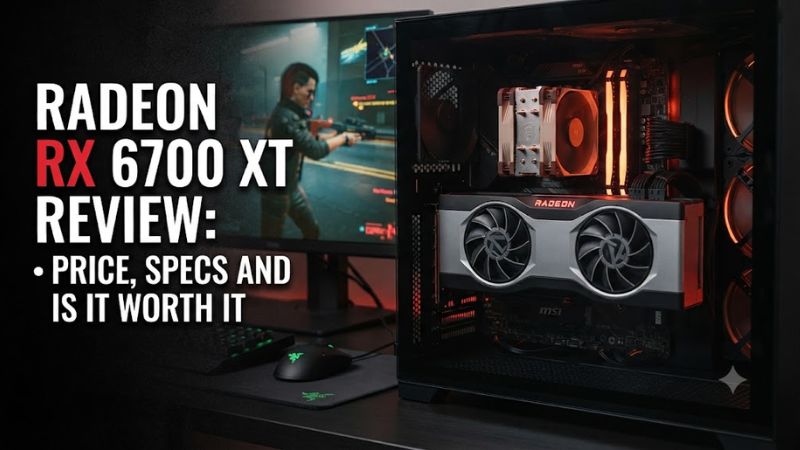
Radeon RX 6700 XT review: price, specs and is it worth it comes down to one point in 2026: the card still has useful 12GB VRAM and solid 1440p raster performance, but its age makes the asking price critical. Here is what the specifications, independent benchmarks, compatibility requirements, and newer alternatives mean for buyers today.
How to Choose a Radeon RX 6700 XT Alternative
The Radeon RX 6700 XT remains a sensible used-market option only when its price leaves enough room below newer GPUs. Its 12GB GDDR6 memory, 230W board power, and 650W PSU recommendation suit conventional 1440p systems, but newer cards add newer display standards, ray-tracing hardware, and longer software feature support.
Price and Market Position
The original Radeon RX 6700 XT launched at $479 in 2021, so that figure should not be treated as today’s target price. A September 2026 eBay asking-price sample showed a $360 median, while individual completed listings have appeared around 265–295, illustrating how condition and seller terms can change the value considerably.
For a used purchase, the Radeon RX 6700 XT makes more sense when the seller’s price is comfortably below current-generation alternatives such as the $349 RX 9060 XT 16GB. A small saving may not justify buying older hardware, especially when a newer card offers 16GB memory, lower board power, and newer display and feature support.
VRAM and Gaming Performance
The Radeon RX 6700 XT carries 12GB of GDDR6 on a 192-bit interface, with up to 16Gbps memory speed and 384GB/s bandwidth. Its 40 compute units and 96MB Infinity Cache were designed around 1440p gaming, giving the card enough memory capacity for many modern rasterized workloads.
For a comparable benchmark reference, Tom’s Hardware used 1080p and 1440p at Ultra settings, defined as maximum or highest settings without MSAA or SSAA. The card averaged 131 fps at 1080p in that suite; at 1440p, it was 7% ahead of the RTX 3060 Ti and 3% behind the RTX 3070.
Compatibility and Power
The Radeon RX 6700 XT uses a PCIe x16 graphics slot and AMD lists a 650W minimum PSU recommendation, with one 8-pin plus one 6-pin power connector on the reference specification. AMD also lists Windows 10 and Windows 11 64-bit support, while the reference card measures 267mm and occupies two slots.
Case clearance still depends on the exact board-partner model, so the 267mm reference length is not a universal fit measurement. Buyers should check the specific card’s dimensions, connector clearance, available PCIe slot, and PSU cables before purchase rather than assuming every RX 6700 XT has identical physical requirements.
Raster Gaming Versus Ray Tracing
The strongest case for the Radeon RX 6700 XT is conventional raster rendering at 1080p and 1440p, where its 12GB framebuffer remains useful. Ray tracing is a weaker point: TechRadar recorded a drop from 74 fps to 47 fps in Metro Exodus at 1440p when moving from non-ray-traced rendering to High ray tracing.
That makes the buying decision dependent on the games and features you use. If native raster performance matters most, the older card can remain attractive at a low used price; if ray tracing, modern upscaling, or newer display features are priorities, current-generation hardware is easier to justify at a sufficiently close price.
Top Picks for a 2026 Upgrade
The current alternatives below are better reference points than the RX 6700 XT’s historical $479 MSRP. Each is from a current-generation family, but the right choice depends on budget, ray tracing requirements, resolution, case space, and PSU capacity rather than raw specifications alone.
| Product | Best For | Key Spec | Compatibility | Watch Out For |
| AMD Radeon RX 9060 XT 16GB | Best Overall | 16GB GDDR6, 160W | PCIe 5.0 x16, 450W PSU | 128-bit memory bus |
| NVIDIA GeForce RTX 5060 Ti 16GB | Best For Ray Tracing | 16GB GDDR7, 180W | PCIe platform, 600W system power | Higher starting price |
| AMD Radeon RX 9070 GRE | Best For 1440p Headroom | 12GB GDDR6, 220W | PCIe 5.0 x16, 650W PSU | 12GB VRAM |
| AMD Radeon RX 9070 | Best For Higher Resolution | 16GB GDDR6, 220W | PCIe 5.0 x16, 650W PSU | Higher cost than 9060 XT |
Best Overall: Radeon RX 9060 XT 16GB
The Radeon RX 9060 XT 16GB is the clearest modern alternative when the goal is a reasonably priced 1440p card with more memory than the older Radeon RX 6700 XT. AMD lists 16GB GDDR6, 160W board power, a 450W minimum PSU recommendation, and PCIe 5.0 x16 connectivity.
Buyers should consider it when a new warranty and current-generation features matter more than maximizing savings on used hardware. The main weakness is its 128-bit memory interface, so it should not be judged by VRAM capacity alone; its advantage is the newer RDNA 4 platform, not simply having more memory.
Best For Ray Tracing: GeForce RTX 5060 Ti 16GB
The GeForce RTX 5060 Ti 16GB is a stronger fit for buyers who place greater weight on ray tracing and NVIDIA’s current software ecosystem. NVIDIA lists 16GB GDDR7, Blackwell architecture, fourth-generation ray-tracing cores, and DLSS 4 support, while its launch price for the 16GB model was $429.
Its real weakness is value when conventional raster performance is the only priority, because the RX 9060 XT 16GB launched at $349. It also carries a 600W required-system-power recommendation, so someone upgrading an older system should check the PSU before choosing it rather than assuming the graphics card alone determines compatibility.
Best For 1440p Headroom: Radeon RX 9070 GRE
The Radeon RX 9070 GRE moves considerably above the RX 6700 XT class and is aimed at buyers wanting more 1440p headroom without moving to the higher tiers. AMD lists 48 compute units, 12GB GDDR6, 220W board power, PCIe 5.0 x16, and a 650W minimum PSU recommendation; its global launch SEP was $549.
Buyers should choose it when the budget allows a substantial performance step and modern ray tracing support matters. The drawback is its 12GB memory capacity, which is no larger than the older RX 6700 XT, so this is primarily a performance and architecture upgrade rather than a straightforward VRAM-capacity upgrade.
Best For Higher Resolution: Radeon RX 9070
The Radeon RX 9070 provides a broader upgrade path with 16GB GDDR6, 56 compute units, 220W board power, and up to 640GB/s memory bandwidth. AMD lists a 650W minimum PSU recommendation and PCIe 5.0 x16 connectivity, while its launch SEP was $549, matching the RX 9070 GRE’s launch price.
It is the stronger choice for buyers who want to move beyond the performance envelope of the RX 6700 XT rather than simply replace an aging card. The weakness is cost: someone primarily playing older or lighter games at 1080p may gain little from spending at this level and could be better served by the RX 9060 XT 16GB.
FAQ
The short answer to whether the Radeon RX 6700 XT remains worthwhile is yes, but only at the right used price and for buyers focused mainly on rasterized 1080p or 1440p gaming. Its 12GB VRAM and established performance remain useful, while newer cards offer better feature support and efficiency.
Is the Radeon RX 6700 XT still worth buying in 2026?
Yes, the Radeon RX 6700 XT can still be worth buying in 2026 when its used price is clearly below suitable current-generation alternatives and ray tracing is not a major priority. Its 12GB GDDR6 memory and strong 1440p raster results remain relevant for many games.
The key is not to compare a used card with its $479 launch price. A September 2026 eBay asking-price sample placed the median at $360, while completed listings cited by eBay included $265 and $295 examples, so the individual deal, condition, warranty, and return policy matter considerably.
How much power does the Radeon RX 6700 XT need?
AMD recommends a 650W power supply for the Radeon RX 6700 XT, and the reference specification uses one 8-pin plus one 6-pin auxiliary connector. The card’s typical board power is 230W, so the PSU should also have suitable PCIe power cables and adequate system capacity.
Compatibility also requires an available PCIe x16 graphics slot, while the reference card is 267mm long and two slots wide. Board-partner models can differ, so case clearance and connector access should be checked against the exact model before buying.
Is 12GB VRAM enough for 1440p gaming?
Yes, 12GB VRAM is still a useful capacity for 1440p gaming, although the exact requirement varies by game, texture settings, and rendering features. The RX 6700 XT combines 12GB GDDR6 with a 192-bit interface and 384GB/s bandwidth, giving it a specification suited to its original 1440p target.
The limitation is that VRAM capacity does not determine overall performance by itself. Newer GPUs can deliver stronger rendering, ray tracing, encoding, display connectivity, and software features even when their memory capacity is similar, which is why the RX 9070 GRE and RX 9070 can be preferable for a new build.
Should you choose an RX 6700 XT or a newer GPU?
Choose the RX 6700 XT when a well-priced used card fits your existing system and your priority is traditional 1080p or 1440p gaming; choose a newer GPU when the price gap is modest or you want current-generation features. The RX 9060 XT 16GB, for example, launched at $349 with 16GB memory and a 450W PSU recommendation.
The newer choices also reduce the age-related compromises around display standards and feature support. For buyers moving to ray-traced games or seeking a longer upgrade horizon, the RTX 5060 Ti 16GB, RX 9070 GRE, and RX 9070 provide more modern platforms than the six-year-old Radeon generation.
Final Thoughts
The radeon rx 6700 xt review: price, specs and is it worth it verdict is conditional: its 12GB VRAM and 1440p raster performance remain respectable, but a used price near newer cards weakens the case. A low-priced example can still make sense, while the RX 9060 XT 16GB is the cleaner new-buy alternative.