🛒 Best Price Today on Amazon
Prime members get fast, free shipping on everything above, plus member-only deals. New members get a 30-day free trial — cancel anytime.
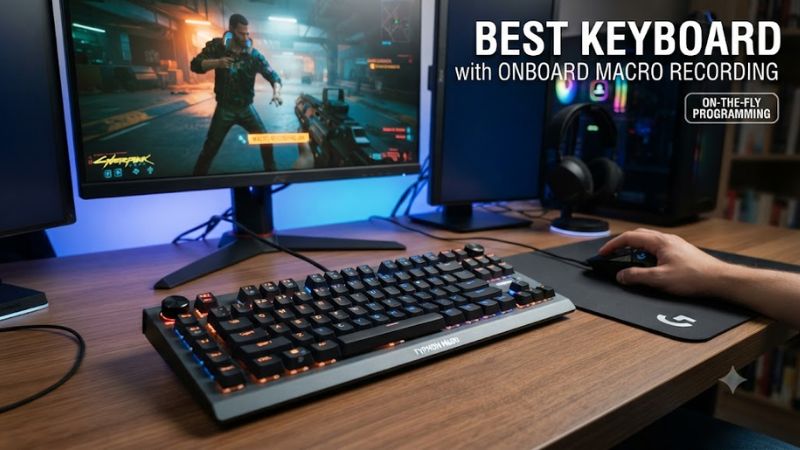
For buyers seeking best keyboard with onboard macro recording, the key distinction is whether macros can be recorded or stored directly on the keyboard. Current choices vary from full-size boards with dedicated G-keys to compact wireless models, so layout, onboard profiles, compatibility, and recording method all matter before buying.
How to Choose a Macro Recording Keyboard
The right macro board depends on four practical factors: genuine onboard recording, physical layout, platform compatibility, and how many configurations remain available without desktop software. Manufacturer documentation is especially important because some keyboards advertise macro support while requiring their companion application for recording or playback.
Check the Recording Method
The first criterion is genuine onboard recording. Corsair documents hardware-mode macro recording on the K100 RGB, ASUS lists on-the-fly recording on several ROG keyboards, and Redragon explicitly lists onboard recording on the VATA K580 HE. These implementations are more relevant than software-only macro support.
For a best keyboard with onboard macro recording, check whether the keyboard stores the result on its internal memory. A software macro can be useful, but it may depend on a running utility. Onboard storage is the more important specification when the keyboard will move between PCs or connect to a machine where installing software is inconvenient.
Match the Physical Layout
Layout affects how practical macros are during everyday use. Full-size keyboards retain the number pad and can provide dedicated G-keys, while 96% models save width without removing the number pad. Compact designs can save more desk space, but they usually rely on programmable standard keys rather than a separate macro bank.
The best keyboard with onboard macro recording should therefore match the way you actually use shortcuts. The Corsair K100 RGB and Redragon VATA K580 HE provide dedicated macro keys, while the ASUS ROG boards emphasize programmable keys. Physical access can matter more than having a larger macro count.
Verify Platform Compatibility
Compatibility should be checked against the exact model. Corsair lists the K100 RGB for PC and Mac, while ASUS specifies Windows 11 for the ROG Falchion Ace HFX ZywOo Edition. Redragon states that the VATA K580 HE is for PC and is not compatible with Mac or non-PC platforms such as PS5 and Nintendo Switch.
This matters when choosing a best keyboard with onboard macro recording for work and gaming. A keyboard that records macros on hardware may still have software limitations on another operating system. Check the manufacturer’s compatibility statement before assuming that onboard recording makes every feature portable.
Consider Profile Capacity
Profile capacity becomes important when one keyboard serves several games or workflows. ASUS says selected ROG models can save up to six profiles, while Corsair lists 8MB of onboard storage for the K100 RGB. Redragon focuses on direct macro recording, but its K580 HE is more oriented toward a single PC gaming setup.
A best keyboard with onboard macro recording should also make profile switching practical. Multiple profiles are useful when different applications need separate shortcuts, while a simpler board can be preferable if you mainly record a few permanent commands. More storage is useful only when you actually need the additional configurations.
Top Picks
These four keyboards cover distinct use cases rather than identical designs. The Corsair K100 RGB focuses on dedicated controls and onboard storage; ASUS offers premium wireless and compact-layout alternatives; Redragon targets a lower price tier with Hall Effect switches and direct onboard macro recording.
| Product | Best For | Key Spec | Compatibility | Watch Out For |
| Corsair K100 RGB | Best Overall | 6 macro keys, 8MB onboard storage | PC, Mac | Large wired chassis |
| Redragon VATA K580 HE | Best Value | 5 macro keys, 8K Hall Effect | PC | Wired, non-hot-swappable HE switches |
| ROG Azoth Extreme | Best For Wireless | Up to 6 onboard profiles, on-the-fly macros | PC-focused; Mac support listed | Heavy premium design |
| ROG Strix Scope II 96 Wireless | Best For 96% Layout | 96% layout, up to 6 profiles | Windows-oriented PC setup; tri-mode | No dedicated macro bank |
Corsair K100 RGB — Best Overall
The Corsair K100 RGB suits buyers who want dedicated macro controls alongside a full-size layout. Corsair lists six macro keys and 8MB of onboard storage, while its documentation describes hardware actions and onboard profiles. RTINGS also records all-key macro programmability and six dedicated macro keys.
Its main weakness is the large wired chassis. Corsair lists the K100 as an extended full-size keyboard with two USB Type-A connections and a weight of about 1.293 kg. Do not choose it if wireless operation or a compact footprint matters more than physical macro access and extensive desktop controls.
Redragon VATA K580 HE — Best Value
The Redragon VATA K580 HE targets buyers wanting dedicated macros and Hall Effect hardware without moving into premium pricing. Its current product page lists five G1-G5 macro keys, direct onboard recording, 104 keys, 8K polling, and a $74.99 price.
Its weakness is platform and switch flexibility. Redragon states that the keyboard is PC-only, its magnetic switches are incompatible with other brands’ Hall Effect switches, and the board is not hot-swappable. It should not be the choice for Mac users, console players, or buyers planning conventional switch replacements.
ROG Azoth Extreme — Best For Wireless
The ASUS ROG Azoth Extreme fits buyers who want premium wireless connectivity together with onboard macros. ASUS documents on-the-fly macro recording and onboard memory for up to six profiles, while RTINGS also lists onboard macro programming. Its feature set extends well beyond macro recording, including enthusiast-oriented construction and controls.
The trade-off is size and weight rather than missing macro functionality. RTINGS describes the keyboard as substantial and less practical for carrying, while its premium construction adds cost beyond the macro feature itself. Buyers seeking only simple onboard macros should look toward less elaborate keyboards instead.
ROG Strix Scope II 96 Wireless — Best For 96% Layout
The ROG Strix Scope II 96 Wireless keeps the number pad and function row in a narrower 96% layout. ASUS specifies tri-mode connectivity, hot-swappable mechanical switches, on-the-fly macro recording, and onboard memory for up to six profiles. That combination suits users who need conventional desktop keys without a full-size footprint.
Its main limitation is the lack of a dedicated macro-key bank. Macro functions are assigned to programmable keys rather than a separate row of G-keys, so heavy macro users may prefer the Corsair or Redragon designs. Its compact layout and wireless flexibility matter more for buyers who use macros occasionally.
FAQ
Onboard macro recording is not identical across brands: some keyboards record directly from hardware, while others require software to create or manage the macro. Corsair, ASUS, and Redragon each document onboard or on-the-fly implementations, but their profile systems and configuration methods differ by model.
Can onboard macros work on another PC?
Yes, onboard macros can work on another PC when the keyboard stores the macro or profile internally and the required function is supported without its desktop utility. Corsair and ASUS document onboard profiles, while Redragon documents direct recording. Separate Windows security policies can still restrict keyboard automation on managed computers.
Does onboard macro recording require software?
Not always, because Corsair, ASUS, and Redragon document models with direct or on-the-fly recording. Software can still provide deeper editing, profile management, or additional assignments. Razer’s support documentation illustrates why the exact model matters: on-the-fly recording on some keyboards requires Synapse to be installed and running.
Are dedicated macro keys better than normal programmable keys?
Dedicated macro keys are easier to identify and repeatedly reach, while programmable standard keys preserve a cleaner keyboard layout. The K100 RGB and K580 HE use dedicated G-keys, whereas the ASUS compact boards emphasize programmable regular keys. The practical choice depends on how frequently and how precisely you trigger macros.
Which keyboard layout is best for gaming and work?
Full-size is useful when the number pad and dedicated macro controls matter, while 96% keeps the number pad and function row in a narrower chassis. Compact boards save more space but require greater use of layers or remapping. Compare your daily key requirements first, then consider switches, wireless features, and lighting.
Final Thoughts
For buyers comparing the best keyboard with onboard macro recording, the K100 RGB offers extensive dedicated controls, the K580 HE targets value, the Azoth Extreme emphasizes premium wireless use, and the Strix Scope II 96 Wireless balances compactness with a number pad. Choose based on layout, platform, and recording method rather than macro count alone.