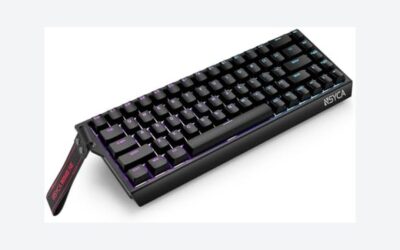
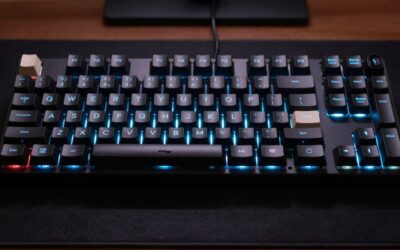
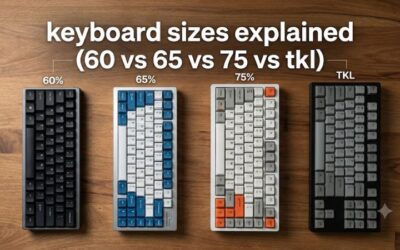
- Top Pick: Redragon K521KS Wireless Gaming Keyboard, Tri-Mode BT/2.4G/USB-C RGB Mechanical Feeling Keyboard with Multimedia Keys, 4000mAh Battery, Anti-Ghosting, Compatible with PC – Upgrade
- Best Value: DIERYA DK63 60% Wireless Mechanical Gaming Keyboard | Bluetooth/2.4G/Wired | RGB Backlit Compact 63 Keys Mini Office Keyboard | with Red Switch | for Windows Laptop PC Gamer Typist-White
- Premium Choice: Redragon K556 PRO Wireless RGB Mechanical Gaming Keyboard, 104-Key Aluminum
🛒 Best Price Today on Amazon
Prime members get fast, free shipping on everything above, plus member-only deals. New members get a 30-day free trial — cancel anytime.
- Top Wireless Mechanical Keyboards Gaming Picks for 2026
- Best Wireless Mechanical Keyboards at a Glance
- 1. SOLAKAKA KI99 Pro 96% Wireless Mechanical Keyboard, Hot-Swappable RGB
- 2. EPOMAKER x AULA F75 MAX Wireless Mechanical Keyboard with TFT Screen
- 3. YUNZII X98 QMK/VIA Wireless Mechanical Gaming Keyboard with Knob
- 4. AOC GK330 Hot-Swappable Wireless Mechanical Keyboard, BT/2.4GHz/USB-C
- 5. Logitech G G915 LIGHTSPEED Wireless RGB Mechanical Gaming Keyboard
- 6. SOLAKAKA A99 Pro Mechanical Keyboard with LCD Screen and Metal Knob
- How to Choose a Wireless Mechanical Keyboard
- Frequently Asked Questions
- Related Guides
- About the Author
- About the Author
- Related Articles
- Related Articles
- Related Guides
Top Wireless Mechanical Keyboards Gaming Picks for 2026
Here are our current top wireless mechanical keyboards gaming picks, compared on real Amazon owner reviews, price, and features. Live prices update below.
As an Amazon Associate we earn from qualifying purchases at no extra cost to you.





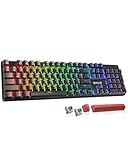
A wireless mechanical keyboard frees you from cable clutter without giving up the feel and feedback of real mechanical switches. The modern category has converged around one connection story: tri-mode wireless, meaning the board supports a 2.4GHz USB dongle for low-latency desk play, Bluetooth for tablets and laptops, and USB-C wired as a fallback and for charging. Once that became the norm, the question moved from ‘does wireless mechanical work?’ to ‘which form factor, switch type and feature set do you actually want?’. This guide rounds up the best wireless mechanical keyboards for gaming in 2026 across 75% with knob, 96% compact, TFT-screen enthusiasts and full-size, plus a low-profile flagship.
Our picks were chosen on switch quality, the strength of the wireless implementation, build, software support and value. Below is an at-a-glance comparison of all six, then a closer look at each and a buyer’s guide built around how wireless mechanical actually works, where the gimmicks live, and what is worth paying for.
Best Wireless Mechanical Keyboards at a Glance
| Keyboard | Best For | Standout Spec | Approx Price |
|---|---|---|---|
| SOLAKAKA KI99 Pro 96% Wireless | Hot-swap 96% layout | 96% layout, hot-swap, RGB | Varies |
| EPOMAKER Aula F75 MAX TFT | TFT screen enthusiasts | 75%, TFT screen, knob, gasket | Varies |
| YUNZII X98 QMK/VIA Wireless | QMK 96% with knob | Tri-mode, QMK/VIA, knob | Varies |
| AOC GK330 Hot-Swap Wireless | Affordable tri-mode pick | Hot-swap, tri-mode, budget price | Varies |
| Logitech G915 LIGHTSPEED Low-Profile | Premium low-profile flagship | LIGHTSPEED wireless, low-profile | Varies |
| SOLAKAKA A99 Pro LCD Knob | LCD-and-knob aesthetic | LCD screen, metal knob, full-size | Varies |
1. SOLAKAKA KI99 Pro 96% Wireless Mechanical Keyboard, Hot-Swappable RGB

SOLAKAKA KI99 Pro 96% Wireless Mechanical Keyboard, RGB Gaming Keyboard, Hot-Swappable Pre-Lubed Switches, Gasket Structure Creamy Keyboards (Gradient-Black, Non-Silent Version)


As an Amazon Associate we earn from qualifying purchases. Product prices and availability are accurate as of the date/time indicated.
The SOLAKAKA KI99 Pro is the 96% wireless hot-swap pick of this list. The 96% layout is the compact full-size — it keeps the numpad but trims the function-row gaps and spacing, so you get every key without the wide footprint of a true full-size board.
This is the keyboard for the gamer who wants a complete key set, including numpad, in a footprint that is closer to TKL than full-size. The 96% layout covers productivity and gaming equally well, hot-swap sockets let you swap stock switches for linear, tactile or clicky alternatives without soldering, the wireless connection cuts cable clutter, and the price keeps it accessible. As a balanced, affordable wireless mechanical for desk-and-gaming dual use, the KI99 Pro is a strong starting point.
Premium boards will offer more sophisticated builds and software, but for what you spend the KI99 Pro hits an unusually complete spec sheet and is one of the best ways to get into wireless 96% gaming.
Pros: Compact 96% layout, hot-swappable switches, tri-mode wireless, per-key RGB, value-led.
Cons: Software ecosystem is not as polished as flagship brands.
2. EPOMAKER x AULA F75 MAX Wireless Mechanical Keyboard with TFT Screen

EPOMAKER X Aula F75 MAX Wireless Mechanical Keyboard with TFT Screen and Knob, Gasket Gaming Keyboard in 75% Layout, Hot Swappable, RGB Backlight, for PC/Mac/Linux (Black Gradient)


As an Amazon Associate we earn from qualifying purchases. Product prices and availability are accurate as of the date/time indicated.
The EPOMAKER x AULA F75 MAX is the enthusiast-aesthetic pick of this list. It is a 75% gasket-mount board with a TFT colour screen, a metal knob and tri-mode wireless, all wrapped in a custom-keyboard-feel build.
This is the keyboard for the user who values a distinctive look and tactile feel as much as raw gaming performance. The 75% layout is compact but keeps arrow keys and a function row, the gasket-mount construction softens the typing feel compared with tray-mount designs, and the metal knob adds a satisfying volume and macro control. The TFT screen is the headline — it can show animations, clocks and system info — though for most users it is a styling feature rather than a productivity tool.

Be honest about the TFT screen: it is largely a gimmick. It does not change how the keyboard performs, the information it shows is rarely useful in practice, and you mostly notice it only when you are not actively typing. If you love the aesthetic and the gasket build, the F75 MAX is a genuinely fun keyboard; if you just want gaming performance, plainer 75% boards deliver more for less.
Pros: Striking TFT colour screen, metal knob, 75% gasket-mount build, tri-mode wireless.
Cons: TFT screen is largely a styling gimmick rather than a useful feature.
3. YUNZII X98 QMK/VIA Wireless Mechanical Gaming Keyboard with Knob

YUNZII X98 Clear Wireless Mechanical Keyboard with Knob (Pink, Snow Switch) | BT5.0/USB-C/2.4GHz,1800 Layout with Number Pad,Pre-lubed Switches Gasket Mount ,Clear Keyboard with RGB for Wins/Mac/Gaming


As an Amazon Associate we earn from qualifying purchases. Product prices and availability are accurate as of the date/time indicated.
The YUNZII X98 is the QMK/VIA 96% wireless pick. It pairs a 96% layout with a metal knob, tri-mode BT5.0, 2.4GHz and USB-C connectivity, hot-swap sockets and QMK/VIA programmable firmware.
This is the keyboard for the user who wants serious key remapping and macro flexibility on a wireless board. QMK/VIA lets you customise layers, remap keys and program macros from a browser without flashing firmware, the 96% layout keeps the numpad while staying compact, and the tri-mode wireless implementation is the modern standard. The metal knob handles volume and scrolling, hot-swap sockets let you experiment with switches, and the build feels more premium than the budget tier.
If programmability matters to you and you want it without a cable, the X98 is hard to beat at this price. For pure plug-and-play gaming the simpler boards on the list are easier, but the X98 rewards users who actually want to dig into firmware customisation.
Pros: QMK/VIA programmable firmware, 96% layout with metal knob, tri-mode wireless, hot-swap sockets.
Cons: QMK/VIA learning curve; full benefit needs configuration time.
4. AOC GK330 Hot-Swappable Wireless Mechanical Keyboard, BT/2.4GHz/USB-C

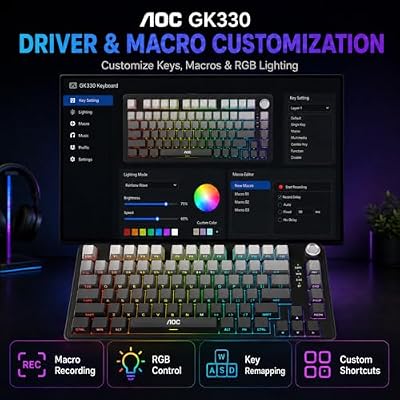
AOC GK330 75% Wireless Mechanical Gaming Keyboard, Hot-Swappable 3-Mode RGB | BT/2.4GHz/USB-C Connectivity, Pre-Lubed Reaper Switches, Anti-Ghosting, Gasket Mount and 5-Layer Sound-Dampening Padding



As an Amazon Associate we earn from qualifying purchases. Product prices and availability are accurate as of the date/time indicated.
The AOC GK330 is the affordable tri-mode pick of the list. That makes it the cheapest tri-mode wireless board here and a good demonstration of how broadly the connection stack has spread across price tiers.
This is the keyboard for the buyer who wants every connection mode and hot-swap flexibility without spending much. Tri-mode covers low-latency desk play, multi-device Bluetooth and wired backup, hot-swap sockets let you change switches later, and the AOC name brings a recognisable brand to the entry tier. For around forty dollars you get a feature set that not long ago was firmly mid-range.
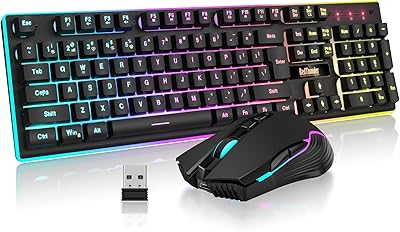
Build and stock switches are entry-level rather than premium, and the software is basic, but as a complete wireless mechanical to learn what you like about the category — or as a no-stakes secondary board — the GK330 is very hard to argue with on price.
Pros: Cheapest tri-mode wireless mechanical here, hot-swappable, recognisable brand.
Cons: Entry-level build and stock switches; basic software.
5. Logitech G G915 LIGHTSPEED Wireless RGB Mechanical Gaming Keyboard
The Logitech G G915 LIGHTSPEED is the premium low-profile flagship pick. It pairs Logitech’s LIGHTSPEED wireless — engineered to deliver report rates rivaling wired connections — with low-profile GL mechanical switches, full per-key RGB, dedicated media controls and an aluminum top frame.
This is the keyboard for the player who wants flagship-grade wireless performance with a sleek, low-profile feel. LIGHTSPEED genuinely competes with wired latency, the slim aluminium build looks the part on a desk, low-profile GL switches give a fast, laptop-like typing feel some players vastly prefer, and Logitech’s G HUB software is mature and well-supported. It is the only board on this list that pairs flagship wireless engineering with low-profile switches and full media controls.
Low-profile switches are a divisive preference: some players love the lower travel and faster actuation, others miss the depth of full-height mechanicals. Try one if you can. If a quiet, low-travel feel and best-in-class wireless engineering matter to you, the G915 is the obvious flagship pick on this list.
Pros: Logitech LIGHTSPEED wireless rivals wired latency, low-profile GL switches, premium aluminium build, full-size with media controls.
Cons: Listed Amazon price is well above typical street price; low-profile switches divide preferences.
6. SOLAKAKA A99 Pro Mechanical Keyboard with LCD Screen and Metal Knob

SOLAKAKA A99 Pro Mechanical Keyboard with LCD Screen & Metal Knob, Wireless Gaming Keyboard with BT5.0/2.4GHz/USB-C, Hot Swappable Creamy Keyboard, Gasket Structure, RGB Backlit, for Win/Mac


As an Amazon Associate we earn from qualifying purchases. Product prices and availability are accurate as of the date/time indicated.
Rounding out the list is the SOLAKAKA A99 Pro, a full-size wireless mechanical with an LCD screen and a metal knob.
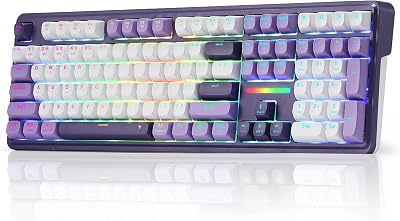
This is the keyboard for the user who wants full-size key coverage and likes the LCD-and-knob look. The LCD can show system info, clocks or animations, the metal knob handles volume and scrolling, the wireless connection cuts cable clutter, and the full-size layout retains the numpad many productivity users want. As a wireless full-size pick with more visual character than a plain board, it has a clear niche.
As with the F75 MAX, treat the LCD as a styling extra rather than a productivity tool. The screen does not change typing performance and the information it shows is rarely actionable. If you like the look and want the full-size wireless layout, the A99 Pro is a fair pick; if not, simpler full-size wireless boards usually offer better core feel for the money.
Pros: Full-size wireless layout, LCD screen and metal knob for styling and controls, distinctive aesthetic.
Cons: LCD is a styling feature rather than a productivity tool; bulkier than 75% or 96% options.
How to Choose a Wireless Mechanical Keyboard
Start with how wireless mechanical actually works in 2026. The category has standardised around tri-mode: 2.4GHz over a USB dongle for low-latency desk play, Bluetooth for tablets, phones and laptops, and USB-C wired both as a fallback connection and for charging. Almost every modern wireless mechanical here — the SOLAKAKA KI99 Pro and A99 Pro, EPOMAKER F75 MAX, YUNZII X98 and AOC GK330 — supports all three. The Logitech G915 uses LIGHTSPEED, Logitech’s proprietary 2.4GHz protocol, plus Bluetooth. If you want serious gaming responsiveness, prioritise the 2.4GHz dongle or LIGHTSPEED, not Bluetooth.
Form factor decides how much desk space the board takes and which keys you keep. Full-size or 100% (A99 Pro) keeps everything. 96% (KI99 Pro, X98) keeps the numpad while shrinking the footprint. 75% (F75 MAX) drops the numpad and tightens spacing further while keeping arrow keys and function row. There is no objectively best size — choose based on whether you actively use the numpad, how much desk space you have, and how much your mouse hand benefits from a smaller board.
Switches and build determine how the keyboard feels. Hot-swappable sockets, on the KI99 Pro, X98 and GK330, let you change switches later without soldering, which is worth weighing if you want to experiment. Gasket-mount construction (F75 MAX) softens the typing feel, low-profile switches on the G915 give a flat, fast feel that divides opinion, and stock switch type — linear, tactile or clicky — defines first-impression feedback. Programmable firmware such as QMK/VIA (X98) extends what the board can do but takes configuration time to unlock.
Finally, treat screens, knobs and ‘LCD/TFT’ features honestly. A knob is genuinely useful for volume, scrolling or zoom, and the metal knobs on the F75 MAX, X98 and A99 Pro work well. TFT and LCD screens are largely styling features — they do not improve typing or gaming performance and the information they display is rarely useful, so buy them because you like the look, not because you expect productivity gains. Match the connection story to how you play, the form factor to your desk, the switches to your taste — and choose accordingly.
Frequently Asked Questions
What does tri-mode wireless mean on a mechanical keyboard?
Tri-mode means the keyboard supports three connection types: 2.4GHz USB dongle for low-latency desk play, Bluetooth for tablets and laptops, and USB-C wired as a fallback and to charge. For gaming, use the 2.4GHz dongle rather than Bluetooth.
Is the LCD or TFT screen on these keyboards actually useful?
Mostly no. The TFT screen on the EPOMAKER F75 MAX and the LCD on the SOLAKAKA A99 Pro are styling features. They do not change typing or gaming performance. Buy these boards because you like how they look, not for the screen.
No. Always check current pricing across multiple retailers.
Does wireless add input lag for gaming?
Modern 2.4GHz dongle connections, and proprietary protocols like Logitech’s LIGHTSPEED, are engineered to match wired latency. Use the 2.4GHz dongle for play and Bluetooth for secondary devices and you will not give up meaningful performance.
Related Guides
- All Keyboards Reviewed
- Best Gaming Mice
- Best Gaming Headsets
- Best Gaming Monitors
- Best Gaming Desks
- Best Gaming Chairs
- Best Gaming Routers
About the Author
Sarah Mitchell is the Peripherals and Audio Lead at PC Gaming Universe. With six years of competitive esports play across CS and Valorant and a long background reviewing keyboards, mice and headsets, she focuses on what actually changes how a setup feels in long sessions — switches, polling rates, build quality and the small ergonomic details that separate a good peripheral from a great one.
Affiliate Disclosure: As an Amazon Associate, we earn from qualifying purchases. If you click a link and make a purchase, we may earn a small commission at no extra cost to you. Prices and availability are accurate as of publication and may change.
Related Articles
Looking for more on this topic? Browse the hand-picked guides below — each one applies the same scoring rubric used in this review.
Top picks from this guide
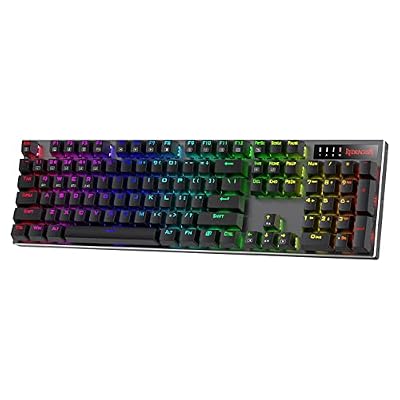 RedragonRedragon K556 PRO Wireless RGB Mechanical Gaming Keyboard, 104-Key Aluminum…$65 \xc2\xb7 99/100
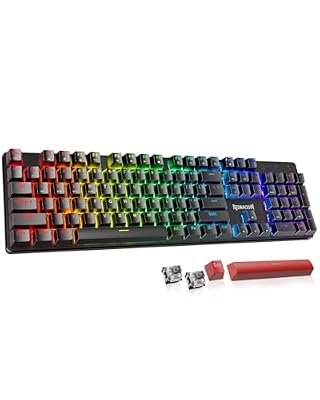 RedragonRedragon K671KS Wireless Mechanical Gaming Keyboard, Tri Mode BT/2.4G/USB-C Hot…$40 \xc2\xb7 99/100AOCAOC GK330 75% Wireless Mechanical Gaming Keyboard, Hot-Swappable 3-Mode RGB…$40 \xc2\xb7 99/100EPOMAKEREPOMAKER X Aula F75 MAX Wireless Mechanical Keyboard with TFT…$72 \xc2\xb7 99/100