🛒 Best Price Today on Amazon
Prime members get fast, free shipping on everything above, plus member-only deals. New members get a 30-day free trial — cancel anytime.
For competitive players, the best keyboard for valorant usually combines Rapid Trigger, adjustable actuation, and a compact layout that leaves room for wide mouse movements. Current options range from 60% Hall Effect boards to TKL models with optical or magnetic switches, so the right choice depends on desk space and features.
How to Choose a Valorant Keyboard
Rapid Trigger is the main feature to prioritize because it changes how quickly a key can register again while moving upward. Hall Effect and analog optical designs can provide adjustable actuation, while a compact 60% or TKL layout leaves more room for a mouse. The best keyboard for valorant should therefore match movement preferences rather than simply chase the highest polling figure.
Rapid Trigger and Actuation
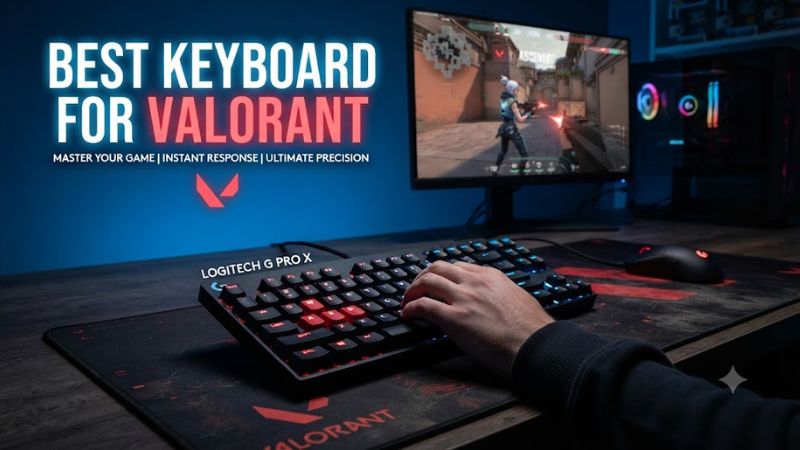
Rapid Trigger allows a key to reset based on its movement rather than waiting for a conventional fixed reset point. That matters most for movement keys such as A and D, where repeated directional inputs are common. Adjustable actuation also lets players choose a shallower or deeper registration point according to their preferred key feel.
For the best keyboard for valorant, look for independent actuation controls on the keys that matter most rather than assuming every key needs the same setting. Wooting 60HE v2 supports adjustable analog behavior through Wootility, while Razer’s Huntsman V3 Pro TKL 8KHz provides a 0.1–4.0 mm actuation range and Rapid Trigger through its Gen-2 Analog Optical switches.
Choose the Right Layout
A 60% keyboard removes the function row, navigation cluster, and dedicated arrow keys, creating a smaller footprint for the mouse. TKL keeps those navigation functions while removing the number pad, making it a useful compromise for players who want more familiar controls without a full-size board taking up desk space.
The best keyboard for valorant does not have to be 60%. Wooting’s 60HE v2 measures 305 × 115 mm, while the Wooting 80HE measures 346 × 142 mm, so the difference is substantial on a low-sensitivity setup.
Consider Switch Feel
Hall Effect switches detect key position magnetically, while Razer’s Analog Optical switches use optical sensing. Both approaches can provide adjustable actuation and Rapid Trigger, but the physical feel still matters because competitive movement depends on repeated presses and releases rather than specifications alone.
The best keyboard for valorant should feel predictable under WASD use. Wooting 60HE v2 uses Lekker Tikken Medium switches, Razer uses Gen-2 Analog Optical switches with a 40 g actuation force, and SteelSeries uses OmniPoint 3.0 Hall Effect switches on its main QWERTY keys.
Check PC and Software Compatibility
Most current competitive keyboards connect to a PC through USB, but their configuration software has different operating-system requirements. Wootility provides a browser version and downloadable versions for Windows 10/11, macOS, and Linux, while SteelSeries lists Windows 10 or newer and macOS 11 or newer for Apex Pro Gen 3, with some software features unavailable on Mac.
For the best keyboard for valorant, compatibility also means checking the physical connection and available USB ports. Unlike RAM or graphics cards, these keyboards do not depend on a motherboard socket, PCIe generation, or PSU connector, but software features can still vary by operating system.
Top Picks
These four models cover the main buying paths for competitive Valorant: a compact Hall Effect board, a mainstream TKL optical board, a feature-rich TKL Hall Effect model, and a wireless-capable 75% Hall Effect alternative. The table focuses on specifications that can be verified from current manufacturer information rather than claiming a universal response-time advantage.
| Product | Best For | Key Spec | Compatibility | Watch Out For |
| Wooting 60HE v2 | Best Overall | Lekker Tikken Medium; 60% | PC; Wootility on Windows 10/11, macOS, Linux | 60% layout removes dedicated navigation keys |
| Razer Huntsman V3 Pro TKL 8KHz | Best TKL | 0.1–4.0 mm; up to 8000 Hz | PC; Razer Synapse 4 | Larger than a 60% board |
| SteelSeries Apex Pro TKL Gen 3 | Best Features | OmniPoint 3.0; 0.1–4.0 mm | Windows 10+; Mac 11+ with software limits | Some keys use conventional Red switches |
| Keychron K2 HE | Best Value | 0.2–3.8 mm; Rapid Trigger | Windows/macOS/Linux | 1000 Hz wired/2.4 GHz; 125 Hz Bluetooth |
Wooting 60HE v2 — Best Overall
The Wooting 60HE v2 is the strongest fit for players who want a compact board built around adjustable Hall Effect input. It uses Lekker Tikken Medium switches, offers a 60% layout, and measures 305 × 115 mm. The ABS version weighs 606 g, while the aluminum version weighs 945 g.
The main weakness is the layout rather than its input system. Players who regularly use dedicated arrow, navigation, or function keys may find the 60% arrangement inconvenient outside Valorant. It suits buyers who prioritize mouse space and per-key tuning, but it is less suitable for someone who wants a conventional desktop keyboard.
Razer Huntsman V3 Pro TKL 8KHz — Best TKL
The Razer Huntsman V3 Pro TKL 8KHz is aimed at players who want Rapid Trigger without moving to a 60% layout. Its Gen-2 Analog Optical switches support 0.1–4.0 mm adjustable actuation, Rapid Trigger, analog input, and up to 8000 Hz polling. It also includes onboard storage for up to six profiles.
Its real tradeoff is physical size. At approximately 363 × 139 mm, it occupies considerably more horizontal space than the Wooting 60HE v2. Buyers who want the smallest possible footprint should look elsewhere, while players who want dedicated navigation keys, a TKL layout, and Razer Synapse 4 have a more familiar arrangement.
SteelSeries Apex Pro TKL Gen 3 — Best Features
The Apex Pro TKL Gen 3 combines adjustable OmniPoint 3.0 Hall Effect switches with Rapid Trigger, Rapid Tap, Protection Mode, an OLED display, and per-key configuration. SteelSeries specifies a 0.1–4.0 mm adjustment range, while its main QWERTY keys use OmniPoint 3.0 switches.
One limitation is that not every key uses the same adjustable switch technology. SteelSeries states that the number pad, arrow keys, function keys, and Insert/Home/Page Up cluster use regular Red switches. It suits players who value configuration features and an OLED display, but buyers seeking Hall Effect sensing across every key should consider another layout.
Keychron K2 HE — Best Value
The Keychron K2 HE is a 75% Hall Effect keyboard that combines Gateron double-rail magnetic switches with Rapid Trigger, adjustable actuation from 0.2–3.8 mm, and wired, 2.4 GHz, or Bluetooth connectivity. Its manufacturer lists support for Windows, macOS, and Linux, making it broader than many gaming-focused alternatives.
Its main compromise is the wireless performance specification: Keychron lists 1000 Hz for wired and 2.4 GHz operation but 125 Hz over Bluetooth. The K2 HE is suitable for players who want compact navigation keys and wireless flexibility, but competitive users should use wired or 2.4 GHz rather than Bluetooth for their gaming connection.
FAQ
Is Rapid Trigger necessary for Valorant?
Rapid Trigger is not necessary to play Valorant, but it can change how quickly compatible keys respond during repeated movement inputs. A conventional mechanical keyboard remains usable, while Rapid Trigger provides adjustable release behavior that can suit players who frequently practice counter-strafing.
Is a 60% keyboard better for Valorant?
A 60% keyboard is not inherently better for Valorant, but its smaller footprint can provide more desk space for mouse movement. The Wooting 60HE v2 measures 305 × 115 mm, while a TKL board retains more dedicated keys, so the practical choice depends on whether compactness or conventional navigation matters more.
Does 8000 Hz polling matter for Valorant?
An 8000 Hz keyboard polls more frequently than a 1000 Hz keyboard, but that specification alone does not determine the complete input path from switch movement to the game. Razer supports up to 8000 Hz on the Huntsman V3 Pro TKL 8KHz, while Keychron lists 1000 Hz for wired K2 HE operation.
Which keyboard layout should Valorant players choose?
The appropriate layout depends on desk space and how often the keyboard is used for other tasks. A 60% model maximizes compactness, a TKL board retains function and navigation keys, and a 75% model such as the Keychron K2 HE keeps a compact footprint while adding a dedicated function row and navigation cluster.
Final Thoughts
The best keyboard for valorant comes down to Rapid Trigger behavior, actuation control, layout, and compatibility rather than one specification alone. Wooting 60HE v2 targets compact competitive setups, Razer and SteelSeries offer TKL alternatives, while Keychron adds wireless flexibility and broader operating-system support.