🛒 Best Price Today on Amazon
Prime members get fast, free shipping on everything above, plus member-only deals. New members get a 30-day free trial — cancel anytime.
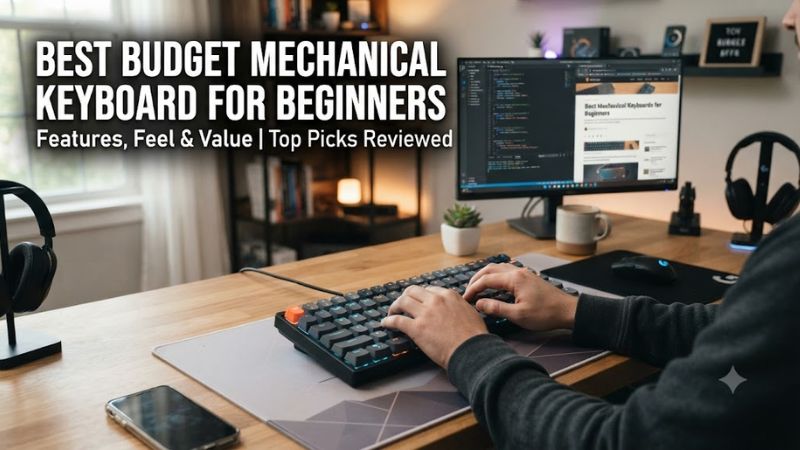
A first mechanical keyboard should make the move from membrane keys feel simple, not force you to learn a new layout immediately. best budget mechanical keyboard for beginners options now range from compact wireless boards to wired gaming models, so layout, switch feel, and connectivity matter more than decorative extras.
How to Choose a Budget Mechanical Keyboard
For a first mechanical board, focus on layout, switch feel, hot-swapping, and connectivity. Ducky OK-M covers layout flexibility, Corsair K70 CORE gives a fixed linear gaming setup, Keychron C1 Pro 8K offers hot-swap customization, and AULA F99 combines a familiar 96% layout with wireless modes. These four checks narrow the field quickly.
Pick the Right Layout
Layout is the first filter because it controls which keys stay physically available. For the best budget mechanical keyboard for beginners, Ducky OK-M offers 65%, 75%, and 98% sizes, while Keychron C1 Pro 8K is TKL. The 75% Ducky keeps arrows and a function row without a numpad, while 98% keeps more familiar keys.
A compact layout can save desk space, but smaller boards add layers for missing keys. If you regularly use a numpad, the AULA F99’s 96% arrangement is easier to transition to than a 60% board. That extra width also makes the keyboard feel closer to a conventional desktop keyboard, especially for mixed gaming and work.
Choose a Switch Feel
Switch choice matters because it affects sound, resistance, and the feedback you feel on every press. The Ducky OK-M has linear and tactile options depending on variant, while the Corsair K70 CORE uses MLX Red linear switches. A beginner who wants a simple, smooth gaming feel can start with a linear option.
Tactile switches are worth considering if you want a noticeable bump during typing, but the exact force and sound vary by switch. No switch type is universally correct, so retailers, manuals, and the exact product variant should be checked before assuming a particular switch is included. This avoids buying around a mistaken listing.
Check Hot-Swap Support
Hot-swapping makes experimentation less permanent, which is useful for the best budget mechanical keyboard for beginners when you are still learning the hobby. Ducky OK-M, Keychron C1 Pro 8K, and AULA F99 use hot-swappable designs, giving beginners a path to change switches later. Corsair K70 CORE does not.
Hot-swap support still has limits: the socket, switch pins, plate, and keycap fit all matter. Keychron states that the C1 Pro 8K accepts three-pin and five-pin MX-style switches, while Ducky and AULA specify hot-swap support for their respective designs. That makes compatibility easier to plan without assuming every switch will fit.
Match Your Connectivity
Connectivity should match how the keyboard will be used. Ducky OK-M supports USB-C, Bluetooth, and 2.4GHz according to Ducky’s current product information, while AULA F99 also offers wired and wireless modes. Keychron C1 Pro 8K is wired, which removes battery management and keeps the setup straightforward for a desktop PC.
For a Windows gaming desk that stays in one place, wired connectivity is often the least complicated route. The Corsair K70 CORE uses USB Type-A and supports Windows and macOS, while its iCUE software handles lighting and profiles. A wireless model makes more sense when switching between several devices is part of the routine.
Top Picks
These four picks cover the main beginner trade-offs without relying on hands-on claims from PC Gaming Universe. Ducky OK-M is the broad all-round option, Keychron C1 Pro 8K emphasizes wired customization, AULA F99 keeps a near-full layout with wireless modes, and Corsair K70 CORE focuses on straightforward gaming with a numpad.
| Product | Best For | Key Spec | Compatibility | Watch Out For |
| Ducky OK-M | Best Overall | 75% option; hot-swap; PBT keycaps | Windows and Mac; USB-C, Bluetooth, 2.4GHz | Soft gasket feel; Black and Blue legends have weak shine-through clarity |
| Keychron C1 Pro 8K | Best Value | TKL; hot-swap; QMK; up to 8000Hz | Windows, macOS, Linux via Launcher | Wired-only; tray-mount plastic case |
| AULA F99 | Best For Familiar Layouts | 96% / 99 keys; tri-mode; 8000mAh | Windows configuration software; USB, Bluetooth, 2.4GHz | Software and documentation can be confusing |
| Corsair K70 CORE | Best For Gaming | Full-size; MLX Red; 1000Hz | PC and Mac via USB Type-A | Soldered switches; wired-only |
Keychron C1 Pro 8K QMK
1.990.000 ₫•Compact mechanical keyboard with customizable QMK firmware.
4,9
AULA F99
1.449.000 ₫•High-rated gaming keyboard with durable build.
4,9
RK Royal Kludge R65
2.289.877 ₫•Wireless mechanical keyboard with versatile layout.
4,9
Gửi góp ý
Ducky OK-M — Best Overall
The Ducky OK-M is a strong starting point if you want a modern layout without choosing between wired and wireless use. For the best budget mechanical keyboard for beginners, its 65%, 75%, and 98% sizes, PBT keycaps, hot-swapping, and VIA support cover several common starting points.
The main drawback is that Ducky’s soft gasket feel will not suit everyone, and RTINGS notes some deck flex, key wobble, and weaker shine-through clarity on the Black and Blue colorway it reviewed. Its wireless battery expectations are also not advertised, so buyers should not choose it specifically for a promised runtime.
Keychron C1 Pro 8K — Best Value
Keychron C1 Pro 8K is a practical value choice for a beginner who prefers a TKL layout and a wired desk. It is also a flexible best budget mechanical keyboard for beginners because its current product page lists an 80% ANSI layout, hot-swappable support, PBT keycaps, QMK, and polling up to 8000Hz.
The trade-off is a plastic tray-mount construction rather than a softer gasket design, so its typing character differs from more enthusiast-oriented boards. The C1 Pro 8K also stays wired, which is simple for a desktop but less convenient if the same keyboard must move between a PC, tablet, and phone.
AULA F99 — Best For Familiar Layouts
AULA F99 is a practical choice when the best budget mechanical keyboard for beginners needs to preserve familiar keys without taking a full-size footprint. Its 96% layout has 99 keys, while the current listing specifies hot-swappable switches, gasket construction, tri-mode connectivity, PBT keycaps, and an 8000mAh battery.
Its main weakness is software and documentation consistency rather than a missing headline feature. RTINGS found the case only moderately sturdy and noted confusing technical information plus Windows-only configuration software. That matters to a beginner because a keyboard can have many hardware features while still requiring more patience during setup and customization.
Corsair K70 CORE — Best For Gaming
Corsair K70 CORE is the gaming-focused pick when a best budget mechanical keyboard for beginners needs a familiar full-size layout and no switch swapping. It uses MLX Red linear switches, a control dial, RGB lighting, onboard profiles, NKRO, and a 1000Hz report rate. Corsair lists PC and Mac compatibility through USB Type-A.
The weakness is fixed hardware: the switches are soldered, so changing the stock feel later is not a simple switch-swap project. RTINGS also describes the ABS keycaps and much of the plastic construction as somewhat inexpensive. Its wired-only design is another limitation for anyone who expects multi-device wireless use.
FAQ
These questions cover the decisions that usually cause confusion after a first shortlist: layout size, hot-swap compatibility, switch type, and polling rate. The answers use current manufacturer specifications and independent review data, while keeping model variants separate so a feature from one version is not assigned to another.
Is 75% a Good Keyboard Size for Beginners?
Yes, a 75% keyboard is usually the easiest compact starting point because it keeps arrow keys and a function row while reducing desk width. Ducky OK-M 75 and similar boards preserve the controls many beginners expect from a larger keyboard, so you can learn layers gradually rather than immediately adapting to a 60% layout with more Fn shortcuts.
A 96% board is a better fit if you frequently use a numpad but still want a smaller footprint than full-size. The AULA F99 keeps a near-traditional arrangement while reducing unused gaps, so it can feel familiar for school, office work, and gaming without requiring a major change in muscle memory from a standard desktop keyboard.
Should Beginners Buy a Hot-Swappable Keyboard?
Yes, hot-swappable switches are useful for beginners who are unsure about switch feel because they make later changes possible without soldering. Keychron C1 Pro 8K, Ducky OK-M, and AULA F99 all offer hot-swap designs, giving the best budget mechanical keyboard for beginners a longer path for experimentation than a fixed-switch board.
Hot-swap does not mean universal compatibility, because the socket and switch construction still have to match. Keychron explicitly supports three-pin and five-pin MX-style switches on the C1 Pro 8K, while other boards can have different socket or plate limits. Check the exact board documentation before ordering replacement switches or stabilizer parts.
Are Linear Switches Better for a First Mechanical Keyboard?
For a first purchase, linear switches are often the simplest starting point for gaming, while tactile switches make more sense when you want a physical bump while typing. The Corsair K70 CORE uses MLX Red linear switches, while Ducky OK-M variants include linear and tactile choices, so the exact variant matters more than the brand name alone.
Clicky switches can also be a good first choice if you specifically enjoy a pronounced sound and click feedback, but they are less forgiving in shared spaces. Sound depends on the switch, keycaps, case, and room, so product descriptions should be treated as guidance rather than a guarantee of how loud a finished setup will be.
Does an 8000Hz Keyboard Matter for Beginners?
The best budget mechanical keyboard for beginners does not need the highest polling rate because layout, switch feel, and comfortable access to familiar keys affect everyday use more directly. The Keychron C1 Pro 8K reaches 8000Hz, while the Corsair K70 CORE uses 1000Hz; those figures describe input reporting rather than a simple typing-quality score.
Independent measurements support treating latency as one factor rather than the only buying criterion: RTINGS reports good latency for Ducky OK-M and outstanding latency for K70 CORE, while its AULA F99 review also reports strong latency. Those results come from different models and testing conditions, so they should not be combined into a single cross-board ranking.
Final Thoughts
Choosing a first board is mostly about matching the layout and switch feel to how you already use your PC. The best budget mechanical keyboard for beginners can be a compact Ducky, wired Keychron, near-full-size AULA, or gaming-focused Corsair. Check the exact variant, connection method, and switch support before placing the order.