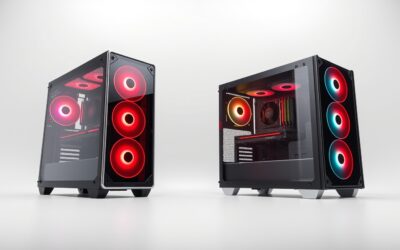
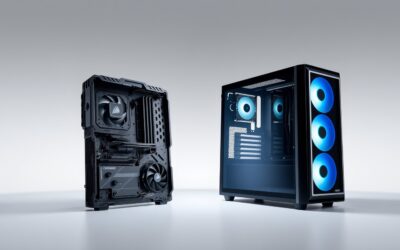
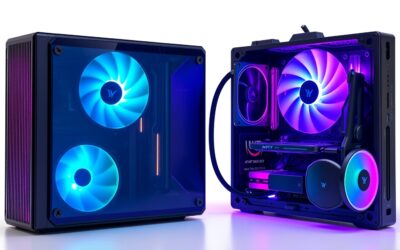
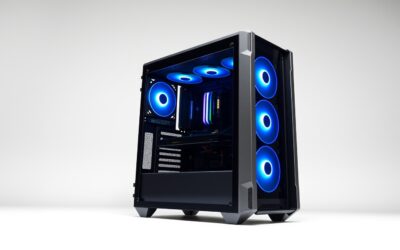
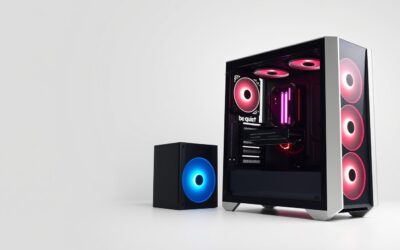
🛒 Best Price Today on Amazon
Prime members get fast, free shipping on everything above, plus member-only deals. New members get a 30-day free trial — cancel anytime.
For a best pc case under 100, the main trade-offs are airflow, component clearance, included fans, and internal layout. Current sub-$100 options include compact ATX designs and conventional mid-towers, so checking GPU length, CPU-cooler height, PSU dimensions, motherboard support, and radiator space matters before choosing a chassis.
How to Choose a Budget PC Case
Airflow should come first for a gaming build, followed by clearance and motherboard support. A mesh intake with several included fans can reduce the need for immediate upgrades, while a spacious layout helps with large graphics cards and tower coolers. The right choice also depends on whether you need conventional ATX routing or rear-connector motherboard support.
Airflow and Included Fans
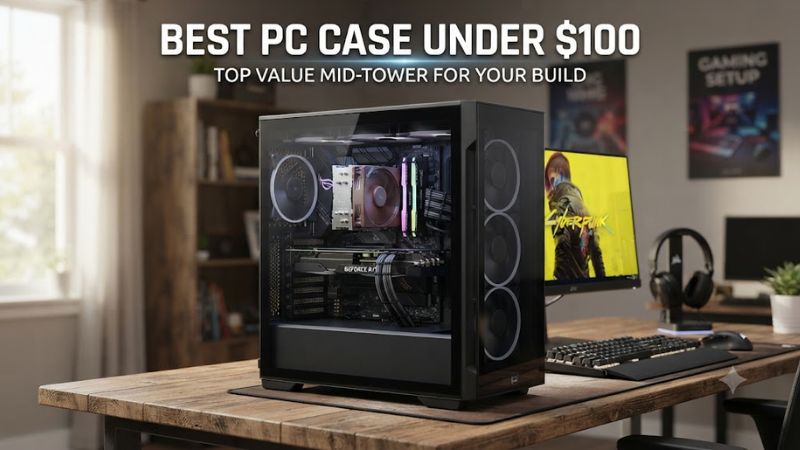
A useful best pc case under 100 should provide sensible intake and exhaust capacity without requiring a separate fan purchase immediately. The Montech TG3 includes a 360mm side fan and 120mm rear fan, while the Lian Li LANCOOL 207 uses two 140mm front fans plus two 120mm bottom fans.
Independent thermal results show why layout matters. GamersNexus measured the LANCOOL 207 at 41°C above ambient for average CPU temperature in its noise-normalized full-load comparison, while Tom’s Hardware found good normalized CPU cooling from the TG3. These results come from different test methods, so they should not be treated as a direct ranking.
GPU and CPU Clearance
Graphics-card length is one of the easiest specifications to overlook. The TG3 lists 430mm of GPU clearance and 180mm of CPU-cooler height, while the LANCOOL 207 lists 375mm for the GPU and 180mm for the CPU cooler. Either can accommodate many large gaming components, but the exact graphics-card model still needs checking.
The best pc case under 100 for a large graphics card should leave room for its power connectors as well as the card itself. Phanteks gives the XT Pro Ultra a spacious chassis, with support for large graphics cards and a 184mm CPU-cooler limit. Corsair’s 3200D RS lists 400mm maximum GPU length and 165mm CPU-cooler height.
Motherboard and PSU Compatibility
Motherboard support is another important filter because rear-connector designs are becoming more common. The Phanteks XT Pro Ultra supports rear-side connector boards, while the Corsair 3200D RS also supports reverse-connector motherboards. Both remain compatible with conventional ATX layouts, making them flexible choices for current gaming systems.
PSU dimensions deserve special attention in compact layouts. The LANCOOL 207 officially supports ATX power supplies under 160mm, although GamersNexus recommends staying around 150mm because its front-mounted PSU arrangement can make cable routing difficult. The 3200D RS allows an ATX PSU up to 180mm, giving builders more conventional installation space.
Radiator and Upgrade Space
For liquid cooling, check the radiator position rather than relying on a generic “water-cooling ready” description. The TG3 supports a 360mm radiator at the top, while the LANCOOL 207 supports a 360mm radiator at the top. Corsair’s 3200D RS supports 360mm radiators at both the top and front.
A best pc case under 100 should also leave useful room for future fans, storage, or a larger graphics card. The Phanteks XT Pro Ultra provides up to ten 120mm fan positions and dedicated top radiator space, while the Corsair 3200D RS provides nine 120mm fan mounts. These layouts favor builders who expect their cooling requirements to change later.
Top Picks
The four choices below cover different priorities rather than one universal configuration. Prices are US listings or manufacturer pricing checked around September 29, 2026, and can change by retailer. The best pc case under 100 for one build may not suit another if PSU depth, GPU size, radiator placement, or rear-connector support differs.
| Product | Best For | Key Spec | Compatibility | Watch Out For |
| Lian Li LANCOOL 207 | Best Overall | 4 included fans; 375mm GPU clearance | ATX, Micro-ATX, Mini-ITX; ATX PSU under 160mm | Tight PSU cable area |
| Corsair 3200D RS | Best Value | 3 RS120 fans; 360mm top/front radiator support | ATX, Micro-ATX, Mini-ITX; reverse-connector boards | USB 2.0 Type-A front port |
| Montech TG3 | Best For RGB | 360mm ARGB side fan; 430mm GPU clearance | ATX, Micro-ATX, Mini-ITX; rear-connect boards | Slightly higher GPU temperatures |
| Phanteks XT Pro Ultra | Best For Rear-Connector Builds | 4×140mm fans; 360mm top radiator | ATX and rear-connector boards | No front removable dust filter |
Best Overall: Lian Li LANCOOL 207
The LANCOOL 207 is a strong all-around best pc case under 100 because its unusual layout combines four included fans, ATX compatibility, USB-C, and direct lower airflow for the graphics card. Lian Li lists 375mm GPU clearance and 180mm CPU-cooler clearance, with a top-mounted 360mm radiator option.
The weakness is its front-mounted PSU arrangement. GamersNexus found cable management and PSU fit to be the major usability issue, particularly with thicker cables, and recommends a shorter PSU around 150mm. Buyers using bulky sleeved cables or a long PSU should consider another layout.
Best Value: Corsair 3200D RS
The Corsair 3200D RS is a practical best pc case under 100 for builders wanting a conventional mid-tower at a low current price. Corsair lists the standard model at $69.99, with three RS120 fans, 400mm maximum GPU length, 165mm CPU-cooler height, and support for 360mm radiators at the top or front.
Its main compromise is the front I/O selection. The current specification includes one USB 3.2 Gen 2×2 Type-C port and one USB 2.0 Type-A port, while there is no built-in fan hub or vertical GPU support. It is better suited to conventional horizontal GPU builds than feature-heavy showcase systems.
Best For RGB: Montech TG3
The Montech TG3 suits builders who want lighting and airflow without moving into a higher price class. Montech lists ATX, Micro-ATX, Mini-ITX, and rear-connected motherboard support, plus a 430mm GPU limit, 180mm CPU-cooler limit, and a pre-installed 360mm ARGB side fan paired with a 120mm rear fan.
Tom’s Hardware lists the TG3 at $59.90 and reports good CPU cooling, quiet operation, and four-fan airflow in its review configuration. Its documented drawback is slightly higher GPU temperature performance than some competing layouts, while the tiered PSU-shroud design may not appeal to every builder.
Best For Rear-Connector Builds: Phanteks XT Pro Ultra
The Phanteks XT Pro Ultra is a best pc case under 100 option for builders using rear-connector motherboards. Phanteks specifies support for rear-side connector boards, a top 360mm radiator position, up to ten 120mm fan locations, and four included 140mm fans on the Ultra configuration. Its current official-store price is $79.99.
The trade-off is dust filtering and thermal behavior. Phanteks does not provide a removable front dust filter, although top and bottom filtering are included. Independent GamersNexus comparisons have also shown weaker thermal results than the LANCOOL 207 in some controlled workloads, so this model makes more sense when its motherboard and fan features match the build.
FAQ
Is a $100 PC Case Enough for a Gaming PC?
Yes, a $100 budget is enough for a capable gaming case with modern airflow and component support. Models such as the LANCOOL 207, 3200D RS, TG3, and XT Pro Ultra all provide ATX compatibility and support for current large graphics cards, while several include multiple fans and USB-C connectivity.
Which Case Has the Most GPU Clearance?
The Montech TG3 has the highest listed GPU clearance among these four models at 430mm. Corsair’s 3200D RS follows with a 400mm maximum, while the LANCOOL 207 provides 375mm and the Phanteks model is designed for large graphics cards but should be checked against the manufacturer’s exact clearance specification before purchase.
Do These Cases Support DDR4 and DDR5 Systems?
Yes, the cases can house motherboards using either DDR4 or DDR5 because memory generation is determined by the motherboard platform, not the chassis. Check the specific motherboard’s form factor and connector arrangement, especially when using rear-connector designs, because case compatibility depends on the board layout rather than its RAM generation.
What Should I Check Before Buying a PC Case?
Check motherboard form factor, GPU length, CPU-cooler height, PSU length, radiator size, and front-panel connectivity before buying. For a best pc case under 100, also confirm whether your board uses conventional or rear connectors and whether the included fans match your preferred airflow layout. Retail prices can change after the comparison date.
Final Thoughts
The best pc case under 100 depends on the hardware going inside it. The LANCOOL 207 emphasizes airflow, the 3200D RS offers a conventional value-focused layout, the TG3 adds panoramic styling and broad clearance, and the XT Pro Ultra targets rear-connector systems. Check every clearance against the exact components before ordering.