
🛒 Best Price Today on Amazon
Prime members get fast, free shipping on everything above, plus member-only deals. New members get a 30-day free trial — cancel anytime.
High-resolution PC gaming reaches its visual peak when paired with modern high-end graphics processing hardware. Choosing the best 4k gaming monitor requires evaluating display panels, variable refresh rates, HDR implementation, and display inputs. This guide helps PC gamers navigate pixel density, latency, and GPU demands effectively.
How to Choose 4K Gaming Monitors
Selecting a panel size and display technology determines how desktop games render fine text and dark shadowing. A buyer choosing the best 4k gaming monitor must check graphic interface bandwidth alongside physical desk space. Understanding contrast ratios and motion handling prevents common buyer regret prior to purchasing hardware.
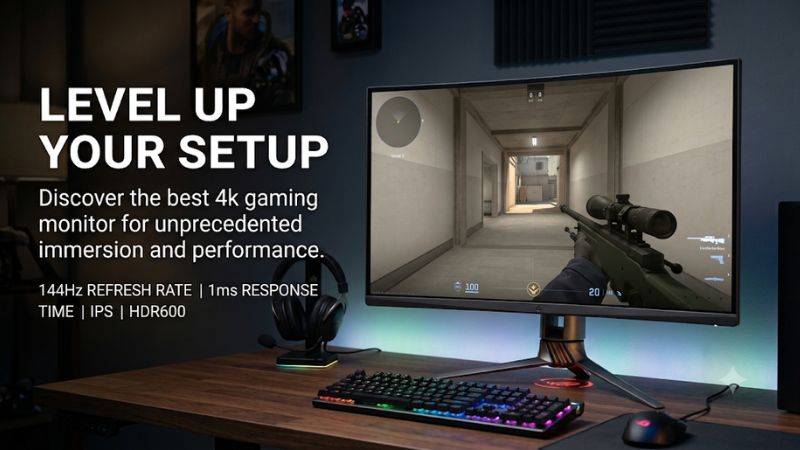
Panel Technology and Color Depth
In-Plane Switching panels provide wide viewing angles and uniform color production across the entire screen array. Modern Quantum Dot OLED alternatives deliver pixel-level dimming and infinite contrast ratios for dark room environments. The contrast distinction makes OLED a primary best 4k gaming monitor choice for immersive open-world titles.
Color bit depth also dictates how smooth gradients appear without visual banding artifacts in skyboxes and shadows. Native ten-bit panels produce over one billion distinct color tones compared to standard eight-bit displays. High color accuracy requires checking factory calibration charts and color gamut coverage metrics like DCI-P3.
Refresh Rate and Response Times
Refresh rates determine how many distinct frames display each second during fast competitive gameplay motion. Standard 144Hz displays deliver smooth frame transitions, while newer displays reach 240Hz or higher frequencies. Higher refresh rates reduce visual delay when aiming in fast first-person shooting titles on high-end desktop platforms.
Pixel response times dictate how quickly individual subpixels change color from one grey value to another shade. OLED technology achieves pixel response speeds under 0.03 milliseconds, preventing motion blur and ghosting trails. Traditional IPS panels require overdrive tuning to lower pixel transition times below four milliseconds without inverse ghosting.
HDR Brightness and Dimming Zones
High Dynamic Range performance relies on maximum peak luminance and local backlighting dimming control. Full Array Local Dimming Mini-LED monitors feature over one thousand individual lighting zones to bright highlights. Higher peak brightness levels allow specular highlights like explosions and sunlight reflections to pop realistically on screen.
OLED displays manage brightness on a per-pixel basis without requiring local dimming zones or backlight diffusers. This individual pixel control prevents haloing artifacts around bright crosshairs against dark night backgrounds. Choosing between Mini-LED brightness and OLED pixel precision depends on ambient light levels in your setup area.
Graphics Hardware and Port Compatibility
Driving eight million pixels at elevated refresh rates demands significant processing capacity from your graphics processor. Video cards like the NVIDIA GeForce RTX 4080 Super or AMD Radeon RX 7900 XTX maintain playable frame rates at maximum settings. Upscaling systems like DLSS or FSR help lower internal rendering burdens on high-resolution displays.
Display connector bandwidth limits maximum refresh rate configurations without utilizing Display Stream Compression protocols. HDMI 2.1 interfaces support uncompressed 4K signals at 120Hz for current gaming consoles and modern graphics cards. DisplayPort 1.4 bandwidth relies on compression streams to output 240Hz refresh rates at full 4K desktop resolution.
Top Picks for 4K Gaming
Navigating the marketplace for high-performance displays requires comparing individual specifications against actual performance metrics. Picking the best 4k gaming monitor involves balancing peak brightness against panel response times and budget allocations. The following breakdown highlights leading models categorized by target user requirements and features.
| Product | Best For | Key Spec | Compatibility | Watch Out For |
| Asus ROG Swift OLED PG32UCDM | Best Overall | 31.5-in QD-OLED, 4K 240Hz, 0.03ms | DP 1.4a DSC / HDMI 2.1 | Glossy glare in bright light |
| Gigabyte M27U | Best Value | 27-in IPS, 4K 160Hz, 1ms MPRT | DP 1.4 / HDMI 2.1 | Low 1000:1 contrast ratio |
| LG UltraGear 32GS95UE-B | Best Dual-Mode | 31.5-in WOLED, 4K 240Hz / 1080p 480Hz | DP 1.4 DSC / HDMI 2.1 | Matte coating graininess |
| Samsung Odyssey Neo G8 | Best Brightness | 32-in Mini-LED, 4K 240Hz, 2000 nits | DP 1.4 DSC / HDMI 2.1 | Aggressive 1000R curvature |
Asus ROG Swift OLED PG32UCDM
The Asus ROG Swift OLED PG32UCDM caters to gamers seeking top color reproduction and instant motion clarity. Featuring a 31.5-inch Quantum Dot OLED panel with 240Hz refresh rates, it excels in visual presentation. This design positions it as a best 4k gaming monitor for enthusiasts running high-end graphics processing units.
Connectivity options include DisplayPort 1.4 with DSC alongside dual full-bandwidth HDMI 2.1 video inputs. Integrated custom heatsinks manage thermal loads across the panel without requiring noisy active cooling fans. However, its glossy screen surface creates visible reflections when placed directly opposite untinted room windows.
Gigabyte M27U
The Gigabyte M27U delivers high pixel density and fast refresh speeds at a accessible price point. Utilizing a 27-inch IPS panel running at 160Hz, it provides clear rendering across detailed desktop game environments. It serves as a budget-friendly best 4k gaming monitor choice for players prioritizing pixel sharpness over OLED contrast.
Features include a built-in KVM switch and full HDMI 2.1 compatibility for dual-device desktop productivity. The IPS panel offers wide viewing angles, but its native 1000:1 contrast ratio limits deep black performance in dim lighting. Gamers seeking true HDR depth should consider alternative displays with local dimming capabilities.
LG UltraGear 32GS95UE-B
The LG UltraGear 32GS95UE-B introduces a dual-mode feature allowing instantaneous shifting between display configurations. Players can switch between native 4K resolution at 240Hz or 1080p resolution at 480Hz for competitive titles. This WOLED display features integrated Pixel Sound audio speakers built directly behind the panel surface.
A anti-glare matte coating reduces room reflections effectively during daytime gaming sessions in bright spaces. The matte coating can cause mild visual graininess on solid white backgrounds when viewing static office documents. High frame rate esports players benefit most from the rapid dual-mode toggle during competitive matches.
Samsung Odyssey Neo G8
The Samsung Odyssey Neo G8 utilizes Quantum Mini-LED technology to reach extreme peak luminance levels. Achieving up to 2000 nits peak brightness with 1,196 local dimming zones, it renders HDR content with striking visual intensity. Its 32-inch curved panel features a 240Hz refresh rate and a rapid one-millisecond response time rating.
The display requires an NVIDIA GeForce RTX 3080 or AMD Radeon RX 6800 GPU minimum to utilize high refresh bandwidth over DisplayPort 1.4. Its steep 1000R screen curve improves immersion in simulators, but distorts straight lines in productivity applications. Narrow viewing angles mean image quality degrades if sitting off to the side.
Frequently Asked Questions
Addressing common hardware inquiries helps players configure their display settings and graphics options correctly. Answering questions about the best 4k gaming monitor category ensures system stability and optimal visual output. The following breakdown provides direct answers regarding graphics processing requirements and panel technologies.
What graphics card is required to run a 4K gaming monitor?
A modern high-end graphics processor like the NVIDIA GeForce RTX 4080 Super or AMD Radeon RX 7900 XTX is necessary for native 4K high-frame gaming. Selecting the best 4k gaming monitor requires verifying graphics card port output compatibility prior to installation. Modern graphics architectures leverage hardware upscaling to boost frame rates.
In demanding titles like Cyberpunk 2077 at ultra settings, an RTX 4080 Super achieves roughly 65 frames per second natively at 4K resolution according to independent testing. Enabling DLSS quality mode increases rendering performance beyond 100 frames per second on high refresh rate panels. Older graphics cards struggle to maintain 60FPS.
Is a 27-inch screen big enough for 4K resolution?
A 27-inch screen size provides extremely high pixel density at 4K resolution, resulting in exceptionally sharp images. Standard 27-inch 4K panels feature roughly 163 pixels per inch, making individual pixels imperceptible at normal viewing distances. This pixel density renders small text cleanly without visible jagged edges around icons.
Windows interface scaling usually needs adjustment to 150 percent scale so text remains legible on desktop layouts. Games scale user interfaces automatically, providing crisp visual assets across all supported gaming genres. Users preferring larger field-of-view coverage without display scaling often choose 32-inch monitor sizes.
Do OLED panels suffer from image burn-in during long gaming sessions?
Modern OLED monitors incorporate pixel shifting, logo brightness dimming, and automated pixel cleaning cycles to prevent permanent static burn-in. Manufacturers provide multi-year burn-in warranties covering panel replacement for peace of mind. Following built-in maintenance routines mitigates image retention risks during extended desktop use.
Leaving static user interface elements on maximum brightness for hundreds of continuous hours can degrade organic diodes over time. Setting screen sleep timers in Windows power options to five minutes protects panel lifespan automatically. Hiding the desktop taskbar provides additional protection against static retention on desktop setups.
Is DisplayPort 1.4 sufficient for 4K gaming at 240Hz?
DisplayPort 1.4 supports 4K resolution at 240Hz refresh rates when combined with Display Stream Compression technology. Display Stream Compression operates without visual degradation, maintaining full color fidelity and low latency during fast action. Graphics cards from the NVIDIA RTX 30-series or AMD RX 6000-series fully support this protocol.
HDMI 2.1 inputs also support uncompressed 4K signals up to 120Hz or compressed signals up to 240Hz on modern displays. Using certified Ultra High Speed HDMI or DisplayPort cables ensures signal integrity without black screen flickering issues. Upgrading video cables prevents bandwidth bottlenecks across high-refresh desktop setups.
Final Thoughts
Selecting the ideal high-resolution panel depends on balancing frame rate targets, HDR brightness requirements, and room lighting conditions. High-end QD-OLED models offer unmatched contrast, while IPS options provide cost-effective daily reliability. Investing in the best 4k gaming monitor delivers transformative clarity when matched with capable graphics hardware.









