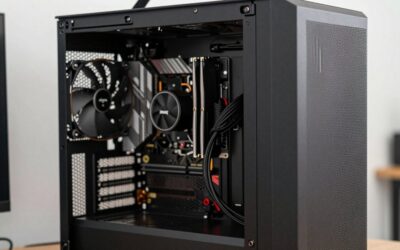
- Top Pick: Dell Optiplex 7050 SFF Desktop PC Intel i7-7700 4-Cores 3.60GHz 32GB DDR4 1TB SSD WiFi BT HDMI Duel Monitor Support Windows 11 Pro Excellent Condition(Renewed)
- Best Value: Lenovo IdeaCentre All-in-One Desktop Computer, 8GB RAM 512GB SSD
- Premium Choice: Dell Optiplex 3060 Desktop Computer | Intel i5-8500 (3.2) | 32GB DDR4 RAM | 1TB SSD Solid State | Built in WiFi | Bluetooth | Windows 11 Professional | Home or Office PC (Renewed)
Black Friday isn’t just for laptops and TVs, it’s one of the best times of year to score a desktop computer, especially if you’re after dependable everyday performance rather than cutting-edge gaming power. Renewed and business-class desktops, in particular, offer astonishing value, delivering solid specs for a fraction of new-system prices.
- Watch: Best Black Friday Desktop Computer Deals — Video Review
- How to Choose a Black Friday Desktop Deal
- The Best Black Friday Desktop Deals Reviewed
- Which Processors Can Run Windows 11?
- Day-One Checklist for a Renewed Desktop
- What to Buy for Which Job
- Mistakes That Make a Good Deal Go Bad
- Form Factor Changes What You Can Upgrade Later
- Cheap Upgrades That Beat a Faster Processor
- Troubleshooting a Renewed Desktop
- Related Guides
- Frequently Asked Questions
- Final Thoughts
- Related Articles
- Related Guides
We rounded up the best Black Friday desktop computer deals worth grabbing, focusing on machines that balance real-world capability with wallet-friendly pricing. Below are our picks, followed by a buying guide to help you shop smart and avoid the duds.
As an Amazon Associate we earn from qualifying purchases at no extra cost to you.




🎮 Get More From Your Setup — Free
Prime Gaming gives you free PC games every month, in-game loot, and a free Twitch channel sub — plus fast free shipping on all the gear above. New members get a 30-day free trial.
Watch: Best Black Friday Desktop Computer Deals — Video Review
How to Choose a Black Friday Desktop Deal
- Match the specs to your use: For office work, browsing, and media, a quad-core i5 or i7 with 8-16GB of RAM is plenty, no need to overspend on gaming hardware.
- Insist on SSD storage: An SSD transforms responsiveness. Favor deals with solid-state drives over older spinning hard disks.
- Consider renewed models: Business-class renewed desktops offer excellent value, often with generous RAM and SSDs, backed by seller warranties.
- Check the form factor: Small form factor (SFF) machines save desk space, while tower and all-in-one designs suit different setups.
- Look at included extras: Bundled monitors, keyboards, mice, and Wi-Fi add real value and save you separate purchases.
The Best Black Friday Desktop Deals Reviewed
Dell OptiPlex 7060 SFF (i7-8700)
The OptiPlex 7060 is the performance pick, pairing a 6-core i7-8700 with 32GB of DDR4 and a fast 512GB NVMe SSD. With built-in Wi-Fi, Bluetooth, and a wireless keyboard and mouse, this renewed small-form-factor machine handles demanding office and multitasking workloads with ease.
Dell OptiPlex 7050 SFF (i7-7700)
The OptiPlex 7050 offers similar muscle with an i7-7700, 32GB of DDR4, and a 1TB SSD, plus dual-monitor support and HDMI output. It’s an excellent choice for a productivity workstation where you want two screens without buying new.
Dell OptiPlex 3060 (i5-8500)
The OptiPlex 3060 with an i5-8500, 32GB of RAM, and a 1TB SSD is a superb value for home or office use. Its generous memory and solid-state storage keep everyday tasks brisk, and built-in Wi-Fi and Bluetooth add convenience.
Dell OptiPlex 9020 Bundle (i5)
The OptiPlex 9020 stands out for its complete package, a quad-core i5, 8GB of RAM, and a bundled 20-inch monitor with an RGB productivity kit. For a ready-to-go home setup at a bargain price, it’s hard to beat.
Lenovo IdeaCentre All-in-One
The Lenovo IdeaCentre all-in-one keeps things clean and space-saving, integrating the computer into the display with 8GB of RAM and a 512GB SSD. It’s the tidy pick for those who want a clutter-free desk without a separate tower.
Which Processors Can Run Windows 11?
Mainstream support for Windows 10 ended in October 2025, so any desktop you buy now should be able to run Windows 11. For Intel systems, Microsoft’s rule of thumb is simple: eighth-generation Core processors and newer are supported, while seventh-generation and older are not. The listed processors in this guide split cleanly across that line.
| Desktop | Processor generation | Windows 11 support |
|---|---|---|
| Dell OptiPlex 7060 SFF (i7-8700) | 8th | Supported |
| Dell OptiPlex 3060 (i5-8500) | 8th | Supported |
| Dell OptiPlex 7050 SFF (i7-7700) | 7th | Not officially supported |
| Dell OptiPlex 9020 Bundle (i5) | Older than 7th | Not officially supported |
| Lenovo IdeaCentre All-in-One | Varies by listing | Confirm the exact processor first |
A processor outside the official list can sometimes be forced onto Windows 11, but that is a workaround, and the machine may be left out of future updates. Treat official support as the safer standard for a computer you rely on every day.
Day-One Checklist for a Renewed Desktop
Renewed hardware comes with a limited return window, so use the first few days to confirm that everything works. Black Friday falls on November 27, 2026, and holiday deliveries can arrive late, so keep your delivery date in mind when you count the return days.
- Verify the specs. Open Settings, then System, then About, and compare the processor and installed memory with the listing.
- Run Windows Update until it finishes. Drivers and security patches often arrive in several rounds.
- Check the storage. A solid-state drive should be listed in Disk Management or Storage settings. If you find a spinning hard drive, expect slower startup and plan an upgrade.
- Test every port and output. Plug in a USB device on each port, try the video outputs, and confirm audio and network work.
- Listen and feel. Loud grinding, clicking, or heat from the vents during light use suggests a failing fan or drive.
- Look for a clean Windows license. Under Settings, then Activation, the system should show as activated.
What to Buy for Which Job
| If you… | Choose… |
|---|---|
| Want the strongest listed processor among the Dell options for multitasking and light editing | Dell OptiPlex 7060 SFF (i7-8700) |
| Need a plain, supported desktop for office work, email, and streaming | Dell OptiPlex 3060 (i5-8500) |
| Already have a monitor and mainly want a low-cost machine for browsing | Dell OptiPlex 7050 SFF (i7-7700), accepting that Windows 11 is unofficial |
| Want a bundle with accessories and use mostly older software | Dell OptiPlex 9020 Bundle (i5) |
| Have limited desk space and want one cable-light unit | Lenovo IdeaCentre All-in-One |
Mistakes That Make a Good Deal Go Bad
- Ignoring storage type. A fast processor paired with a mechanical drive feels slow. Look for SSD in the listing text.
- Forgetting the missing pieces. Many business desktops ship without Wi-Fi hardware, a monitor, or speakers. Confirm what is included.
- Expecting gaming performance. These units use integrated graphics or low-end cards. A small form factor case also limits you to low-profile graphics cards if you add one later.
- Assuming memory is easy to upgrade. Older generations use older memory types, which can be harder to source. Check the memory type before planning an upgrade.
- Waiting until the last minute. Popular renewed models sell out, so decide on your must-have specs before the sale starts.
Form Factor Changes What You Can Upgrade Later
| Form factor | Upgrade room | Best for |
|---|---|---|
| Small form factor (SFF) | Memory and storage are usually easy to swap; expansion cards must be low-profile and the power supply is limited | Tight desks, office and home use |
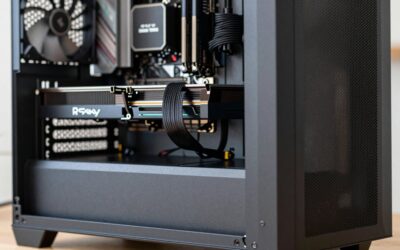
| Full tower or mid tower | Most room for cards, drives, and cooling | Anyone who may add a graphics card |
| All-in-one | Often limited to memory and storage, and sometimes only one of them | Clean setups where the screen is part of the unit |
Because the listings for the OptiPlex SFF models are small cases, treat them as finished machines with a memory and drive upgrade path, not as platforms for a gaming graphics card.
Cheap Upgrades That Beat a Faster Processor
- Solid-state storage. Swapping a spinning drive for an SSD shortens boot time and app launches more than any processor change in this price class.
- Two matching memory modules. Installing a matched pair lets the system run memory in dual-channel mode, which helps integrated graphics in particular.
- A Wi-Fi adapter. If the listing mentions no wireless hardware, a small USB or PCIe adapter solves it without changing anything else.
- A fresh Windows installation. A clean install removes leftover software from the previous owner and tends to give a more predictable system.
Troubleshooting a Renewed Desktop
- No display on startup. Reseat the video cable at both ends, try a different port, and check that the monitor is on the right input.
- Beep codes or a blinking power light. These often signal a memory problem. Power off, remove the memory modules, and reseat them firmly.
- Random restarts under load. Dust blocking the heatsink is a common cause. Blow out the vents with short bursts of compressed air.
- Slow performance after updates. Background indexing and update installs can last a while on a first run. Give the machine some idle time and check again.
If a problem persists after these steps, use the return option instead of spending hours on a machine that may have a hardware fault.
Keep the original packaging and any paperwork until you have finished the checklist above, because a return is simpler when everything goes back in one box.
Frequently Asked Questions
Are renewed desktop computers reliable?
Reputable renewed business desktops like the Dell OptiPlex line are thoroughly tested and typically backed by seller warranties, offering excellent reliability and value for everyday use.
How much RAM do I need for an everyday desktop?
8GB covers basic tasks, but 16GB or the 32GB found in many of these OptiPlex deals gives comfortable headroom for multitasking, making them great value at Black Friday prices.
Is a small form factor desktop worth it?
Yes, SFF machines like the OptiPlex models save significant desk space while delivering full desktop performance, making them ideal for home offices and tidy setups.
Should I get an all-in-one or a tower?
An all-in-one like the Lenovo IdeaCentre saves space and reduces clutter, while a tower or SFF offers easier upgrades and often better value. Choose based on your space and upgrade plans.
Final Thoughts
Black Friday is a prime time to grab a capable everyday desktop for less. The Dell OptiPlex 7060 SFF is our top performance pick, the OptiPlex 9020 bundle is the best all-in-one-purchase value with its included monitor, and the Lenovo IdeaCentre wins for anyone wanting a clean, space-saving all-in-one.