🛒 Best Price Today on Amazon
Prime members get fast, free shipping on everything above, plus member-only deals. New members get a 30-day free trial — cancel anytime.
Selecting the best handheld gaming pc requires balancing battery capacity, display technology, and processor performance. Modern mobile consoles run demanding titles on compact silicon, but battery sizes vary significantly across manufacturers. Understanding how operating systems impact navigation helps you choose the right device.
How to Choose a Handheld Gaming PC
Selecting a portable console involves evaluating hardware architecture, panel quality, and software ecosystems. High-speed memory feeds integrated graphics processing units, while battery capacity dictates untethered playtime. Matching hardware capability to software requirements ensures your chosen console meets your gaming expectations.
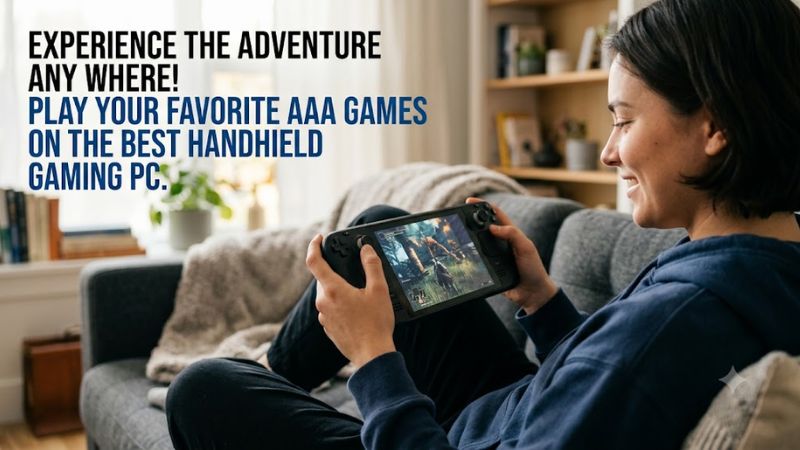
Operating System Compatibility and Storefront Access
Operating systems define which game launchers and anti-cheat software your console can run without modification. Devices running Windows 11 support Steam, Epic Games Store, GOG, and Xbox Game Pass natively without configuration hurdles. Look toward the Asus ROG Ally X if you require universal launcher access across multiple store platforms.
SteamOS offers an interface optimized for controller inputs and quick suspend functionality on Linux systems. However, anti-cheat systems in competitive titles like Destiny 2 or Valorant prevent native Linux playback. Choosing a system with full Windows compatibility avoids software restrictions when accessing third-party game storefronts.
Battery Capacity and Power Draw Management
Battery capacity measured in watt-hours directly determines how long a mobile system runs during heavy workloads. System thermal design power ranges from 9W to 30W depending on game demand and processor power targets. Larger batteries cushion power consumption when running demanding 3D titles away from an electrical outlet.
An 80Wh battery capacity allows sustained portable sessions without forcing immediate dropping of screen brightness or rendering resolution. Smaller 49Wh or 50Wh batteries require lower power limits or frequent recharging during traveling sessions. High-capacity power cells ensure longer play sessions for demanding travel environments.
Display Panel Technology and Refresh Rates
Screen panel selection directly affects visual clarity, contrast ratios, and motion fluidness in mobile gaming. Variable refresh rate displays synchronize panel updates with processor output to prevent screen tearing at lower frame rates. The Steam Deck OLED delivers high contrast ratios and rapid pixel response times for vibrant visuals.
IPS panels offer bright output and wide viewing angles but lack the absolute black levels found in OLED alternatives. Higher refresh rates like 120Hz or 140Hz produce smooth motion in fast titles if the processor maintains matching frame rates. Variable refresh rate technology remains vital for smoothing out inconsistent frame delivery.
Memory Bandwidth and Allocation Overhead
System memory speed and overall capacity restrict integrated graphics performance in modern mobile processors. Integrated graphics chips share memory bandwidth with the operating system and active background tasks. The Lenovo Legion Go S provides high-speed LPDDR5X memory to keep processor execution units supplied with data.
Allocating 8GB or more of system RAM specifically to video memory prevents texture swapping in heavy titles. Standard 16GB configurations leave limited system memory after reserving frame buffer allocation for modern operating systems. Selecting 24GB or 32GB memory configurations prevents frame stutters caused by system memory starvation.
Top Picks for Handheld Gaming PCs
Choosing the best handheld gaming pc requires comparing battery capacity, processor architecture, memory configurations, and display specifications. Market offerings range from lightweight Linux devices to heavy Windows handhelds designed for desktop replacement roles. The comparison table below highlights core specifications across top models.
| Product | Best For | Key Spec | Compatibility | Watch Out For |
| Asus ROG Ally X | Best Overall | AMD Ryzen Z1 Extreme, 24GB RAM, 80Wh battery | Windows 11, Steam, Epic, Game Pass | High price tag and IPS panel |
| Steam Deck OLED | Best Value | Custom AMD APU, 16GB RAM, 50Wh battery | SteamOS, native Steam games | Non-Steam games require workarounds |
| Lenovo Legion Go S | Best Big Screen | AMD Ryzen Z1 Extreme, 32GB RAM, 55.5Wh battery | SteamOS, dual USB4 ports | Larger weight and bulkier frame |
| MSI Claw 8 AI+ | Best Performance | Intel Core Ultra 7 258V, 32GB RAM, 80Wh battery | Windows 11, Thunderbolt 4 | High cost and premium price tag |
Asus ROG Ally X
The Asus ROG Ally X stands as the best handheld gaming pc for overall balance, combining long battery life with full Windows software flexibility. Power users wanting native access to Xbox Game Pass and third-party launchers alongside Steam will benefit most from this device. Its AMD Ryzen Z1 Extreme processor pairs with 24GB LPDDR5X memory.
Independent benchmarks from Tom’s Hardware recorded an average of 41 FPS in Cyberpunk 2077 at 1080p Medium settings on battery power. The massive 80Wh battery cell provides extended runtime, though the 7-inch 120Hz IPS screen lacks OLED contrast. Gamers wanting a lightweight console or a low budget price tag should consider lighter alternatives.
Steam Deck OLED
The Steam Deck OLED represents the best handheld gaming pc for value, offering a refined software ecosystem alongside high-contrast display tech. Buyers wanting a console-like user experience without manual Windows tuning will find this model ideal for casual play. It features a custom AMD Van Gogh APU paired with 16GB of LPDDR5 memory.
Independent benchmarks from Rock Paper Shotgun show over 5 hours of runtime in lightweight titles using the 50Wh internal battery. The 7.4-inch 90Hz HDR OLED screen delivers excellent black levels, but Linux limits native compatibility with non-Steam anti-cheat titles. Gamers who rely heavily on Game Pass or Fortnite should avoid SteamOS.
Lenovo Legion Go S
The Lenovo Legion Go S serves as the best handheld gaming pc for large displays, featuring an 8-inch screen powered by SteamOS speed. Users who want maximum screen area for text and detailed strategy games will appreciate this expansive layout. It houses an AMD Ryzen Z1 Extreme processor alongside 32GB of high-speed LPDDR5X RAM memory.
Independent benchmarks from PC Gamer logged an average of 35 FPS in Cyberpunk 2077 at 1200p Medium settings on internal battery power. The 120Hz IPS panel provides smooth action, but the 55.5Wh battery cell drains quickly during maximum power output. Buyers needing light weight or all-day battery life should look toward smaller alternatives.
MSI Claw 8 AI+
The MSI Claw 8 AI+ ranks as the best handheld gaming pc for raw throughput, featuring Intel Core Ultra architecture and dual Thunderbolt ports. Enthusiasts who demand maximum frame rates in modern titles and fast external connectivity will find top performance here. It includes an Intel Core Ultra 7 258V processor and 32GB LPDDR5X memory.
Independent benchmarks from Tom’s Hardware recorded an average of 51 FPS in Cyberpunk 2077 at 1200p Medium settings using Arc graphics. An 80Wh battery supports the power draw, but the heavy chassis and premium cost make it less portable. Budget-conscious players and casual handheld users should skip this high-cost enthusiast console.
FAQ: Essential Handheld PC Questions
Navigating the best handheld gaming pc market involves answering common questions about battery expectations, software support, and hardware upgrades. System power consumption depends heavily on brightness levels, background tasks, and game settings. Understanding performance limits helps buyers select hardware that fits their routine.
How Long Does the Battery Last During Gaming?
Battery life on mobile gaming consoles ranges between 1.5 and 6 hours depending on battery capacity and selected operating power targets. Heavy AAA titles running at 25W power draw deplete standard 50Wh cells in approximately 90 minutes. Demanding games run longer on 80Wh battery configurations under identical rendering brightness targets.
Lowering screen brightness and limiting game frame rates to 30 or 45 FPS significantly extends battery longevity during travel. Indie titles running at 9W power draw allow efficient processors to maintain playback for over 5 hours continuously. Adjusting power profiles in system settings optimizes power consumption for lightweight titles.
Can Handheld Gaming PCs Play Windows Game Pass Titles?
Consoles running native Windows 11 support Xbox Game Pass downloads directly through the official Xbox application without configuration work. Windows handhelds execute native game files locally, ensuring offline access and full store compatibility. Linux-based handhelds require cloud streaming or custom software setups to play Game Pass titles.
Installing Windows on Linux devices allows local execution of Game Pass software but requires manual driver setup and controller mapping. Official Windows support avoids compatibility layers, ensuring native anti-cheat operation across competitive titles. Windows consoles provide the simplest route for active Game Pass subscriber libraries.
Is 16GB of RAM Enough for Modern Handheld Gaming?
A total of 16GB of RAM remains sufficient for 720p and 800p gaming, but 24GB or 32GB provides vital headroom for 1080p titles. Integrated graphics processors share system memory with the operating system, reducing available video memory during play. Heavy games requesting 8GB of dedicated video memory can exhaust remaining system memory capacity.
System configurations featuring 24GB or 32GB of LPDDR5X memory allow allocating 8GB to video memory without starving background tasks. Higher memory capacity prevents stutters when running background software like Discord alongside demanding game titles. Future games targeting higher texture settings benefit greatly from expanded memory bandwidth.
Do Handheld Gaming PCs Support External Graphics Cards?
Handheld devices featuring USB4 or Thunderbolt 4 ports connect directly to external graphics card enclosures for desktop level performance. Connecting an external graphics card bypasses integrated graphics, driving higher resolutions on external gaming monitors. Handhelds lacking high-speed USB ports cannot connect external graphics card docks.
External graphics card enclosures require a dedicated power supply unit and desktop graphics card installed inside the external chassis. Windows operating systems automatically detect connected graphics docks, applying desktop drivers after initial setup. Docking a portable console transforms compact hardware into a high-frame workstation setup.
Final Thoughts
Selecting the best handheld gaming pc comes down to balancing software preferences, battery sizes, and budget limits. Windows options deliver broad launcher compatibility, while Linux options offer streamlined user interface navigation. Evaluating your favorite games and travel needs ensures you choose a console built for lasting performance.