🛒 Best Price Today on Amazon
Prime members get fast, free shipping on everything above, plus member-only deals. New members get a 30-day free trial — cancel anytime.
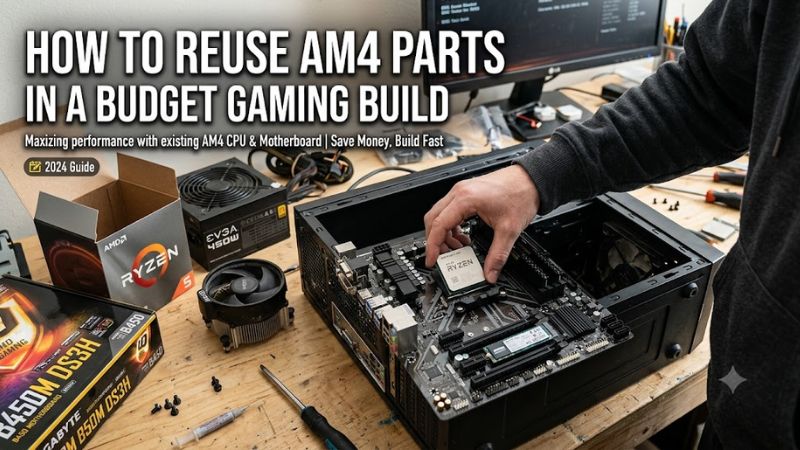
Building an affordable gaming PC does not mean replacing every component you already own. how to reuse am4 parts in a budget gaming build starts with identifying compatible components, checking their condition, and deciding where new hardware will make the biggest difference. This guide covers CPUs, motherboards, DDR4 memory, GPUs, storage, power supplies, and practical upgrade steps.
What Reusing AM4 Parts Really Comes Down To
The AM4 platform remains useful for budget gaming because it supports several generations of AMD Ryzen desktop processors and DDR4 memory. If you already own a compatible motherboard, CPU, or memory kit, keeping those components can reduce your initial spending. The important part is checking compatibility and condition before purchasing anything else.
1. Identify Which AM4 Components You Already Own
Start by listing the hardware in your existing PC. Record the exact CPU model, motherboard model, installed RAM configuration, graphics card, storage drives, PSU model, and case dimensions. If the computer still works, Windows System Information and Task Manager can help identify several components.
For motherboard identification, press Windows + R, enter msinfo32, and check BaseBoard Manufacturer and BaseBoard Product. You can also inspect the motherboard itself for its printed model number. This information matters because two boards using the same AM4 socket can have different processor support, memory configurations, and connectivity.
2. Check CPU Socket, Chipset, and BIOS Compatibility
AM4 processors are not automatically compatible with every AM4 motherboard. AMD’s chipset compatibility information shows that support varies across A320, B350, B450, B550, X370, X470, and X570 motherboards. Some combinations also require specific BIOS versions before the processor can start.
For example, a Ryzen 5000 processor may work with a B450 motherboard after a manufacturer-provided BIOS update, but you must verify the exact CPU against the motherboard’s official support list. Check the required BIOS version before buying a replacement processor, particularly if you do not have another compatible CPU available for updating the firmware.
3. Reuse DDR4 Memory Instead of Buying a New Kit
One of the most straightforward ways to reduce build costs is keeping your existing DDR4 memory. AM4 desktop motherboards use DDR4 rather than DDR5, so an existing DDR4 kit may be suitable for a replacement AM4 motherboard if its capacity, supported speeds, and module configuration meet the board’s specifications.
Check whether your existing memory consists of two matched modules or a single stick. A dual-channel configuration generally provides better memory bandwidth than running one module, which is particularly relevant when gaming with a processor that relies on integrated graphics. Avoid mixing unrelated memory kits simply to increase capacity because different timings and memory profiles can introduce instability.
4. Decide Whether Your Other Components Are Worth Keeping
Your graphics card, SSD, case, and CPU cooler can often move into another AM4 system. However, physical compatibility and component condition matter more than whether a part originally came from an older gaming PC. A working GPU is not automatically a good choice if its power requirements exceed what your existing PSU can safely provide.
Inspect your storage health, case airflow, and cooler mounting hardware before reusing them. An AM4-compatible cooler may still be suitable for another AM4 processor, but check its mounting system and cooling capacity. If the cooler has been removed, clean the old thermal compound and apply fresh thermal paste before installation.
How to Reuse AM4 Parts in a Budget Gaming Build: Step by Step
Once you understand your existing hardware, the next task is assembling a balanced configuration without paying for unnecessary replacements. Prioritize the components that determine compatibility and gaming performance, then reuse everything else that passes inspection. The following steps help organize purchases, avoid expensive mistakes, and prepare the system for its first boot.
Step 1. Verify the Motherboard Before Choosing a CPU
Begin with the motherboard manufacturer’s CPU support page. Search for your exact motherboard model and open its CPU compatibility list. Find the processor you intend to use and check the minimum BIOS version required. Do not rely solely on the AM4 socket designation or the chipset name.
A Ryzen 5 5600 is one example of a six-core, 12-thread AM4 processor with a 65W default TDP. AMD lists it as supporting the AM4 socket and compatible chipsets, subject to motherboard-specific support. It can be a sensible upgrade from an older Ryzen processor when the existing board supports it.
Latest Version+1
Step 2. Check the GPU, PSU, and Case Together
The graphics card usually deserves particular attention in a budget gaming build because it has a direct impact on gaming performance. Before reusing your existing GPU, check its exact model, dimensions, power connectors, and manufacturer’s recommended PSU capacity. Also inspect whether the graphics card fits inside the case without interfering with other components.
Do not judge an older PSU only by its advertised wattage. Check its model, age, operating history, connector availability, and physical condition. Replace a damaged or unreliable unit rather than risking the rest of the system. A PSU with insufficient connectors or unsuitable specifications can make an otherwise compatible GPU impractical to reuse.
Step 3. Reuse Storage and Prepare Windows
An existing SATA SSD, SATA hard drive, or compatible M.2 NVMe drive can often transfer to the new build. Check the motherboard manual for supported M.2 lengths, interface types, and any SATA-port sharing limitations. Before moving drives, back up important files and check the drive’s health using a suitable SMART monitoring utility.
If you move an existing Windows installation to a different motherboard, you may need to address driver compatibility and activation. Microsoft explains that significant hardware changes, particularly motherboard replacement, can cause Windows to lose its activation association. Link your digital license to your Microsoft account beforehand and check the activation status after the upgrade.
Step 4. Assemble, Test, and Adjust the Configuration
Install the motherboard, CPU, cooler, RAM, storage, and GPU according to their manuals. Disconnect the power supply from the wall before working inside the case, and avoid touching exposed component contacts. Connect the CPU power, motherboard power, GPU power, storage cables, and front-panel connectors carefully.
After assembly, enter the BIOS and confirm that the CPU, memory capacity, and storage devices are recognized. Check CPU temperatures and fan operation before launching games. If the system fails to boot, power it down and troubleshoot one component at a time rather than immediately changing BIOS settings or purchasing replacement hardware.
| Setting or Step | Where | Effect | Risk |
| CPU compatibility | Motherboard manufacturer’s CPU support list | Confirms processor and BIOS support | Incorrect BIOS may prevent booting |
| DDR4 configuration | Motherboard manual and BIOS | Confirms memory capacity and configuration | Unstable mixed memory kits |
| GPU and PSU compatibility | GPU specifications and PSU label | Confirms power and physical requirements | Insufficient power or unsuitable connectors |
| Storage inspection | SMART utility and motherboard manual | Checks drive condition and interface support | Data loss without a backup |
| BIOS memory profile | BIOS/UEFI memory settings | Allows supported memory speeds | Instability if the profile is unsuitable |
What to Upgrade First When Your Budget Is Limited
When deciding how to reuse AM4 parts in a budget gaming build, allocate the remaining budget according to the actual limitations of your existing PC. For a gaming-focused system, the graphics card is often the most important upgrade when the current GPU cannot deliver the performance you want at your target resolution and settings.
However, a stronger GPU will not necessarily solve every performance problem. If the processor struggles to keep up in CPU-intensive games, upgrading the CPU may be more beneficial. Check actual CPU and GPU utilization, frame-time behavior, and memory usage while playing before deciding where to spend.
A practical upgrade priority looks like this:
- Replace an unreliable PSU before installing more demanding hardware.
- Upgrade the GPU if graphics performance is the main limitation.
- Upgrade the CPU if processor performance is restricting your games.
- Increase RAM capacity if your existing configuration is insufficient.
- Replace storage if the current drive is unreliable or lacks sufficient space.
The goal is not to buy the most expensive AM4 components available. It is to avoid spending money on hardware that does not address a genuine limitation in your existing system.
FAQ
1. Can I Reuse an Old AM4 Motherboard With a Ryzen 5000 CPU?
Yes, you can reuse an older AM4 motherboard with a Ryzen 5000 CPU if its manufacturer officially supports that processor and the required BIOS version is installed. B450 and X470 boards support many Ryzen 5000 processors, while some older chipsets have more limited support. Always check the exact motherboard CPU support list before purchasing.
If the required BIOS is newer than your installed version, follow the motherboard manufacturer’s update instructions. Some boards offer USB BIOS Flashback, while others require an already-supported processor to complete the update. Never interrupt a firmware update because doing so can make the motherboard unusable until it is recovered.
2. Can I Reuse DDR4 RAM From My Old Gaming PC?
Yes, DDR4 desktop memory can be reused in another AM4 motherboard if its specifications match the board’s supported memory requirements. Check the memory type, module capacity, maximum supported capacity, and recommended configurations. DDR5 modules cannot be installed in DDR4 AM4 motherboard slots because the physical design and electrical interface differ.
For gaming, two matched memory modules are generally preferable to one module when the motherboard supports dual-channel operation. If you already have a working kit, there is little reason to replace it simply because you are assembling a different case or upgrading your graphics card.
3. Is It Worth Reusing an AM4 Platform for Gaming in 2026?
Yes, reusing AM4 can be financially sensible in 2026 when you already own a compatible motherboard, DDR4 memory, and a functioning processor. Keeping these components allows more of your available budget to go toward a suitable graphics card, storage, or a reliable PSU.
However, AM4 has a more limited future processor upgrade path than AMD’s newer AM5 platform. If you need to purchase an entirely new motherboard, memory kit, and processor, compare the total cost against an AM5 configuration before committing. The cheapest individual component does not always produce the cheapest long-term system.
4. Do I Need to Reinstall Windows When Reusing AM4 Parts?
No, reinstalling Windows is not automatically necessary when moving compatible components into another case or replacing a graphics card. However, a motherboard replacement can introduce driver and activation issues, so back up important files before making substantial hardware changes.
If Windows fails to activate after replacing the motherboard, open Settings > System > Activation in Windows 11 and check the available troubleshooting options. A linked digital license may allow reactivation through the hardware-change troubleshooter, subject to Microsoft’s licensing requirements.
Final Thoughts
Learning how to reuse am4 parts in a budget gaming build can help you avoid unnecessary purchases while retaining useful hardware from an older PC. Start with motherboard and BIOS compatibility, inspect your PSU and storage, and prioritize upgrades according to actual gaming limitations. Keep the parts that remain reliable and spend the savings where they matter most.