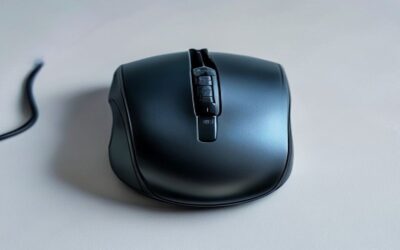
A productivity mouse is a tool you touch thousands of times a day, so getting it right pays dividends in comfort and speed. Unlike a gaming mouse chasing raw sensor speed, a productivity mouse prioritizes ergonomics, precise scrolling, customizable buttons, and the ability to glide between multiple computers without missing a beat.
I tested the most recommended options across long workdays, from all-day spreadsheet marathons to multi-device workflows, to find the ones that genuinely reduce fatigue and boost efficiency. Here are the best productivity mice for 2026, plus a guide to choosing the right shape and features for you.
As an Amazon Associate we earn from qualifying purchases.


How to Choose a Productivity Mouse
- Ergonomic shape: A contoured or vertical design that supports your grip reduces wrist strain during long sessions.
- Scroll wheel quality: Fast, precise, or free-spinning wheels make navigating long documents and spreadsheets dramatically quicker.
- Multi-device support: Bluetooth with device switching lets you control several computers from one mouse for a cleaner desk.
- Customizable buttons: Programmable side and thumb buttons speed up repetitive actions and app-specific shortcuts.
- Battery and connectivity: Rechargeable batteries and reliable wireless keep you working without interruptions or dongles cluttering ports.
The Best Productivity Mice Reviewed
Logitech MX Master 3S
The MX Master 3S is the productivity benchmark. Its sculpted shape fits the hand beautifully, the MagSpeed scroll wheel flies through long pages then clicks precisely when needed, and quiet clicks keep it office-friendly. Multi-device Bluetooth switching and deep app customization make it the default recommendation for serious desk workers.
Logitech MX Master 4
The MX Master 4 refines the formula with haptic feedback that adds subtle tactile cues to your actions, alongside the same excellent ergonomics and scroll wheel. If you want the most advanced version of the class-leading Master line and value that extra layer of feedback, it’s the premium pick.
Logitech Lift Vertical
The Lift takes a vertical, handshake-style posture that eases wrist rotation and strain, making it ideal for anyone who feels discomfort with traditional mice. It keeps the wireless multi-device convenience of the Master line in a shape built specifically for ergonomic relief.
PHILIPS Ergonomic Wireless Mouse
The PHILIPS ergonomic mouse is a value standout, offering multi-device Bluetooth, silent clicks, side scrolling, and 5-level DPI in a comfortable right-handed shape. It’s a rechargeable, budget-friendly way to get most of the premium experience for laptop and Mac or PC users.
ProtoArc EM11 NL Vertical
The ProtoArc EM11 NL is another excellent vertical option, rechargeable and affordable, that promotes a neutral wrist position. For those exploring ergonomic mice without a premium budget, it’s a comfortable, capable entry point that reduces strain over long days.
Frequently Asked Questions
Is a vertical mouse worth it?
If you experience wrist discomfort, a vertical mouse like the Logitech Lift or ProtoArc EM11 can genuinely help by keeping your wrist in a more natural handshake position. There’s a short adjustment period, but many users never go back.
Do I need multi-device switching?
If you work across a laptop and desktop, or a PC and Mac, switching between them from one mouse is a real time-saver and keeps your desk uncluttered. It’s a highlight feature of the MX Master line.
Are silent-click mice as responsive?
Yes. Modern silent switches register clicks just as reliably while cutting the noise, which is ideal for shared offices and quiet home spaces.
What DPI do I need for productivity?
Productivity is less about high DPI and more about precision and adjustability. Adjustable DPI, like the PHILIPS mouse’s 5 levels, lets you fine-tune tracking speed to your monitor setup.
Final Thoughts
For most people, the Logitech MX Master 3S remains the best productivity mouse, blending ergonomics, an outstanding scroll wheel, and multi-device convenience. Choose the MX Master 4 if you want the latest haptic-enhanced version, or the Logitech Lift if a vertical, wrist-friendly shape is your priority.