- Top Pick: Plugable Thunderbolt 4 Dock for M4/M5 MacBook Air & Pro: 100W Charging Driverless Laptop Docking Station with 4K HDMI Dual Monitor or Single 6K, 6X USB, SD, Ethernet, Thunderbolt Certified (TBT-UDM)
- Best Value: Anker USB-C Hub for MacBook, 7-in-2 Mac Dock with 4K@60Hz HDMI
- Premium Choice: MacBook Pro Docking Station Dual Monitor MacBook Pro HDMI Adapter, 9 in 1 USB C Adapters for MacBook Pro Air Mac HDMI Dock Dongle Dual USB C to Dual HDMI Ethernet 3USB SD Card Reader 100W PD
A Thunderbolt dock transforms a MacBook Air from a sleek but port-limited laptop into a full desktop workstation with a single cable. If you have ever juggled dongles just to connect a monitor, an external drive, and Ethernet at the same time, a proper dock is the upgrade that changes how you work. For this review we focused on the Plugable Thunderbolt 4 Dock as our lead pick, a driverless, certified station built specifically with M-series MacBooks in mind.
Alongside it we weighed capable alternatives, from the compact Anker USB-C hubs to the powerful UGREEN 8-in-1 Thunderbolt 4 station, so you can match the right dock to your desk and budget. The MacBook Air’s efficiency and quiet design make it a superb desktop companion once docked, and the right hub unlocks dual monitors, fast storage, and full-speed charging without clutter.
As an Amazon Associate we earn from qualifying purchases at no extra cost to you.



🎮 Get More From Your Setup — Free
Prime Gaming gives you free PC games every month, in-game loot, and a free Twitch channel sub — plus fast free shipping on all the gear above. New members get a 30-day free trial.
Watch: Thunderbolt Dock For MacBook Air — Video Review
Design & Build
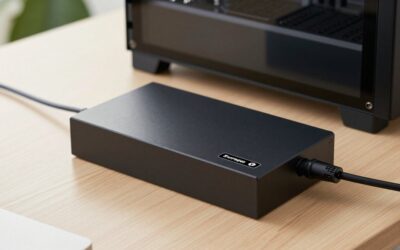
The Plugable Thunderbolt 4 Dock sets the tone with a solid aluminum body that matches the MacBook Air’s aesthetic and doubles as a subtle heat sink for stable, all-day operation. Its horizontal footprint tucks neatly under a monitor, and the certified Thunderbolt cable feels reassuringly premium. Compared with pocketable options like the Anker 7-in-2 hub, which clips directly onto the laptop for portability, the Plugable and the equally sturdy UGREEN 8-in-1 are true desk anchors. Build quality across these Thunderbolt-class docks is excellent, with tight ports and no flimsy plastic.
Performance
This is where a genuine Thunderbolt 4 dock separates itself from basic hubs. The Plugable delivers 100W of charging to keep the Air topped up while driving 4K dual monitors over HDMI, or a single 6K display, alongside six USB ports, SD, and Ethernet, all driverless on macOS. The UGREEN 8-in-1 pushes similar dual 4K/60Hz output with three additional Thunderbolt 4 ports at 40Gbps for fast external SSDs. Simpler adapters like the Anker 7-in-2 and 8-in-2 hubs handle single 4K/60Hz output and everyday peripherals beautifully, but they cannot match the display and bandwidth headroom of a full Thunderbolt station.
Pros & Cons
- One-cable desktop: Connect monitors, storage, and Ethernet with a single Thunderbolt link.
- Strong charging: 100W power delivery keeps the MacBook Air charged while docked.
- Dual-monitor support: Drives dual 4K or a single 6K display on compatible Macs.
- Driverless on macOS: Certified Thunderbolt docks work out of the box.
- Premium price: Full Thunderbolt 4 docks cost more than simple hubs.
- Not very portable: Desk-anchored stations are less travel-friendly than clip-on hubs.
- Display limits vary: Base M-series chips may cap external monitor counts.
Alternatives to Consider
If portability matters most, the Anker 7-in-2 MacBook hub or the 8-in-2 multiport adapter clip neatly onto the laptop and cover HDMI, USB-C and A, and an SD reader for travel. Shoppers wanting maximum Thunderbolt bandwidth for external SSDs should look at the UGREEN 8-in-1 with its three extra TBT4 ports. For a versatile middle ground, the Anker Nano 13-in-1 dock with a detachable 6-in-1 hub offers desktop expansion and grab-and-go flexibility, while the 9-in-1 dual-HDMI dongle is a budget-friendly dual-display option.
Related Guides
- Belkin Connect 11 In 1 Universal USB C Pro Dock (2026)
- Mac Dock Station (2026)
- USB Hub For Mac Mini (2026)
Frequently Asked Questions
Can a MacBook Air run dual monitors through a dock?
It depends on the chip. Newer M-series MacBook Air models support dual external displays, and a Thunderbolt dock like the Plugable makes it seamless. Check your specific Air’s display support before buying.
Do I need Thunderbolt, or is a USB-C hub enough?
For a single monitor and basic peripherals, a USB-C hub like the Anker 7-in-2 is plenty. For dual 4K displays, fast external SSDs, and 100W charging together, a Thunderbolt 4 dock is worth the investment.
Will the dock charge my MacBook Air?
Yes. Docks like the Plugable and UGREEN deliver up to 100W of power, enough to charge the Air at full speed while it powers your entire desk setup over one cable.
Are these docks plug-and-play on macOS?
Certified Thunderbolt 4 docks are driverless on macOS, so they work immediately after connecting. That is a key advantage over some cheaper hubs that may need software for certain features.
Verdict
For MacBook Air owners who want a clean, powerful desktop setup, the Plugable Thunderbolt 4 Dock is the standout choice, pairing 100W charging, dual 4K or single 6K output, and driverless macOS support in a beautifully built package. The UGREEN 8-in-1 is a superb alternative for storage-heavy workflows, while Anker’s compact hubs win for travel. Decide between desk power and portability, and a Thunderbolt dock will make your MacBook Air feel like a true workstation.