The Microsoft Surface Laptop and the Apple MacBook Air sit at the center of the premium thin-and-light debate, and both have leaned hard into AI-era silicon. Surface now rides Qualcomm’s Snapdragon X chips as a Copilot+ PC, while the MacBook Air continues Apple’s march through its M-series processors. For anyone shopping a do-everything ultrabook, this is the matchup that matters.
- Watch: Microsoft Surface Laptop Vs MacBook Air: Full Comparison — Video Review
- Quick Verdict
- Microsoft Surface Laptop
- Apple MacBook Air
- Head-to-Head: Which Should You Buy?
- What to Look For Beyond Raw Speed
- Which One Should You Buy?
- Common Mistakes When Choosing Between These Laptops
- Troubleshooting a New Laptop
- How to Decide in Four Steps
- Longevity, Updates and Portability
- Related Guides
- Related Guides
- Frequently Asked Questions
- Final Verdict
- Related Articles
- Related Guides
The catch is that these are excellent laptops built on fundamentally different platforms, so the right pick depends more on your ecosystem and workflow than on raw specs. We broke down where each one leads to help you choose with confidence.



🎮 Get More From Your Setup — Free
Prime Gaming gives you free PC games every month, in-game loot, and a free Twitch channel sub — plus fast free shipping on all the gear above. New members get a 30-day free trial.
Watch: Microsoft Surface Laptop Vs MacBook Air: Full Comparison — Video Review
Quick Verdict
Choose the MacBook Air if you value the maturest software, best-in-class battery efficiency, and Apple’s tight hardware-software integration. Choose the Surface Laptop if you need Windows apps, want a touchscreen, or live inside the Microsoft and enterprise ecosystem. Both deliver outstanding battery life, silent fanless-class operation, and premium build; the deciding factor is the operating system you want to spend your days in.
Microsoft Surface Laptop
The current Surface Laptop is a Copilot+ PC built around Snapdragon X Plus and X Elite processors, with the latest generation moving to Snapdragon X2 silicon. It pairs a 13.8 or 15-inch touchscreen with 16GB of RAM and SSD options up to 1TB, delivering long battery life and on-device AI features. The touchscreen and 3:2-style tall display are genuine advantages for reading, inking, and productivity that the MacBook Air simply doesn’t offer.
Windows on Arm has matured significantly, and most mainstream apps now run smoothly, natively or through emulation. For anyone tied to Windows-only software, Microsoft 365 workflows, or corporate device management, the Surface is the natural home. It also comes in more color and size choices, and the platform’s flexibility with peripherals and file management appeals to power users who want control.
Apple MacBook Air
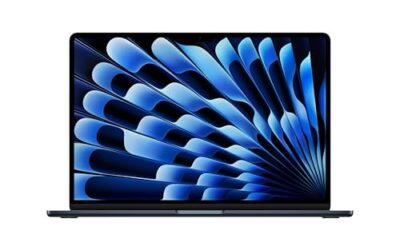
The MacBook Air remains the benchmark for a reason. Built on Apple’s M-series chips, including the latest M5 generation, it offers a 13.6-inch Liquid Retina display, 16GB of unified memory, fast SSD storage, a superb webcam, Touch ID, and Wi-Fi 7. Its fanless design runs silently, and real-world battery life is exceptional, routinely stretching through a full day and beyond.
macOS is the Air’s biggest asset for those already in Apple’s world, syncing effortlessly with iPhone, iPad, and services. Native apps are highly optimized, and the machine’s efficiency means sustained performance without throttling for everyday tasks and even light creative work. What you give up is a touchscreen and the broad hardware configurability of the Windows side.
Head-to-Head: Which Should You Buy?
- For Windows software and enterprise: the Surface Laptop is the clear choice.
- For the Apple ecosystem: the MacBook Air integrates seamlessly with iPhone and iPad.
- For touch and pen input: only the Surface Laptop offers a touchscreen.
- For battery efficiency and silent operation: the MacBook Air holds a slight edge.
- For configuration flexibility and color options: the Surface Laptop offers more variety.
What to Look For Beyond Raw Speed
App Compatibility on Arm Silicon
Both laptops in the headline matchup run on Arm-based processors, which changes the compatibility checklist. Windows on Arm runs most mainstream x86 programs through emulation, while the Mac handles Intel-era software through Rosetta 2 and now has native versions of popular apps. The risk areas are narrow and specific: games with kernel-level anti-cheat, older printer or scanner drivers, certain VPN clients and niche engineering tools. Before buying either, list the five programs you cannot work without and check each vendor’s support page for a native Arm or Apple silicon build.
Ecosystem and Continuity
The more useful question is often what else you own. A MacBook Air pairs smoothly with an iPhone, iPad and AirPods through features such as Handoff, AirDrop and shared clipboard. The Surface Laptop works naturally with Microsoft 365, OneDrive, Phone Link for Android and iPhone, and any corporate Windows device management your employer uses. Switching ecosystems is rarely impossible, but each move adds friction in photos, messages and file sharing.
Display Shape and Ports
The Surface Laptop 13.8-inch uses a taller 3:2 aspect ratio and a touchscreen, which gives more vertical room for documents and web pages. MacBook Air screens use a shape close to 16:10 and offer no touch input. Port selection differs as well, so read the specification list on each listing for the exact count of USB-C, USB-A, headphone and charging connectors. Do not assume that last year’s port layout carries over to the 2026 models.
Copilot+ and On-Device AI
Microsoft’s Copilot+ PC label requires an NPU rated at 40 TOPS or more, plus 16GB of memory and 256GB of storage. If features such as local transcription or image generation matter to you, check how many of them you will really use. Many people never touch them.
Which One Should You Buy?
| If you… | Choose… |
|---|---|
| Want a premium thin laptop with a touchscreen for Windows work | Microsoft Surface Laptop (2026) Snapdragon X2 Elite |
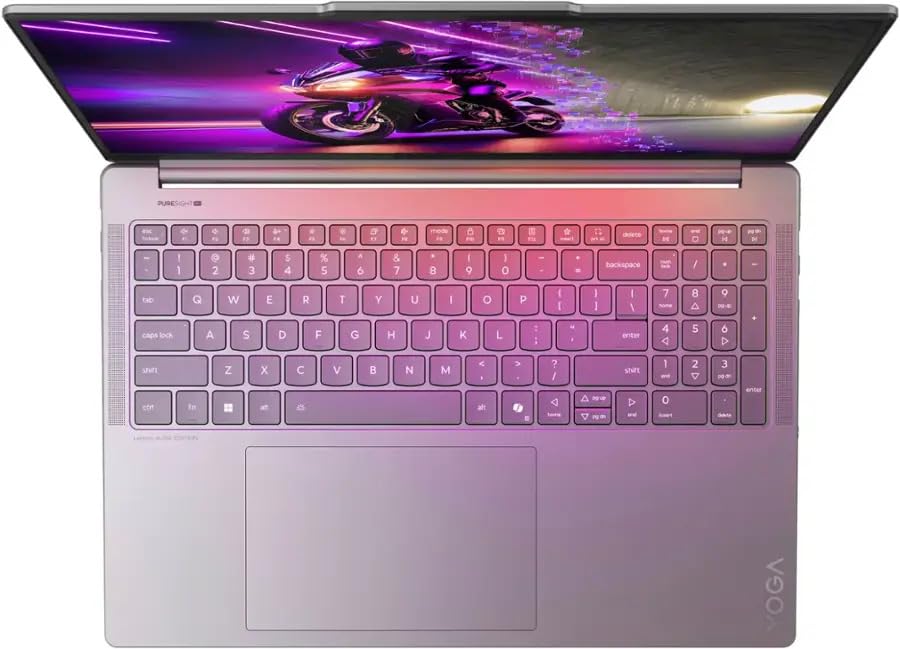
| Need a demanding Windows machine for creative and gaming tasks | Lenovo Yoga Pro 9i 16 with RTX 5060 |
| Want a basic Windows machine for browsing and documents | ASUS 15.5-inch Full HD Laptop with Celeron |
| Want light gaming on a large screen | KAIGERR 17.3-inch Light Gaming Laptop or the Ryzen 7 5700U light gaming laptop |
Common Mistakes When Choosing Between These Laptops
- Comparing screen size alone. A 3:2 panel and a 16:10 panel at similar diagonals show different amounts of content.
- Ignoring memory configuration. Neither laptop is designed for easy RAM upgrades, so pick the capacity you need on day one.
- Overlooking peripherals. Check your printer, dock and audio interface for Arm or Apple silicon drivers.
- Treating battery claims as promises. Brightness, video playback and background tasks change real runtime.
- Buying the wrong class of machine. Budget Celeron or older Ryzen laptops serve different needs than premium ultrabooks.
Troubleshooting a New Laptop
- If an app refuses to install, look for an Arm-native version on the developer’s site.
- If battery drains quickly, check which apps run in the background and whether they are native or emulated.
- If an accessory fails to connect, update the firmware first and then check for a driver update.
How to Decide in Four Steps
- List the programs you cannot work without, then check each developer’s site for a native Arm or Apple silicon version.
- Check your printer, dock, scanner and audio interface for driver support on the operating system you are considering.
- Decide which ecosystem your phone and tablet already belong to, because that affects daily friction more than a small speed gap.
- Compare memory and storage tiers on the exact configuration, since neither machine is built for easy upgrades later.
Longevity, Updates and Portability
A thin laptop is a multi-year purchase, so look at how long each platform has historically supported its hardware with updates, and confirm the current policy on the vendor’s support page. Weight and thickness matter for commuters; check the listed figures for the specific size you plan to buy rather than assuming both are interchangeable. Also check the keyboard layout, trackpad size and webcam resolution on the listing, since these small details shape how a laptop feels across a workday more than benchmark scores do.
When a Basic Windows Laptop Is the Smarter Move
If your work lives in a browser, documents and email, a basic Windows machine like the ASUS 15.5-inch model covers the essentials, and a light gaming laptop adds a discrete or faster integrated graphics option for casual play. A premium ultrabook earns its place when you value display quality, battery life, build and quiet operation across several years.
Related Guides
- AMD Ryzen Ai Max 395 Laptop (2026)
- Laptop Backpacks Reviews (2026)
- Best Gaming Laptop For The Price (2026)
- Best Battery Gaming Laptop (2026)
Frequently Asked Questions
Is the Surface Laptop or MacBook Air faster?
Both are quick for everyday work. Apple’s M-series holds an edge in sustained native performance and efficiency, while Snapdragon X excels at battery life and AI tasks. For typical productivity, you won’t feel a meaningful difference.
Can the Surface Laptop run all Windows apps?
Most mainstream apps run well natively or via emulation on Windows on Arm, which has matured a lot. A few niche or older x86 programs and some drivers may still have compatibility gaps, so verify critical software first.
Which has better battery life?
Both are all-day machines. The MacBook Air is famous for efficiency, and the Snapdragon-based Surface is highly competitive. Real-world differences are small and depend on workload and display brightness.
Does the MacBook Air have a touchscreen?
No. The MacBook Air does not offer a touchscreen. If touch or pen input matters to you, the Surface Laptop is the only option of the two.
Final Verdict
This comes down to ecosystem more than hardware. The MacBook Air is the pick for Apple users who want a silent, ultra-efficient laptop with the most polished software experience, while the Microsoft Surface Laptop wins for Windows loyalists who value a touchscreen, enterprise fit, and configuration choice. Both are outstanding; buy the operating system that fits your life, and you won’t be disappointed.