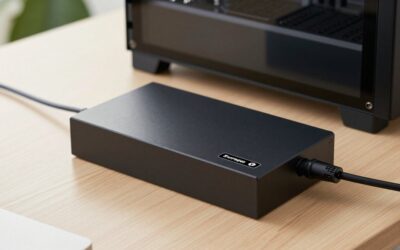
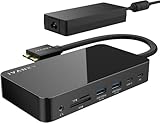
- Top Pick: MacBook Pro Docking Station Dual Monitor 4K@60Hz for M5/M4/M3 Pro & Max
- Best Value: Anker USB-C Hub for MacBook, 7-in-2 Mac Dock with 4K@60Hz HDMI
- Premium Choice: Plugable Thunderbolt 4 Dock for M4/M5 MacBook Air & Pro: 100W Charging Driverless Laptop Docking Station with 4K HDMI Dual Monitor or Single 6K, 6X USB, SD, Ethernet, Thunderbolt Certified (TBT-UDM)
The MacBook Air M4 is a superb machine, but its handful of ports fills up fast the moment you want dual monitors, wired networking, and fast storage at your desk. The right dock transforms it from a travel notebook into a genuine desktop workstation with a single cable.
Choosing well means understanding what the M4 chip can and can’t drive, and where Thunderbolt docks pull ahead of simpler USB-C hubs. Here’s a hands-on look at the options and how to match one to your setup.
As an Amazon Associate we earn from qualifying purchases at no extra cost to you.






🎮 Get More From Your Setup — Free
Prime Gaming gives you free PC games every month, in-game loot, and a free Twitch channel sub — plus fast free shipping on all the gear above. New members get a 30-day free trial.
Watch: Dock MacBook Air m4 — Video Review
Design & Build
These accessories range from compact travel hubs to full desktop docks. The Anker 7-in-2 and UGREEN Revodok Pro 8-in-1 are slim aluminum hubs that plug directly into the Air’s USB-C ports, ideal for tossing in a bag. The Plugable Thunderbolt 4 Dock (TBT-UDM) is a substantial powered desktop unit with its own supply, delivering 100W charging and a driverless, certified connection that feels rock-solid. Build quality across these picks is strong, with metal housings that dissipate heat well under load.
Performance
This is where the M4’s capabilities matter. The M4 Air natively drives dual external displays (with the lid dynamics Apple specifies), and a proper Thunderbolt 4 dock like the Plugable takes full advantage, powering 4K dual-monitor or single 6K output plus six USB ports, SD, and Ethernet over one cable. Simpler hubs such as the Anker 7-in-2 and UGREEN Revodok Pro shine for single 4K@60Hz setups with fast data and pass-through charging, but they don’t match a Thunderbolt dock‘s bandwidth or display flexibility. The dedicated MacBook Pro dual-monitor 4K@60Hz dock and 9-in-1 adapter target multi-display users specifically.
Pros & Cons
- One-cable desktop: displays, power, and peripherals in a single connection.
- Thunderbolt bandwidth: the Plugable handles dual 4K or single 6K with ease.
- 100W charging: powered docks keep the Air topped up while docked.
- Portable options: compact hubs suit travel and light setups.
- Thunderbolt costs more: full docks carry a clear price premium.
- Display limits: the M4’s external-monitor support caps what any dock can output.
- Hub power: bus-powered hubs can’t fast-charge like a dedicated dock.
Alternatives to Consider
For a permanent, do-everything desk, the Plugable Thunderbolt 4 Dock is the clear leader with its 100W charging and dual-display support. If you want something pocketable for occasional single-monitor use, the Anker 7-in-2 or UGREEN Revodok Pro 8-in-1 are excellent value. Power users chasing maximum ports could look at the iVANKY FusionDock, and multi-monitor buyers at the dedicated dual-4K MacBook docks.
Related Guides
- USB Hub For Mac Mini (2026)
- Belkin Connect 11 In 1 Universal USB C Pro Dock (2026)
- Mac Dock Station (2026)
Frequently Asked Questions
Can the MacBook Air M4 run two external monitors?
Yes, the M4 Air supports dual external displays. A Thunderbolt 4 dock like the Plugable is the most reliable way to drive both at 4K@60Hz.
Do I need Thunderbolt or is USB-C enough?
For a single 4K monitor plus peripherals, a USB-C hub is fine. For dual displays, 100W charging, and maximum bandwidth, choose a Thunderbolt 4 dock.
Will a dock charge my MacBook Air?
Powered docks like the Plugable deliver up to 100W, easily charging the Air while docked. Bus-powered hubs offer only limited pass-through wattage.
Are these docks driverless?
The Plugable Thunderbolt dock is driverless and Thunderbolt-certified, so it works natively on macOS without extra software.
Verdict
To unlock the MacBook Air M4’s desktop potential, a Thunderbolt 4 dock like the Plugable TBT-UDM is the standout, offering dual-display support and 100W charging over one cable. If portability and budget lead your decision, the Anker 7-in-2 or UGREEN Revodok Pro deliver most of the convenience in a bag-friendly package.