🛒 Best Price Today on Amazon
Prime members get fast, free shipping on everything above, plus member-only deals. New members get a 30-day free trial — cancel anytime.
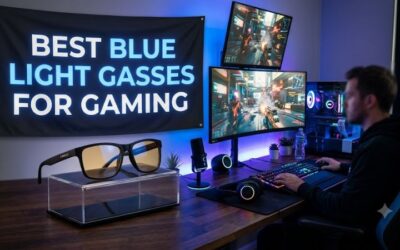
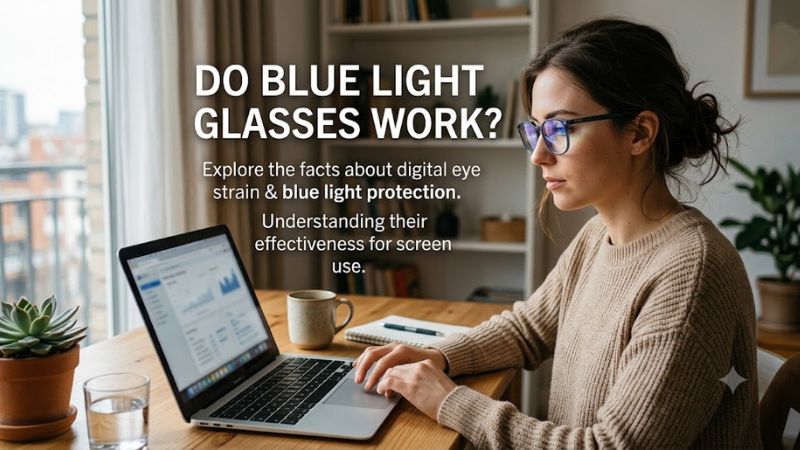
If you spend hours gaming, working, or browsing on a computer, do blue light glasses work well enough to justify the cost? Research suggests they offer little or no benefit for digital eye strain, and evidence for better sleep remains inconsistent. This guide explains what they can do, what they cannot do, and which screen habits are worth prioritizing.
What Do Blue Light Glasses Really Do?
Blue light glasses use lenses designed to filter some wavelengths of blue light, including light emitted by digital displays. However, filtering blue light does not automatically reduce eye fatigue or improve sleep. Understanding the difference between light exposure, visual discomfort, and your sleep cycle helps you decide whether these glasses deserve a place in your gaming setup.
1. How Blue Light Filtering Works
Blue light is part of the visible light spectrum, and it comes from natural sunlight as well as artificial sources, including monitors, smartphones, and LED lighting. Blue light filtering lenses reduce the amount of certain wavelengths reaching your eyes, with the amount filtered depending on the lens material, coating, and tint.
Clear lenses marketed for computer use may filter relatively little blue light, while amber or orange lenses generally block more short-wavelength light. These products are not interchangeable, so check the manufacturer’s spectral transmission information rather than relying on a label or marketing claim alone.
2. Do Blue Light Glasses Work for Eye Strain?
For most people, research does not show a meaningful improvement in digital eye strain from blue light filtering glasses compared with regular lenses. A 2023 Cochrane systematic review examined 17 randomized controlled trials and concluded that these lenses probably make little or no difference to short-term eye strain caused by computer use.
Eye discomfort during long gaming sessions is more commonly associated with reduced blinking, dry eyes, prolonged near focusing, glare, and poor viewing conditions. Glasses may still feel comfortable to some users, but that experience does not establish that blue light filtering is responsible for the relief.
3. Can Blue Light Damage Your Eyes?
There is currently no convincing evidence that ordinary blue light exposure from computer screens damages human retinas or causes age-related macular degeneration. The American Academy of Ophthalmology does not recommend special blue light filtering eyewear for computer use because the available evidence does not support the claimed protective benefits.
This does not mean every form of light exposure is harmless. Sunlight contains ultraviolet radiation that can damage the eyes, so appropriate UV-blocking sunglasses remain important outdoors. Blue light filtering computer glasses should not be treated as a substitute for UV protection or routine eye care.
4. Why Blue Light Matters for Sleep
Blue light can influence your circadian rhythm, the internal system that helps regulate when you feel awake and sleepy. Bright light exposure in the evening can interfere with the body’s preparation for sleep, particularly when you use screens close to bedtime or maintain an irregular sleep schedule.
However, the fact that blue light affects your body clock does not mean glasses reliably improve sleep. Research on blue light filtering lenses has produced mixed findings, and a 2025 systematic review and meta-analysis of randomized crossover trials found no statistically significant improvement in objective sleep outcomes. Reducing evening light exposure is a sensible starting point.
How to Reduce Eye Strain and Screen-Related Sleep Problems
If your eyes feel tired after gaming or computer work, start with the factors most likely to contribute to discomfort rather than assuming blue light is the cause. Adjusting your display, taking regular breaks, managing glare, and improving your evening routine are practical measures that do not require buying specialized glasses.
| Setting or Step | Where | Effect | Risk |
| Adjust brightness | Monitor or display settings | Reduces excessive contrast between the screen and surroundings | Excessively low brightness can make details difficult to see |
| Use regular visual breaks | During gaming or computer work | Relieves prolonged near focusing | Minimal; schedule breaks between gameplay |
| Enable a warmer display at night | Windows Night light or monitor settings | Reduces short-wavelength light from the display | Colors become less accurate |
| Improve viewing conditions | Desk, chair, and monitor position | Can reduce glare, awkward posture, and visual discomfort | Poor adjustments may create new discomfort |
1. Adjust Monitor Brightness and Room Lighting
Set your monitor brightness to suit the surrounding room rather than leaving it excessively bright in a dim environment. Reduce reflections from windows and overhead lights, and consider a matte screen filter if glare remains distracting. Increasing text size or contrast can also make reading more comfortable.
These changes are especially useful if your eyes feel tired during long gaming sessions. If a particular game’s bright interface or dark scenes cause discomfort, adjust its brightness and contrast settings carefully without sacrificing visibility. The goal is comfortable viewing, not making every display as dim as possible.
2. Follow the 20-20-20 Rule
During extended computer use, follow the 20-20-20 rule: every 20 minutes, look at something at least 20 feet away for at least 20 seconds. This gives your eyes a short break from sustained near focusing. You can use loading screens, natural pauses, or a reminder to build the habit into your routine.
Remember to blink fully and regularly, because people often blink less while concentrating on screens. If your eyes feel dry, taking breaks may help, and lubricating eye drops may be appropriate for some people. Persistent dryness, pain, or blurred vision deserves professional advice rather than relying on glasses alone.
3. Use Windows Night Light When Appropriate
Windows includes a feature called Night light that shifts the display toward warmer colors. To enable it, open Settings > System > Display > Night light. You can turn it on manually, adjust its strength, or schedule it to activate in the evening.
Night light changes the display’s color balance; it does not correct every cause of eye strain or guarantee better sleep. If you edit photos, produce video, or play games where accurate colors matter, turn it off when color accuracy is important. You can restore your previous settings from the same menu at any time.
4. Change Your Evening Screen Routine
If falling asleep after late-night gaming is difficult, consider reducing bright light exposure as bedtime approaches. Dim your monitor, use warmer display settings, and create a consistent wind-down routine. Avoiding stimulating games and other engaging activities near bedtime may also help if they keep you mentally alert.
You do not necessarily need blue light glasses to make these changes. A darker room, reduced screen brightness, and less screen use before bed are reasonable first steps. If sleep difficulties continue despite changes to your routine, speak with a healthcare professional about possible causes and appropriate treatment.
What Doesn’t Help
Buying increasingly expensive blue light glasses is not a reliable solution to persistent eye strain, headaches, or poor sleep. Nor should you assume that a stronger amber tint automatically produces a better overall result. Greater filtering changes screen colors and may be inconvenient for competitive gaming, design work, and video editing.
Avoid interpreting temporary comfort as evidence that the lenses protect your retina. If you experience recurring headaches or blurred vision, check your prescription and viewing distance. An optometrist can assess whether refractive errors, focusing problems, dry eyes, or another issue may be contributing to your symptoms.
FAQ
Do Blue Light Glasses Work for Gaming?
Blue light glasses have not been shown to meaningfully reduce gaming-related digital eye strain compared with regular lenses. If your eyes feel tired after several hours at your PC, start by adjusting monitor brightness, reducing glare, taking visual breaks, and blinking regularly. Prescription computer glasses may help when an underlying focusing or prescription issue needs correction.
Do Blue Light Glasses Help You Sleep Better?
Blue light glasses may help some people in certain circumstances, but current evidence does not establish a consistent improvement in sleep. Blue light influences circadian timing, yet studies of filtering glasses have produced mixed results. Reducing bright light in the evening, maintaining a regular bedtime, and limiting stimulating activities before sleep are practical first steps.
Are Blue Light Glasses Worth Buying?
Blue light glasses are generally not worth buying solely to prevent eye strain or protect your eyes from screen damage. If you already own a pair and find them comfortable, there may be no need to stop wearing them. However, prioritize proper prescription lenses, comfortable display settings, and better screen habits before spending extra money on a blue light filtering coating.
Can Blue Light Glasses Replace Prescription Glasses?
No, blue light glasses cannot replace prescription glasses when you need vision correction. Nonprescription filtering lenses do not correct nearsightedness, farsightedness, astigmatism, or other focusing problems. If screen use causes persistent headaches, blurred vision, or difficulty focusing, arrange an eye examination to determine whether prescription correction or another treatment would help.
Final Thoughts
So, do blue light glasses work? They filter some blue wavelengths, but evidence does not support buying them specifically for digital eye strain, retinal protection, or reliably better sleep. For PC gamers and everyday computer users, adjusting brightness, taking visual breaks, and improving evening habits are better starting points. If discomfort persists, consult an eye care professional.