- Top Pick: Anker USB C Hub, 5-in-1 USBC to HDMI Splitter with 4K Display
- Best Value: UGREEN Mac mini M4 Dock & Stand with NVMe SSD Enclosure
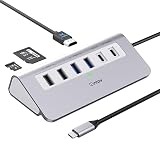
- Premium Choice: intpw USB C Hub, P9 USB C Hub Multiport Adapter with 4K@60Hz HDMI, PD 100W, Type-C & 2 USB A 3.0 5Gbps, 2 USB A 2.0, SD/TF Card Reader, Aluminum USB Hub for Laptop, iPhone 17 Series, MacBook, iPad
The Mac mini is a superb little machine, but Apple’s port count leaves plenty of users reaching for a hub within the first week. Whether you need extra USB-A ports for legacy peripherals, an SD reader for photo imports, or a second display over HDMI, the right hub turns a compact desktop into a proper workstation without cluttering your setup.
Not every hub is a good fit for a Mac mini, though. Some are designed to stack beneath the chassis, others hang off the front for quick access, and bandwidth varies wildly between models. Here is how the leading options compare and which one belongs on your desk.
As an Amazon Associate we earn from qualifying purchases at no extra cost to you.



](https://m.media-amazon.com/images/I/41rsnBx1KLL._SL160_.jpg)



🎮 Get More From Your Setup — Free
Prime Gaming gives you free PC games every month, in-game loot, and a free Twitch channel sub — plus fast free shipping on all the gear above. New members get a 30-day free trial.
Watch: USB Hub For Mac Mini — Video Review
Design & Build
Two design philosophies dominate. Purpose-built docks like the UGREEN Mac mini M4 Dock & Stand tuck neatly under the computer and add an integrated NVMe SSD enclosure, turning wasted vertical space into fast storage. General-purpose hubs such as the Anker 5-in-1 and 7-in-1 USB-C adapters and the intpw P9 multiport adapter use rugged aluminum housings and short captive cables that sit cleanly beside the mini. The plain Anker 4-port USB 3.0 hub keeps things minimal for anyone who only needs to expand USB-A connectivity.
Performance
Bandwidth is where these separate. The intpw P9 leads with 4K@60Hz HDMI, 100W passthrough charging, 5Gbps USB-A ports, and dual card readers, making it the most complete travel-and-desk hybrid. Anker’s 7-in-1 delivers reliable 4K output plus SD/TF reading, while the 5-in-1 covers the essentials for display and data. The UGREEN dock’s headline trick is the SSD bay, which runs at fast USB speeds and is ideal for offloading a photo or video library. The basic Anker 4-port hub is data-only, so it will not charge downstream devices, an important caveat to note before buying.
Pros & Cons
- Instantly expands the mini’s limited ports for displays, storage, and peripherals.
- Aluminum builds run cool and quiet under sustained data transfer.
- Dock models add SSD storage and reclaim the empty space under the chassis.
- 4K@60Hz output on the better hubs drives a crisp secondary monitor.
- Data-only hubs lack passthrough charging, which can surprise buyers expecting power delivery.
- Bus-powered hubs can struggle when several high-draw devices connect at once.
Alternatives to Consider
If integrated storage matters most, the UGREEN Mac mini M4 Dock with its NVMe enclosure is the natural centerpiece, since it doubles as a stand. For a hub you can also throw in a bag, the intpw P9 travels well thanks to its charging passthrough and iPhone compatibility. Buyers who simply need more USB-A ports for a keyboard, mouse, and dongle will save money with the straightforward Anker 4-port hub. Match the feature set to your peripherals rather than paying for ports you will never use.
Related Guides
- Thunderbolt Dock For MacBook Air (2026)
- Belkin Connect 11 In 1 Universal USB C Pro Dock (2026)
- Mac Dock Station (2026)
- Dock MacBook Air m4 (2026)
Frequently Asked Questions
Will a USB-C hub drive a second monitor on the Mac mini?
Yes. Hubs with 4K@60Hz HDMI, like the intpw P9 or Anker 7-in-1, add a clean secondary display alongside the mini’s built-in outputs.
Do I need a powered hub?
If you connect drives, card readers, and charge devices simultaneously, a hub with power delivery or its own adapter avoids dropouts. Light peripheral use is fine on a bus-powered model.
Can I add fast storage through a hub?
Dock-style units such as the UGREEN M4 Dock include an SSD enclosure, giving you high-speed external storage without another box on the desk.
Is the data-only Anker hub a bad choice?
Not at all, as long as you only need extra USB-A data ports. Just know it will not charge phones or power-hungry accessories.
Verdict
The best Mac mini hub depends on what you are missing. For an all-in-one desk upgrade with storage, the UGREEN M4 Dock is the standout, while the intpw P9 is the most versatile port expander for display, charging, and card work. If you only need more USB-A, the simple Anker 4-port hub does the job for less. Buy for your actual peripherals and the mini transforms into a tidy, capable workstation.