Affiliate disclosure: As an Amazon Associate we earn from qualifying purchases. This post contains affiliate links — we may earn a small commission at no extra cost to you. This never affects our picks. Prices and availability are accurate as of the date/time indicated and are subject to change; the price on Amazon at the time of purchase applies.
- Quick Comparison Table
- 1. AMD Ryzen 9 9950X3D: Best for gaming plus heavy rendering
- 2. Intel Core Ultra 7 270K Plus: Best for multitasking with many threads
- 3. Intel Core Ultra 5 250K Plus: Best for 18 cores on a lower tier
- 4. AMD Ryzen 9 9950X3D2 Dual Edition: Best for maximum-spec AMD builds
- How to Choose
- Frequently Asked Questions
- About the Author
- Related Articles
Quick answer: For the best 12-core CPUs and higher, the AMD Ryzen 9 9950X3D is the pick for gaming plus heavy creative work. The Core Ultra 7 270K Plus suits multitasking with 24 cores, the Core Ultra 5 250K Plus is the lighter 18-core option, and the 9950X3D2 targets maximum-spec builds.
This guide covers desktop processors with 12 or more cores. No chip in the store catalog is a plain 12-core part, so we compare the nearest real options, from 16 to 24 cores, and say so up front. Everything below uses the core counts and clocks published in each listing, and where a figure is not listed we say so. We did not run our own benchmarks, so use these notes to shortlist, then confirm socket and cooling needs on the maker page.
Quick Comparison Table
| # | Model | Key specs (per listing) | Best for |
|---|---|---|---|
| 1 | AMD Ryzen 9 9950X3D | 16 cores, Ryzen 9, X3D cache design | gaming plus heavy rendering |
| 2 | Intel Core Ultra 7 270K Plus | 24 cores (8 P + 16 E), up to 5.5 GHz | multitasking with many threads |
| 3 | Intel Core Ultra 5 250K Plus | 18 cores (6 P + 12 E), up to 5.3 GHz | 18 cores on a lower tier |
| 4 | AMD Ryzen 9 9950X3D2 Dual Edition | Ryzen 9 Dual Edition, cores not listed | maximum-spec AMD builds |
1. AMD Ryzen 9 9950X3D: Best for gaming plus heavy rendering
Specs per the listing: 16-core desktop processor. Clock speeds, cache size and power rating are not listed in the title, so check the maker page.
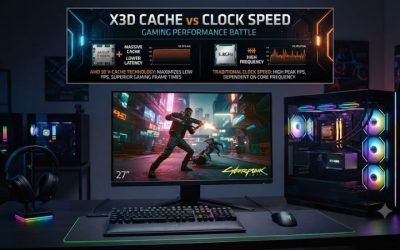
The 9950X3D is the one chip here that tries to do both jobs well. Sixteen cores give you plenty of threads for video export, 3D rendering and compiling, while the X3D name signals the stacked cache design AMD uses to help games. That makes it appealing if one machine has to be a workstation on weekdays and a gaming rig at night. It is an AM5 part, so you need a compatible motherboard and DDR5 memory, and a strong cooler is wise for a 16-core chip. For pure gaming, a cheaper X3D chip may be enough.
- Pros: 16 cores for heavy multithreaded work; X3D design aimed at gaming; modern AM5 platform
- Cons: Needs AM5 board and DDR5; clock speeds and power not listed

AMD Ryzen 9 9950X3D 16-Core Processor
Included for 'Best 12-Core CPUs and Above: 16, 18 and 24-Core Picks' as a representative home product in this roundup; selection reflects the product set returned for this topic.
View on Amazon2. Intel Core Ultra 7 270K Plus: Best for multitasking with many threads
Specs per the listing: 24 cores split into 8 performance cores and 16 efficiency cores, boost up to 5.5 GHz.
Twenty-four cores is the highest count on this list, though the split matters: 8 performance cores handle the demanding threads while 16 efficiency cores soak up background work and parallel tasks. That layout suits people who keep a browser, a streaming app, a game and an editor open at once. Intel chips of this class use a different socket from AMD, so the platform choice drives the rest of your parts list. The listing does not give the socket, memory support or power rating, so confirm all three before buying a motherboard.
- Pros: Highest core count here; 5.5 GHz boost; strong for background and parallel work
- Cons: Socket and memory details not listed; hybrid cores depend on the OS scheduler

Intel Core Ultra 7 processor 270K Plus, 24 cores (8 P-cores + 16 E-cores) up to 5.5 GHz
Included for 'Best 12-Core CPUs and Above: 16, 18 and 24-Core Picks' as a representative home product in this roundup; selection reflects the product set returned for this topic.
View on Amazon3. Intel Core Ultra 5 250K Plus: Best for 18 cores on a lower tier
Specs per the listing: 18 cores split into 6 performance cores and 12 efficiency cores, boost up to 5.3 GHz.
If you want comfortably more than 12 cores without paying for the top of the range, this Core Ultra 5 is the sensible step. The 6 performance cores carry games and lightly threaded apps, and the 12 efficiency cores bring the total to 18 for rendering and exports. Its boost of up to 5.3 GHz sits close to the Core Ultra 7 above, so everyday responsiveness should feel similar. The gap shows in sustained all-core work, where the Ultra 7 has more cores to spread the load. Verify the socket and cooler requirements on the maker page.
- Pros: 18 cores at a lower tier than the Ultra 7; 5.3 GHz boost; good balance for mixed use
- Cons: Fewer performance cores than the Ultra 7; platform details not listed

Intel Core Ultra 5 processor 250K Plus, 18 cores (6 P-cores + 12 E-cores) up to 5.3 GHz
Included for 'Best 12-Core CPUs and Above: 16, 18 and 24-Core Picks' as a representative home product in this roundup; selection reflects the product set returned for this topic.
View on Amazon4. AMD Ryzen 9 9950X3D2 Dual Edition: Best for maximum-spec AMD builds
Specs per the listing: Ryzen 9 9950X3D2 Dual Edition. The listing title does not state core count, clocks or cache, so check the maker page.
This is a newer variant of the 9950X3D, and the Dual Edition name suggests extra cache. Because the listing says nothing about cores, clocks or power, we cannot compare it numerically with the others, and we will not guess. What we can say is that it targets the same user as the 9950X3D: someone building a no-compromise AM5 machine for gaming and creative work. Read the maker page carefully before choosing it over the standard 9950X3D, and make sure your motherboard BIOS supports it, since newer chips sometimes need an update.
- Pros: Newest top-tier Ryzen 9 variant here; same AM5 platform as the 9950X3D; aimed at enthusiast builds
- Cons: Core count and clocks not listed; may need a BIOS update

AMD Ryzen™ 9 9950X3D2 Dual Edition
Included for 'Best 12-Core CPUs and Above: 16, 18 and 24-Core Picks' as a representative home product in this roundup; selection reflects the product set returned for this topic.
View on AmazonHow to Choose
Decide whether you need 12 cores at all
Twelve or more cores pay off in video rendering, 3D work, code compiling and running virtual machines. For gaming alone, 6 to 8 strong cores are usually enough, and a chip from the other categories may serve you better. If you only edit photos and browse, the extra cores will sit idle. Be honest about your heaviest weekly task before spending on a high core count. A useful test is time: if a job runs for many minutes and uses every core, more cores shorten it; if it finishes in seconds, they will not help. Also remember that memory and storage speed limit big projects, so do not starve the rest of the build to fund the processor.
Understand performance and efficiency cores
Intel Core Ultra chips list performance cores and efficiency cores separately. Performance cores run the demanding threads; efficiency cores handle parallel and background work. A 24-core chip with 8 performance cores is not three times as fast as an 8-core chip in games. AMD chips use identical cores, so a 16-core listing means 16 full-strength cores, which is simpler to compare. When two chips differ in both core count and clock speed, ask which one your main software rewards. Editing and rendering apps scale with cores, while many games reward the fastest cores and the biggest cache, and this is exactly where the X3D chips aim.
Match socket, memory and cooling
AMD Ryzen 9000 chips use the AM5 socket with DDR5 memory. Intel Core Ultra chips use their own newer socket, which the listings here do not name, so verify it on the maker page. Never mix them up when choosing a motherboard. High core counts produce heat, so budget for a large air cooler or a 280mm or 360mm liquid cooler and a power supply with spare capacity. Tower coolers rated for the chip class, and cases with front mesh and rear exhaust, keep sustained loads from throttling. Choose DDR5 kits from the motherboard qualified list to avoid stability issues, and fill two memory slots rather than four for easier tuning.
Check BIOS support and skip the traps
New processors often need a BIOS update before a motherboard will boot them. Look for a BIOS flashback button on the board, or ask the seller whether the board ships updated. Skip boxed chips sold without a cooler unless you already own one, and avoid unclear listings that lack a core count. When the specs are missing, confirm them first. Compare chips by what your software uses, not by the headline core number. If you are unsure, the Ryzen 9 9950X3D is the simplest all-round decision, because its identical cores are easy to reason about.
Frequently Asked Questions
Is there a true 12-core CPU in this list?
No. The catalog has no plain 12-core desktop chip, so we compare 16, 18 and 24-core processors instead. If you specifically want exactly 12 cores, check the maker pages for other models.
Is a 16-core chip good for gaming?
Yes, and the X3D versions are built with games in mind. Most games use fewer cores, so the extra cores help mainly when you stream or multitask while playing.
Do Intel and AMD chips fit the same motherboard?
No. Each brand uses its own socket. Pick the processor first, then choose a motherboard with the matching socket and memory type.
Do these chips include a cooler?
The listings do not say. Plan to buy a capable cooler separately, and confirm the bundle on the maker page before you order.
Which one is best for video editing?
The 24-core Core Ultra 7 270K Plus and the 16-core 9950X3D both suit it. Choose by platform and by which editing software you use, since some apps favor one brand.