🛒 Best Price Today on Amazon
Prime members get fast, free shipping on everything above, plus member-only deals. New members get a 30-day free trial — cancel anytime.
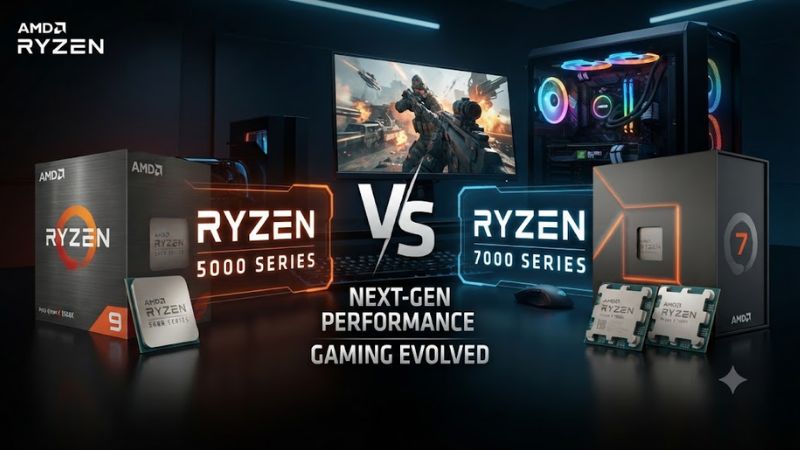
Ryzen 5000 vs 7000 series comes down to more than CPU speed. Ryzen 5000 keeps AM4, DDR4 and PCIe 4.0, while Ryzen 7000 moves to AM5, DDR5 and PCIe 5.0. Existing AM4 owners can save by upgrading within their platform, while new builders gain a newer memory and motherboard platform.
How to Choose Ryzen 5000 vs 7000 Series
The right choice depends on four factors: existing motherboard, memory cost, gaming performance and future upgrades. Ryzen 5000 is attractive when the rest of an AM4 system can stay in place. Ryzen 7000 requires AM5 and DDR5, but that additional platform investment creates a newer upgrade path.
Check the motherboard first
For an existing PC, motherboard compatibility should come before CPU specifications. Ryzen 5000 desktop processors use AM4, while Ryzen 7000 desktop processors use AM5. A Ryzen 7000 chip therefore cannot be installed as a drop-in replacement for an AM4 processor, even when both belong to the Ryzen family.
If you already have a suitable AM4 board, a Ryzen 5 5600 or Ryzen 7 5700X3D can preserve the motherboard and DDR4 memory investment. The Ryzen 5700X3D is particularly relevant to gaming upgrades because it combines eight cores and 16 threads with 96MB of L3 cache.
Compare gaming performance
Benchmark differences depend heavily on the graphics card, resolution and game workload. TechSpot found the Ryzen 5 7600 averaged about 35% faster than the Ryzen 5 5600 across its 12-game 1080p test using a GeForce RTX 4090, showing the larger advantage when CPU limits are exposed.
The gap becomes less important as the GPU becomes the limiting component. Gamers Nexus, for example, found the Ryzen 7 5700X3D much closer to newer processors in some 1440p tests, while CPU-heavy 1080p workloads could show a larger separation. Resolution and GPU choice therefore matter before any upgrade decision.
Consider memory and I/O
Memory compatibility is a major dividing line in Ryzen 5000 vs 7000 series systems. Ryzen 5000 desktop processors such as the Ryzen 9 5900 use DDR4 and PCIe 4.0 on AM4, whereas Ryzen 7000 processors such as the Ryzen 7 7700 use DDR5 and PCIe 5.0 on AM5.
That distinction affects total system cost, not just benchmark results. An AM4 owner can normally retain compatible DDR4 memory, while an AM5 build requires DDR5 and an AM5 motherboard. PCIe 5.0 is available on the processor platform, but the exact lanes and expansion features still depend on the motherboard chipset.
Think about the upgrade path
AM4 remains useful when the goal is a focused CPU upgrade without rebuilding the platform. The Ryzen 7 5700X3D is an especially relevant endpoint for gaming-focused AM4 systems because its 3D V-Cache design targets game workloads while retaining DDR4 compatibility and the AM4 socket.
AM5 is the stronger choice when building from scratch and planning additional CPU upgrades later. Ryzen 7000 launched the AM5 desktop platform with DDR5 and PCIe 5.0 support, and current AM5 chipsets include newer options beyond the original 600-series boards. That makes the platform more flexible for future CPU selection.
Top Picks
The four practical picks below cover different buying situations rather than treating one generation as universally superior. The Ryzen 5 7600 is the balanced new-build option, the Ryzen 7 5700X3D suits AM4 gaming upgrades, and the higher-end 7800X3D targets CPU-limited gaming where its large cache can matter.
| Product | Best For | Key Spec | Compatibility | Watch Out For |
| Ryzen 7 7800X3D | Best Overall | 8C/16T, 96MB L3 | AM5, DDR5 | Requires AM5 platform |
| Ryzen 5 5600 | Best Value | 6C/12T, up to 4.4GHz | AM4, DDR4 | Older platform |
| Ryzen 7 5700X3D | Best For AM4 Gaming | 8C/16T, 96MB L3 | AM4, DDR4 | Limited AM4 upgrade path |
| Ryzen 5 7600 | Best For New Builds | 6C/12T, up to 5.1GHz | AM5, DDR5 | Higher platform cost |
Best Overall: Ryzen 7 7800X3D
The Ryzen 7 7800X3D is the strongest gaming-oriented choice among these four when the complete system is being built around AM5. It has eight cores, 16 threads, a boost clock up to 5GHz and 96MB of L3 cache. AMD specifies AM5, DDR5 and PCIe 5.0 support for the processor.
Its weakness is platform cost rather than CPU capability. The processor requires an AM5 motherboard and DDR5 memory, and AMD lists no boxed thermal solution. Someone with a capable AM4 system should not replace the entire platform solely to obtain this processor unless the additional gaming performance and newer platform features justify the rebuild.
Best Value: Ryzen 5 5600
The Ryzen 5 5600 remains the straightforward value choice for an existing AM4 gaming PC. It provides six cores and 12 threads, boosts to 4.4GHz and uses the AM4 socket with DDR4 memory. Its appeal is strongest when the motherboard, memory and other platform components are already available.
The main weakness is that the AM4 platform does not provide the same forward-facing memory and I/O features as AM5. It also lacks integrated graphics, so a discrete graphics card is required. A new buyer planning several CPU upgrades should consider AM5 instead of choosing AM4 solely for the lower initial CPU cost.
Best For AM4 Gaming: Ryzen 7 5700X3D
The Ryzen 7 5700X3D is the specialized AM4 gaming pick. It combines eight cores and 16 threads with 96MB of L3 cache, a 4.1GHz maximum boost clock and a 105W default TDP. Its compatibility is centered on AM4 and DDR4, making it suitable for an existing AM4 gaming platform.
Its real weakness is platform age rather than its gaming design. TechSpot’s 10-game average placed the 5700X3D only 4% behind the 5800X3D, but newer AM5 processors can provide higher performance in CPU-limited scenarios. It is therefore difficult to recommend for a completely new system when AM5 is already part of the budget.
Best For New Builds: Ryzen 5 7600
The Ryzen 5 7600 is a sensible starting point for a new AM5 gaming build. It has six cores and 12 threads, reaches up to 5.1GHz and uses DDR5 memory on the AM5 platform. AnandTech lists it as a 65W processor, making it a lower-power entry point into Ryzen 7000.
The drawback is the complete platform cost. TechSpot’s comparison found the Ryzen 5 7600 platform was substantially more expensive than a similarly equipped Ryzen 5 5600 system, even though the 7600 was substantially faster in its CPU-limited gaming suite. Existing AM4 owners therefore have a different value calculation from new builders.
FAQ
The key questions in Ryzen 5000 vs 7000 series comparisons usually concern gaming speed, memory compatibility, upgrade value and whether an existing AM4 system should be replaced. The answers depend strongly on whether the buyer already owns an AM4 motherboard and DDR4 memory or is starting with a new PC.
Is Ryzen 7000 faster for gaming than Ryzen 5000?
Yes, Ryzen 7000 is generally faster for gaming than comparable Ryzen 5000 processors when CPU limits are exposed. TechSpot measured the Ryzen 5 7600 at about 35% faster than the Ryzen 5 5600 across its 12-game 1080p average with an RTX 4090, although GPU-limited scenarios reduce the visible difference.
The size of that advantage varies by processor, game and resolution. A Ryzen 5000 X3D chip can remain competitive because 3D V-Cache changes the performance profile in cache-sensitive games. Gamers Nexus also showed how increasing resolution can narrow CPU differences when the graphics card becomes a larger constraint.
Can Ryzen 7000 use DDR4 memory?
No, Ryzen 7000 desktop processors use DDR5 memory rather than DDR4. AMD specifies DDR5 support for Ryzen 7000 processors such as the Ryzen 7 7700 and identifies AM5 as the required CPU socket, so an AM4 DDR4 system cannot simply receive a Ryzen 7000 processor.
This is one of the most important costs in a platform upgrade. Moving from Ryzen 5000 to Ryzen 7000 normally means replacing the motherboard and memory as well as the CPU. Check the motherboard’s memory support list before selecting a DDR5 kit, especially when using higher-speed memory profiles.
Should an AM4 owner upgrade to Ryzen 7000?
An AM4 owner should upgrade to Ryzen 7000 when the desired performance gain justifies replacing the motherboard and DDR4 memory. If the current system already has a capable AM4 CPU and GPU, a platform replacement may offer less value than a targeted CPU or graphics upgrade.
The Ryzen 7 5700X3D provides a useful alternative for AM4 gaming systems because it keeps the existing socket and DDR4 platform. Its 96MB L3 cache and eight-core design make it a stronger gaming-focused upgrade than simply moving from one ordinary Ryzen 5000 model to another.
Is Ryzen 5000 or Ryzen 7000 better for a new gaming PC?
Ryzen 7000 is the better platform starting point for a new gaming PC between these two generations. AM5 brings DDR5 and PCIe 5.0 support, while Ryzen 7000 processors also provide newer Zen 4 architecture and integrated graphics on mainstream desktop models.
Ryzen 5000 can still make financial sense when a complete AM4 platform is significantly cheaper or when existing components are being reused. The decision should therefore compare the total motherboard, memory and CPU cost rather than comparing CPU prices alone, particularly because the two generations use different sockets and memory standards.
Final Thoughts
Ryzen 5000 vs 7000 series is mainly a platform decision: AM4 and DDR4 favor inexpensive upgrades, while AM5 and DDR5 favor new builds and longer-term flexibility. For existing AM4 gamers, the 5700X3D is compelling; for new systems, the 7600 and 7800X3D offer the stronger platform foundation.