🛒 Best Price Today on Amazon
Prime members get fast, free shipping on everything above, plus member-only deals. New members get a 30-day free trial — cancel anytime.
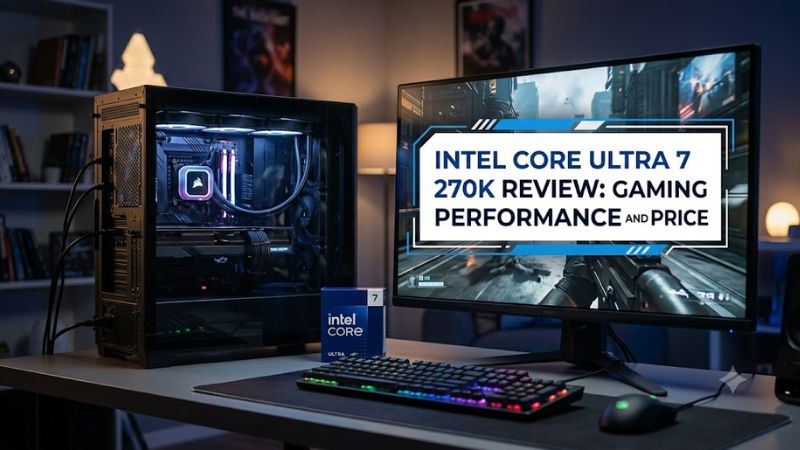
The intel core ultra 7 270k review: gaming performance and price question needs one clarification: Intel’s current desktop processor is officially named the Core Ultra 7 270K Plus. Released in March 2026, it combines 24 cores with improved gaming performance and strong productivity results. Its value depends on your graphics card, motherboard budget, and priorities.
How to Choose a High-Performance Gaming CPU
Choosing a gaming processor means balancing frame rates, multitasking, platform costs, and future upgrades. The Core Ultra 7 270K Plus targets enthusiasts who play demanding games while streaming, compiling code, or editing video. Its performance makes it worth considering, but buyers should compare complete system costs rather than CPU prices alone.
Gaming performance and frame-rate consistency
The Core Ultra 7 270K Plus improves on the earlier Core Ultra 7 265K, making it more competitive for high-refresh-rate gaming. Its 8 performance cores and 16 efficiency cores support demanding game engines alongside background workloads. However, the fastest processor for productivity is not automatically the fastest choice for every game.
Independent results vary by title, graphics card, and settings. TechSpot’s review found that the 270K Plus was competitive with AMD’s Ryzen 7 9700X in Rainbow Six Siege X, while Battlefield 6 showed stronger results for Intel in its medium-preset comparison. These differences make game-specific results more useful than a single universal ranking.
Productivity performance for mixed workloads
The processor’s 24-core configuration is attractive for users who game and create content on the same desktop. Extra parallel processing capacity can help with rendering, encoding, compiling, and other workloads that use multiple threads effectively. Compared with buying a gaming-only processor, this approach may offer more flexibility for a workstation that also serves as a gaming PC.
The trade-off is that core count alone does not predict performance in every application. Some games and lightly threaded programs depend more heavily on latency, cache behavior, and individual-core performance. Buyers who primarily play competitive titles should compare average frame rates and 1% lows against similarly priced alternatives before paying for additional processing capacity.
Platform compatibility and upgrade costs
The Core Ultra 7 270K Plus uses the LGA 1851 socket and requires a compatible Intel 800-series motherboard. It supports DDR5 memory, not DDR4, so an existing DDR4 kit cannot be carried over to this platform. Check the motherboard’s CPU support list and BIOS requirements before purchasing, particularly if the board was manufactured before the processor launched.
Cooling and power delivery also deserve attention. The processor has a 125 W base power rating, but actual consumption can rise substantially under heavy workloads depending on motherboard power limits. It does not include a boxed CPU cooler, so budget for a suitable compatible cooler and verify case clearance, mounting hardware, and motherboard cooling capacity.
Price versus long-term value
Intel announced a suggested starting price of $299 for the Core Ultra 7 270K Plus. Retail prices can differ by seller, availability, and promotions, so the launch price should not be mistaken for a guaranteed current checkout price. Compare the processor’s street price with competing CPUs and the total cost of the motherboard, DDR5 memory, and cooling system.
The platform’s upgrade outlook matters as well. The LGA 1851 ecosystem is associated with Intel’s Core Ultra 200S desktop family, and buyers should not assume that a future processor generation will use the same socket. Someone building a new PC may find the price-to-performance balance compelling, while an owner of a recent compatible system should calculate whether replacing the CPU alone justifies the expense.
Top Picks: Price, Specifications, and Alternatives
For buyers researching the intel core ultra 7 270k review: gaming performance and price, the main comparison is between Intel’s refreshed desktop lineup and AMD’s Ryzen alternatives. The 270K Plus is particularly appealing for mixed workloads, while less expensive processors may leave more money for a stronger graphics card. The right choice depends on the games you play and your existing hardware.
| Product | Best For | Key Spec | Compatibility | Watch Out For |
| Intel Core Ultra 7 270K Plus | Overall mixed-use performance | 24 cores, 5.5 GHz maximum boost | LGA 1851, DDR5 | Platform upgrade limitations |
| Intel Core Ultra 5 250K Plus | Value-focused builds | 18 cores, 125 W base power | LGA 1851, DDR5 | Less processing capacity |
| AMD Ryzen 7 9700X | Gaming and general use | 8 cores, 16 threads | AM5, DDR5 | Lower core count for heavily threaded work |
| AMD Ryzen 7 9800X3D | Gaming-first systems | 8 cores, 16 threads, 3D V-Cache | AM5, DDR5 | Higher purchase cost |
These are comparison candidates, not a universal performance ranking. Specifications come from manufacturer and independent review information; exact retail prices change. Confirm the current product listing and motherboard support before buying.
Intel Core Ultra 7 270K Plus: mixed-use performance
The 270K Plus is the strongest fit for buyers who want gaming alongside intensive productivity work. Its 8 P-cores and 16 E-cores, 40 MB of L2 cache, and 36 MB of L3 cache make it well suited to parallel workloads. Intel lists a $299 suggested starting price, although retailer pricing can vary.
Its main weakness is the LGA 1851 platform’s limited upgrade outlook. Buyers who already own a compatible 800-series motherboard may have a straightforward upgrade path, subject to BIOS support. Those building from scratch should factor in the motherboard, DDR5 memory, and adequate cooling rather than comparing processor prices in isolation.
Intel Core Ultra 5 250K Plus: a lower-cost alternative
The Core Ultra 5 250K Plus targets people who want a lower initial CPU cost while retaining a modern desktop platform. With 18 cores comprising 6 P-cores and 12 E-cores, it offers substantial parallel processing capacity for gaming, streaming, and everyday creation work. Intel announced a suggested starting price of $199.
The compromise is reduced processing capacity compared with the 270K Plus, which can matter in demanding production applications. Gamers who mainly play at higher resolutions may find the difference less important when the graphics card limits performance. It uses the same LGA 1851 and DDR5 platform, so it does not avoid the ecosystem’s upgrade limitations.
AMD Ryzen 7 9700X: an alternative for balanced PCs
The Ryzen 7 9700X is worth comparing if gaming and everyday productivity matter more than having a high core count. Its eight Zen 5 cores and 16 threads are supported by the AM5 platform and DDR5 memory. Because its architecture and core arrangement differ from Intel’s, workload-specific benchmarks are more informative than clock speed alone.
Its limitation is lower thread capacity for some heavily parallel applications. Nevertheless, the processor may be a sensible choice if the full AM5 build costs less or offers a more attractive upgrade path. Check motherboard pricing and supported memory configurations before deciding, since platform costs can outweigh a modest difference in CPU pricing.
AMD Ryzen 7 9800X3D: a gaming-focused option
The Ryzen 7 9800X3D is an important comparison for enthusiasts prioritizing game performance. Its 3D V-Cache technology can improve frame rates in games that benefit from additional cache, making it particularly relevant for CPU-limited scenarios and high-refresh-rate displays. Independent reviews generally place AMD’s X3D processors among the strongest gaming options.
The drawback is that the 9800X3D is a specialized choice rather than an automatic winner for every workload. Its price and productivity performance should be weighed against the 270K Plus’s larger core configuration. It requires an AM5 motherboard and DDR5 memory, so switching from Intel means changing the motherboard as well.
Gaming Benchmarks, Limitations, and Buying Advice
The key finding in the intel core ultra 7 270k review: gaming performance and price discussion is that the Plus model improves Intel’s position, but performance still depends on the game and test conditions. Independent reviews show strong productivity results and more competitive gaming than the earlier 265K. Buyers should use benchmarks that disclose resolution, quality settings, GPU, and testing methodology.
What independent gaming benchmarks show
TechSpot’s Core Ultra 7 270K Plus review compared the processor with AMD alternatives across several games. In Rainbow Six Siege X, the Intel chip was approximately 4% slower than the Ryzen 7 9700X under the review’s quality-preset tests. In Battlefield 6 at medium settings, it delivered a 6% higher average frame rate and 30% better 1% lows than the 9700X.
Those figures are specific to TechSpot’s test setup and should not be applied to every PC. The published comparisons use 1080p tests with different quality presets, and graphics-card limitations can change the relative results at higher resolutions. Readers should consult the original
TechSpot benchmark review
for individual game results rather than treating these examples as a universal average.
Specifications that matter in a real build
The 270K Plus has a maximum P-core boost frequency of 5.5 GHz, 24 cores, and 24 threads. Intel specifies a 125 W processor base power and a maximum turbo power of 250 W. These figures describe different operating limits, so the base power rating should not be used as the sole basis for selecting a cooler or estimating system power consumption.
The processor also supports PCIe 5.0 and includes integrated graphics, which can help with basic display output and troubleshooting when a discrete GPU is unavailable. Actual PCIe lane availability and device configuration depend on the motherboard. A separate graphics card is still recommended for demanding modern games, and its power supply requirements must be calculated independently.
Intel Binary Optimization Tool and game support
Intel’s Binary Optimization Tool is a notable feature of the Core Ultra 200S Plus generation. It is designed to improve performance in supported games by optimizing how selected software executes on the processor. Results depend on the title, compatibility, and the tool’s supported configuration, so users should not assume that every game receives the same benefit.
This feature is one reason launch-era and later benchmark results may not always align. Drivers, BIOS versions, Windows updates, game patches, and optimization software can influence measured performance. For a fair comparison, prioritize recent independent reviews that explain whether the tool was enabled and how the test platform was configured.
Power, cooling, and the upgrade decision
The processor’s maximum turbo power makes cooling an important part of the build budget. Choose a cooler explicitly compatible with LGA 1851, confirm that the required mounting hardware is included, and check the case’s cooler-height or radiator-clearance limits. Motherboard power settings can also affect sustained performance, temperature, and noise during long gaming or rendering sessions.
The final purchase decision comes down to your priorities. The 270K Plus is attractive when high multithreaded performance and competitive gaming share equal importance. A gaming-first buyer should compare the 9800X3D and other current alternatives, while an owner of an existing system should calculate the total upgrade cost before replacing a working platform.
FAQ
Is the Intel Core Ultra 7 270K Plus good for gaming?
Yes, the Intel Core Ultra 7 270K Plus is a competitive gaming processor with stronger results than its predecessor in many reviewed workloads. Its performance varies by game, and AMD’s X3D processors can remain faster in cache-sensitive titles. It makes the most sense for players who also need substantial productivity performance.
What is the price of the Intel Core Ultra 7 270K Plus?
Intel announced a suggested starting price of $299 for the Core Ultra 7 270K Plus. Actual retail prices vary by store and date, so check current listings before buying. Remember to include the cost of an LGA 1851 motherboard, DDR5 memory, and a compatible cooler in your budget.
Does the Intel Core Ultra 7 270K Plus support DDR4?
No, the Core Ultra 7 270K Plus uses DDR5 memory and does not support DDR4. It requires a compatible LGA 1851 motherboard with an Intel 800-series chipset. Memory speed and advanced memory features depend on the motherboard, processor configuration, and installed modules.
Is the Intel Core Ultra 7 270K Plus worth buying over the Ryzen 7 9800X3D?
The Intel Core Ultra 7 270K Plus is worth considering if you combine gaming with demanding multithreaded workloads, while the Ryzen 7 9800X3D is a compelling option for gaming-focused builds. Compare current prices and benchmarks for your games, and account for the different motherboard platforms before making a decision.
Final Thoughts
The intel core ultra 7 270k review: gaming performance and price verdict is favorable for buyers who need both gaming and productivity power. Its 24-core design and $299 launch price make it competitive, but DDR5 costs, cooling needs, and the LGA 1851 upgrade outlook matter. Compare current deals and game-specific benchmarks before purchasing.