🛒 Best Price Today on Amazon
Prime members get fast, free shipping on everything above, plus member-only deals. New members get a 30-day free trial — cancel anytime.
The intel core i9-13900k review: gaming performance and price question matters most to buyers choosing between a discounted older flagship and newer desktop CPUs. Intel’s 24-core processor still offers strong gaming and multitasking performance, but its power demands, platform age, and documented stability concerns make motherboard firmware and total system cost important parts of the purchase decision.
How to Choose a High-End Gaming CPU
The Core i9-13900K remains a capable processor for high-refresh-rate gaming, streaming, and demanding creative workloads. However, the right purchase depends on the graphics card, target resolution, cooling capacity, and whether you already own a compatible motherboard. A lower-priced CPU can deliver similar gaming results while leaving more money for a faster GPU.
Gaming performance and resolution
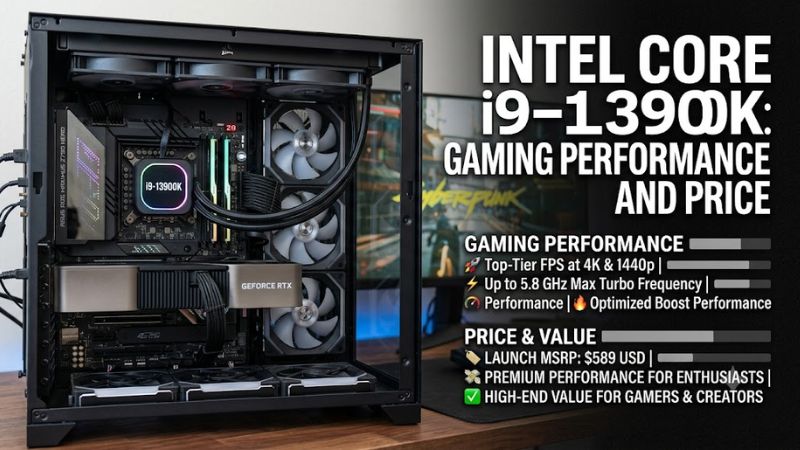
At 1080p, CPU differences become more visible when paired with a powerful graphics card and competitive settings. At 1440p and 4K, the GPU often becomes the limiting component, reducing the benefit of paying extra for a flagship processor. Your game selection, frame-rate target, and graphics card therefore matter more than core count alone when comparing gaming CPUs.
Core count and productivity workloads
The Core i9-13900K combines eight Performance-cores with sixteen Efficient-cores, providing 24 cores and 32 threads. This hybrid design suits users who game while streaming, compile code, render video, or run other heavily threaded applications. Players who mainly run games and ordinary background applications may gain little from its extra processing capacity compared with a less expensive modern CPU.
Platform compatibility and memory
The processor uses the LGA1700 socket and works with compatible Intel 600-series and 700-series motherboards, subject to the board manufacturer’s CPU support list and BIOS requirements. Supported memory depends on the motherboard: platforms can use DDR4 or DDR5, but an individual board supports only its designed memory type. PCIe 5.0 support is available, although motherboard slot and storage configurations vary.
Cooling, power, and firmware
Intel specifies 125W Processor Base Power and 253W Maximum Turbo Power for the Core i9-13900K. These figures make a capable CPU cooler, a well-ventilated case, and a motherboard with suitable power delivery important considerations. Intel also recommends current BIOS firmware containing microcode 0x12F or later and Intel Default Settings to address the documented Vmin Shift Instability issue affecting some 13th- and 14th-generation desktop processors.
Top Picks: Pricing, Specifications, and Alternatives
The original launch MSRP for the Core i9-13900K was $589, but that is not a reliable estimate of its current retail price. Stock, retailer discounts, and used-market condition can change its value considerably. The comparison below emphasizes the use case and verified platform characteristics rather than assigning unverified October 2026 street prices.
| Product | Best For | Key Spec | Compatibility | Watch Out For |
| Intel Core i9-13900K | High-end gaming and productivity | 24 cores, 32 threads; up to 5.8 GHz | LGA1700; DDR4 or DDR5 board | High power draw and stability history |
| Intel Core i7-13700K | Value-oriented high-end gaming | 16 cores, 24 threads; up to 5.4 GHz | LGA1700; DDR4 or DDR5 board | Still needs substantial cooling |
| Intel Core i5-13600K | Gaming on a tighter CPU budget | 14 cores, 20 threads; up to 5.1 GHz | LGA1700; DDR4 or DDR5 board | Less multicore capacity than the i9 |
| AMD Ryzen 7 9800X3D | Gaming-focused new builds | 8 cores, 16 threads; 3D V-Cache | AM5; DDR5 memory | Requires a different motherboard and RAM platform |
Best Overall: Intel Core i9-13900K
The Core i9-13900K makes sense for buyers who need strong gaming performance alongside demanding productivity work. Its eight Performance-cores, sixteen Efficient-cores, 32 threads, and maximum turbo frequency of 5.8 GHz provide substantial processing capacity. Integrated Intel UHD Graphics 770 is also included, which can provide basic display output and Quick Sync support when the system is configured appropriately.
The drawback is its demanding power and thermal profile, combined with the need to pay close attention to firmware and stability. Buyers building a gaming-only PC from scratch should compare its complete platform cost with newer gaming-oriented processors before committing. The intel core i9-13900k review: gaming performance and price verdict is therefore conditional: it is attractive at a substantial discount, not automatically the best choice at flagship pricing.
Best Value Alternative: Intel Core i7-13700K
The Core i7-13700K is a sensible alternative for gamers who want high-end Intel performance without paying for the i9’s full core count. It offers eight Performance-cores and eight Efficient-cores, giving it 16 cores and 24 threads, with a maximum turbo frequency of 5.4 GHz. It shares the LGA1700 platform and supports either DDR4 or DDR5 through a compatible motherboard.
In Tom’s Hardware’s original gaming suite, the i7-13700K delivered 95.4% of the i9-13900K’s aggregate 1080p performance and 96.7% at 1440p. The review used an NVIDIA GeForce RTX 4090 to limit GPU bottlenecks, so these percentages are specific to that test suite rather than universal frame-rate predictions. Buyers who also render or encode large projects should still compare application benchmarks before choosing the i7.
Best for Budget-Conscious Gaming: Intel Core i5-13600K
The Core i5-13600K suits players who want strong gaming performance while keeping the CPU budget under control. It includes six Performance-cores and eight Efficient-cores, totaling 14 cores and 20 threads, and supports overclocking on a suitable motherboard. Its compatibility with DDR4 or DDR5 boards can also help existing LGA1700 owners avoid replacing their memory.
Its limitation is lower processing capacity for heavily threaded work, especially when multiple demanding applications run at once. In the same Tom’s Hardware gaming suite, it reached 89.2% of the i9’s aggregate 1080p result and 91.4% at 1440p. These figures are historical relative results, not a promise of identical performance in current games. Gamers who stream, edit video, or render frequently should compare those workloads separately.
Tom’s Hardware
+1
Best for Gaming-Focused New Builds: AMD Ryzen 7 9800X3D
The Ryzen 7 9800X3D is worth considering when gaming performance takes priority over maximum core count. Its eight-core, 16-thread design uses AMD’s 3D V-Cache technology, which can improve frame rates in cache-sensitive games. Tom’s Hardware’s 2026 CPU coverage identifies AMD’s X3D processors as leading gaming options, although the margin varies by title, resolution, and graphics card.
This processor requires an AM5 motherboard and DDR5 memory, so it is not a drop-in replacement for the Core i9-13900K. Buyers upgrading an existing LGA1700 system may find keeping their current motherboard and RAM more economical. New-build buyers should compare the total cost of the CPU, motherboard, memory, and cooling rather than selecting a processor based on gaming rankings alone.
FAQ
Is the Intel Core i9-13900K still worth buying in 2026?
Yes, the Core i9-13900K can be worth buying in 2026 if its current price is low enough to justify its power consumption, cooling requirements, and aging platform. This intel core i9-13900k review: gaming performance and price assessment favors buyers upgrading an existing LGA1700 system over those building a completely new gaming PC.
How much power does the Core i9-13900K use?
Intel rates the Core i9-13900K at 125W Processor Base Power and 253W Maximum Turbo Power, with actual consumption depending on workload and motherboard settings. Choose cooling and power delivery for sustained heavy loads, and follow Intel Default Settings. Keep BIOS firmware current, including the recommended microcode 0x12F or later, to address the documented instability issue.
Which motherboard and RAM work with the Core i9-13900K?
The Core i9-13900K uses an LGA1700 motherboard that explicitly supports the processor, with an appropriate BIOS version. Compatible boards may support DDR4 or DDR5, but the motherboard determines which memory type fits. Check the manufacturer’s CPU support list and memory compatibility information before buying, particularly when upgrading an older Intel system.
Is the Core i9-13900K better than the Ryzen 7 9800X3D for gaming?
Not necessarily, because the winner depends on the game, resolution, graphics card, and benchmark methodology. The Ryzen 7 9800X3D is designed around gaming-focused 3D V-Cache, while the Core i9-13900K combines high gaming performance with more threads for productivity. Compare current independent benchmarks and total platform costs before choosing either processor.
Final Thoughts
The intel core i9-13900k review: gaming performance and price conclusion is straightforward: this CPU remains a capable choice for gaming and demanding multitasking, particularly for existing LGA1700 owners. However, its power requirements, cooling costs, and firmware considerations weaken its appeal for new builds. Buy it when verified pricing makes sense, and compare newer gaming-focused alternatives first.