GeForce NOW vs Xbox Cloud Gaming comes down to one question: do you want to stream games you already own on PC stores, or games from the Xbox and Game Pass ecosystem? GeForce NOW links your Steam, Epic and other store libraries and has a free tier with queues and ads. Xbox Cloud Gaming streams eligible Xbox games, now has an ad-supported free route with session limits, and caps Game Pass cloud time by plan.
- Quick verdict: which one fits you?
- What are the best cloud gaming sites and services right now?
- How do the two services work differently?
- Side-by-side comparison table
- Which is better for free cloud gaming?
- Library and catalog: where your games actually come from
- Cloud gaming websites: which ones work in a browser?
- Is there a free cloud gaming app worth trying?
- Worked example: what each stream costs in bandwidth and data
- Decision matrix: pick by your device and habits
- Step-by-step: try both in one evening
- Troubleshooting: symptom, cause, fix
- Frequently asked questions
- Sources we checked
Both services changed in November 2026, so older comparisons are out of date. Xbox added the ad-supported free route and monthly cloud-hour allowances, while GeForce NOW still separates Free, Performance and Ultimate memberships. This guide compares them on the things that actually decide the choice: where your games live, which devices you have, how much internet you need, and how long you can play in one go. If you are still surveying the field, our hub on free cloud gaming services covers the wider picture first.
Quick verdict: which one fits you?
| Your situation | Better fit | Why |
|---|---|---|
| Large Steam, Epic or Ubisoft library, no gaming PC | GeForce NOW | It plays supported games you already own on those stores |
| Already pay for Game Pass | Xbox Cloud Gaming | Cloud hours come with the plan, and the library is included |
| Want to try cloud gaming with no payment | Either, GeForce NOW first | Both have a free route; GeForce NOW has no published monthly cap on free play |
| Play on an Xbox console, smart TV or VR headset | Xbox Cloud Gaming | Built into the Xbox ecosystem, with consoles, TVs and VR headsets listed |
| Play on a Chromebook, Mac or Linux laptop | GeForce NOW | NVIDIA lists ChromeOS, macOS, Windows and Linux |
| Want mouse and keyboard in a browser | Either, check the game | Xbox supports it only in Edge or Chrome, in full screen |
| Want longer sessions on a free tier | GeForce NOW | Reported free sessions are about an hour, versus 30 minutes reported for Xbox |
| Short on data or on a capped connection | Xbox at lower quality | Xbox lists 10 Mbps as a minimum; GeForce NOW starts at 15 Mbps for 720p |
What are the best cloud gaming sites and services right now?
The two names most people compare are GeForce NOW and Xbox Cloud Gaming, with Boosteroid, Shadow and PlayStation’s own streaming also in the mix. For a head-to-head, these two have the clearest free routes and the most published detail.
For a ranked survey of everything else, our free cloud gaming services hub and the Stadia alternatives list cover the rest of the market. This page stays focused on two services so the comparison is specific rather than a vague overview.
How do the two services work differently?
GeForce NOW is a remote gaming PC that runs games you own from other stores, while Xbox Cloud Gaming streams games from Xbox’s own cloud catalog. That one difference explains most of the rest.
GeForce NOW: bring your own library
You create an NVIDIA account, link stores such as Steam, Epic Games Store, Ubisoft Connect, Battle.net, EA app, GOG and Xbox, and the service shows which of your owned games are supported. Support depends on publisher permission, and some titles with kernel-level anti-cheat or special launchers are missing, so the in-service catalog is the only reliable list. Saves live with the store or game, not on the NVIDIA machine. Install-to-Play, which lets you install supported games that are not pre-installed, is limited to paid memberships according to NVIDIA’s FAQ.
Xbox Cloud Gaming: eligible games, three ways to pay
Xbox lists three ways to play: free with ads (session limits apply), purchased Cloud Playtime hours, and monthly cloud playtime that comes with a Game Pass plan. Games must be cloud-enabled by the publisher. On the free route you can stream select games you own and select free-to-play titles. Library titles you do not own need a qualifying plan. The details are in our Xbox Cloud Gaming free guide.
Side-by-side comparison table
| Criteria | GeForce NOW | Xbox Cloud Gaming |
|---|---|---|
| How you get games | Link store accounts, stream supported games you own | Own an eligible game, play a free-to-play title, or have a qualifying Game Pass plan |
| Free route | Free membership: queue, basic rigs, up to two minutes of ads before each session | Ad-supported tier: ads before sessions, session limits |
| Free session length | Not stated by NVIDIA; editorial coverage says about one hour | Xbox says “session limits apply”; launch coverage reports 30 minutes |
| Monthly cap, free | None published for the free tier | Session limits only; no published monthly figure |
| Paid tiers | Performance and Ultimate, plus 24-hour Day Passes | Cloud Playtime packs (10, 25, 50 hours) and Game Pass Essential, Premium, Ultimate |
| Monthly paid hours | 100 hours, with up to 15 rolling over | 5 (Essential), 10 (Premium), 15 (Ultimate), no rollover |
| Top stream quality | Performance up to 1440p at 60 fps; Ultimate up to 5K at 120 fps | Not printed on the cloud gaming page; check Xbox’s support pages |
| Minimum bandwidth | 15 Mbps (720p60) up to 65 Mbps (5K120) | 10 Mbps minimum, 20 Mbps better |
| Wi-Fi advice | Ethernet or 5 GHz; under 80 ms to the data center | Ethernet or 5 GHz Wi-Fi |
| Devices | Windows, macOS, ChromeOS, Linux, Android, iPhone, iPad, Steam Deck and other handhelds, supported smart TVs, VR headsets | Xbox consoles, PCs, smart TVs, phones, tablets, handhelds, VR headsets |
| Browser play | Chrome, Edge, Firefox, Opera GX, Safari | Edge, Chrome, Safari depending on the OS |
| Input | Controller or mouse and keyboard, game dependent | Controller over Bluetooth or USB; touch controls in select games; mouse and keyboard in Edge or Chrome |
Treat the paid figures as a snapshot of November 2026. Both companies adjust tiers, so confirm on the official pages before you commit.
Which is better for free cloud gaming?
For no-cost play, GeForce NOW is the safer starting point because its free tier has no published monthly playtime cap and longer reported sessions. Xbox’s free route works well only if the game you want is cloud-enabled and already yours.
What does the GeForce NOW free tier limit?
NVIDIA says free members may wait in a queue, see up to two minutes of video sponsorship messages before each session, and play on basic rigs whose performance varies by game and server availability. There is no monthly playtime cap on the free tier, and the 100-hour monthly figure belongs to paid memberships. NVIDIA does not publish a free session length on its FAQ, so the commonly reported one hour is a planning figure, not a promise. Full details sit in our GeForce NOW free guide.
What does the Xbox free tier limit?
Xbox describes the free route as ad-supported streaming with session limits. Coverage of the public launch reports ads before a session rather than during play, and a 30-minute cap, while the earlier Insider test was reported at one hour. Xbox’s own page prints no minutes figure, so treat 30 minutes as reported, not official, and plan on the shorter number.
Which are the best free cloud gaming services overall?
Among mainstream options, GeForce NOW Free and the Xbox ad-supported route are the two with clear free paths. Anything promising unlimited, ad-free, no-account cloud PCs deserves suspicion, because a streamed game has to be licensed to someone.
Library and catalog: where your games actually come from
If you already own a pile of PC games, GeForce NOW makes them playable on weak hardware; if you want to rent access to a catalog, Game Pass with Xbox Cloud Gaming fits better. These are different value ideas, not a like-for-like contest.
- Owned PC games: GeForce NOW. Check each game in the service catalog before assuming it streams.
- Subscription library: Xbox, through a Game Pass plan. Our list of best games on Xbox Game Pass helps you judge whether the catalog suits you, though only the cloud-playable filter on Xbox’s play page tells you what actually streams.
- Free-to-play: both. Each lists free-to-play games that need no purchase.
- Xbox console purchases: Xbox Cloud Gaming for eligible titles you own.
If you are weighing whole subscription ecosystems, rather than just cloud, see Xbox Game Pass vs PS Plus vs Steam.
Cloud gaming websites: which ones work in a browser?
Both services run in a browser. GeForce NOW lists Chrome, Edge, Firefox, Opera GX and Safari. Xbox lists Edge and Chrome on Windows, Safari, Edge or Chrome on Mac, Edge or Chrome on Android, Safari or Chrome on iPhone and iPad, and Chrome on ChromeOS.
That matters for school or work laptops, where you may not be allowed to install anything. For the browser route in detail, see how to play cloud games in your browser, and for low-power laptops see cloud gaming on a Chromebook.
One input detail: Xbox says Edge and Chrome are the only browsers that support mouse and keyboard for cloud gaming, and the stream must be in full screen for it to work. Controllers connect over Bluetooth or USB, and select games add touch controls on a phone.
Is there a free cloud gaming app worth trying?
Yes, but “free” always means a trade. Both services cost nothing to sign in to; the limits show up when you press play. This table summarises what you give up and what you keep.
| Free route | What you give up | What you keep |
|---|---|---|
| GeForce NOW Free | Time in a queue, ads before sessions, basic rigs, shorter sessions, no Install-to-Play | Your own game library, cloud saves for supported games, no published monthly cap |
| Xbox ad-supported | Ads before sessions, capped session length, only eligible games | Access without Game Pass for games you own or free-to-play titles |
| Game Pass cloud hours | A fixed monthly allowance by plan | Ad-free play of library titles that are cloud-enabled |
Worked example: what each stream costs in bandwidth and data
A 1080p 60 fps GeForce NOW stream asks for 25 Mbps, which is 3.125 megabytes per second, or about 11 GB for one hour at that ceiling. The maths: 25 divided by 8 is 3.125 MB/s, and times 3,600 seconds is 11,250 MB.
| Stream | Stated bandwidth | MB per second | Data for one hour at that ceiling |
|---|---|---|---|
| GeForce NOW 720p at 60 fps | 15 Mbps | 1.9 | about 6.8 GB |
| GeForce NOW 1080p at 60 fps | 25 Mbps | 3.1 | about 11.3 GB |
| GeForce NOW 1440p at 120 fps | 35 Mbps | 4.4 | about 15.8 GB |
| Xbox at its minimum | 10 Mbps | 1.25 | about 4.5 GB |
| Xbox at the recommended level | 20 Mbps | 2.5 | about 9 GB |
Put that against a household. If one person streams GeForce NOW at 1080p60 (25 Mbps) and another watches video at a few Mbps, a 50 Mbps plan gets tight once phones and updates join in. A common planning habit is to leave at least half your line speed free as headroom. On a 1 TB monthly data cap, roughly 89 one-hour sessions at the 25 Mbps ceiling would use the whole allowance with nothing left for anything else. A full Game Pass Ultimate month of 15 cloud hours at 20 Mbps is about 135 GB. These are ceilings, not averages, so real use is often lower. For ping, jitter and Wi-Fi detail, see cloud gaming internet speed requirements.
Decision matrix: pick by your device and habits
| If you have | And you want | Start with |
|---|---|---|
| Chromebook or school laptop | Steam games you own | GeForce NOW in the browser |
| Old Windows laptop | A new AAA game without upgrading | GeForce NOW Free, then a paid tier if queues annoy you |
| Xbox console with little storage | Quick access to games you do not want to install | Xbox Cloud Gaming |
| Game Pass Ultimate | Play on a phone or TV | Xbox Cloud Gaming, mindful of 15 monthly hours |
| Steam Deck | Demanding games away from home | GeForce NOW; our guide to Xbox cloud gaming on Steam Deck covers the other route |
| Slow or capped internet | Short casual sessions | Xbox at its 10 Mbps minimum, if the game is eligible |
| Fast wired home connection | Highest picture quality | GeForce NOW Ultimate, if you accept paying for it |
Step-by-step: try both in one evening
- Check your connection first. Run a speed check on the device you will play on. Look for at least 25 Mbps for GeForce NOW 1080p60 and 20 Mbps for Xbox, and note your ping.
- Use Ethernet or 5 GHz Wi-Fi. Both services recommend it. Move closer to the router or plug in; if your router is old, our best routers for gaming guide explains what to look for.
- Create the accounts. A free NVIDIA account for GeForce NOW and a Microsoft account for Xbox. Never share logins or use accounts someone else sells.
- Link your libraries. On GeForce NOW, connect Steam or Epic and look for the play button on a game you own. On Xbox, open the play page and filter for cloud-playable games.
- Plug in a controller. Xbox expects one in most games; GeForce NOW supports controllers and mouse and keyboard depending on the game. See our best controllers for PC list if you need one.
- Start the same game or genre on each. Note the queue and ad time, how often input feels delayed, and whether the session ends before a save point.
- Save, then decide. If queues dominate on GeForce NOW, a Day Pass is a short way to see paid-tier speed without a long commitment. If Xbox sessions end too soon, Cloud Playtime packs are the ad-free option.
Troubleshooting: symptom, cause, fix
| Symptom | Likely cause | Fix |
|---|---|---|
| Long wait before the game starts (GeForce NOW) | Free queue at a busy time | Try off-peak hours, pick a less popular game, or consider a paid tier |
| Session ends mid-mission | Free session limit on either service | Save often; start with games that have frequent checkpoints |
| Blurry or blocky picture | Bandwidth below the stream’s requirement, or a shared Wi-Fi link | Switch to Ethernet or 5 GHz, lower the resolution setting, pause other downloads |
| Delay between button press and action | High latency to the data center | NVIDIA wants under 80 ms; choose the nearest server and avoid VPNs |
| Game missing from the list | Publisher has not enabled cloud play, or it needs a different plan | Check each service’s catalog; Xbox needs a cloud-enabled game you own or a qualifying plan |
| Mouse and keyboard not working on Xbox | Wrong browser or not full screen | Use Edge or Chrome and enter full screen |
| Party chat audio problems on Mac | Older Safari version | Xbox notes issues before Safari 17.0; update the browser |
| Cloud hours ran out | Game Pass monthly allowance used | Wait for the monthly reset, buy Cloud Playtime, or use the free route |
Frequently asked questions
Is GeForce NOW better than Xbox Cloud Gaming?
It depends on your library. GeForce NOW suits owners of PC games and offers broader device support, while Xbox suits Game Pass subscribers and Xbox console owners.
Which is cheaper to start, GeForce NOW or Xbox Cloud Gaming?
Both have a free route. GeForce NOW Free has no published monthly cap, while Xbox’s free tier uses ads and session limits. Check each official page for current paid pricing.
Can I play Steam games on Xbox Cloud Gaming?
No. Xbox streams games from its own cloud catalog. A Steam-only game needs a service like GeForce NOW that links your Steam account, if the publisher allows it.
Do I need Game Pass for Xbox Cloud Gaming?
Not for the free route, which covers eligible games you own and select free-to-play titles. Library games you do not own need a qualifying Game Pass plan.
How much internet speed do I need?
GeForce NOW lists 15 Mbps for 720p60 and 25 Mbps for 1080p60. Xbox lists 10 Mbps as a minimum and recommends 20 Mbps. Wired or 5 GHz connections are advised for both.
Can I use either on a Chromebook?
Yes. NVIDIA lists ChromeOS for GeForce NOW, and Xbox lists Chrome on ChromeOS. Check that your school or employer allows the sites first.
Which one has longer free sessions?
GeForce NOW free sessions are widely reported at about one hour, while launch coverage puts Xbox’s at 30 minutes. Neither figure is printed on the official pages, so treat both as reports.
Is cloud gaming worth it compared with a gaming PC?
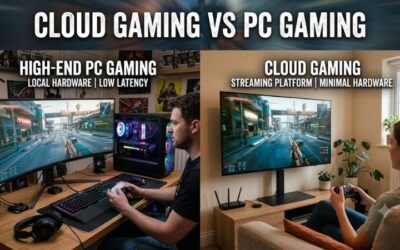
For light or occasional play, yes. For heavy daily use, a local machine avoids queues and monthly limits. Our cloud gaming vs PC gaming guide covers the trade-offs.
Sources we checked
NVIDIA GeForce NOW system requirements page; NVIDIA GeForce NOW FAQ and memberships page; Xbox Cloud Gaming page on xbox.com; Xbox Support supported browsers page; Tom’s Hardware and Tom’s Guide coverage of the GeForce NOW free tier; launch coverage of the Xbox free tier.
Last updated: November 2026