🛒 Best Price Today on Amazon
Prime members get fast, free shipping on everything above, plus member-only deals. New members get a 30-day free trial — cancel anytime.
CORSAIR Vengeance RS DDR5 32GB (2 x 16GB) Up to 6000MHz AMD Intel RAM
Included for 'Best ram speed for ryzen gaming: Complete Clear Guide 2026' as a relevant option in this category; details come from the product listing.
View on Amazon
CORSAIR Vengeance RGB DDR5 RAM 32GB (2x16GB) Up to 6000MHz CL30-36-36-76 1.40V AMD EXPO Intel XMP Desktop Computer Memory - Gray (CMH32GX5M2B6000Z30K)
Included for 'Best ram speed for ryzen gaming: Complete Clear Guide 2026' because the listing specifies Gray (CMH32GX5M2B6000Z30K), details this guide uses to compare options.
View on Amazon
CORSAIR Vengeance RGB RS DDR5 32GB (2 x 16GB) Up to 6000MHz AMD Intel RAM
Included for 'Best ram speed for ryzen gaming: Complete Clear Guide 2026' as a relevant option in this category; details come from the product listing.
View on Amazon
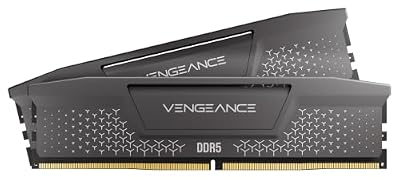
CORSAIR Vengeance DDR5 32GB (2 x 16GB) Up to 6000MHz AMD Intel RAM
Included for 'Best ram speed for ryzen gaming: Complete Clear Guide 2026' as a relevant option in this category; details come from the product listing.
View on AmazonFor best ram speed for ryzen gaming, the practical target depends on the Ryzen generation: AM5 Ryzen 7000 and 9000 commonly use DDR5-6000 profiles, while AM4 Ryzen 5000 uses DDR4. AMD’s official memory ratings are lower, so faster EXPO or similar profiles are overclocked settings, not guaranteed stock speeds.
Quick answer: For most people in 2026, the best ram speed for ryzen gaming is the Setting — our #1 rated choice. See the full ranked comparison, alternatives and buying advice below.
What best ram speed for ryzen gaming really comes down to
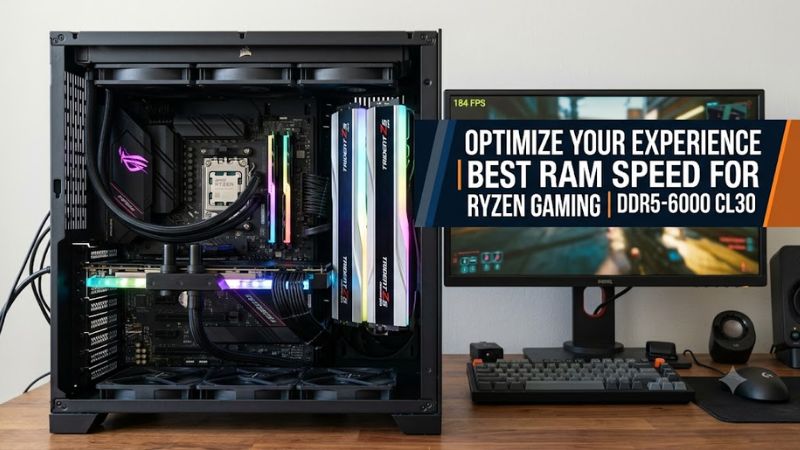
The practical answer is not the highest MT/s number alone. On Ryzen 7000 and 9000, DDR5-6000 with low CAS latency is a common target because it keeps the memory subsystem in a useful operating range. Faster kits can work, but gains depend on the CPU, board, timings and game workload.
1. Start with the Ryzen generation
Best ram speed for ryzen gaming changes sharply between AM4 and AM5. Ryzen 5000 processors use DDR4, where DDR4-3600 is a common performance target, while Ryzen 7000 and 9000 processors use DDR5 on AM5. The socket and memory type therefore come before frequency shopping.
For AM5, AMD’s published specifications are lower than many retail memory labels. For example, the Ryzen 7 7800X3D lists DDR5-5200 for two-DIMM configurations, while the Ryzen 7 9800X3D lists DDR5-5600. A DDR5-6000 EXPO kit should therefore be treated as an overclocked operating profile, not as the CPU’s stock memory rating.
2. Think in MT/s and latency
DDR5 speed appears as MT/s, not a true clock frequency, so DDR5-6000 means 6000 million transfers per second. CAS latency also matters: DDR5-6000 CL30 has lower first-word latency than DDR5-6000 CL36, although total performance depends on the complete timing set and platform behavior. Lower latency can help in CPU-limited games.
For best ram speed for ryzen gaming, compare full memory specifications rather than choosing the largest transfer-rate number. A 6000 CL30 kit can be a more sensible gaming target than a much faster kit with loose timings if the higher setting forces a less favorable memory-controller ratio or needs additional manual tuning.
3. Match capacity to the workload
Capacity is separate from speed, and a faster kit cannot compensate for insufficient RAM. A 32GB dual-channel configuration is a practical starting point for a modern gaming desktop, while 64GB can make sense when games run beside browsers, recording tools, development software or other memory-heavy applications.
On AM5, two matched DIMMs are simpler than filling all four slots. AMD’s official tables show lower maximum memory speeds with four DIMMs on processors such as the Ryzen 7 9800X3D, so installing modules can change the memory-speed ceiling even when the sticks carry the identical advertised rating.
4. Check EXPO and motherboard support
Best ram speed for ryzen gaming also depends on whether the motherboard firmware can train the selected memory profile. AMD maintains an overclocked-memory compatibility list that identifies supported kits and EXPO information, while motherboard vendors publish QVL lists for individual boards. These checks matter most above basic JEDEC settings.
EXPO is AMD’s memory-overclocking profile for DDR5 platforms, so enabling it changes the system from the CPU’s default memory specification. If a 6000 MT/s profile fails to train, a BIOS update, a different profile or a lower memory speed may help. Do not assume every AM5 processor and board will sustain the same high frequency.
How to set the right Ryzen gaming memory speed
The safest workflow is to begin with a supported two-DIMM DDR5 kit, enable its AMD EXPO profile, then verify the resulting memory speed and stability before changing timings. If the system already reaches the target speed reliably, extra frequency tuning is optional rather than a requirement for gaming.
| Setting | Where | Effect | Risk |
| Confirm platform | CPU and motherboard specifications | Identifies DDR4 or DDR5 and the official memory baseline | Buying incompatible memory |
| Enable EXPO | UEFI/BIOS memory settings | Loads the kit’s advertised DDR5 profile | Boot failure or instability if the profile is unsuitable |
| Verify speed and errors | HWiNFO, Windows Event Viewer, memory test | Confirms the configured rate and checks for hardware errors | A short check can miss rare faults |
| Adjust only if needed | UEFI/BIOS memory controls | Fine-tunes frequency or timings | Higher instability and longer troubleshooting |
1. Confirm the memory type before changing settings
Best ram speed for ryzen gaming starts with platform identification. AM5 desktop Ryzen 7000 and 9000 processors require DDR5, while AM4 Ryzen 5000 processors use DDR4. Check the CPU and motherboard manuals before buying modules, because DDR4 and DDR5 DIMMs are not interchangeable.
Once the platform is known, check the motherboard’s supported memory list and the CPU’s official specification. This gives a troubleshooting baseline. A retail kit may advertise an EXPO frequency above AMD’s stock specification, but that does not turn the advertised profile into a guaranteed operating point for every processor.
2. Enable EXPO, then verify the result
For an AM5 system using a compatible DDR5 kit, enter UEFI/BIOS and locate the memory profile control, then select the AMD EXPO profile. The exact menu name varies by motherboard brand and firmware version, so the manual is the appropriate reference for the board-specific path.
After saving the setting, confirm the effective memory rate in HWiNFO or HWiNFO verification-ready. Remember that DDR5-6000 commonly appears with a roughly 3000 MHz memory clock because DDR transfers data on both clock edges. That display is normal and does not mean the memory has fallen to DDR5-3000.
3. Prefer 6000 MT/s before chasing higher numbers
Best ram speed for ryzen gaming is often discussed as if 6400, 7200 or 8000 MT/s must be better, but benchmark evidence does not support a universal rule. TechSpot’s Ryzen 7 9800X3D testing found DDR5-6000 CL30 strong in gaming, with DDR5-8000 improving Jedi: Survivor by only 1.3% in that test setup.
That result came from 1080p gaming with a high-end graphics card, and it does not apply to every game or resolution. A separate 2026 memory-scaling test used a Ryzen 9 9800X3D with an RTX 4090 at 1440p maximum settings and examined 5600, 6200, 6400 and 8200 configurations, illustrating why platform and workload context matter.
4. Treat manual tuning as optional
If best ram speed for ryzen gaming already means a stable DDR5-6000 EXPO configuration, there is no need to push memory further. Manual tuning can lower timings or raise frequency, but every change adds another variable. Keep a known-good BIOS profile so you can return to the previous configuration if training fails.
When diagnosing instability, HWiNFO can expose hardware errors and Event Viewer can reveal WHEA reports, while a memory test can check faults under load. If errors appear after a change, revert it first. Avoid registry scripts, RAM cleaners or telemetry changes as memory fixes under load now.
FAQ: common questions about Ryzen gaming RAM
The four questions below cover the decisions that cause confusion: the target speed for AM5, whether 6000 MT/s is mandatory, what older Ryzen platforms should use, and whether faster memory matters at higher resolutions. Each answer separates AMD’s official specification from optional memory overclocking.
Is DDR5-6000 mandatory for Ryzen gaming?
No, DDR5-6000 is not mandatory for Ryzen gaming. AMD’s official Ryzen 7 9800X3D specification lists DDR5-5600 for two-DIMM configurations, while DDR5-6000 is a common EXPO target. A lower-speed configuration can run normally, with gaming differences depending on the CPU, game and GPU.
6000 MT/s appears often because of architectural balance, not necessity. TechSpot reports that AMD’s Zen 4 and Zen 5 guidance treats DDR5-6000 as a useful AM5 target, while its 9800X3D gaming results showed only small gains from moving to DDR5-8000. Those findings support treating 6000 as a target, not a rule.
Does faster RAM always increase FPS on Ryzen?
No, faster RAM does not always produce meaningful FPS gains. Memory changes matter more when the CPU and memory subsystem are limiting performance, while GPU-limited workloads can show much smaller differences. TechSpot’s 9800X3D results found less than a 2% spread in Hitman 3 across the configurations reported.
Benchmark conditions also change the answer. Tweakers’ Ryzen 9 9950X results used a GeForce RTX 4090 and compared several DDR5 kits in games at 1920×1080, where some differences were only a few percent. At 1440p or 4K with a slower GPU, the graphics card can become the main limit, reducing the visible effect of memory tuning.
What RAM speed should Ryzen 5000 use?
Ryzen 5000 is an AM4 DDR4 platform, so its memory target should not be copied from AM5. DDR4-3600 is a common tuning point for Ryzen 5000 gaming systems, whereas DDR5-6000 applies to newer AM5 processors. Motherboard QVL and CPU limits still determine practical settings.
This distinction is important when upgrading an older system. AM4 motherboards cannot accept DDR5 DIMMs, and an AM5 board cannot use DDR4 despite similar Ryzen family names. Check the socket and motherboard model first, then choose the memory generation that the board actually supports, upgrade-ready.
Is DDR5-8000 worth considering on Ryzen?
DDR5-8000 can be technically interesting on AM5, but is not a gaming requirement. Higher-speed operation can change the relationship between memory clock and controller clock, and motherboard and CPU memory-controller capability varies. TechSpot’s AM5 testing notes that DDR5-8000 may run with a 2:1 controller ratio on many systems.
For a normal gaming build, start with the game’s performance limit rather than the RAM’s maximum label. If the system is GPU-limited, higher memory frequency may have little visible effect. If a CPU-heavy workload benefits from tuning, compare benchmarks at the same resolution and settings before spending more.
Final Thoughts
Best ram speed for ryzen gaming is usually a platform question before shopping. For current AM5 Ryzen 7000 and 9000 desktops, DDR5-6000 with sensible timings and an EXPO profile is a practical starting point, while Ryzen 5000 belongs to the DDR4 generation. Verify the board, CPU and workload before tuning higher.
Ready to decide? Our #1 pick for 2026 is the Setting.
Live price & availability on Amazon.