🛒 Best Price Today on Amazon
Prime members get fast, free shipping on everything above, plus member-only deals. New members get a 30-day free trial — cancel anytime.
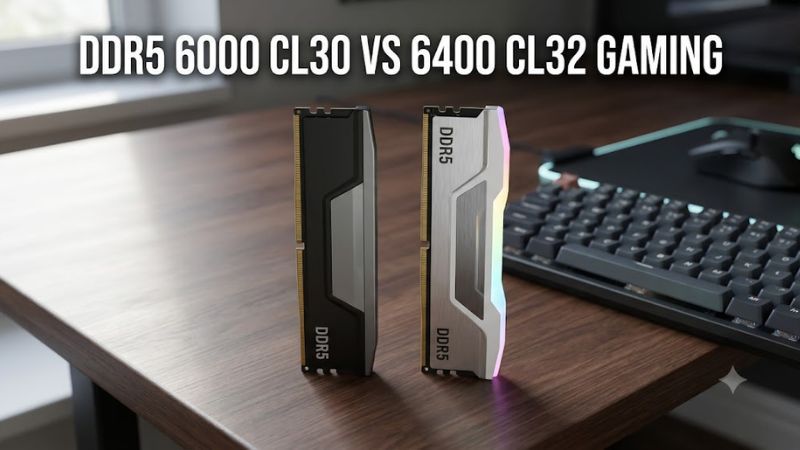
DDR5 6000 CL30 vs 6400 CL32 gaming comes down to memory latency, bandwidth, and platform compatibility. Both kits offer similar theoretical first-word latency, but DDR5-6400 provides more bandwidth. This guide explains which configuration makes more sense for AMD Ryzen and Intel gaming PCs.
What DDR5 6000 CL30 vs 6400 CL32 Really Comes Down To
DDR5-6000 CL30 and DDR5-6400 CL32 are closely matched memory configurations, not radically different performance tiers. Their theoretical CAS latency is identical at 10 nanoseconds, while the 6400 kit offers higher data-transfer bandwidth. The better choice depends on the CPU, motherboard, memory controller, and achievable stable settings.
1. Memory Speed and CAS Latency Explained
DDR5-6000 transfers data at 6,000 MT/s, while DDR5-6400 operates at 6,400 MT/s. That gives the faster kit approximately 6.7% more theoretical transfer bandwidth at the same channel width. However, higher transfer speed does not automatically translate into an equivalent gaming performance improvement.
CAS latency describes the number of memory clock cycles between a read command and the availability of the requested data. Because the 6400 kit also operates at a higher clock, its CL32 rating offsets the extra cycles. Both configurations have the same calculated CAS component of first-word latency.
2. Calculating the Actual Latency Difference
DDR5 memory transfers data twice per clock cycle, so the physical memory clock is half the advertised transfer rate. The theoretical CAS calculation is therefore:
- DDR5-6000 CL30: 30 ÷ 3000 × 1000 = 10 ns.
- DDR5-6400 CL32: 32 ÷ 3200 × 1000 = 10 ns.
This calculation only describes CAS latency. It does not represent complete memory-access latency, which also involves timings such as tRCD, tRP, tRAS, memory-controller behavior, and CPU architecture. Two kits with matching CAS latency can therefore perform differently in practice.
3. Why Gaming Performance Depends on the CPU
Games do not access memory in exactly the same way. CPU-heavy titles, simulation games, competitive shooters, and large open-world environments can respond differently to memory bandwidth and latency. Some workloads benefit from faster memory, while others are limited by the graphics card or the processor’s execution performance.
The difference between these configurations is usually more relevant when a game is CPU-limited, particularly at lower resolutions and competitive settings. At higher resolutions with demanding graphics settings, GPU limitations can reduce the practical impact of memory tuning. Neither kit should be expected to deliver a universal FPS advantage.
4. Platform Compatibility Matters More Than the Rating
AMD Ryzen and Intel platforms have different memory-controller characteristics and official memory specifications. A kit advertised for DDR5-6400 does not mean every processor and motherboard can operate it at that speed. The CPU’s memory controller, motherboard topology, BIOS version, and number of installed DIMMs all influence stability.
Also distinguish standard JEDEC operation from EXPO or XMP memory profiles. The advertised 6000 MT/s or 6400 MT/s profile may require enabling memory overclocking in BIOS. Check the motherboard’s memory support documentation and the exact processor specifications before choosing either configuration.
DDR5 6000 CL30 vs 6400 CL32: Gaming Trade-Offs
The practical difference becomes clearer when comparing the complete memory configuration rather than looking at its advertised speed alone. DDR5-6400 has a bandwidth advantage, but DDR5-6000 can be an easier configuration to run with favorable memory-controller synchronization on AM5. Intel systems have different considerations, particularly with newer desktop processors.
1. Bandwidth: Where DDR5-6400 Has the Advantage
A standard DDR5 desktop memory channel has a 64-bit data width. The theoretical bandwidth per channel is 48 GB/s at DDR5-6000 and 51.2 GB/s at DDR5-6400. In a dual-channel configuration, the theoretical totals become 96 GB/s and 102.4 GB/s, respectively.
That is a 6.7% bandwidth advantage for DDR5-6400, assuming both configurations operate at their advertised speeds. However, theoretical bandwidth is not the same as gaming performance. A game must generate enough memory traffic to benefit from the additional throughput, and other system bottlenecks can limit the improvement.
2. Latency: Why Neither Kit Automatically Wins
Both kits have a calculated CAS latency of 10 ns, so the 6400 CL32 configuration does not sacrifice theoretical CAS response time simply to achieve higher bandwidth. This makes the comparison more interesting than comparing DDR5-6400 CL40 against DDR5-6000 CL30.
However, complete memory latency includes additional timings and the CPU’s memory-controller behavior. A DDR5-6400 kit running with a less favorable controller ratio can have higher measured latency than a DDR5-6000 kit operating with synchronized memory and controller clocks.
3. AMD Ryzen: The Importance of UCLK and MCLK
On AM5, DDR5-6000 is a popular starting point because many Ryzen 7000 and 9000 desktop configurations can run it with a 1:1 UCLK-to-MCLK ratio. This relationship can help keep memory-controller latency low. DDR5-6400 may also run at 1:1, but the result depends on the individual CPU, motherboard, BIOS, and memory kit.
For example, AMD lists DDR5-5600 as the maximum official memory speed for the Ryzen 7 9800X3D with two single-rank or two dual-rank modules. Faster EXPO configurations are memory overclocks, not guaranteed stock operating speeds. This distinction matters when choosing between the two kits.
AMD+1
4. Intel: When 6400 MT/s Makes More Sense
Intel platforms can offer a different balance. Intel Core Ultra 200S desktop processors officially support up to DDR5-6400 under specified memory configurations. That makes DDR5-6400 a particularly reasonable option when the motherboard and DIMM configuration support the intended speed without requiring an unfavorable compromise.
Still, processor specifications distinguish memory types and module populations. Intel’s published maximum for Core Ultra 200S includes configuration-specific conditions, and additional DIMMs per channel can reduce supported speeds. Check the exact CPU and motherboard documentation rather than assuming every Intel system can run 6400 MT/s at the same settings.
Intel+1
Quick Comparison Table
| Gaming factor | DDR5-6000 CL30 | DDR5-6400 CL32 |
| Transfer rate | 6,000 MT/s | 6,400 MT/s |
| Theoretical CAS latency | 10 ns | 10 ns |
| Dual-channel bandwidth | 96 GB/s | 102.4 GB/s |
| Bandwidth advantage | Baseline | Approximately 6.7% higher |
| AM5 configuration | Common 1:1 target | 1:1 depends on CPU |
| Intel Core Ultra 200S | Above official maximum | Within official maximum under specified conditions |
| Main advantage | Balanced latency and compatibility | Higher theoretical bandwidth |
| Main limitation | Lower maximum throughput | Potentially more demanding memory configuration |
Bandwidth figures assume two 64-bit memory channels. They are theoretical maximums, not measured gaming throughput.
Independent testing also supports keeping expectations realistic. TechSpot’s 13-game memory comparison found that moving to DDR5-6000 improved average performance by approximately 4% on the Ryzen 7 7800X3D and Core i7-14700K, compared with the tested stock memory configurations. The Ryzen 7 7700X and Core i7-12700K showed approximately 12% and 11% improvements, respectively. These results compare different memory operating conditions, not a controlled DDR5-6000 CL30 versus DDR5-6400 CL32 head-to-head test.
TechSpot
How to Choose Between DDR5 6000 CL30 and 6400 CL32
The right purchase depends on the complete platform and the price difference between comparable kits. Rather than paying extra for a higher transfer rate automatically, check the CPU’s memory-controller capabilities, motherboard QVL, complete primary timings, and available EXPO or XMP profiles. A stable configuration with good timings is more useful than a higher advertised speed that requires substantial manual adjustment.
1. Choose DDR5-6000 CL30 for a Typical AM5 Gaming Build
DDR5-6000 CL30 is a sensible starting choice for a Ryzen gaming PC, particularly when using a Ryzen 7000 or 9000 processor. Its combination of transfer speed and calculated CAS latency makes it attractive without requiring users to pursue higher memory frequencies. A compatible two-module EXPO kit is generally the straightforward option.
This does not mean every Ryzen processor will run DDR5-6000 at identical settings. Silicon variation, motherboard design, BIOS maturity, and DIMM population all affect stability. Check the motherboard’s supported memory list and use a matched kit rather than combining separate memory purchases.
2. Choose DDR5-6400 CL32 When Your Platform Supports It
DDR5-6400 CL32 makes sense when your processor and motherboard can operate it reliably, particularly on an Intel platform with appropriate memory support. You receive additional theoretical bandwidth without increasing the calculated CAS latency compared with 6000 CL30. It can also be attractive when both kits cost approximately the same.
On AMD AM5, check whether 6400 MT/s can maintain a favorable UCLK-to-MCLK ratio. If the system switches to a divided controller mode, the extra bandwidth may not compensate for the additional latency in every game. Compare actual stable configurations instead of assuming the faster profile will always win.
3. Check the Full Memory Timings and DIMM Configuration
CL30 and CL32 describe only the CAS timing. Other important values include tRCD, tRP, and tRAS. For example, a DDR5-6000 CL30 kit with 30-36-36 timings and a DDR5-6400 CL32 kit with 32-40-40 timings have different secondary timing values, even though their calculated CAS latency matches.
Also check whether the kit contains two or four modules and whether each module is single-rank or dual-rank. Two matched modules installed in the motherboard’s recommended slots are generally easier to configure at high speeds than four modules. Follow the motherboard manual for the correct DIMM slots and population rules.
4. Enable EXPO or XMP and Verify Stability
Both advertised configurations commonly rely on a memory profile to reach their rated speed and timings. AMD EXPO and Intel XMP store memory settings that compatible motherboards can apply through BIOS. These profiles are optional memory-overclocking settings, not proof that every processor can sustain the advertised configuration.
After enabling the appropriate profile, verify the reported memory speed, timings, and system stability. Use a reputable memory stability test and check for application crashes, game errors, or unexpected restarts. If instability appears, return to BIOS, disable the profile, and use a lower supported memory speed before attempting further tuning.
FAQ
Is DDR5-6400 CL32 faster than DDR5-6000 CL30 for gaming?
Not necessarily, because both configurations have the same theoretical 10 ns CAS latency. DDR5-6400 offers 6.7% more theoretical bandwidth, but actual FPS depends on memory-controller behavior, game workload, and CPU architecture. The faster kit may win in some situations, while the 6000 kit can perform similarly or better when its controller configuration has lower overall latency.
Is DDR5-6000 CL30 better for Ryzen 7 7800X3D and 9800X3D?
DDR5-6000 CL30 is a sensible starting choice for both processors. It offers a balanced combination of bandwidth and latency, while the larger cache on X3D processors can reduce sensitivity to system memory in some games. DDR5-6400 CL32 can also work, but verify the UCLK ratio and stability before assuming it provides an improvement.
Can I use DDR5-6400 CL32 on a motherboard that supports DDR5-6000?
You may be able to, but the motherboard’s memory support and CPU memory controller must accommodate the higher speed. Check the motherboard specifications, BIOS version, and memory QVL. If 6400 MT/s is unstable, disable XMP or EXPO and select a lower memory speed rather than repeatedly attempting to boot with an unreliable configuration.
Is DDR5-6400 CL32 worth paying more for?
It is worth considering when your platform supports the speed and the price difference is small. Otherwise, DDR5-6000 CL30 is often the more sensible gaming purchase, particularly for AM5 systems. Spend additional budget on capacity, a stronger GPU, or a faster CPU when those upgrades offer more meaningful benefits to your particular build.
Final Thoughts
DDR5 6000 CL30 vs 6400 CL32 gaming is not a simple victory for higher memory frequency. Both offer 10 ns theoretical CAS latency, but 6400 provides more bandwidth. For most AM5 gaming builds, start with 6000 CL30; consider 6400 CL32 when your platform can run it reliably and benchmarks justify the extra cost.