🛒 Best Price Today on Amazon
Prime members get fast, free shipping on everything above, plus member-only deals. New members get a 30-day free trial — cancel anytime.
A physical dial makes audio adjustment quicker during games, music, and voice chat without reaching for Windows controls. This best gaming keyboard with a volume knob roundup compares four current models across layout, switches, connectivity, customization, compatibility, and notable drawbacks.
How to Choose a Gaming Keyboard With a Volume Knob
Choose the Right Layout
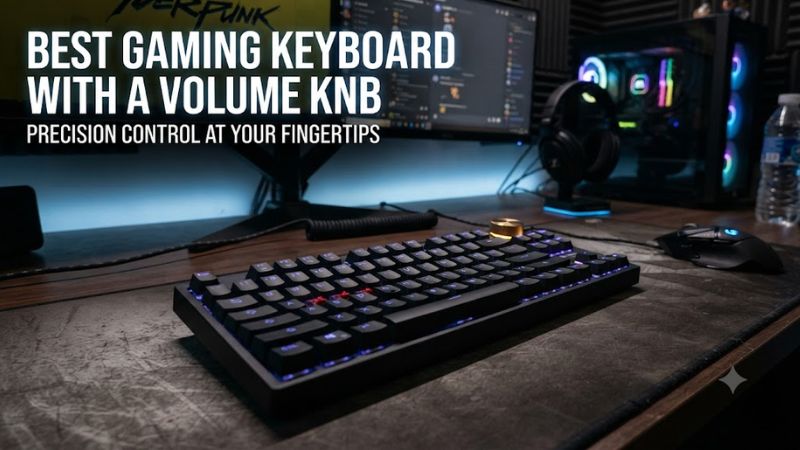
For a gaming keyboard with a volume knob, layout determines how much desk space remains for the mouse and whether you keep dedicated navigation or numpad keys. The Keychron Q1 Max uses a 75% layout, while the Corsair Vanguard Pro 96 keeps a compact arrangement with a numpad.
A 75% board can suit users who rarely need a numpad, while a 96% model keeps more conventional desktop functionality in a smaller footprint than a traditional full-size board. Check the physical layout before buying, especially if your games or work rely on dedicated navigation keys.
Match the Switch Type
Switch choice affects actuation behavior, sound, and typing feel. A gaming keyboard with a volume knob can use conventional mechanical switches, such as those offered on the Razer BlackWidow V4 Pro, or Hall-effect switches such as the CORSAIR MGX V2 system in the Vanguard Pro 96.
Hall-effect boards can provide adjustable actuation features, while conventional mechanical boards offer familiar fixed switch behavior. The Vanguard Pro 96 supports compatible magnetic switches and 8,000Hz polling, whereas the Razer model offers Green, Orange, and Yellow mechanical switch options.
Check Wireless Requirements
If the keyboard needs to move between a desktop, laptop, or other compatible device, connectivity deserves attention. The Keychron Q1 Max supports 2.4GHz wireless, Bluetooth for up to three devices, and wired USB, giving it more connection options than a wired-only gaming keyboard with a volume knob.
Wireless capability can add flexibility, but it also introduces a receiver and battery to manage. The Razer BlackWidow V4 Pro and Corsair Vanguard Pro 96 use wired USB connections, so buyers who specifically want cable-free gaming should filter those models out before comparing other features.
Verify Software and Compatibility
Software support matters when the dial, lighting, macros, or profiles need customization. Keychron lists QMK firmware and its Launcher web app with Windows, macOS, and Linux support, while Razer uses Synapse 4 and Corsair lists Web Hub for the Vanguard Pro 96.
Before ordering, confirm the operating system and connection method against the manufacturer’s specifications. A gaming keyboard with a volume knob may still work as a basic USB keyboard without every software feature, so compatibility should cover the functions you actually intend to customize.
Top Picks
| Product | Best For | Key Spec | Compatibility | Watch Out For |
| Keychron Q1 Max | Best Overall | 75%, 2.4GHz/Bluetooth/USB, 1000Hz | Windows, macOS, Linux | No numpad |
| EPOMAKER TH65 | Best Value | 65%, 1000Hz, 8000mAh | Windows, Mac, Android | Compact layout |
| Razer BlackWidow V4 Pro | Best For Macros | Up to 8,000Hz, Command Dial, 8 macro keys | Windows-focused Synapse setup | Wired, non-hot-swappable |
| Corsair Vanguard Pro 96 | Best For Hall Effect | 96%, MGX V2, up to 8,000Hz | Windows, macOS, Xbox | Wired only |
Keychron Q1 Max — Best Overall
The Keychron Q1 Max is a strong fit for users who want a gaming keyboard with a volume knob alongside wireless flexibility. Its 75% ANSI layout includes a knob, Gateron Jupiter switches are hot-swappable, and the board supports 2.4GHz, Bluetooth, and wired connections with a 1,000Hz polling rate.
Its real limitation is the compact layout: there is no numpad, and users accustomed to full-size boards may need time to adjust. The Q1 Max is better suited to people who value desk space and multiple connection modes than buyers who regularly use a dedicated numeric keypad.
EPOMAKER TH65 — Best Value
The EPOMAKER TH65 gives a gaming keyboard with a volume knob a much lower entry price while retaining a 65% layout, hot-swappable PCB, gasket-mounted construction, tri-mode connectivity, and a 1,000Hz polling rate. The manufacturer currently lists the TH65 from $64.99.
Its main weakness is the compact key arrangement, which removes the function row and numpad. The board supports Windows, Mac, and Android according to EPOMAKER, making it useful for mixed-device setups, but buyers who need extensive dedicated keys should consider a larger layout instead.
Razer BlackWidow V4 Pro — Best For Macros
The Razer BlackWidow V4 Pro suits buyers who want a gaming keyboard with a volume knob plus extensive dedicated controls. It has a Command Dial, five onboard macro keys, three side macro keys, a multifunction media roller, four media buttons, and up to 8,000Hz polling. Razer lists the US price at $229.99.
The drawback is its size and wired design, while RTINGS also identifies the lack of hot-swappable switches. The board is aimed at users who can make use of its many controls; people seeking a simple compact keyboard should not pay for those additional buttons and dials.
Corsair Vanguard Pro 96 — Best For Hall Effect
The Corsair Vanguard Pro 96 combines a gaming keyboard with a volume knob and a 96% layout, giving users a numpad while retaining a smaller footprint than conventional full-size boards. Its MGX V2 Hall-effect switches, 8,000Hz polling, rotary dial, LCD screen, and hot-swap support for compatible magnetic switches are documented by Corsair.
The main limitation is connectivity: Corsair lists the Vanguard Pro 96 as wired USB rather than wireless. It supports Windows, macOS, and Xbox, but the full software feature set is tied to Corsair Web Hub, so buyers wanting a wireless keyboard or a simpler configuration should look elsewhere.
FAQ
Does a Gaming Keyboard With a Volume Knob Need Software?
No, a gaming keyboard with a volume knob does not necessarily need software for basic keyboard operation. Physical volume controls can provide direct media adjustment, while software is generally used for additional customization such as macros, lighting, profiles, or remapping.
The exact behavior depends on the model and control design. The Razer BlackWidow V4 Pro exposes extensive customization through Synapse, while Keychron uses QMK and Launcher for remapping and macros, so software requirements vary by the functions you want.
Is a Volume Knob Useful for PC Gaming?
Yes, a physical volume knob is useful when you frequently adjust game, music, or voice-chat volume during PC gaming. Turning a dial can be more direct than opening an on-screen mixer, particularly when audio changes are frequent.
The feature does not change keyboard input performance by itself, so it should be considered alongside layout, switch type, connectivity, and software support. A gaming keyboard with a volume knob makes the most sense when direct media control is part of your normal desktop routine.
Are Wireless Keyboards With Volume Knobs Good for Gaming?
Yes, wireless keyboards with volume knobs can be suitable for gaming when their wireless implementation and feature set match the system. The Keychron Q1 Max, for example, supports 2.4GHz, Bluetooth, and wired operation with a 1,000Hz polling rate.
Wireless models add battery and receiver considerations that wired boards avoid. If cable-free use is not important, a wired gaming keyboard with a volume knob can simplify the setup, while users moving between devices may benefit from multiple connection modes.
Do Volume Knobs Work on Windows?
Yes, volume knobs can control Windows audio on compatible keyboards, although the exact behavior and customization options depend on the keyboard’s firmware and software. Corsair documents a rotary dial for media control on the Vanguard Pro 96, while Razer provides a programmable Command Dial system.
Windows compatibility should therefore be checked together with software support rather than treated as a single yes-or-no specification. The Q1 Max officially supports Windows alongside macOS and Linux, while the Vanguard Pro 96 lists Windows and macOS compatibility.
Final Thoughts
The best gaming keyboard with a volume knob depends on the layout, switch system, connectivity, and controls that fit your setup. Keychron emphasizes wireless flexibility, EPOMAKER targets compact value, Razer adds extensive macros, and Corsair combines a 96% layout with Hall-effect switches and a rotary dial.