🛒 Best Price Today on Amazon
Prime members get fast, free shipping on everything above, plus member-only deals. New members get a 30-day free trial — cancel anytime.
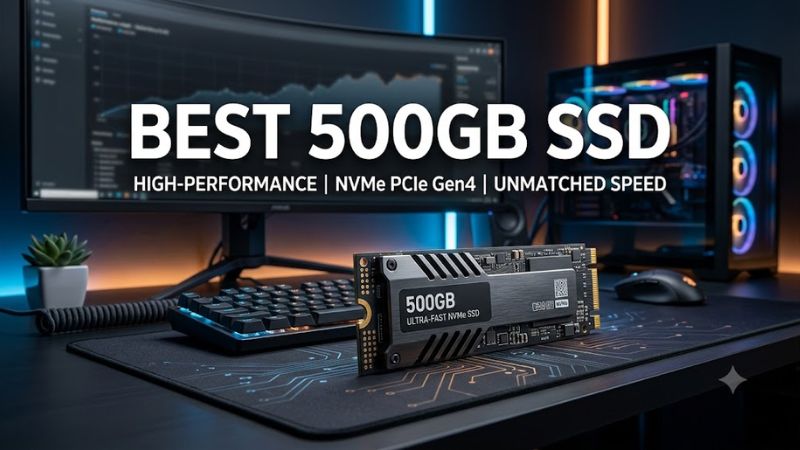
A best 500gb ssd search should start with your computer’s available connection, not just advertised speed. A 2.5-inch SATA drive suits many older PCs, while an M.2 NVMe model can offer much higher transfer rates on compatible systems. For gaming, consider usable capacity, warranty coverage, and upgrade costs before choosing.
How to Choose a 500GB SSD
The right drive depends on the storage connection your computer supports, the workload, and the total cost of upgrading. Before buying, identify the interface, confirm the physical dimensions, and compare the warranty. A higher sequential-speed rating is useful for large transfers, but it does not automatically translate into proportionally faster game loading.
Check the Interface Before Buying
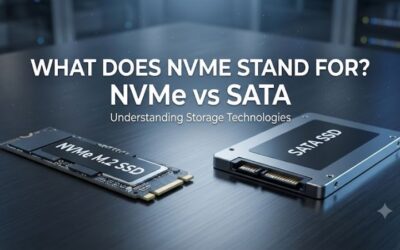
A 2.5-inch SATA SSD connects through SATA data and power cables in a desktop, or through a compatible laptop bay. M.2 describes a physical form factor, not a guaranteed protocol: an M.2 drive can use SATA or NVMe. Check the motherboard or laptop manual before ordering.
Compare Realistic Speed Requirements
SATA SSDs operate within the interface’s bandwidth limits, while NVMe models can offer substantially higher sequential throughput over PCIe. However, booting Windows, opening applications, and loading game assets also depend on random access, software behavior, and the rest of the system. Manufacturer maximums are not guaranteed everyday speeds.
Consider Endurance and Warranty
Drive endurance is commonly expressed in terabytes written (TBW), which estimates the volume of data covered by the manufacturer’s endurance rating. Warranty terms can include both a time limit and a TBW limit. For example, Samsung specifies a five-year limited warranty or 300 TBW for the 500GB 870 EVO.
Leave Room for Games and Updates
A 500GB SSD is practical for Windows, everyday applications, and a modest selection of games. Formatted capacity is lower than the advertised figure, and large modern games can consume substantial space. If you regularly maintain a large Steam library, compare the cost of a larger drive before committing to a half-terabyte model.
Top Picks: Best 500GB SSD Options
These four drives cover different upgrade needs, from older SATA systems to compatible NVMe platforms. The specifications below are manufacturer-rated maximums rather than results from PC Gaming Universe benchmark sessions. Current US pricing and stock can vary by retailer, so compare the delivered price instead of relying on an outdated deal.
| Product | Best For | Key Spec | Compatibility | Watch Out For |
| Samsung 870 EVO 500GB | Best Overall SATA | Up to 560/530 MB/s read/write | 2.5-inch SATA | Limited by SATA bandwidth |
| Crucial BX500 500GB | Best Value SATA candidate | Confirm exact SKU specifications | 2.5-inch SATA | Entry-level feature set |
| PNY CS900 500GB | Basic desktop upgrade | Confirm exact SKU specifications | 2.5-inch SATA | Check seller and warranty |
| Kingston NV3 500GB | Best For NVMe systems | Confirm capacity-specific rating | Compatible M.2 NVMe PCIe slot | Not a SATA replacement |
Best Overall: Samsung 870 EVO 500GB
The Samsung 870 EVO is a strong choice for an older laptop or desktop that accepts a 2.5-inch SATA drive. Samsung lists sequential reads up to 560 MB/s and writes up to 530 MB/s, alongside a 512MB DRAM cache for the 500GB model. These specifications make it a sensible option for operating-system storage and everyday applications.
Its main drawback is the SATA interface, which prevents it from matching the throughput of modern NVMe drives. Buyers should choose it when compatibility and a documented warranty matter more than headline transfer speeds. It is not suitable for a system that only accepts an M.2 drive without a compatible SATA connection.
Best Value Candidate: Crucial BX500 500GB
The Crucial BX500 is worth considering when a compatible SATA upgrade needs to stay affordable. Its 2.5-inch format targets desktops and laptops with a suitable SATA bay, making it a potential replacement for a mechanical hard drive. Before purchasing, verify the exact capacity and product listing to avoid confusing it with another BX500 variant.
The trade-off is that the BX500 is an entry-level SATA model rather than a high-throughput NVMe drive. Buyers moving large files frequently should compare sustained-write behavior and warranty terms against competing products. It is a less suitable choice when the computer requires an M.2 NVMe module or the workload needs higher transfer rates.
Best For Basic Upgrades: PNY CS900 500GB
The PNY CS900 500GB is another option for a straightforward SATA upgrade. It is intended for systems that accept a 2.5-inch SATA SSD, including compatible desktop builds and laptops. Its appeal is the simple internal-drive format, which can make it easier to reuse existing SATA connections rather than replace a motherboard or add an NVMe adapter.
The main consideration is the exact model’s specifications and the seller’s warranty arrangements. Check the manufacturer’s listing and the retailer’s return policy before purchase, particularly when comparing marketplace sellers. The CS900 is not the right choice for an M.2-only system, and it should not be selected on the assumption that every 500GB SSD offers equivalent endurance or sustained-write performance.
Best For Compatible NVMe PCs: Kingston NV3 500GB
The Kingston NV3 is worth comparing for a system with an M.2 slot that supports NVMe over PCIe. Unlike a 2.5-inch SATA drive, an NVMe module installs directly into a compatible motherboard slot and does not require separate SATA data and power cables. Check the exact capacity’s specifications and the platform’s supported PCIe generation before ordering.
Its main limitation is compatibility: an M.2 connector alone does not confirm that a computer supports NVMe, and the drive cannot simply replace a 2.5-inch SATA device. Also consider whether the machine has adequate cooling and whether a heatsink is required by the platform. For gaming, prioritize confirmed compatibility and capacity over an isolated sequential-read figure.
FAQ
Is a 500GB SSD enough for PC gaming?
Yes, a 500GB SSD can support Windows, applications, and a small game library, but the practical number of installed games depends on their sizes. Leave additional room for updates, temporary files, and save data. If you regularly play several large games, a higher-capacity drive can reduce the need to uninstall titles.
Is NVMe better than SATA for gaming?
NVMe offers higher potential transfer speeds than SATA, but the difference in game loading varies by title and system configuration. Both are substantial upgrades from a mechanical hard drive for many everyday workloads. Choose NVMe when the system supports it and the price makes sense; otherwise, a compatible SATA SSD remains a reasonable upgrade.
Can I install a 2.5-inch SSD in any laptop?
No, a laptop needs a compatible 2.5-inch SATA bay and the appropriate physical clearance and connections. Some newer laptops support only M.2 storage or soldered storage, while some systems provide both interfaces. Check the manufacturer’s service manual before buying, and verify thickness and connector requirements for older devices.
Should I buy a 500GB or 1TB SSD?
Choose 500GB when the budget is tight and your storage needs are modest; consider 1TB when you keep several large games installed or want more room for future updates. Compare the actual prices of both capacities before deciding. A small price difference can make the larger drive a better long-term purchase.
Final Thoughts
The best 500gb ssd depends on the system you own and how much storage you need. The Samsung 870 EVO is a clear SATA option with published specifications, while the Crucial BX500 and PNY CS900 are alternatives worth comparing. Choose the Kingston NV3 only after confirming NVMe support, and verify current pricing before buying.