🛒 Best Price Today on Amazon
Prime members get fast, free shipping on everything above, plus member-only deals. New members get a 30-day free trial — cancel anytime.
A best 256gb ssd shortlist should start with compatibility, not headline speed. A 250GB or 256GB drive can suit an older laptop, a basic desktop, or a lightweight operating-system installation, but limited capacity leaves less room for modern games. The right choice depends on your storage interface, workload, and upgrade budget.
How to Choose a 256GB SSD
The right 256GB drive is one that fits your computer, offers suitable performance for everyday tasks, and comes from a manufacturer with accessible support. Before purchasing, check the motherboard or laptop specifications, the drive’s physical dimensions, and the warranty terms. Independent SSD reviews help compare performance, but results from different test systems should not be treated as directly equivalent.
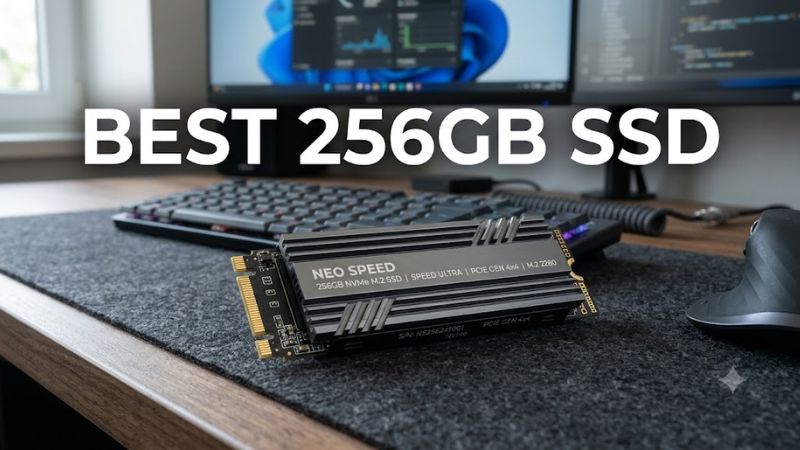
Match the Interface to Your PC
A 2.5-inch SATA SSD suits computers with a compatible SATA data connection, power connection, and mounting space. An M.2 SSD requires closer inspection because M.2 describes the physical format, not a guarantee of NVMe support. A motherboard may support SATA over M.2, PCIe NVMe, or both, depending on its design.
For an older laptop replacing a mechanical hard drive, a SATA model such as the Samsung 870 EVO in its available capacities may be worth considering. Confirm the exact capacity and current stock before ordering, since the manufacturer’s range does not mean every size is readily available. A physically compatible drive still needs the correct interface.
Check Capacity and Realistic Workloads
A nominal 256GB drive provides less than 256GB of usable space after formatting and operating-system requirements. Windows, applications, updates, temporary files, and personal data all consume capacity. Keeping free space available also gives the operating system room for updates and routine storage operations, so avoid planning to fill the entire drive.
For gaming, this capacity is best suited to a small collection of lightweight games or an operating-system drive paired with another storage device. Large modern releases can occupy a substantial portion of the available space individually. If the price difference is modest, a 500GB or 1TB model is often more practical for a gaming PC.
Compare Endurance, Warranty, and Support
An SSD’s endurance rating, commonly expressed in terabytes written (TBW), estimates the amount of data that can be written under the manufacturer’s warranty conditions. It is not a prediction of the exact date a drive will fail. Compare the rating for the specific capacity you intend to purchase, because endurance figures can differ across a product family.
Warranty length, support availability, and firmware tools also matter, particularly for a boot drive. Read the warranty exclusions and confirm that the seller provides a genuine product with a valid regional warranty. Do not assume that two drives using the same interface or advertised sequential speed have identical controllers, flash memory, or sustained-write behavior.
Verify Operating-System and Hardware Compatibility
Before choosing a best 256gb ssd for an upgrade, check whether the system supports a 2.5-inch SATA drive or an M.2 SATA or NVMe model. For NVMe, verify the supported PCIe generation, keying, and module length in the system documentation. A newer PCIe drive can often operate at a lower supported generation, but motherboard-specific limitations still apply.
Also confirm that the operating system supports the installation method and that you have a way to migrate or reinstall it. Windows installation media, a suitable USB adapter, and a backup of personal files can simplify the process. Desktops may need a SATA cable or mounting bracket, while some laptops use proprietary layouts that prevent standard-drive upgrades.
Top Picks: Four 256GB-Class SSD Options
The best 256GB SSD depends on whether your computer needs SATA or NVMe storage and whether the exact capacity remains available. The following shortlist distinguishes a familiar SATA upgrade from budget-oriented alternatives. These are research-based recommendations drawn from published product specifications and independent editorial coverage, not results from PC Gaming Universe laboratory measurements. Confirm availability before buying.
| Product | Best For | Key Spec | Compatibility | Watch Out For |
| Samsung 870 EVO 250GB | Best Overall SATA option | 2.5-inch; SATA 6Gb/s | Compatible 2.5-inch SATA systems | 250GB nominal capacity; check current stock |
| Patriot P220 256GB | Best Value candidate | 2.5-inch SATA; 256GB class | Compatible SATA systems | Verify seller warranty and exact model |
| Intenso Top III 256GB | Best for basic desktop upgrades | 2.5-inch SATA; 256GB class | Compatible SATA systems | Published performance and warranty vary by listing |
| ADATA LEGEND 710 256GB | Best for compatible M.2 systems | M.2 NVMe; PCIe Gen3 x4 | Compatible M.2 PCIe NVMe slot | Not a substitute for an M.2 SATA-only slot |
Samsung 870 EVO: Best Overall SATA Option
The Samsung 870 EVO is a sensible option for a compatible desktop or laptop that needs conventional SATA storage. Samsung specifies sequential read speeds of up to 560 MB/s and sequential write speeds of up to 530 MB/s for the product family. Those figures describe peak sequential throughput, not guaranteed everyday performance or gaming frame rates.
Its main advantage is the familiar 2.5-inch SATA design and Samsung’s storage-management software. The trade-off is that the 250GB version is a small-capacity choice, and current availability may be limited compared with larger drives. Buy it when compatibility and a straightforward HDD replacement matter more than maximum storage capacity.
Patriot P220: Best Value Candidate
The Patriot P220 in the 256GB class is worth comparing when a low-cost SATA upgrade is the priority. Its 2.5-inch format fits systems with a compatible SATA interface and enough physical clearance. Check the exact product code and seller listing before purchase so that the capacity, interface, and warranty match your requirements.
Its appeal is affordability rather than cutting-edge throughput. The main weakness is that the lowest advertised price does not necessarily indicate the best long-term value, especially when warranty support and detailed endurance information are unclear. Choose it for a basic operating-system and application drive if the price is competitive and the seller’s terms are acceptable.
Intenso Top III: Best for Basic Desktop Upgrades
The Intenso Top III 256GB is another option for a SATA-equipped computer that mainly runs an operating system, browser, office applications, and lightweight software. Its 2.5-inch SATA format makes it relevant to older PCs that lack an available NVMe slot. Confirm the product label and technical documentation before buying, particularly when purchasing through a marketplace.
Its limitation is the need to assess support and endurance details for the precise model rather than assuming that all budget SSDs offer equivalent specifications. An independent comparison from CHIP listed the 256GB model as a budget SATA option in October 2026, while noting weaker write performance and a shorter warranty as drawbacks. Buyers should verify current regional terms before relying on that assessment.
ADATA LEGEND 710: Best for Compatible M.2 Systems
The ADATA LEGEND 710 is a PCIe Gen3 x4 NVMe M.2 SSD family, making it a different kind of upgrade from a conventional SATA drive. An M.2 NVMe model is suitable only when the computer supports PCIe storage in the relevant slot. Check the manufacturer’s specifications for the exact capacity and module dimensions before choosing this drive.
Its advantage is the NVMe interface, which offers greater sequential-throughput potential than SATA. However, the 256GB configuration should not be assumed to be available in every market or product revision. Confirm the precise SKU and published specifications, and compare its current price with larger NVMe drives before committing to a capacity that may soon feel restrictive.
FAQ
Is a 256GB SSD enough for gaming?
A 256GB SSD can support Windows and a small selection of games, but it is restrictive for a modern gaming library. Large games, downloadable content, launchers, and updates can quickly consume available space. A larger drive is usually more convenient if you regularly install several demanding PC games.
Is SATA or NVMe better for a 256GB SSD?
NVMe is generally the better choice for throughput when your computer supports it, while SATA remains useful for older systems and straightforward replacements. For everyday browsing and office work, both can feel responsive compared with a mechanical hard drive. Your available slot and the drive’s price should guide the decision.
Will a 256GB SSD work with Windows 11?
A 256GB SSD can provide sufficient storage for a basic Windows 11 installation, provided the computer also meets Microsoft’s processor, memory, firmware, and other system requirements. Actual free space will be lower than the advertised capacity. Check Microsoft’s current requirements and leave room for updates, applications, and personal files.
Should I buy a 256GB SSD or a 500GB SSD?
A 500GB SSD is generally the more flexible purchase if its price is reasonably close to that of a 256GB model. It provides more room for applications, games, and updates without requiring frequent storage management. Choose 256GB when budget, an older system’s needs, or a secondary-drive role makes the smaller capacity appropriate.
Final Thoughts
The best 256gb ssd is the one that matches your system without stretching your budget for capacity you do not need. Choose SATA for compatible older computers or NVMe for supported M.2 systems. Before ordering, verify the exact model, warranty, and current price, and consider 500GB if you expect to install several modern games.