🛒 Best Price Today on Amazon
Prime members get fast, free shipping on everything above, plus member-only deals. New members get a 30-day free trial — cancel anytime.
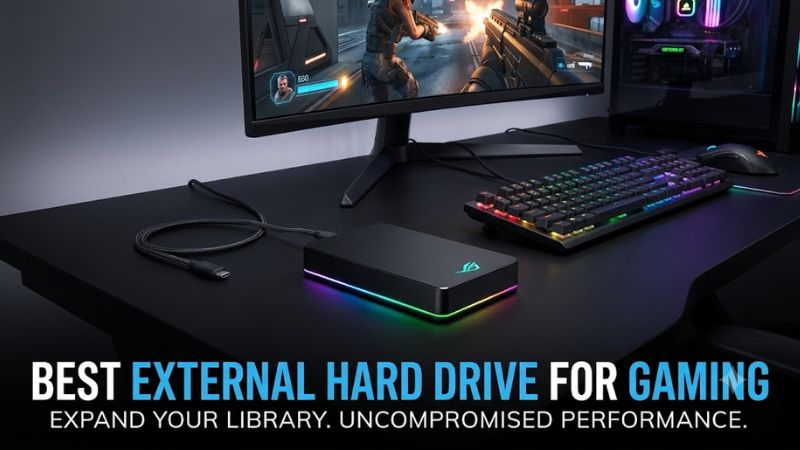
Choosing the best external hard drive for gaming means balancing storage capacity, price, portability, and platform compatibility. A traditional hard disk drive (HDD) suits large libraries and backups, while an external solid-state drive (SSD) offers faster transfers. The right choice also depends on whether you play on PC, PlayStation, or Xbox.
How to Choose an External Hard Drive for Gaming
Start by deciding whether you want to run games directly from the drive, archive titles, or back up your collection. For PC gaming, a USB-connected HDD can hold large installations without occupying an internal drive bay. Console owners must also check which games their system permits them to play from external storage.
Capacity and Cost
Capacity determines how many games you can keep installed without repeatedly deleting older titles. A 2TB portable drive suits a smaller collection, while a 4TB model provides more room for large installations, screenshots, and media. Actual usable capacity will be lower than the advertised figure because manufacturers and operating systems calculate storage differently.
USB Connectivity and Performance
A USB 3.0 or USB 3.2 Gen 1 connection is sufficient for many external HDDs, but the interface’s theoretical bandwidth is not the same as a mechanical drive’s sustained transfer rate. Game loading also depends on file layout, random access, and the game engine. An HDD is generally more appropriate for storage than for demanding workloads that benefit from SSD speeds.
Platform Compatibility
Check the intended device before buying. Windows PCs can use external USB drives for game libraries when supported by the launcher and game. PlayStation 5 supports playing compatible PS4 games from USB extended storage, but PS5 games must be copied back to internal console storage before playing. Xbox Series X and Series S likewise restrict direct external USB gameplay for many optimized titles.
Portable or Desktop Design
Portable drives draw power from USB and are convenient for travel, shared PCs, and console setups with limited space. Desktop drives can offer higher capacities but often require an external power adapter and a permanent place beside the system. If you move your gaming setup regularly, a compact drive with a supplied cable is usually easier to manage.
Top Picks: Four Drives Worth Considering
The best external hard drive for gaming depends on where you plan to use it and whether portability or maximum capacity matters most. The following shortlist uses manufacturer specifications and published product information rather than claims of in-house performance testing. No synthetic benchmark figures are included because comparable, independently sourced results were not established for all four drives.
| Product | Best For | Key Spec | Compatibility | Watch Out For |
| Toshiba Canvio Gaming | Best Overall for portable gaming storage | Up to 4TB; USB 3.2 Gen 1 | Windows 11, compatible PlayStation and Xbox systems | HDD speeds; check console compatibility |
| Toshiba Canvio Basics | Best Value | Up to 4TB; USB 3.2 Gen 1 | Windows 11; reformatting may be needed for macOS | General-purpose, not gaming-specific |
| Seagate Game Drive for Xbox | Best for Xbox owners | Up to 5TB in listed models; USB 3.0 | Compatible Xbox consoles and PCs for data storage | Console formatting and game-generation limits |
| Toshiba Canvio for Desktop | Best for Stationary Libraries | Up to 6TB in the listed range; USB 3.0 | Windows and compatible computers | External power supply; less portable |
Best Overall: Toshiba Canvio Gaming
The Toshiba Canvio Gaming is a sensible starting point for players who want a portable drive designed around console storage. Its listed capacities extend to 4TB, and its USB 3.2 Gen 1 interface supports connection to compatible computers and consoles. The exFAT format is intended for supported gaming devices, although compatibility should be checked for the exact console model.
The main drawback is that this is a mechanical HDD, not a high-speed SSD. Its advertised interface rate does not guarantee equivalent real-world transfer speeds, and modern games may load more slowly than they would from an internal SSD. Choose it for storing a sizeable library, moving files, and keeping compatible older-generation games accessible rather than chasing the fastest loading times.
Best Value: Toshiba Canvio Basics
The Canvio Basics is worth considering if you want extra storage without paying for gaming-focused styling. The listed range includes capacities up to 4TB, with USB 3.2 Gen 1 connectivity and bus-powered operation. That makes it a practical option for a Windows gaming PC, particularly when the goal is to store games that are not played every day or retain large installers and recordings.
Its weakness is that it is a general-purpose portable drive rather than a console-specific gaming model. Check the file system and the requirements of your game launcher before moving a library to it. It is not the right purchase if you need an external SSD’s responsiveness or expect every current console game to launch directly from a USB drive.
Best for Xbox: Seagate Game Drive for Xbox
The Seagate Game Drive for Xbox is designed for console owners who want to expand storage and move a library between compatible systems. Seagate’s support listings include 2TB and 4TB models, as well as a 5TB edition. The listed portable models use USB 3.0, so they can also connect to a compatible PC for file storage, subject to formatting and software requirements.
Its main limitation is compatibility across game generations. An external USB HDD can store many Xbox Series X|S games, but games that require the console’s internal SSD or an approved expansion card cannot necessarily be played directly from it. Buy this drive for capacity and convenience, not on the assumption that the Xbox branding removes those restrictions.
Best for Stationary Libraries: Toshiba Canvio for Desktop
The Canvio for Desktop is aimed at users who need substantial storage in a fixed location. Toshiba’s listed product range reaches 6TB, with USB 3.0 connectivity and an external power adapter. That combination makes it suitable for a desktop gaming PC that holds a large collection of older games, backups, recordings, and other files without requiring another internal drive installation.
The trade-off is its larger enclosure and need for external power, which make it less convenient to carry than a portable USB drive. It is also not a shortcut to faster loading or better frame rates. Choose it when capacity and a permanent desk setup matter more than portability; skip it if you need a small drive that runs entirely from a console’s USB port.
FAQ
Can you play games directly from an external hard drive?
Yes, many PC games and compatible older-console games can run from an external HDD, but support depends on the operating system, game launcher, and console generation. On a PC, select the external drive as the installation location if your launcher supports it. On a PS5, compatible PS4 games can run from USB extended storage, while PS5 games must be copied to the console’s internal storage before launching. Xbox Series X|S has similar restrictions for many optimized games.
Is an external HDD or SSD better for gaming?
An external SSD is generally better for faster transfers and shorter loading times, while an HDD usually provides more capacity for the money. The difference matters most when games load many assets or frequently access small files. An HDD remains useful for storing a large library, keeping infrequently played titles available, and backing up installers. Compare the actual price per terabyte and your expected usage instead of choosing by interface speed alone.
What capacity should I buy for gaming?
A 2TB drive is a reasonable starting point for a moderate library, while 4TB provides more room for larger games and recordings. The right capacity depends on the sizes of your installed games, how many you play regularly, and whether you need space for backups. Leave room for updates and temporary files, and remember that advertised capacity and the free space reported by your operating system will differ.
Will an external hard drive improve gaming FPS?
No, adding an external HDD does not normally increase frame rates because FPS depends primarily on the CPU, GPU, memory, game settings, and workload. A faster drive can improve loading or reduce storage-related delays in some situations, but it cannot replace a graphics card or processor upgrade when those components limit performance. If a game stutters, investigate utilization, temperatures, memory pressure, and storage activity before buying new hardware.
Final Thoughts
The best external hard drive for gaming is the one that fits your platform and storage habits. Consider the Toshiba Canvio Gaming for portable console storage, Canvio Basics for general-purpose value, Seagate Game Drive for Xbox-focused setups, or Canvio for Desktop for a fixed library. Confirm game compatibility before purchase, especially on current-generation consoles.