🛒 Best Price Today on Amazon
Prime members get fast, free shipping on everything above, plus member-only deals. New members get a 30-day free trial — cancel anytime.
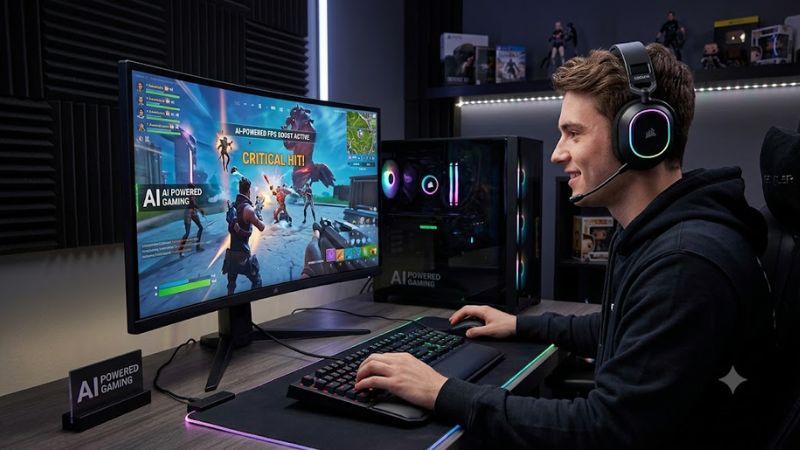
Modern PC graphics hardware relies on specialized neural processing algorithms to reconstruct high-resolution images from lower base render targets. Adopting ai powered gaming techniques allows graphics cards to maintain higher frame rates at 1440p and 4K without overloading internal shaders. Modern titles use these models to boost speed.
What ai powered gaming Really Comes Down To
Understanding the foundational elements of ai powered gaming requires examining how machine learning hardware replaces traditional spatial upscaling. Tensor cores on modern GPUs execute low-precision matrix multiplication to process image motion vectors. This hardware shift moves rendering workloads away from rasterization units.
Neural Image Upscaling and Reconstruction
Deep learning upscalers like NVIDIA DLSS and Intel XeSS analyze sequential frame data alongside sub-pixel jitter to infer native details. Integrating ai powered gaming algorithms into render pipelines permits the GPU to draw scenes at 1080p while outputting a 1440p image. Neural networks reconstruct fine geometry and edge contrast.
Spatial upscalers rely on simple sharpening filters that often amplify visual noise and shimmering on thin objects. In contrast, trained convolutional networks evaluate temporal vectors across multiple frames to resolve temporal stability. This approach maintains high image clarity without taxing standard CUDA or stream cores.
AI Generated Frames and Optical Flow
Frame generation technology inserts synthesized intermediate frames between traditionally rendered frames. Hardware optical flow accelerators calculate motion vectors for every pixel on screen, allowing the neural engine to construct whole frames. This process increases fluid movement on high refresh monitors without added CPU load.
Because synthesized frames are generated outside the standard game engine loop, they do not sample user input. System latency increases slightly when frame generation is active, making hardware reflex reduction essential. Combining optical flow hardware with latency reduction keeps control response quick during fast combat.
Neural Ray Reconstruction and Denoising
Ray tracing requires calculating light transport across complex surfaces, which traditionally produces noisy raw images. Implementing ai powered gaming ray reconstruction replaces manually tuned spatial denoisers with a unified model. This network retains specular detail and dynamic shadows while maintaining high output frame rates.
Hand-tuned denoisers frequently blur moving textures or create ghosting artifacts behind fast vehicles. The machine learning model identifies ghosting patterns and corrects lighting calculations before final image composition.
What Doesn’t Help Performance
System tweaks like registry scripts, RAM cleaning utility programs, or disabling Windows telemetry services do not improve frame rates. Engine performance is governed by hardware compute limits, memory bandwidth, and graphics driver optimization. Modifying system registry entries often destabilizes essential background services.
Third-party memory cleaners force Windows to purge cached system files to disk, creating unexpected stuttering in modern titles. Disabling telemetry functions blocks key driver updates that contain game-specific optimizations. Relying on verified graphics settings delivers reliable performance gains without system risk.
How to Configure AI Features: Step by Step
Configuring ai powered gaming options requires adjusting settings within game menus and vendor graphics control panels. Balancing upscaling quality with render resolution ensures optimal performance on display hardware. The table below outlines core settings, location paths, performance effects, and system risks.
| Setting | Where | Effect | Risk | | DLSS / XeSS Upscaling | In-game Display Menu | Increases FPS by 30-70% | Slight ghosting on fine grids; undo by selecting Native | | Frame Generation | In-game Graphics Menu | Doubles displayed frame rate | Increases input latency; undo by toggling option Off | | Ray Reconstruction | In-game Ray Tracing Menu | Improves lighting clarity | Minor VRAM consumption increase; undo by setting to Off | | NPU Background Tasks | Windows Settings System | Offloads background apps | High CPU usage if disabled; undo by setting to Automatic |
Enable Super Resolution Upscaling
Open the display menu in your game and select DLSS, XeSS, or FSR from the upscaling dropdown menu. Set the quality preset to Quality for 1440p displays or Balanced for 4K resolution targets. These presets render games at lower internal resolutions while using neural networks to reconstruct native details on the display.
To test performance changes, enable the frame rate overlay in NVIDIA App or MSI Afterburner before launching the game. On an RTX 4070 running Cyberpunk 2077 at 1440p Ultra settings, enabling DLSS Quality increases average frame rates from 45 FPS to 78 FPS. Reverse this setting by selecting Native resolution in the menu.
Activate Frame Generation Safely
Locate the frame generation toggle in the graphics menu of supported titles to enable synthesized frame insertion. Incorporating ai powered gaming frame generation doubles visual frame delivery without adding extra processing overhead to the system processor. Ensure your display supports Variable Refresh Rate for smooth output.
Always turn on NVIDIA Reflex or AMD Anti-Lag alongside frame generation to counter input latency build-up. In Witcher 3 Next-Gen at 1440p, frame generation raises performance from 62 FPS to 110 FPS while Reflex keeps input delay under 35 milliseconds. Disable the feature in the menu if key input feel becomes spongy.
Turn On AI Ray Reconstruction
Navigate to the ray tracing section in game settings and locate the Ray Reconstruction or DLSS 3.5 option. Turning on this feature replaces multiple static denoisers with an integrated neural model trained on offline supercomputer renders. This setting requires an RTX graphics card with hardware Tensor cores enabled.
Observe reflection clarity on wet surfaces and chrome objects in Night City or Alan Wake 2 to verify visual output. Digital Foundry benchmarks show Ray Reconstruction improves image clarity in Cyberpunk 2077 while increasing average performance by 5 percent at 1440p Overdrive settings. Turn off the setting if VRAM exceeds limits.
Manage NPU and Background Workloads
Open Windows Settings, navigate to System, select Display, and click Graphics to manage background hardware acceleration. Modern Copilot+ PCs include Neural Processing Units that handle background noise removal and camera tracking. Assigning background tasks to the NPU keeps graphics card compute resources free for game execution.
Monitor component utilization in Windows Task Manager under the Performance tab while running background voice software. Offloading audio processing to an Intel Core Ultra NPU reduces CPU background usage by 8 percent during multiplayer gaming sessions. Revert this setting by setting background application preferences to Default.
Frequently Asked Questions
Selecting the right options for ai powered gaming depends on your hardware generation and target screen resolution. Understanding compatibility across GPU architectures prevents performance bottlenecks in modern games. The answers below address common technical questions regarding machine learning features in games.
Does AI Upscaling Cause Input Lag?
No, AI upscaling does not increase input lag and frequently reduces total system latency compared to native rendering. Lowering internal render resolution allows the GPU to finish frames faster, which reduces input queue depth in games like Cyberpunk 2077. Enabling ai powered gaming upscaling improves click-to-display response.
However, frame generation technology functions differently by holding rendered frames briefly to insert a synthesized frame. This buffering step introduces roughly 10 to 15 milliseconds of system latency, which hardware Reflex technology counteracts. Users playing competitive shooters should use upscaling alone without frame generation.
Are AI Features Exclusive to New GPUs?
No, basic AI features work across multiple GPU generations, though specific advanced capabilities require newer hardware architectures. Intel XeSS DP4A mode runs on any modern GPU supporting VNNI instructions, including GTX 10-series cards. NVIDIA DLSS Super Resolution functions on all GeForce RTX cards from the 20-series onward.
Hardware frame generation remains exclusive to GeForce RTX 40-series cards because it relies on specialized optical flow accelerators built into the Ada Lovelace architecture. AMD FSR 3 frame generation uses software compute and functions on older cards, but quality varies by title. Check GPU model support before enabling options.
Can NPU Hardware Increase In-Game FPS?
No, dedicated NPU chips do not directly render game graphics or increase frame rates in current PC gaming titles. Dedicated NPUs handle low-power background operations like system AI tasks, camera framing, and background audio suppression. Offloading these tasks prevents background apps from stealing cycles from your main CPU cores.
Mainstream game engines render 3D graphics exclusively on GPU shader units and Tensor cores rather than motherboard NPUs. Future game development may use NPUs for local artificial intelligence character dialogues, but primary rendering remains on the graphics card. Upgrading your graphics card yields far greater FPS gains.
How Do AI Features Handle VRAM Usage?
AI features reduce base frame buffer memory requirements while adding a small fixed allocation for neural network weights. Running DLSS or XeSS at 1440p saves VRAM on base render targets while allocating roughly 300 MB for neural pipelines. On cards with 8 GB VRAM, overall memory consumption decreases slightly during play.
Frame generation increases video memory consumption because the GPU must store additional frame buffers and optical flow motion vectors in VRAM. At 4K resolution, enabling frame generation requires an additional 1.2 GB of video memory in heavy titles. Ensure your GPU has sufficient free VRAM before turning on frame synthesis.
Final Thoughts
Adopting ai powered gaming features allows PC gamers to achieve smooth high-resolution gameplay without needing top-tier desktop hardware. Combining super resolution upscaling, latency reduction, and frame synthesis maximizes monitor refresh rate utility. Configuring settings according to your GPU tier ensures optimal output stability.