🛒 Best Price Today on Amazon
Prime members get fast, free shipping on everything above, plus member-only deals. New members get a 30-day free trial — cancel anytime.
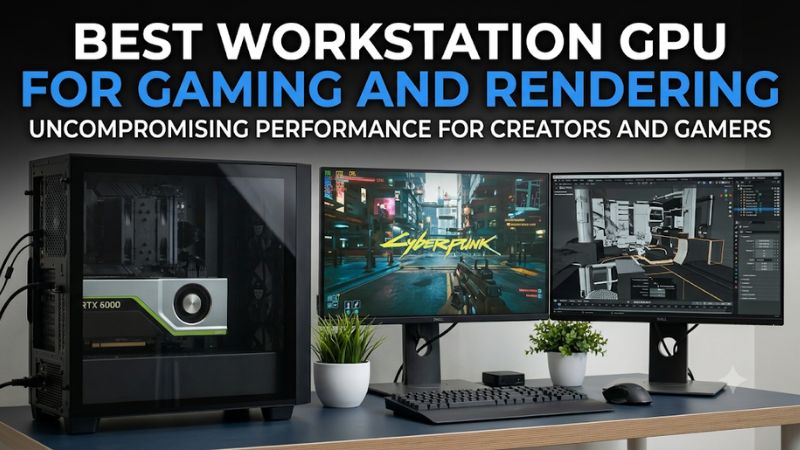
Choosing the best workstation gpu for gaming and rendering means balancing professional application performance, gaming capabilities, memory capacity, and system cost. NVIDIA’s RTX PRO lineup offers workstation-focused features, while GeForce cards can deliver stronger gaming value. The right choice depends on your rendering software, project sizes, and gaming resolution.
How to Choose a Workstation GPU for Gaming and Rendering
A workstation graphics card should do more than accelerate professional applications. It also needs to support the games, display resolution, and graphics features you use outside work. Before choosing a model, compare rendering performance, available VRAM, gaming compatibility, and the practical cost of powering and cooling the card.
1. Rendering Performance and Software Support
Rendering performance depends heavily on the application and its supported GPU acceleration backend. Blender Cycles, for example, supports NVIDIA OptiX and CUDA, making NVIDIA GPUs particularly relevant for users working in that renderer. Other applications may favor different architectures or have their own certified hardware lists.
The best workstation GPU for gaming and rendering should match the software you actually use. Check whether your renderer supports GPU acceleration, whether it can use multiple GPUs, and whether the professional driver provides application-specific benefits. A larger VRAM capacity is useful only when your projects can take advantage of it.
2. VRAM Capacity and Memory Requirements
Video memory determines how much scene data, geometry, textures, and other assets can remain available to the GPU. Large architectural scenes, detailed animation projects, complex simulations, and high-resolution textures can exceed the practical memory capacity of mainstream gaming cards.
Professional RTX PRO models can offer substantially more memory than GeForce alternatives. The RTX PRO 6000 Blackwell Workstation Edition, for example, has 96GB of ECC GDDR7. That capacity is valuable for unusually demanding workloads, but it does not automatically make the card faster in every renderer or game.
3. Gaming Performance and Driver Compatibility
Workstation GPUs can run modern PC games, but professional positioning does not automatically translate into better gaming performance. GeForce cards are designed around mainstream gaming workloads, while RTX PRO products emphasize professional graphics, enterprise software, and workstation deployment.
Consider the games and resolution you use. At 1440p or 4K, GPU rendering performance, ray tracing, memory bandwidth, and supported upscaling technologies can all affect the experience. Check the exact card’s supported APIs and current driver compatibility rather than assuming that professional certification improves game performance.
4. Power, Cooling, and Total System Cost
High-performance workstation GPUs can require substantial power and physical space. The RTX PRO 6000 Blackwell Workstation Edition has a 600W total board power rating, a PCIe CEM5 16-pin power connector, and a dual-slot, extended-height design. Your case, PSU, and cooling arrangement must accommodate the specific card.
Do not select a power supply based only on the GPU’s board rating. Account for the CPU, other components, transient power demands, and the manufacturer’s system recommendations. Also consider whether the workstation card’s professional features justify its purchase price compared with a GeForce alternative.
Top Workstation GPUs for Gaming and Rendering
The strongest options fall into two groups: professional RTX PRO cards for demanding production work and GeForce cards for users who prioritize gaming alongside GPU rendering. The following selections use official specifications and publicly available Blender Open Data results to distinguish memory capacity, rendering capability, and gaming suitability.
1. NVIDIA RTX PRO 6000 Blackwell Workstation Edition – Best Overall
Best for demanding professional rendering and large projects
The NVIDIA RTX PRO 6000 Blackwell Workstation Edition is the strongest choice when professional rendering capacity takes priority. It features 96GB of ECC GDDR7, 24,064 CUDA cores, a 512-bit memory interface, and 1,792GB/s of memory bandwidth. Its Blackwell architecture also includes fifth-generation Tensor Cores and fourth-generation RT Cores.
Blender Open Data’s OptiX results report a median score of approximately 16,269 for this model, based on 115 submissions across available Blender versions. That is useful evidence of its rendering capability, although public submissions do not represent a controlled comparison on identical systems. Its 600W board power and substantial purchase cost make it excessive for most gaming-focused builds.
2. NVIDIA RTX PRO 5000 Blackwell – Best Professional Balance
Best for professional rendering with substantial memory capacity
The RTX PRO 5000 Blackwell provides 48GB of ECC GDDR7, 14,080 CUDA cores, a 384-bit memory interface, and 1,344GB/s of memory bandwidth. It uses a PCIe 5.0 x16 interface and has a 300W total board power rating. This combination makes it a compelling professional option for detailed scenes and memory-intensive production workloads.
Its smaller memory capacity and lower overall rendering throughput distinguish it from the flagship RTX PRO 6000. Blender Open Data’s OptiX database reports a median score of approximately 10,965 across nine submissions. The limited sample size deserves caution. Choose it when 48GB is sufficient and you need a professional card without the flagship model’s 600W power requirement.
3. NVIDIA GeForce RTX 5090 – Best for Gaming and Rendering Together
Best for gaming-first hybrid workstations
The GeForce RTX 5090 is an especially attractive option for users who spend substantial time gaming but also render 3D scenes. It includes 32GB of GDDR7, 21,760 CUDA cores, a 512-bit memory interface, and 1,792GB/s of memory bandwidth. Its Blackwell architecture supports modern gaming technologies alongside CUDA and OptiX workloads.
Blender Open Data reports an OptiX median score of approximately 15,005 from 2,898 submissions. This provides a substantial public dataset, although it is not a controlled comparison against the professional cards. Its 575W total graphics power and NVIDIA-recommended 1,000W system power make PSU selection important. Its 32GB memory capacity can also become restrictive in particularly large production scenes.
4. NVIDIA RTX 6000 Ada Generation – Best for Established Professional Workflows
Best for existing Ada-generation workstation environments
The RTX 6000 Ada Generation remains relevant for professional users who need substantial memory and workstation-oriented capabilities. It provides 48GB of ECC GDDR6, 18,176 CUDA cores, a 384-bit memory interface, and 960GB/s of memory bandwidth. Its 300W power rating is considerably lower than the Blackwell RTX PRO 6000 Workstation Edition.
Its professional feature set and large memory pool make it suitable for demanding visualization and rendering projects. Blender Open Data reports an OptiX median score of approximately 10,840 across 72 submissions. However, its older architecture and PCIe 4.0 interface make it harder to justify at a premium over newer Blackwell alternatives. Consider it when an existing workstation environment or favorable acquisition cost makes it practical.
Workstation GPU Comparison Table
| Product | Best For | Key Spec | Compatibility | Watch Out For |
| RTX PRO 6000 Blackwell | Maximum professional capacity | 96GB ECC GDDR7, 600W | PCIe 5.0 x16, 16-pin | High cost and power |
| RTX PRO 5000 Blackwell | Professional rendering | 48GB ECC GDDR7, 300W | PCIe 5.0 x16, 16-pin | Smaller performance ceiling |
| GeForce RTX 5090 | Gaming and rendering | 32GB GDDR7, 575W | PCIe 5.0, 16-pin | No workstation-class ECC |
| RTX 6000 Ada | Established professional workloads | 48GB ECC GDDR6, 300W | PCIe 4.0 x16 | Older generation |
Blender figures above are public OptiX database medians, not results from a single controlled test system. Submission counts differ substantially.
FAQ: Choosing a Workstation GPU for Gaming and Rendering
1. Is a workstation GPU better than a GeForce GPU for rendering?
Not necessarily. Professional RTX PRO cards offer features such as ECC memory, larger VRAM capacities, and workstation-oriented software support. However, GeForce cards can deliver excellent rendering performance, particularly in applications using CUDA or OptiX. The right choice depends on project complexity and software requirements.
2. Can you game on an NVIDIA RTX PRO graphics card?
Yes. NVIDIA RTX PRO graphics cards support modern graphics APIs, including DirectX 12, and can run PC games. However, their professional features do not automatically improve gaming performance. A GeForce card is generally the more sensible choice when gaming is the primary workload.
3. Is 32GB of VRAM enough for gaming and 3D rendering?
Yes, 32GB is sufficient for many gaming and professional rendering workloads. The RTX 5090 offers this capacity, making it a strong hybrid option. However, complex scenes, extensive textures, and large simulation datasets may benefit from 48GB or 96GB of workstation memory.
4. What CPU and PSU should you pair with a workstation GPU?
Choose a modern, sufficiently powerful CPU and a PSU that meets the graphics card manufacturer’s system recommendations. For example, NVIDIA specifies 1,000W system power for the RTX 5090, while the RTX PRO 6000 Blackwell Workstation Edition has a 600W board power rating. Check connectors, case clearance, cooling, and motherboard compatibility before purchasing.
Final Thoughts
The best workstation gpu for gaming and rendering depends on whether professional production or gaming deserves priority. The RTX PRO 6000 Blackwell leads for demanding memory-intensive work, while the RTX 5090 offers an attractive hybrid alternative. Compare your software requirements, project sizes, and available PSU capacity before choosing.