🛒 Best Price Today on Amazon
Prime members get fast, free shipping on everything above, plus member-only deals. New members get a 30-day free trial — cancel anytime.
A useful ssd tier list compares more than advertised transfer speeds. For PC gamers, the right drive depends on game-loading needs, sustained writes, NAND type, endurance, capacity, and motherboard support. This guide organizes current SSD classes into practical tiers using manufacturer specifications and independent storage reviews, without presenting synthetic speeds as guaranteed gaming gains.
How to Choose an SSD Tier
The most useful SSD tier depends on your workload rather than a single performance score. PCIe generation, controller design, NAND type, and cache architecture all influence performance. A premium drive may suit frequent large file transfers, while a less expensive model can be sufficient for a gaming library.
Interface and PCIe Compatibility
PCIe 5.0 NVMe drives occupy the high-performance class, followed by PCIe 4.0 and PCIe 3.0 models. Their advertised sequential transfer rates describe large, continuous transfers, not every operation performed while launching a game. Random access and latency also matter when reading many small files.
Before buying, check the motherboard manual for supported M.2 lengths, PCIe generations, and available lanes. An M.2 connector can support SATA, NVMe, or both, depending on the board. A PCIe 5.0 SSD can operate in a compatible lower-generation slot, but its maximum interface speed will be limited by that connection.
NAND Type and Cache Design
TLC NAND stores three bits per cell, while QLC stores four. TLC drives are often attractive for heavier write workloads, although controller design, firmware, capacity, and cache behavior can make a substantial difference. QLC models can offer economical high-capacity storage for game libraries and read-heavy workloads.
DRAM-equipped SSDs have dedicated memory for mapping data locations. DRAM-less models may use Host Memory Buffer technology to access a portion of system memory for mapping information. Neither design alone determines the overall tier: NAND quality, firmware, thermal behavior, and performance after the write cache fills are also important.
Capacity and Endurance
Capacity affects both convenience and, on some SSD models, performance. A larger version may use more NAND dies and offer different sustained transfer behavior than a smaller version of the same product. Compare specifications at the exact capacity you intend to purchase rather than assuming every capacity variant performs identically.
Endurance ratings, usually expressed in terabytes written (TBW), estimate the amount of data covered by the manufacturer’s endurance specification. Warranty terms and TBW limits vary by model and capacity. Ordinary gaming installations generally involve less sustained writing than professional video capture, so a higher endurance rating should be weighed against the actual workload.
Platform and Cooling Requirements
Desktop NVMe SSDs commonly use the M.2 2280 form factor, but compact computers and handhelds may require shorter drives. Confirm physical length, thickness, single- or double-sided construction, and the system’s supported interface before ordering. A drive that fits the connector may still conflict with a graphics card or another component.
PCIe 5.0 drives can generate substantial heat under sustained workloads, making heatsink clearance and airflow worth checking. Use the motherboard’s M.2 heatsink when appropriate and follow the SSD maker’s installation instructions. SATA drives instead require a compatible SATA data connection and power from the power supply, along with space for their 2.5-inch enclosure when applicable.
SSD Tier List: Top Picks and Rankings
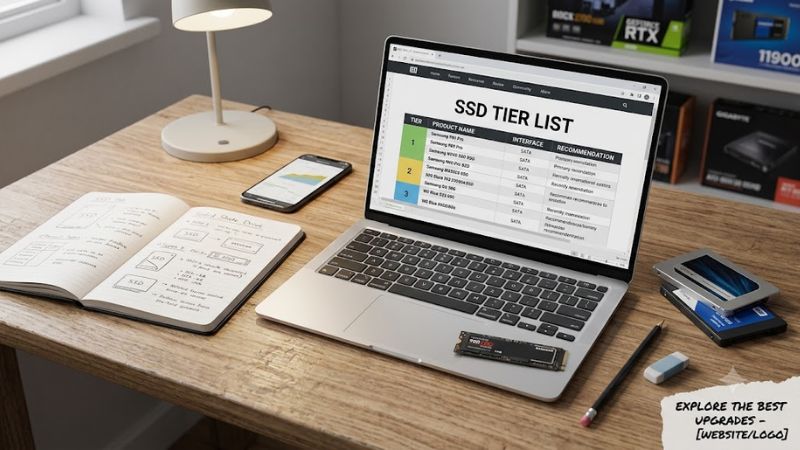
This SSD tier list uses a hardware-class ranking rather than claiming every drive in a tier delivers identical gaming results. Tier S prioritizes current high-end PCIe 5.0 designs, Tier A covers capable PCIe 4.0 TLC drives, Tier B includes value-oriented designs, and Tier C covers older or more cost-focused options. The placements are editorial guidance, not a universal benchmark leaderboard.
| Product | Tier and Best For | Key Spec | Compatibility | Watch Out For |
| Samsung 9100 PRO | S — high-end builds | PCIe 5.0 x4; TLC NAND | Compatible M.2 NVMe PCIe slot | Heat and platform limitations |
| Samsung 990 PRO | A — premium gaming | PCIe 4.0 x4; TLC NAND | M.2 NVMe PCIe 4.0 or compatible backward-compatible slot | Premium pricing |
| WD_BLACK SN850X | A — gaming and general use | PCIe 4.0 x4; TLC NAND | Compatible M.2 NVMe slot | Sustained performance varies by workload |
| Lexar NM790 | B — value-focused builds | PCIe 4.0 x4; Host Memory Buffer | Compatible M.2 NVMe slot | DRAM-less design |
These placements reflect manufacturer documentation and independent review coverage, not a single shared benchmark. The Samsung 9100 PRO is documented as a PCIe 5.0 drive with TLC NAND and dedicated cache, while the Samsung 990 PRO uses PCIe 4.0. Check the exact capacity and heatsink version before comparing retail listings.
Tier S: High-End PCIe 5.0 SSDs
Tier S is intended for buyers who need high sequential throughput for large file transfers, demanding content creation, or other storage-heavy tasks. The Samsung 9100 PRO and WD_BLACK SN8100 represent this class. Their PCIe 5.0 interfaces can deliver higher peak bandwidth than PCIe 4.0 drives on a compatible platform.
For gaming alone, paying extra for this tier may not yield a noticeable improvement in every title. The actual result depends on game-engine behavior, CPU performance, asset streaming, and storage access patterns. Choose Tier S when the wider workload justifies it, and check motherboard support and cooling before purchasing.
Tier A: Premium PCIe 4.0 TLC
Tier A is a sensible starting point for many desktop gaming builds. Drives such as the Samsung 990 PRO and WD_BLACK SN850X combine a PCIe 4.0 interface with TLC NAND and established performance-oriented designs. They can support a fast Windows installation, frequently played games, and everyday transfers without requiring a PCIe 5.0 platform.
This tier suits buyers who value a balance of performance and mature platform support. The weakness is that premium pricing can make some models poor value when a cheaper SSD offers similar game-loading behavior. Compare capacity-specific endurance, warranty conditions, sustained-write results, and the actual price before choosing between models.
Tier B: Value NVMe Drives
Tier B includes models such as the Lexar NM790 and WD_BLACK SN7100, which use DRAM-less designs. Host Memory Buffer technology allows supported drives to use system memory for mapping information, reducing the need for dedicated onboard DRAM. These SSDs can still offer strong everyday responsiveness and high sequential transfer rates.
Consider this tier for a gaming library, general-purpose desktop, or secondary storage when the price and capacity are attractive. Its main limitation is workload sensitivity: long writes and heavy random I/O can expose differences that peak sequential figures do not show. Check independent reviews for the exact capacity and avoid assuming all DRAM-less drives behave alike.
Tier C: Budget, Older, and Capacity-Focused SSDs
Tier C is a practical label for older PCIe 3.0 models and cost-oriented QLC drives, not a claim that they are unusable. A compatible SATA SSD can also remain useful as secondary game storage when a desktop has spare bays and connections. The right choice depends on cost, capacity, interface, and the intended workload.
These drives make the most sense when expanding storage on a tight budget or reusing existing hardware. They are less attractive for demanding sustained-write work if their cache behavior or endurance does not fit the task. A working older SSD does not need immediate replacement simply because newer models occupy a higher tier.
SSD Tier List FAQ
Which SSD tier is best for PC gaming?
Tier A is a strong starting point for most gaming desktops because PCIe 4.0 TLC SSDs offer high throughput without requiring a PCIe 5.0-capable platform. A good Tier B drive can also serve gamers well, particularly when the budget prioritizes storage capacity over small differences in peak transfer rates.
Game-loading performance varies by title, CPU, and storage workload. Independent comparisons should specify the game or benchmark, test platform, resolution where relevant, and settings. For example, a storage trace benchmark is not interchangeable with a timed game launch, and neither should be presented as a universal FPS measurement.
Is a PCIe 5.0 SSD worth buying over PCIe 4.0?
A PCIe 5.0 SSD is worth considering when your workload benefits from higher sequential bandwidth and your motherboard supports the interface. For ordinary gaming, web browsing, and launching Windows, a quality PCIe 4.0 drive may already provide the responsiveness you need, leaving more budget for other components.
Before upgrading, check the supported M.2 interface, lane configuration, and cooling arrangements in your motherboard manual. A PCIe 5.0 drive installed in a compatible PCIe 4.0 slot will operate within that slot’s limits. If the upgrade mainly targets faster game loading, look for comparable independent results before paying a premium.
Does DRAM-less mean an SSD is bad?
No, a DRAM-less SSD can be a good purchase when its controller, firmware, NAND, and price suit the workload. Host Memory Buffer support can improve mapping efficiency without dedicated onboard DRAM, so the absence of a DRAM chip alone does not establish that a drive belongs in the lowest tier.
The more important question is how the drive behaves under your expected use. Compare sustained writes, cache exhaustion, random access, endurance, and capacity-specific reviews. For gaming and everyday desktop use, a well-designed DRAM-less NVMe drive can be perfectly reasonable; frequent large transfers or heavier storage workloads may justify a different model.
Should I replace an older SSD with a higher-tier model?
Replace an older SSD when it lacks needed capacity, shows health warnings, has insufficient performance for your workload, or no longer meets your platform requirements. A higher tier on a comparison chart is not, by itself, a reason to discard a functioning drive that continues to meet your needs.
Check the drive’s SMART health information, available space, and connection type before deciding. If the SSD reports errors or disappears intermittently, investigate the drive, firmware, connection, and system logs rather than relying on tier rankings. Keep a separate backup of important files before changing storage hardware, especially when the existing drive shows signs of failure.
Final Thoughts
The most useful ssd tier list is one that matches hardware class to your actual workload. Tier S targets demanding high-bandwidth tasks, Tier A suits many premium gaming builds, and Tier B can offer compelling everyday value. Compare capacity, endurance, interface compatibility, cooling, and independent benchmarks before buying, rather than choosing solely by the highest advertised speed.