🛒 Best Price Today on Amazon
Prime members get fast, free shipping on everything above, plus member-only deals. New members get a 30-day free trial — cancel anytime.
If you are comparing storage upgrades for a gaming PC, what does nvme stand for (nvme vs sata) is a useful question to answer before buying an SSD. NVMe means Non-Volatile Memory Express, a storage communication protocol designed for flash-based drives. Understanding how it differs from SATA helps you choose compatible hardware and understand where faster storage makes a difference.
Quick answer: Our top pick in 2026 is the Setting — our #1 rated choice. See the full ranked comparison, alternatives and buying advice below.
What NVMe and SATA Really Come Down To
NVMe and SATA describe different approaches to communicating with storage devices. NVMe commonly uses PCI Express (PCIe), while SATA SSDs communicate through the Serial ATA interface. NVMe supports higher bandwidth and more parallel operations, but your motherboard, drive model, and workload determine the benefits you actually receive.
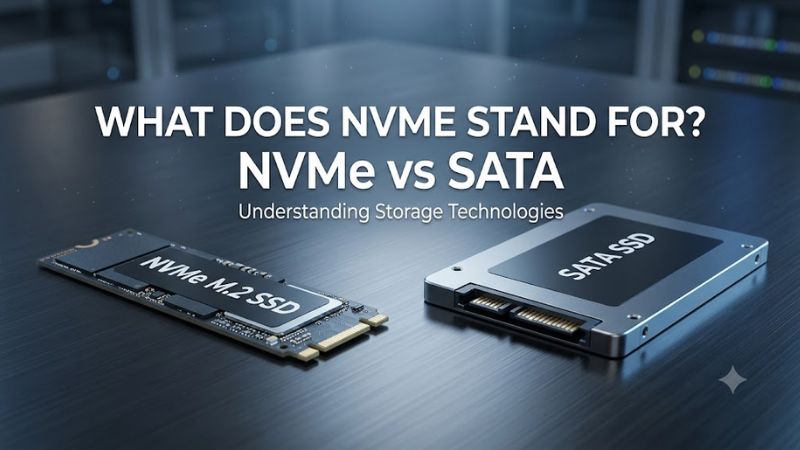
What Does NVMe Stand For?
NVMe stands for Non-Volatile Memory Express. It defines commands and communication features that let a computer work with non-volatile storage, particularly flash-based SSDs, through PCIe. Unlike older storage protocols designed around mechanical drives, NVMe is built to handle the parallel requests common with solid-state storage.
The term describes the communication protocol, not a particular SSD size or capacity. When a product listing identifies an NVMe SSD, check its PCIe generation, supported lane configuration, capacity, and rated read and write speeds. Those details distinguish individual drives within the same broad technology category.
What Does SATA Mean?
SATA stands for Serial Advanced Technology Attachment. It is a storage interface used by hard drives and SSDs, with SATA III commonly associated with a theoretical link rate of 6 Gb/s and a practical SSD sequential-transfer ceiling around 550–600 MB/s. Actual performance depends on the drive and workload.
SATA remains useful when upgrading older computers, adding storage through an available drive bay, or reusing existing hardware. A SATA SSD can provide a substantial improvement over a mechanical hard drive without requiring an NVMe-compatible slot. It is still solid-state storage, even though its interface limits throughput.
How PCIe and AHCI Affect Performance
NVMe drives commonly use PCIe, a high-bandwidth connection also found in graphics cards and other expansion devices. The NVMe command set supports extensive parallelism and is designed to reduce communication overhead. That architecture is particularly useful for demanding storage workloads involving many simultaneous requests.
SATA SSDs commonly use the AHCI command interface, which was developed when mechanical hard drives were the dominant storage technology. Its command handling is less suited to extensive flash-storage parallelism. However, neither protocol alone determines every application’s speed: controller design, flash memory, firmware, and system configuration matter too.
What Doesn’t Help When Comparing SSDs
Comparing interface names alone does not establish which drive offers better value. A premium NVMe model may cost more than a basic drive without making ordinary desktop tasks noticeably faster. Capacity, sustained writes, endurance ratings, warranty terms, and the price per gigabyte also influence a sensible purchase.
Likewise, M.2 does not automatically mean NVMe. M.2 describes a physical form factor, and drives using that form factor can support either SATA or PCIe with NVMe. Check the computer manufacturer’s documentation and the exact drive specifications instead of relying on appearance or a product title.
How to Compare NVMe vs SATA: Step by Step
Start by checking your computer’s supported storage connections, then compare drive specifications and intended use. The table below summarizes the practical differences without treating theoretical maximum bandwidth as a promise of real-world performance. No universal benchmark applies to every drive, so use independent results for the exact model and workload you plan to run.
| Setting | Where to Check | Effect | Risk |
| Interface support | Motherboard or laptop manual | Determines which drives can connect | An unsupported interface may not work |
| PCIe generation | System and SSD specifications | Influences NVMe bandwidth | A faster drive may run at a lower supported speed |
| SATA connection | Drive bays and motherboard manual | Supports compatible SATA drives | A missing bay or cable can prevent installation |
| Workload performance | Independent reviews and application benchmarks | Shows practical differences | Results may not match your system |
Check Your Computer’s Storage Compatibility
First, identify your computer or motherboard model and consult its official documentation. Look for supported M.2 protocols, PCIe generations, drive lengths, and available SATA connections. Some M.2 slots support NVMe only, others support SATA, and some support both; the connector’s physical shape is not enough to establish compatibility.
For a gaming desktop, also check whether installing an M.2 drive disables particular SATA ports or shares bandwidth with another device. Laptop owners should verify supported drive dimensions and thickness, as well as any manufacturer-specific restrictions. These checks help prevent buying a drive that cannot be installed or recognized.
Compare Advertised Speeds Correctly
NVMe performance varies by PCIe generation, lane count, and drive design. PCIe 3.0 x4 drives can reach sequential read speeds around 3,500 MB/s, while PCIe 4.0 x4 models can approach 7,000–7,500 MB/s. These are representative product-class figures, not guarantees for every drive or actual gaming performance.
SATA III has a much lower bandwidth ceiling, with typical SATA SSDs operating around 500–600 MB/s for sequential transfers. When comparing products, distinguish sequential reads from writes, random access, and sustained performance after a drive’s cache fills. Benchmark figures are meaningful only when the workload and testing conditions are comparable.
Consider Gaming Loads and Everyday Use
For a gaming PC, NVMe can shorten some loading and file-transfer tasks, especially when a game or application performs substantial storage activity. Games that stream large assets may benefit from faster storage, but frame rates still depend heavily on the CPU, graphics card, memory, and game engine. Storage speed is not a universal FPS upgrade.
A SATA SSD can still provide responsive Windows startup, application launches, and gameplay when compared with a mechanical hard drive. If you already own a healthy SATA SSD, replacing it with NVMe may produce a smaller everyday improvement than upgrading from an HDD. Consider capacity and available budget alongside speed.
Verify Results With Independent Benchmarks
Before buying, find an independent review of the exact SSD model, rather than relying solely on interface-level maximums or manufacturer claims. Check sequential and random performance, sustained writes, thermal behavior, and consistency under the workloads that matter to you. For gaming comparisons, loading-time results are more relevant than synthetic throughput alone.
A useful benchmark report should identify the test platform, including CPU, motherboard, drive capacity, operating system, and software version where available. For game-loading tests, it should also identify the game, resolution if relevant, and graphics settings. Resolution and settings matter more directly to FPS than to raw storage throughput, so do not combine unrelated results into one performance claim.
Frequently Asked Questions
Is NVMe Faster Than SATA?
Yes, NVMe SSDs generally offer much higher transfer speeds than SATA SSDs because they commonly use PCIe and support a more scalable command architecture. The difference is clearest in demanding transfers and storage-heavy workloads, although the benefit depends on the drive, system, and application.
For gaming, a faster interface does not automatically mean higher average FPS. An NVMe upgrade may improve loading in some games, but the size of that improvement varies. If your current SATA SSD already meets your needs, additional capacity may be more useful than greater peak bandwidth.
Can an M.2 SATA SSD Work in an NVMe Slot?
Not necessarily; an M.2 SATA SSD and an M.2 NVMe SSD use different communication interfaces, and compatibility depends on the specific slot. Some motherboards support both protocols in an M.2 connector, while others accept only PCIe-based NVMe drives.
Before purchasing, consult the motherboard or laptop manual for supported protocols and physical dimensions. Do not assume that matching length, connector appearance, or the M.2 label establishes compatibility. Confirm the exact drive type and the system’s supported configuration first.
Do You Need NVMe for PC Gaming?
No, NVMe is not required for every PC game; a compatible SATA SSD remains suitable for many gaming libraries. NVMe can be useful for games with substantial asset streaming, frequent large transfers, or storage requirements that benefit from higher bandwidth, provided the rest of the system supports the drive.
Check each game’s official storage requirements and your PC’s specifications before upgrading. If you are moving from an HDD, either type of SSD can make a noticeable difference to loading and general responsiveness. If you already have a SATA SSD, compare the expected improvement with the cost of upgrading.
Should You Choose NVMe or SATA for a New SSD?
Choose NVMe when your computer supports it and you want higher storage bandwidth for gaming, content creation, or large file transfers. Choose SATA when you need compatibility with an older system, an existing SATA drive bay, or an additional storage device without a suitable NVMe connection.
Compare total cost, capacity, endurance, warranty, and independent performance results before making the decision. A compatible, good-quality SATA SSD can still be a sensible purchase, while an NVMe drive offers more headroom for demanding workloads and newer storage platforms.
Final Thoughts
Understanding what does nvme stand for (nvme vs sata) starts with separating the storage protocol from the physical drive format. NVMe commonly uses PCIe for higher throughput, while SATA remains practical for compatible older systems and secondary storage. Check your motherboard specifications, compare independent benchmarks, and choose the drive that best fits your workload and budget.
Ready to decide? Our #1 pick for 2026 is the Setting.
Live price & availability on Amazon.