🛒 Best Price Today on Amazon
Prime members get fast, free shipping on everything above, plus member-only deals. New members get a 30-day free trial — cancel anytime.
The answer to how much is a vr headset depends on whether you want standalone VR, PC VR, or premium mixed reality. In 2026, mainstream standalone options start around $349.99, while premium systems can cost $1,799.99 or $3,499. The headset price is only part of the total setup cost.
Quick answer: Our top pick in 2026 is the Setting — our #1 rated choice. See the full ranked comparison, alternatives and buying advice below.
What VR Headset Cost Really Comes Down To
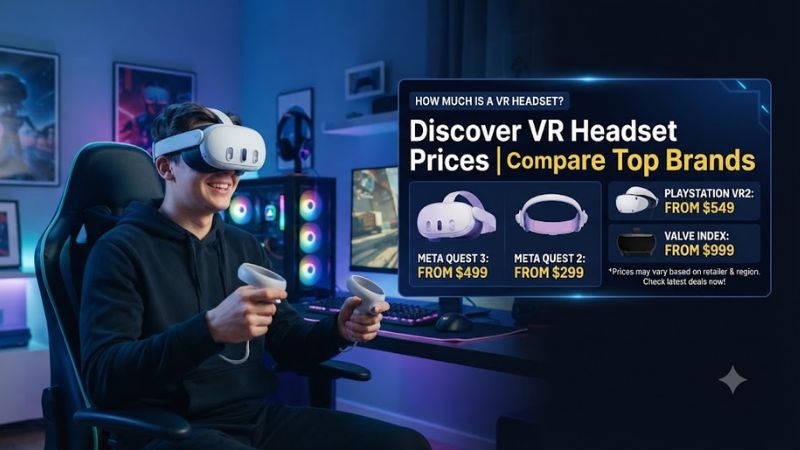
A practical answer is that mainstream VR gaming generally begins around the mid-$300 range, while higher-end XR hardware moves into four-figure pricing. Meta Quest 3S currently starts at $349.99 in the U.S., Quest 3 starts at $599.99, Samsung Galaxy XR costs $1,799.99, and Apple Vision Pro with M5 starts at $3,499.
Standalone VR Changes the Budget
Standalone headsets contain their own processor, storage, tracking hardware, display system, and battery, so they can run supported VR applications without a gaming PC. Meta lists Quest 3S and Quest 3 as current Quest options, with prices starting at $349.99 and $599.99 respectively.
For someone asking how much is a vr headset for ordinary gaming, standalone pricing is the most useful starting point. A Quest 3S can provide access to the Quest ecosystem without requiring a separate console or PC, while Quest 3 costs more and targets users who want its higher-tier hardware and storage configuration.
PC VR Adds Another Cost Layer
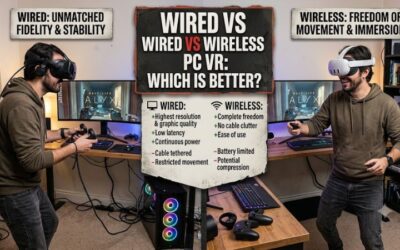
PC VR can use a headset connected to a computer or stream VR content wirelessly from a compatible PC. Steam Link lists Windows 10 or newer, a supported NVIDIA GPU such as the GTX 970 or better, a 5GHz Wi-Fi 5 router, and a wired PC-to-router connection for its supported wireless VR setup.
That means a relatively inexpensive headset does not automatically create an inexpensive PC VR system. If your computer already meets the software and graphics requirements, the additional cost may mainly be the headset and any required accessories. If it does not, the PC can become the larger expense.
Premium XR Targets Different Uses
Samsung Galaxy XR sits far above mainstream standalone pricing at $1,799.99 for its 256GB configuration in the U.S. Samsung positions it around Android XR, multimodal interaction, and immersive work and entertainment rather than simply treating it as a lower-cost gaming headset.
Apple’s current Vision Pro with M5 starts at $3,499 in the U.S. and is available with 256GB, 512GB, or 1TB storage. Its price therefore represents a substantially different product category from a mainstream gaming headset, particularly for buyers interested in spatial computing rather than only VR games.
What the Price Does Not Tell You
Headset MSRP does not show every cost involved in using VR. Depending on the model and setup, you may also need a gaming PC, a console, a comfort accessory, prescription lenses, games, or other optional equipment. Meta, for example, lists an Elite Strap separately from its Quest headsets.
The useful question is therefore not simply how much is a vr headset, but how much the complete setup will cost for your intended games. A standalone user can avoid buying a PC, while a PC VR user may already own the required computer and only need the headset connection and software.
How to Work Out the Cost: Step by Step
Start with the type of VR you actually intend to use, then check the hardware you already own before setting a budget. The table below separates the decision into four stages, moving from a free planning check through software and networking considerations to hardware spending. This avoids treating every VR buyer as needing the same setup.
| Setting | Where | Effect | Risk |
| Use case | Game or app requirements | Defines standalone, PC VR, or console needs | Buying for features you will not use |
| PC compatibility | SteamVR / Steam Link | Determines whether existing Windows hardware can run PC VR | Extra PC cost if requirements are missed |
| Network setup | Router and Windows PC | Supports wireless PC VR streaming | Latency or connection problems |
| Hardware budget | Headset and required platform | Sets the final purchase cost | Paying for premium features unnecessarily |
Step 1: Define the VR Platform
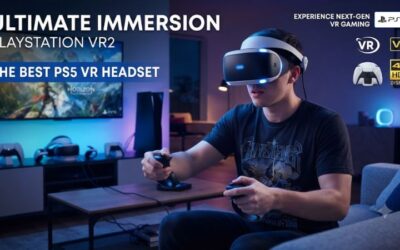
First decide whether you want standalone VR, PC VR, or console VR. A standalone headset can operate independently for supported applications, while PC VR depends on a compatible computer. PlayStation VR2 requires a PlayStation 5 for console use, although Sony also supports PC gaming through its separate PC adapter.
This first choice can change how much is a vr headset in practical terms because the headset is not always the entire platform. Someone who already owns a suitable PS5 or gaming PC has a different budget from someone starting with no compatible hardware at all.
Step 2: Check Your Windows PC
For wireless Steam Link VR, Valve specifies Windows 10 or newer, Steam and SteamVR, an NVIDIA GTX 970 or better, a 5GHz Wi-Fi 5 router, and a wired connection between the PC and router. Valve also lists 16GB RAM and an RTX 2070 or better as recommended rather than minimum hardware.
These requirements should be treated as compatibility checkpoints, not a promise of identical performance across every VR game. Individual games can demand substantially more graphics performance, so check the specific game’s requirements before assuming an existing PC is ready for a particular PC VR workload.
Step 3: Account for Accessories
After checking the main platform, look at what is included with the headset and what is optional. Meta lists Quest controllers as part of the core Quest experience and sells accessories such as the Elite Strap separately. Other products can have different package contents, so compare the included hardware rather than assuming every model requires the same additions.
Accessories can make the answer to how much is a vr headset noticeably different from the advertised entry price. A buyer who only needs the included equipment can stay close to MSRP, while someone who wants upgraded comfort, prescription lenses, storage, or other accessories can spend considerably more.
Step 4: Set the Hardware Ceiling
Once the platform and existing hardware are known, choose a spending ceiling based on what you actually need. Mainstream standalone VR starts around $349.99, while Quest 3 starts at $599.99; premium products such as Galaxy XR and Vision Pro sit much higher at $1,799.99 and $3,499 respectively.
Do not assume a higher price automatically makes sense for gaming. Premium XR hardware can add capabilities aimed at spatial computing, sensors, displays, or other workflows that may have little effect on a buyer who mainly wants standalone games. Match the price tier to the workload instead.
VR Headset Price FAQ
The most useful way to answer common VR pricing questions is to separate the headset’s advertised price from the complete system cost. Current U.S. manufacturer pricing places Quest 3S at $349.99, Quest 3 at $599.99, Galaxy XR at $1,799.99, and Apple Vision Pro with M5 at $3,499, showing how widely the category varies.
How much does a VR headset cost for gaming?
A VR headset for mainstream gaming currently starts around $349.99 in the U.S. with the Meta Quest 3S. Meta lists Quest 3S from $349.99 and Quest 3 from $599.99, giving standalone gaming buyers two substantially different price points before optional accessories or software are considered.
If you want PC VR, the headset price is only part of the equation because the computer also has to meet the relevant requirements. Steam Link currently specifies Windows 10 or newer and an NVIDIA GTX 970 or better as minimum PC graphics hardware for its listed wireless VR configuration.
Is a $350 VR headset enough for PC gaming?
A $350-class headset can be enough for PC VR if the particular model supports the PC connection method you intend to use and your computer meets the required specifications. Price alone does not determine PC compatibility, so verify the headset’s supported software and the PC requirements before buying.
For Steam Link specifically, Valve lists Meta Quest 2, Quest 3, and Quest Pro as supported headsets, alongside Windows 10 or newer, a GTX 970-or-better NVIDIA GPU, 5GHz Wi-Fi 5, and a wired PC-to-router connection. Requirements can differ for other connection methods and games.
Does a VR headset require a gaming PC?
A VR headset does not universally require a gaming PC because standalone models can run supported applications using their own hardware. Meta’s current Quest range includes Quest 3S and Quest 3 as standalone products, while PC VR applications can instead use a computer for rendering and stream the result to a compatible headset.
PC requirements become relevant when you want to play PC VR titles through SteamVR or another PC-based platform. In that case, the headset and computer form one system, and the computer’s GPU, operating system, network connection, and the game’s own requirements all affect whether the setup is suitable.
What is the cheapest way to get into VR?
The cheapest practical route depends on whether you mean a current standalone gaming system or simply any device capable of displaying VR content. For mainstream standalone VR, Meta currently lists Quest 3S from $349.99 in the U.S., while older Quest 2 is no longer available from Meta.
For a PC gamer who already owns compatible hardware, a standalone headset that supports PC streaming can avoid buying a separate VR computer. However, the total cost still depends on accessories, games, network equipment, and the specific connection method, so the lowest headset MSRP is not always the lowest complete-system cost.
Final Thoughts
So, how much is a vr headset in 2026? For mainstream standalone gaming, plan around $349.99 and up; higher-end standalone or XR systems can reach $1,799.99 or $3,499. The sensible budget depends on whether you already own a compatible PC or console and which VR applications you intend to run.
Ready to decide? Our #1 pick for 2026 is the Setting.
Live price & availability on Amazon.