🛒 Best Price Today on Amazon
Prime members get fast, free shipping on everything above, plus member-only deals. New members get a 30-day free trial — cancel anytime.
If you wear glasses, steam frame prescription lens options can make VR gaming more comfortable without squeezing your everyday frames inside the headset. As of October 27, 2026, choices include Valve-compatible Zenni inserts and third-party alternatives. This guide explains prescription limits, fit, eye-tracking considerations, and what to check before ordering.
What Steam Frame Prescription Lenses Really Come Down To
The main decision is whether to buy prescription inserts made specifically for Steam Frame or wear your existing glasses inside the headset. Dedicated inserts sit in front of the headset’s optics, allowing you to see clearly without relying on your everyday frames. However, compatibility, lens thickness, prescription range, and regional shipping all affect which option makes sense.
1. Why Dedicated Prescription Inserts Matter
Steam Frame uses custom pancake optics and compact internal clearances. Prescription inserts are designed around the headset’s lens assembly, rather than functioning as ordinary eyeglasses. The correct fit can reduce pressure from wearing two sets of frames and makes it easier to remove the prescription lenses for cleaning.
Dedicated inserts are optional, not a requirement for every glasses wearer. Valve’s published specifications state that glasses up to 140 mm wide can fit, although actual comfort depends on frame shape and depth. If your glasses touch the headset lenses or press against your face, model-specific inserts may be a better solution.
2. Zenni Is the Officially Compatible Starting Point
Zenni Optical is an officially designated Steam Frame-compatible prescription insert provider. Its product is designed specifically for the headset, making it a sensible first option for buyers who prioritize documented compatibility over experimenting with an unverified adapter.
Availability and prescription eligibility still matter. Zenni’s initial release attracted reports of limited stock and prescriptions that could not be accommodated. Check the live ordering page for your exact prescription and delivery region before assuming you can purchase a pair. Official compatibility does not mean every prescription is supported.
3. Third-Party Manufacturers Expand Your Choices
Other manufacturers have also advertised Steam Frame-specific inserts, including HonsVR, AMVR, VR Optician, and VR ROCK. Their offerings may differ in lens materials, mounting design, prescription limits, shipping regions, and additional charges. A headset-specific product listing is the starting point, not sufficient evidence that every configuration will work equally well.
Compare each manufacturer’s current ordering requirements and return policy before paying. Community discussions have raised concerns about prescription exclusions, fit, availability, and eye-tracking behavior with some products. These reports are useful warnings to investigate, but individual experiences do not establish that an entire brand or design is defective.
4. Prescription Strength Can Determine Your Best Option
The most important limitation is whether a manufacturer can produce inserts that match both eyes. Sphere (SPH) indicates nearsightedness or farsightedness, while cylinder (CYL) and axis values specify astigmatism correction. A product can support one part of your prescription but reject the combined values when you enter the complete prescription.
High-prescription lenses may require thinner, higher-index materials to fit within the headset’s restricted space. Before ordering, check the permitted SPH and CYL ranges for each eye, any additional charges, and whether your prescription requires a custom solution. Never substitute a different prescription simply to make an online order go through.
How to Choose and Set Up Steam Frame Prescription Lenses
Choosing among Steam Frame prescription lens options involves more than comparing prices. You need a compatible insert, accurate distance-prescription details, a secure mounting system, and a clear understanding of how the accessory fits around the headset’s eye-tracking hardware. The following checks help you avoid ordering lenses that cannot accommodate your prescription or intended use.
1. Compare the Available Options
The table below summarizes four manufacturers advertising Steam Frame-specific solutions. Listed prices are manufacturer-published US-dollar prices where available, not guaranteed checkout totals. Stock, shipping, prescription eligibility, and regional availability can change, so verify the current listing before making a decision.
| Manufacturer | Best suited for | Published price | Compatibility | Important limitation |
| Zenni Optical | Buyers prioritizing official compatibility | $67.95 USD | Steam Frame-specific; single vision | Published prescription range is limited |
| HONSVR | Buyers seeking a custom prescription | $49.95 USD sale price; $69.95 USD listed regular price | Steam Frame-specific | Confirm production time and prescription eligibility |
| VR ROCK | Buyers seeking another insert provider | $49 USD sale price; $69 USD listed regular price | Steam Frame-specific | Listing showed sold-out status when checked |
| VR Optician | Buyers considering a specialist VR optics provider | Verify current quote | Steam Frame-specific offering reported | Confirm current availability, shipping, and eye-tracking compatibility |
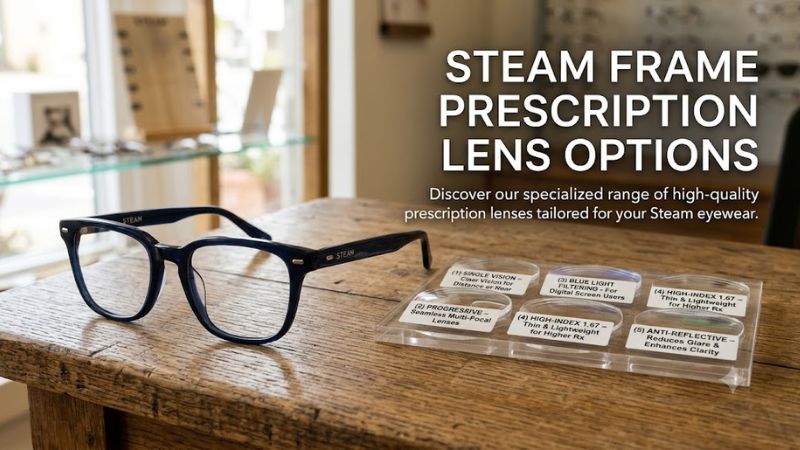
Zenni’s published listing specifies high-index 1.67 single-vision lenses, with an SPH range of -6.00 to +2.00 and a CYL range of -2.00 to +2.00. HONSVR provides separate right- and left-eye prescription fields. VR ROCK advertises customizable correction for nearsightedness, farsightedness, and astigmatism. These are manufacturer specifications, not independent comparisons of optical quality.
2. Check Your Prescription Before Ordering
Use a current distance prescription from your optometrist or ophthalmologist. Record the right-eye and left-eye values separately, preserving every plus or minus sign. If your prescription includes CYL and axis values, enter them exactly as supplied; an incorrect sign or omitted astigmatism measurement can result in unsuitable lenses.
Pay attention to the combined prescription limits, not just the maximum SPH displayed on a product page. Zenni explains that the combined sphere and cylinder values can affect eligibility. If an online configurator rejects your prescription, contact the manufacturer and ask whether a suitable lens material or alternative design is available before placing an order.
3. Consider Eye Tracking and Lens Clearance
Steam Frame includes inward-facing cameras for eye tracking, which supports features such as foveated streaming. An insert must fit the headset’s optical assembly without obstructing the relevant sensors or interfering with normal headset use. Do not assume that a lens insert designed for Valve Index, Meta Quest, or another VR headset will fit Steam Frame.
Ask the seller to confirm that the exact insert design supports Steam Frame’s eye-tracking functions. Also check whether the mounting system uses a snap-fit or magnetic attachment and whether it can be removed without tools. Stop using an insert if it becomes loose, interferes with the headset, or risks scratching the original optics.
4. Install and Verify the Inserts Carefully
Before installation, clean your hands and prepare a soft, clean work surface. Follow the manufacturer’s instructions for identifying the left and right inserts, aligning their mounting points, and securing them. For Zenni’s design, the published instructions specify aligning the triangular markings with the seams on the corresponding eyepiece before gently pressing the insert into place.
After installation, inspect both sides for movement, contact with nearby components, or visible obstruction. Put on the headset and check visual clarity, comfort, and eye-tracking behavior in a supported experience. If the image remains blurry, do not assume the headset is defective; verify the prescription, lens orientation, seating, and fit before contacting the seller.
| Setting or step | Where | Effect | Risk |
| Verify SPH, CYL, and axis | Your current prescription | Helps ensure accurate correction | Incorrect entries can produce unsuitable lenses |
| Confirm headset compatibility | Manufacturer’s product specifications | Reduces fit and clearance problems | Generic inserts may not fit |
| Install the inserts | Steam Frame eyepieces | Adds vision correction inside the headset | Forcing a mount can damage components |
| Check clarity and tracking | A supported VR experience | Helps identify fit or tracking problems | Continued use may be uncomfortable if alignment is wrong |
FAQ
Are Steam Frame prescription lenses available now?
Yes, several manufacturers advertise Steam Frame-specific prescription inserts as of October 27, 2026. Zenni is Valve’s officially compatible provider, while HONSVR and VR ROCK also list dedicated products. Availability varies by seller, and some listings have shown limited stock. Confirm current inventory and delivery eligibility before ordering.
Can I wear my regular glasses inside Steam Frame?
Yes, if your glasses fit comfortably within the headset’s available clearance. Valve lists a maximum glasses width of 140 mm, but width alone does not determine fit. Frame depth, shape, and distance from the headset’s optics also matter. If your glasses press against the headset or cause discomfort, consider dedicated inserts.
Do Steam Frame prescription lenses support astigmatism?
Yes, some compatible inserts support astigmatism correction through CYL and axis values. Zenni lists a CYL range of -2.00 to +2.00, while other manufacturers have their own prescription requirements. Check the full prescription limits for both eyes before ordering, especially if you have a strong or complex prescription.
Will prescription inserts improve Steam Frame’s image quality?
Prescription inserts can improve clarity for users whose uncorrected vision would otherwise make the headset image blurry. They do not increase the headset’s display resolution or refresh rate. The result depends on prescription accuracy, lens quality, fit, and correct alignment. If you experience persistent blur or discomfort, stop and verify the setup.
Final Thoughts
The best steam frame prescription lens options depend on your prescription, location, budget, and fit requirements. Zenni is a sensible starting point for its official compatibility, while HONSVR and other specialist providers offer alternatives worth comparing. Confirm prescription limits, eye-tracking support, and stock before ordering, particularly if you need high-index lenses.