🛒 Best Price Today on Amazon
Prime members get fast, free shipping on everything above, plus member-only deals. New members get a 30-day free trial — cancel anytime.
A best keyboard with a detachable palm rest should combine a comfortable removable support with the layout, switch feel, connectivity, and software you actually need. Current options range from affordable wired boards to premium wireless models, so the right choice depends more on desk space and features than the palm rest alone.
How to Choose a Keyboard With a Detachable Palm Rest
The right best keyboard with a detachable palm rest starts with four checks: the support should detach cleanly, the layout must fit your desk, the switch type should match gaming and typing preferences, and compatibility must match your PC. These criteria point toward four current models with different strengths rather than one design fitting everyone.
Check the Palm Rest Design
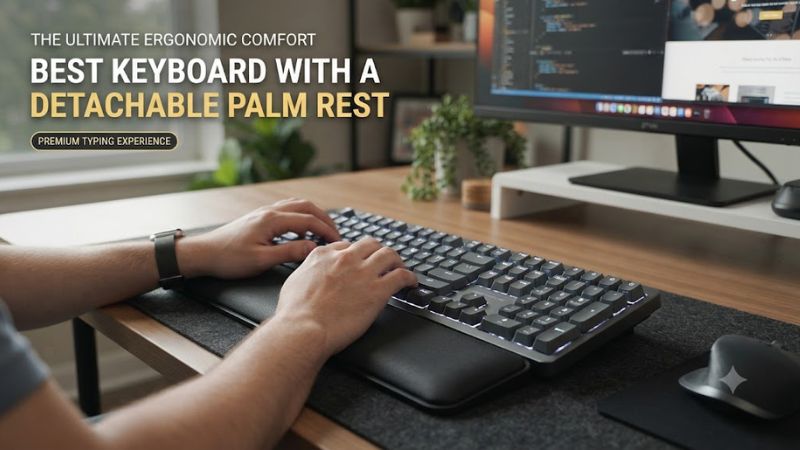
A best keyboard with a detachable palm rest should let you remove the support without altering normal keyboard operation. Magnetic designs are particularly practical because the rest can be attached for longer sessions and removed when you want more desk space. Corsair, ASUS, and SteelSeries all document detachable or magnetic designs on the selected models.
The material also matters because a hard plastic support feels different from a soft-touch or leatherette surface. The K70 CORE uses a magnetic soft-touch palm rest, while the ROG Strix Scope II 96 Wireless and Apex Pro Gen 3 use detachable supports designed around longer gaming sessions. The Razer model uses a magnetic plush leatherette wrist rest.
Match the Keyboard Layout
For a best keyboard with a detachable palm rest, layout is a major compatibility and workspace decision. Full-size boards retain the numpad, 96% models compress the layout while keeping most keys, and 75% designs save more horizontal space by removing the numpad and reducing the navigation cluster.
The K70 CORE is full-size, the ROG Strix Scope II 96 Wireless uses a 96% layout, the Apex Pro Gen 3 is available as a full-size or TKL model, and the BlackWidow V4 Pro 75% uses a 75% layout. Choose the larger formats when the numpad matters and compact layouts when mouse clearance is more important.
Choose Switches for Your Workload
A best keyboard with a detachable palm rest also needs switches that suit how you press keys. Linear switches can suit users who prefer smooth movement, tactile switches add a physical bump, and Hall effect switches allow adjustable actuation on compatible models. These differences affect feel and control more directly than RGB lighting.
The K70 CORE uses CORSAIR MLX Red linear switches, the ROG Strix Scope II 96 Wireless uses ROG NX mechanical switches, and the Apex Pro Gen 3 uses OmniPoint 3.0 adjustable HyperMagnetic switches. The Razer BlackWidow V4 Pro 75% uses Gen-3 tactile mechanical switches and supports hot-swapping.
Verify PC Compatibility
Before choosing a best keyboard with a detachable palm rest, check both physical connectivity and software requirements. The K70 CORE supports PC and Mac through USB Type-A, while the Apex Pro Gen 3 supports Windows 10 or later and macOS 11 or later, with some software features unavailable on Mac.
The ROG Strix Scope II 96 Wireless is specified for Windows 11 and supports USB, Bluetooth 5.1, and 2.4GHz RF. The BlackWidow V4 Pro 75% supports USB-C, Bluetooth 5.1, and Razer HyperSpeed Wireless, making it the most flexible connection option among these four.
Top Picks for Detachable Palm Rest Keyboards
The best keyboard with a detachable palm rest depends on whether you prioritize price, wireless connectivity, adjustable actuation, or a compact enthusiast layout. The table separates those priorities so the product choice remains tied to a specific use case rather than treating every keyboard as interchangeable. Independent reviews also identify meaningful differences in typing feel, build, connectivity, and layout.
| Product | Best For | Key Spec | Compatibility | Watch Out For |
| Corsair K70 CORE | Best Overall | MLX Red, 1,000Hz, full-size | PC/Mac, USB Type-A, Windows 10+ | Wired and soldered switches |
| ASUS ROG Strix Scope II 96 Wireless | Best Value | 96%, hot-swappable, 2.4GHz/Bluetooth | Windows 11, USB/Bluetooth/RF | Spacebar can rattle |
| SteelSeries Apex Pro Gen 3 | Best For Adjustable Actuation | OmniPoint 3.0, Rapid Trigger | Windows 10+, macOS 11+ | Wired and costly |
| Razer BlackWidow V4 Pro 75% | Best For Wireless Customization | Gen-3 tactile, hot-swap, 4,000Hz wireless | USB-C, Bluetooth 5.1, 2.4GHz | High price and modest battery life |
Corsair K70 CORE — Best Overall
The best keyboard with a detachable palm rest for a straightforward full-size setup is represented here by the K70 CORE with its magnetic palm-rest configuration. It combines MLX Red linear switches, a 1,000Hz report rate, onboard profiles, per-key RGB, and a multifunction rotary dial, while its PC compatibility covers Windows 10 and macOS 10.15 or later.
Buy it if you want a conventional full-size gaming keyboard and do not need wireless operation or Hall effect controls. Its real weakness is the soldered switch design and wired-only connection, while RTINGS also notes that the plastic construction and ABS keycaps feel less premium than higher-end boards. Skip it if switch swapping or wireless use is essential.
ASUS ROG Strix Scope II 96 Wireless — Best Value
The best keyboard with a detachable palm rest for a compact full-size arrangement is the ROG Strix Scope II 96 Wireless. Its 96% layout keeps the numpad while reducing the overall footprint, and it combines ROG NX switches, hot-swappable support, per-key RGB, USB connectivity, Bluetooth 5.1, and 2.4GHz wireless operation.
Buy it if you want wireless flexibility without moving down to a TKL board and also want the option to change mechanical switches later. The main weakness is the spacebar, which independent review found somewhat rattly, while the chassis remains fairly large and heavy despite the compact layout. Avoid it if you want a genuinely small keyboard.
SteelSeries Apex Pro Gen 3 — Best For Adjustable Actuation
The best keyboard with a detachable palm rest for adjustable key behavior is the Apex Pro Gen 3. Its OmniPoint 3.0 HyperMagnetic switches provide adjustable actuation, Rapid Trigger, Dual Actuation, and Protection Mode, while the full-size version includes an OLED display and magnetic soft-touch wrist rest. Windows 10 and later are supported.
Buy it if adjustable actuation is more important than wireless connectivity, especially for competitive games where input behavior matters. The weakness is that it is wired-only, and RTINGS notes that only the alphanumeric keys use adjustable Hall effect switches while the remaining keys use standard mechanical switches. Do not buy it solely for wireless convenience.
Razer BlackWidow V4 Pro 75% — Best For Wireless Customization
The best keyboard with a detachable palm rest for premium wireless customization is the BlackWidow V4 Pro 75%. It combines Gen-3 tactile switches, hot-swappable sockets, doubleshot PBT keycaps, an OLED display, a Command Dial, Bluetooth 5.1, USB-C, and HyperSpeed Wireless, with a magnetic plush leatherette wrist rest.
Buy it if you want a compact enthusiast-style layout without giving up wireless connectivity or Razer’s software ecosystem. Its main weakness is value: independent reviews place it at the premium end, while battery life can be modest depending on wireless mode and lighting. Avoid it if your priority is low cost rather than customization.
FAQ
A best keyboard with a detachable palm rest is ultimately a combination of ergonomic preference, layout, switch behavior, and compatibility. The four models above cover wired full-size, compact wireless, adjustable Hall effect, and premium wireless designs, so the key question is which combination matches your setup rather than which specification sounds largest.
Are detachable palm rests better for gaming?
Detachable palm rests are useful when you want the option to change hand support without replacing the keyboard. A magnetic attachment lets you use the support for longer sessions and remove it when the extra desk depth is inconvenient, which is particularly relevant with full-size keyboards.
They are not automatically better for every player because wrist and hand position varies between users. A compact keyboard may already provide enough desk clearance, while a full-size board can benefit more from an additional support surface. The practical advantage is flexibility rather than a guaranteed performance change.
Which layout is easiest to pair with a palm rest?
A full-size layout provides the most conventional pairing because the palm rest can span the entire keyboard width, while a 96% layout preserves the numpad in a somewhat smaller footprint. A 75% board needs less horizontal space but sacrifices the numpad and some navigation keys.
For gaming, choose according to mouse space and game controls rather than palm-rest size alone. Users who frequently enter numbers may prefer the K70 CORE or ROG Strix Scope II 96 Wireless, while users focused on FPS games may prefer a smaller format such as the Razer 75% design.
Do wireless keyboards still need a detachable palm rest?
Wireless operation does not determine whether a keyboard can use a detachable palm rest because the two features are independent. The ROG Strix Scope II 96 Wireless and BlackWidow V4 Pro 75% demonstrate that a keyboard can combine removable palm support with 2.4GHz and Bluetooth connectivity.
The more important consideration is how the keyboard connects to your PC and other devices. Bluetooth can help with multi-device use, while a 2.4GHz receiver generally targets desktop gaming. Check the manufacturer’s operating-system and software requirements before buying, particularly when using macOS.
Should you choose Hall effect switches instead of mechanical switches?
Hall effect switches are useful when you specifically want adjustable actuation or Rapid Trigger features, but traditional mechanical switches remain suitable when you prefer a fixed key feel. The Apex Pro Gen 3 provides adjustable actuation, while the K70 CORE and ROG Strix Scope II 96 Wireless use conventional mechanical switch systems.
For typing-heavy use, switch feel can matter more than adjustable actuation, so tactile or linear mechanical switches may be the simpler choice. Hall effect technology is most relevant when you will actually configure its adjustable input features rather than buying it solely because the specification is newer.
Final Thoughts
Choosing a best keyboard with a detachable palm rest comes down to the support design, layout, switches, connectivity, and PC compatibility. The K70 CORE suits straightforward wired setups, the ASUS favors compact wireless use, the Apex Pro Gen 3 adds adjustable actuation, and the Razer emphasizes premium wireless customization.